







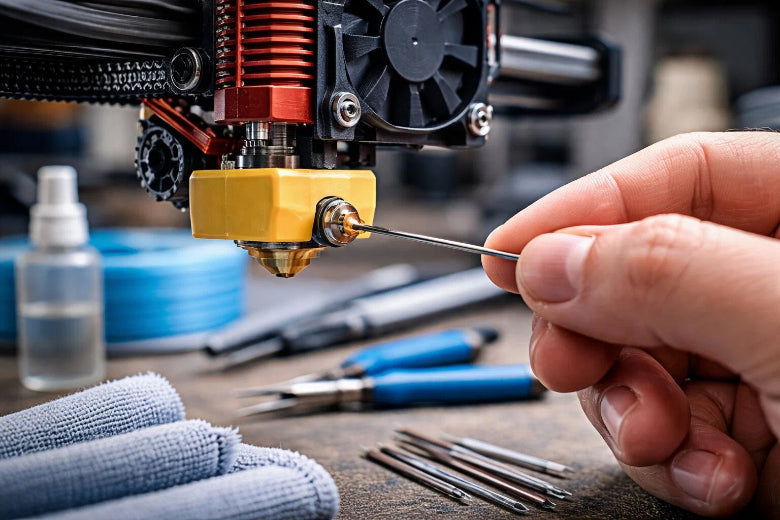
Want to know how to clean 3d printer nozzle? You can keep your prints sharp and trouble-free by cleaning the nozzle often. Most users clean their 3D printer after every 100 hours of printing, but if you see issues, clean it sooner. A clean nozzle means better prints and less frustration. 😊
Key Takeaways
Clean your 3D printer nozzle after every 20 to 30 hours of printing. This helps keep your prints looking good and stops clogs from happening. - Try the cold pull method if you have a tough clog. You do not need to take your printer apart for this. It works well to clear out burnt material. - Keep filament in airtight containers. This stops moisture from getting in. Moisture can cause clogs and problems when you print.
Identify a Clogged Nozzle
Signs of a Clogged Nozzle
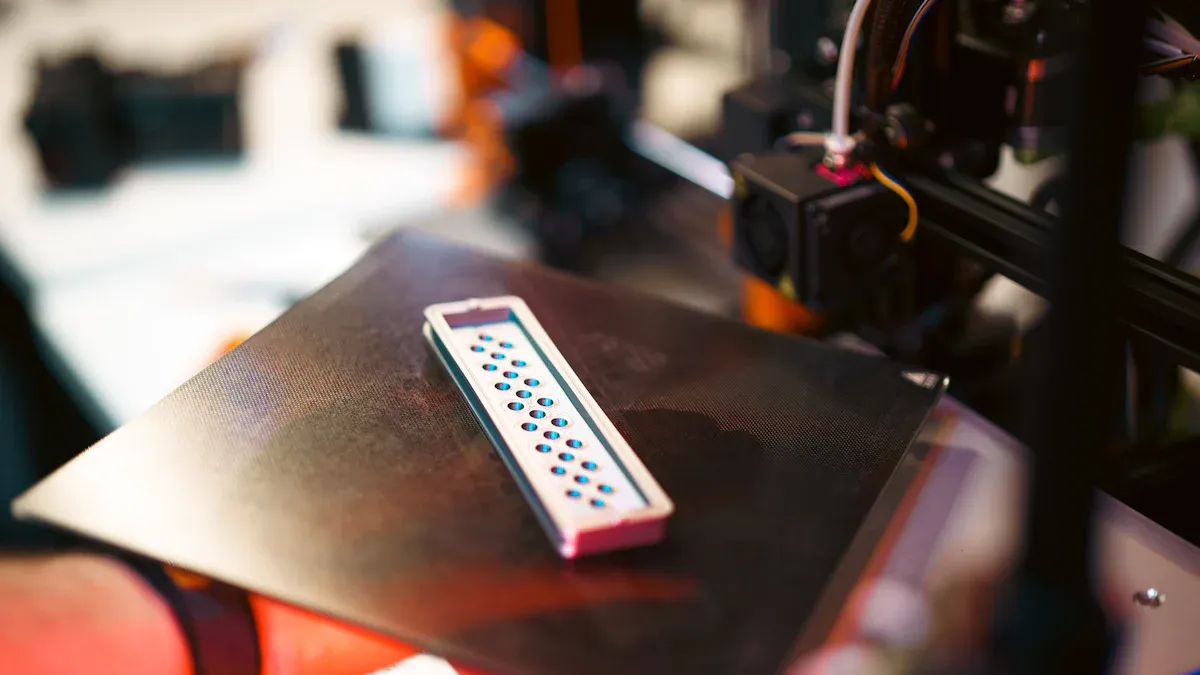
Your 3D printer may act weird if the nozzle is clogged. Look for these signs:
- Filament comes out very slowly or stops during printing.
- The extruder makes strange clicking or grinding sounds.
- The first layer looks weak, spotty, or does not stick well.
- Filament curls up at the nozzle tip instead of sticking to the bed.
- You see gaps, missing layers, or thin lines in your prints.
- Prints have uneven layers, blobs, or stop extruding in the middle.
Tip: If your printer skips or makes odd noises, pause it and check the nozzle. Finding a clog early can save your print!
Common Causes of Clogs
Nozzles get clogged for different reasons. Knowing why helps you stop clogs from happening again.
|
Primary Cause |
Description |
Impact on Nozzle Functionality |
|---|---|---|
|
Dirt and Filament Debris |
Dust or dirt from filament or bad storage |
Blocks filament from moving through the nozzle |
|
Overheating |
Printing too hot can break down filament |
Leftover bits clog the nozzle and hurt prints |
|
Filament with dirt or that soaks up water |
Swells or leaves stuff behind, causing clogs |
|
|
Moisture in Filament |
Filament gets wet and swells when heated |
Makes blockages inside the nozzle |
|
Residue Buildup |
Old filament left from not cleaning enough |
Makes the nozzle smaller and causes clogs |
Bad filament, wrong heat, and dust are main reasons for clogs. If you want to fix a clogged extruder, check these things first. Keep your filament dry and clean your nozzle often to help your printer work well.
How to Clean 3D Printer Nozzle: Tools and Methods
Tools Needed to Clean a 3D Printer Nozzle
You do not need special tools to clean a 3D printer nozzle. Most tools are cheap and easy to find. Here are some things you should have:
- Cleaning needles: These thin tools poke through the nozzle to clear blockages.
- Brass brushes: Use these to gently scrub away filament residue from the outside.
- Cleaning filament: Special filament designed to remove leftover material inside the nozzle.
- Heat gun: Softens hardened filament for easier removal.
- Ultrasonic cleaner: Uses sound waves to deep clean small parts like nozzles.
- Isopropyl alcohol: Removes sticky residue from the nozzle.
- Nozzle cleaning kit: Usually includes needles, brushes, and sometimes cleaning filament.
Tip: A good nozzle cleaning kit helps you work faster and makes unclogging easier.
Step-by-Step: Methods to Clean a 3D Printer Nozzle
There are many ways to clean a 3D printer nozzle. Each way works best for certain clogs. You can follow these steps in order:
-
Brass Brush Cleaning
Heat the nozzle to about 200–250°C. Use a brass brush to scrub off melted filament or dirt from the outside. This keeps the nozzle tip clear and stops buildup. -
Needle or Cleaning Kit
Heat the nozzle to the right temperature for your filament. Put a fine needle from your cleaning kit into the nozzle hole. Gently poke to break up debris. Push out loose bits by extruding filament. -
Cold Pull Method
Heat the nozzle to your filament’s printing temperature. Push filament through until it flows. Let the nozzle cool (see the chart below for the right temperature). Pull the filament out by hand. The filament should bring burnt bits and residue with it. Do this again until the filament comes out clean. -
Solvent Soak
If the clog is tough, take out the nozzle. Soak it in acetone (for ABS) or ethyl acetate (for PLA) for a few hours. After soaking, flush with a wire or compressed air. -
Ultrasonic Cleaning
Put the nozzle in an ultrasonic cleaner with isopropyl alcohol or water. Sound waves shake loose any hidden debris. -
Nozzle Replacement
If nothing works, it is often easier and cheaper to use a new nozzle.
Safety Note: Always heat the nozzle before cleaning. Wear gloves and use tools carefully so you do not get burned.
Cold Pull and Hot Pull Techniques
The cold pull is a great way to remove clogs and burnt residue. You do not need to take apart your printer, and it works quickly. Here is how to clean a 3D printer nozzle with this method:
- Heat the nozzle to the printing temperature for your filament.
- Push filament through until it flows.
- Let the nozzle cool to the right temperature (see the table below).
- Pull the filament out by hand. It should come out with debris stuck to it.
- Repeat until the filament comes out clean.
Here is a quick guide for cold pull temperatures:
|
Filament Type |
Heating Temperature (℃) |
Cooling Temperature (℃) |
|---|---|---|
|
PLA |
200 |
90 |
|
PETG |
230 |
110–120 |
|
Nylon |
250–260 |
140–160 |
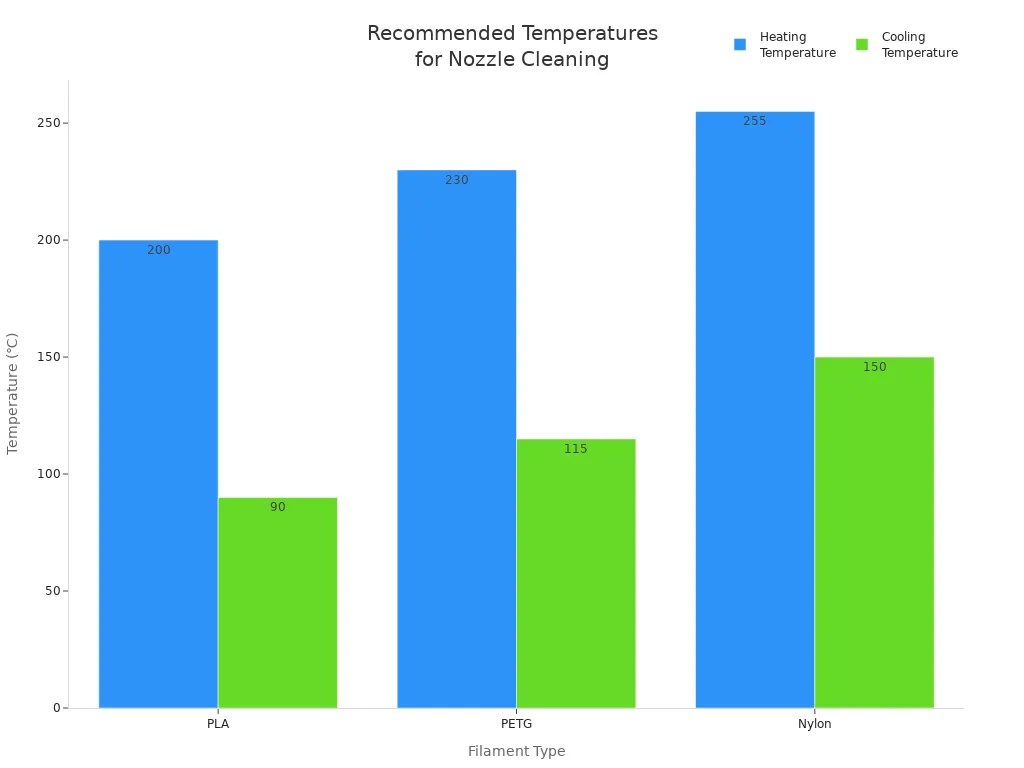
The cold pull method is very useful when you change filament types. It removes burnt material and leftover filament from inside the nozzle. Many people think it is the best way to keep your nozzle clean.
Always take out the PTFE tube before a cold pull so you do not damage it.
Needle, Solvent, and Ultrasonic Cleaning
You can also clean a 3D printer nozzle with needles, solvents, or an ultrasonic cleaner. Each way has its own benefits:
-
Needle or Cleaning Kit:
Heat the nozzle. Put a fine needle into the nozzle hole. This is good for regular cleaning and helps unclog an extruder without taking out the nozzle. -
Solvent Soak:
Take out the nozzle. Soak it in acetone (for ABS) or ethyl acetate (for PLA) for a few hours. This melts tough plastic. Rinse and flush with a wire or compressed air. -
Ultrasonic Cleaner:
Put the nozzle in an ultrasonic cleaner with isopropyl alcohol or water. Sound waves shake loose any hidden debris. This gives a deep clean, makes prints better, and helps your printer head last longer. It is gentle and saves time.
Here is a quick comparison:
|
Cleaning Method |
Effectiveness |
Safety Considerations |
|---|---|---|
|
Cold Pull Method |
Best for partial clogs and burnt residue |
Requires heating the nozzle; follow safety steps |
|
Needle or Cleaning Kit |
Essential for regular maintenance |
Use high-quality tools to avoid damage |
|
Solvent Bath |
Effective for stubborn residues |
Handle solvents with care and ventilate |
Note: Always heat the nozzle to at least 250°C before cleaning to make filament easier to remove. Use the right tools and keep the nozzle in a safe spot to avoid accidents.
If you want to know how to clean a 3D printer nozzle and keep your prints looking good, try these ways to clean a 3D printer nozzle. With the right tools and some practice, you can unclog an extruder and keep your printer working well.
Preventing Future Clogs
Maintenance Tips for Nozzle Health
You want your 3D printer to work well. Taking care of the nozzle helps a lot. Here are some simple tips to keep your nozzle working great:
- Check the nozzle every day for damage or dirt.
- Clean your 3D printer nozzle after 20–30 hours or when you change filament.
- Use a cold pull to get rid of hidden junk and keep the nozzle clear.
- Try a heated brass brush or cleaning needle if the filament comes out uneven.
- Set the right retraction settings to stop jams and help the filament move.
Cleaning your nozzle often helps you find problems early. If you see uneven lines or the pressure drops, check the pipeline or think about getting a new nozzle. Cleaning often keeps your prints looking good and helps your nozzle last longer.
Pro tip: A fast check before each print can stop bigger problems later!
Filament Storage and Handling
How you store and use filament is important for stopping clogs. Water is a big problem. If filament gets wet, it can bubble and block the nozzle when you print. Here are ways to keep your filament safe:
- Keep filament in airtight boxes with desiccants to stop water.
- Use a drybox for filament if you print a lot or live where it is humid.
- Pick good quality filament to avoid dirt that causes clogs.
- Set your printer right for each filament type.
- Clean your 3D printer nozzle before you change filament so you do not mix old junk.
Taking care of your filament and cleaning on time will help you stop most clogs. It is much easier to stop clogs than to fix them!
You can keep your 3D printer running smoothly by cleaning the nozzle, checking for clogs, and storing filament well. Regular care helps you avoid costly repairs and keeps prints sharp. With the right tools, cleaning feels simple. Try these steps and enjoy better prints every time!
FAQ
How often should you clean your 3D printer nozzle?
You should clean your nozzle every 20–30 hours of printing or whenever you switch filament types. Regular cleaning keeps your prints sharp.
Can you clean a nozzle without removing it?
Yes! You can use a cold pull, cleaning needle, or brass brush while the nozzle stays on your printer. These methods work fast and are easy.
What’s the best way to fix a stubborn clog?
Try a cold pull first. If that fails, soak the nozzle in solvent or use an ultrasonic cleaner. Replace the nozzle if nothing works.











