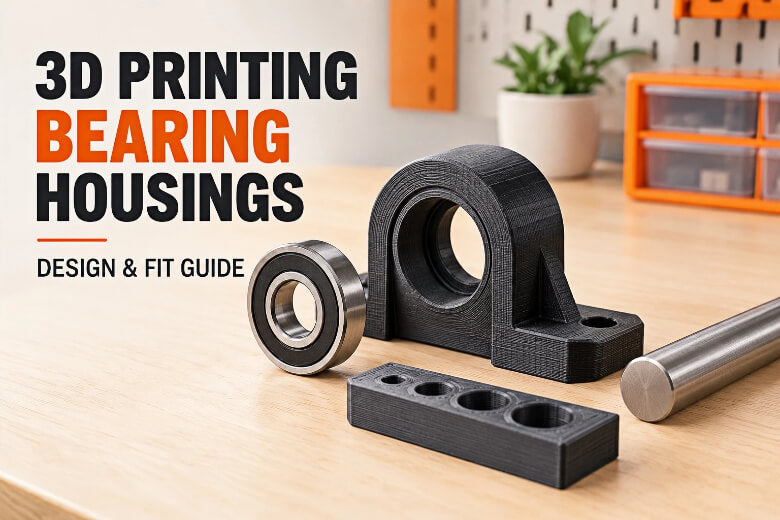




In a typical bearing housing, the seat is designed to support the outer ring, keep the inner ring free, resist unwanted movement, and maintain alignment. In practice that means holding the outer ring so it cannot spin or creep, leaving the inner ring to turn with the shaft, limiting rotation and axial movement under load, and keeping the bearing aligned so the shaft stays true. A press fit is a deliberate interference: the pocket is slightly smaller than the outer ring, so the plastic grips it. Interference is that overlap; clearance is the opposite, a deliberate gap. A captive housing traps the bearing in a closed pocket with a shoulder. A split block clamps the bearing between two bolted halves.
This guide gives you a criteria-driven comparison of the four common housing methods, the CAD numbers to start from, and a coupon workflow you can run in one afternoon to find how to design a bearing housing that actually fits your printer and filament.
Key Takeaways:
- A bearing seat must hold the outer ring, keep the inner ring free, resist rotation and stay aligned; a plain hole does none of these reliably.
- Pick the housing method from serviceability, axial load and available space, not from habit.
- Print a stepped coupon before the real part; the coupon overrides every starting number in this guide.
Why a Bearing Housing Is Harder Than an Ordinary Hole
We treat a bearing seat as harder than an ordinary hole because it has to hold a precision steel ring without distorting it, and a printed pocket does both jobs badly if you let it. These recommendations were developed for machined housings, so they should be used as background guidance rather than direct specifications for FDM parts. With that caveat in mind, SKF's rolling bearing catalogue is explicit that rings should be fully supported around their complete circumference and across the entire width of the raceway, and that seats should be uninterrupted by grooves, holes or other features. A pocket with a seam gap, a screw hole breaking into the bore, or a wall that is thin on one side fails that test.
The second problem is creep. NTN's bearing-fits guidance describes what happens when a ring is loose in its seat: relative movement causes abrasive wear, fretting corrosion or friction cracks, and the debris can migrate into the bearing and cause vibration and heat. A pocket that feels snug by hand can still creep under a reversing load.
The third problem is the opposite failure. Interference compresses the outer ring and reduces internal clearance, so a fit that is too tight preloads the bearing and makes it run hot. Tight is not automatically safe. And a press fit alone does not locate the bearing axially; NTN's note on axial fixing calls for a real retention method such as a shoulder, a retaining ring or bolts. This is where an FDM bearing fit differs from a machined one: the plastic itself moves, so the seat has to be designed for the printer, not just for the bearing.
Press-Fit Pocket, Captive Housing, Split Block or Screw-Secured Holder?

Choose the press-fit pocket for light, static, low-speed loads where the bearing never needs to come out, and choose a captive, split or screw-secured design whenever you need service access or axial retention. That single rule settles most small-shop decisions. The table below compares the four methods on the criteria that actually decide the outcome.
|
Criterion |
Press-fit pocket |
Captive housing |
Split block |
Screw-secured holder |
|---|---|---|---|---|
|
Best use case |
Simple assemblies where removal is not a priority |
Axial location matters, bearing stays put |
Bearing must be serviceable |
Bearing must be clamped and removable |
|
Retention against rotation |
Interference only |
Interference plus shoulder |
Clamp load from bolts |
Clamp load from bolts or a cover |
|
Axial location |
Weak; needs a lip or shoulder |
Can provide strong axial location when properly designed |
Can provide strong axial location when properly designed |
Can provide strong axial location when properly designed |
|
Removal / serviceability |
Poor; often destructive |
Fair |
Often the most serviceable option |
Good |
|
Print orientation |
Often suitable as a starting orientation |
Often suitable as a starting orientation |
Split line horizontal |
Often suitable as a starting orientation |
|
Typical failure mode |
Creep, cracking at the bore wall |
Bearing trapped by a lip that is too tall |
Halves not mating flat, bore out of round |
Screw bosses stripping |
|
Who it suits |
One-off fixtures, prototypes |
Enclosed mechanisms |
Rollers, spools, anything rebuilt |
Adjustable mounts, test rigs |
The 3D printed bearing holder you design has to leave enough wall around the pocket. A 608 bearing measures 8 mm bore, 22 mm outside diameter and 7 mm wide, with a 0.3 mm corner radius (the 608's 22 mm outside diameter comes from NMB's spec sheet). A 6001 is 12 × 28 × 8 mm and a 6002 is 15 × 32 × 9 mm per NSK's bearing replacement guide, while the 6800 is a compact 10 × 19 × 5 mm from the same guide. The chart shows how much material each size leaves you.
Every method shares the same basic parts: the pocket, a retaining shoulder or lip, an axle opening, an alignment feature, and an optional cover or clamp. A press-fit pocket uses only the pocket and a shoulder. A captive housing adds a lip that overlaps the outer ring face. A split block adds a split line and bolt holes. A screw-secured holder adds fastener bosses, and if you are designing those, our guide to heat-set inserts and screw bosses covers the boss sizing you will need.
How Print Orientation Decides Roundness, Strength and Surface Finish
Printing the pocket axis normal to the build plate is often a useful starting point because it can produce more continuous circular walls. However, the best orientation also depends on load direction, support access, layer strength, and the housing design. Stanford's Lab64 FDM rules of thumb put it plainly: holes are best printed normal to the X-Y plane because the circular path is continuous on a single layer, and holes with a horizontal axis will not be as circular because of discontinuities at every layer. Those discontinuities are the layer seam, the step where one layer ends slightly proud of the one below.
A horizontal pocket also needs support material inside the bore, and removing it scratches the very surface the bearing has to sit on. The trade-off is strength. A vertical pocket loads the bearing across layer lines, and that is usually the weaker direction in FDM parts. Layer strength varies with material, print temperature, cooling, orientation, and slicer settings. If the bearing housing will carry a meaningful load, validate the design with a test part under realistic conditions. If the load pulls the bearing out of the pocket, add a shoulder or a clamp rather than rotating the part.
What CAD Numbers to Start From, and Why None of Them Are Universal
Start with the bearing's published outside diameter, add a chamfered lead-in, and treat every fit number as a test value rather than a specification. There is no universal pocket size for an FDM bearing fit, because the printer, the filament, the layer height and the slicer all shift the result. The bearing-fit tables in the SKF and NTN catalogues are written for machined metal housings, so we apply them here by analogy, not as measured data for printed parts.
The bearing's own dimensions are the only hard numbers. The 608's 22 mm outside diameter and 0.3 mm corner radius come from the manufacturer sheet, and the 6001, 6002 and 6800 sizes come from the NSK tables linked above. Use those to set the nominal pocket, then add a small chamfer at the mouth so the ring can start square; a light 0.3 to 0.5 mm edge break is a common starting point, but the right size depends on your nozzle, layer height, and printer.
For the fit itself, university FDM guidelines suggest specifying holes in the XY plane about 0.2 mm larger in diameter than desired, because printed holes come out smaller than drawn (Oakland University FDM guidelines). That is a clearance allowance, not a press fit. For an interference pocket, makers often start around 0.05 to 0.10 mm per side and prove it with a coupon. Those values should be treated as starting points, not universal specifications. A 2025 CMM measurement study of printed PLA parts found deviations up to about 0.12 mm on a calibrated desktop machine (Wei et al., Polymers 2025), which is larger than the interference you are trying to hold. Even on a printer rated ±0.1 mm, bearing fit is not ±0.1 mm precise.
The slicer adds another variable. One provider's X-Y hole compensation enlarges or shrinks holes separately from outer contours, and the official guidance is to calibrate the value per printer and filament (precision settings). Another vendor's XY hole compensation works the same way and changes the diameter by twice the value you enter (hole compensation). Set it to zero before you run a coupon, or you will be measuring the compensation instead of the printer.
How Do You Find Your Fit, and What Are the Limits?

Find your fit with a stepped coupon: one small print with several pocket sizes, each stepped by an increment that makes sense for your printer, and press the actual bearing into each one. Print it in the same filament, layer height and orientation as the final part, because all three change the result. The coupon costs a few grams and one short print; reprinting a finished housing costs far more time.
We recommend labelling each pocket with its nominal size as you model it, so the feel test maps back to a number. Pick an increment you can actually measure and print reliably — a step smaller than your printer can hold just adds noise. A good press fit goes in with firm thumb pressure and needs a drift to come out. Too loose slides in and rocks. Too tight will not start, or cracks the wall. Then check the bearing by hand: it should spin freely with no gritty feel, which tells you the outer ring is not being squeezed.
The limits matter as much as the fit. A printed plastic housing is not a validated bearing mount for safety-critical, high-speed, hot or heavily loaded machinery. Heat is the usual failure. Printed thermoplastics soften as they approach their heat deflection temperature, so a housing sitting next to a warm motor can lose its grip even if it felt tight on the bench. Compare your filament's published thermal data against the real service temperature, and step up to a higher-temperature material when the margin looks thin. Values from one product data sheet don't transfer to every brand or blend, so read the sheet for the spool you actually bought. Press the bearing in squarely with a socket or a flat plate that contacts the outer ring only, never through the balls or the inner ring, which is the same rule one bearing maker's mounting guide gives for metal housings.
|
Symptom |
Likely cause |
Fix |
|---|---|---|
|
Pocket undersized, bearing will not start |
Hole shrinkage, no compensation |
Add slicer hole compensation or open the CAD pocket |
|
Bearing drops in and rocks |
Pocket oversized or oval |
Reprint with a smaller pocket; check orientation |
|
Bore wall looks stepped |
Pocket printed horizontally |
Reprint with the pocket axis vertical |
|
Bearing binds when spun |
Outer ring squeezed by too much interference |
Open the pocket, or add a chamfer to relieve the mouth |
|
Bearing creeps under load |
No axial retention |
Add a shoulder, lip or clamp |
|
Housing softens and loosens |
Material too close to its heat deflection temperature |
Switch to a higher-HDT filament or move the bearing away from heat |
Frequently Asked Questions
What is the best press fit for bearings in 3D printing?
There is no single number. A common starting point is around 0.05 to 0.10 mm of interference per side, but treat it as a test value and prove it with a stepped coupon in your own filament. The coupon overrides every table, because printer calibration and slicer compensation shift the result by more than the fit itself.
Should I print the bearing pocket vertically or horizontally?
A pocket axis normal to the build plate is often a useful starting point, but the final orientation should also account for load direction, support access, and layer strength. Stanford's Lab64 rules note that a vertical axis keeps the circular path continuous on each layer, while a horizontal pocket is interrupted at every layer and usually needs supports inside the bore.
How much clearance do I need for a 3D printed bearing holder?
For a bearing that must slide in and out, university FDM guidelines suggest about 0.2 mm added to the hole diameter as a starting clearance. For a press fit you want the opposite: a slight interference, found by coupon, not a clearance.
Can I use a 3D printed bearing housing for a load-bearing application?
Only for light, static, low-speed loads, and only after you have checked the material's heat deflection temperature against the service temperature and validated the design with a test part. A printed plastic housing is not a validated mount for safety-critical, high-speed or hot machinery.
Why does my printed bearing pocket come out undersized?
Printed holes come out smaller than drawn because the extruded plastic spreads and shrinks as it cools. Slicers offer hole compensation to correct this, and the official guidance is to calibrate the value for each printer and filament combination rather than trusting a default.
Do I need a shoulder or lip behind the bearing?
Yes, if the bearing can be pushed axially. A press fit resists rotation but does not locate the bearing along its axis, so a shoulder, lip, retaining ring or clamp is what actually holds it in place.
Conclusion
The fit you get is the fit you prove. A bearing seat is a precision interface, and a printed pocket is an approximate one, so the only reliable method is to design from the bearing's published dimensions, orient the pocket vertically, and step a coupon until the bearing presses in by hand and spins free. That workflow turns a frustrating reprint into a twenty-minute test.
Work in this order: pick the housing method from serviceability and axial load, set the pocket from the bearing's outside diameter with a chamfered lead-in, print the pocket axis vertical, and calibrate the fit with a stepped coupon before you commit filament to the real part. Keep the coupon labeled and on the shelf; the next housing will start from a known number instead of a guess.