





Key Takeaways:
- Pillowing is a top-skin defect: the solid layers sag or bulge over the gaps in the sparse infill below.
- Two slicer vendors independently recommend at least 3 top shell layers, and the count must scale with layer height.
- Diagnose before tuning: gappy side walls point to extrusion, not pillowing.
- Confirm any change with a small flat coupon, one variable per print.
What Is 3D Printing Pillowing and Why Does It Appear on Top Surfaces?
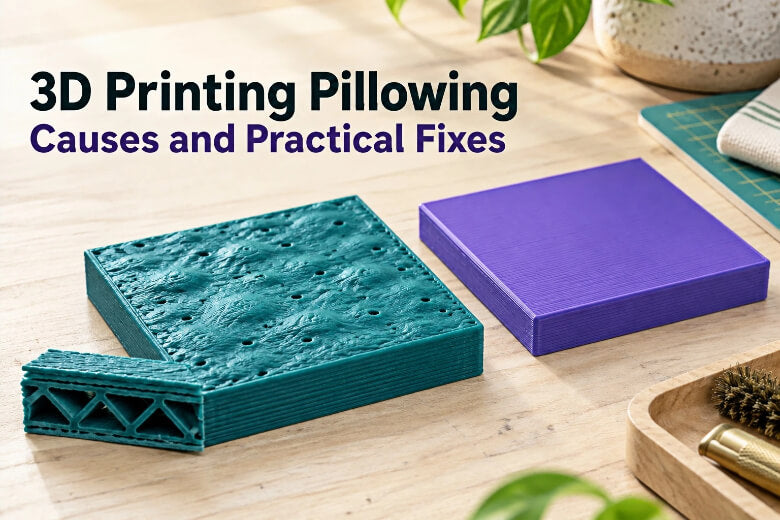
Pillowing in 3D printing happens because the top solid layers are printed over air, not over material. PrusaSlicer's guidance on top solid layers explains that the top solid infill is effectively bridging across the infill pattern, so the first solid lines can sag when the gaps beneath them are large; the lower the infill density, the longer that bridging distance and the bigger the sag (Prusa Knowledge Base, retrieved 2026). A detailed explanation of the pillowing mechanism in SettingsGuide adds two more contributors: the skin warps as the walls and infill around it cool and shrink, and the nozzle's upward drag as it passes keeps the bulges pointing up (Ghostkeeper SettingsGuide, 2019).
Top thickness is the lever most guidance points to. Some slicer guides use three top layers as a starting point, but the required top thickness depends on layer height, infill structure, material, and model geometry (OrcaSlicer wiki, retrieved 2026). Prusa's layer-height guidance shows why the count alone means little: 3 top layers at 0.3 mm and 9 at 0.1 mm add up to the same wall thickness (Prusa Knowledge Base, retrieved 2026). That ratio is why a fixed "use 5 or 6 top layers" rule only means something once the layer height is stated.
How Do I Tell 3D Printing Pillowing Apart from Under-Extrusion, Bridging Failure, Infill Gaps, and First-Layer Problems?
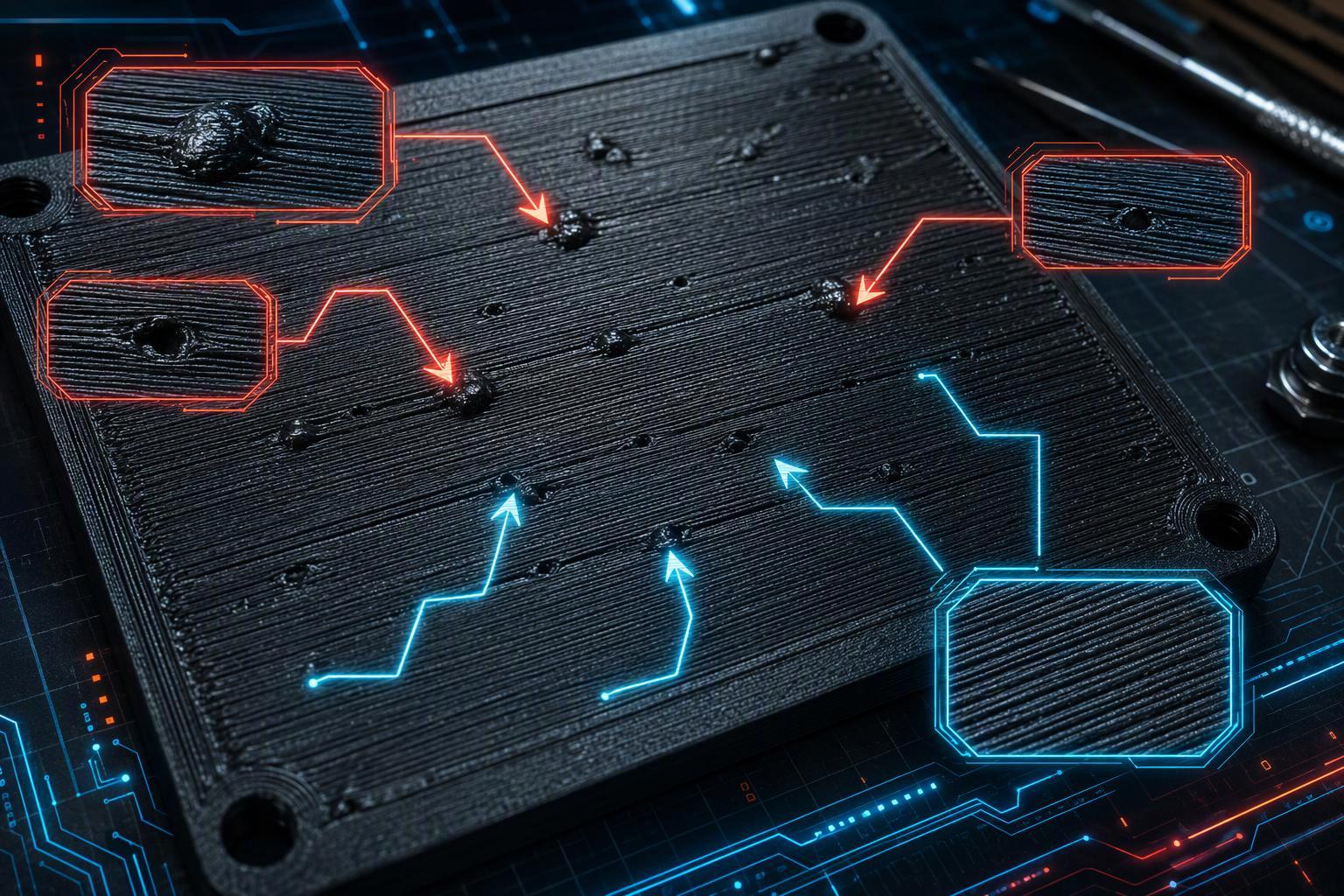
That sag mechanism has a location, and the location is what separates pillowing from its lookalikes. Pillowing usually shows up as bumps or holes between lines on the top side of a model, most often on flat top surfaces at high flow rates (Ghostkeeper SettingsGuide, 2019). If the vertical walls are gappy or weak as well, you're more likely looking at an extrusion problem, and top-layer settings won't fix it. That location is the discriminator: under-extrusion thins every line on every face, and a first-layer problem shows at the bottom, not the top.
Infill gaps belong to the same family but sit one level down. Prusa's guide to infill patterns describes infill as the internal support that keeps top layers from having to bridge over empty space, which is what prevents gaps and holes from appearing on the object's top surfaces (Prusa blog, retrieved 2026). Bridging failure is the same sag mechanism applied to a deliberate unsupported span, so a print that bridges badly over a hole will also pillow over sparse infill.
|
Symptom |
Possible cause |
Practical adjustment |
|---|---|---|
|
Bumps and holes only on flat top surfaces |
Top skin sagging over infill gaps |
Add top shell layers; raise infill density |
|
Gaps on top and on vertical walls |
Under-extrusion or a partial clog |
Fix extrusion first; leave top settings alone |
|
Rough, drooping lines across an open span |
Bridging failure |
Add support or reorient the part |
|
Holes visible inside the part in preview |
Infill too sparse or infill/wall overlap too low |
Raise infill density; check overlap |
|
Uneven, rippled bottom face |
First-layer height or bed adhesion |
Recalibrate the first layer |
Which Slicer Settings Control Top-Surface Quality, and How Do They Interact?
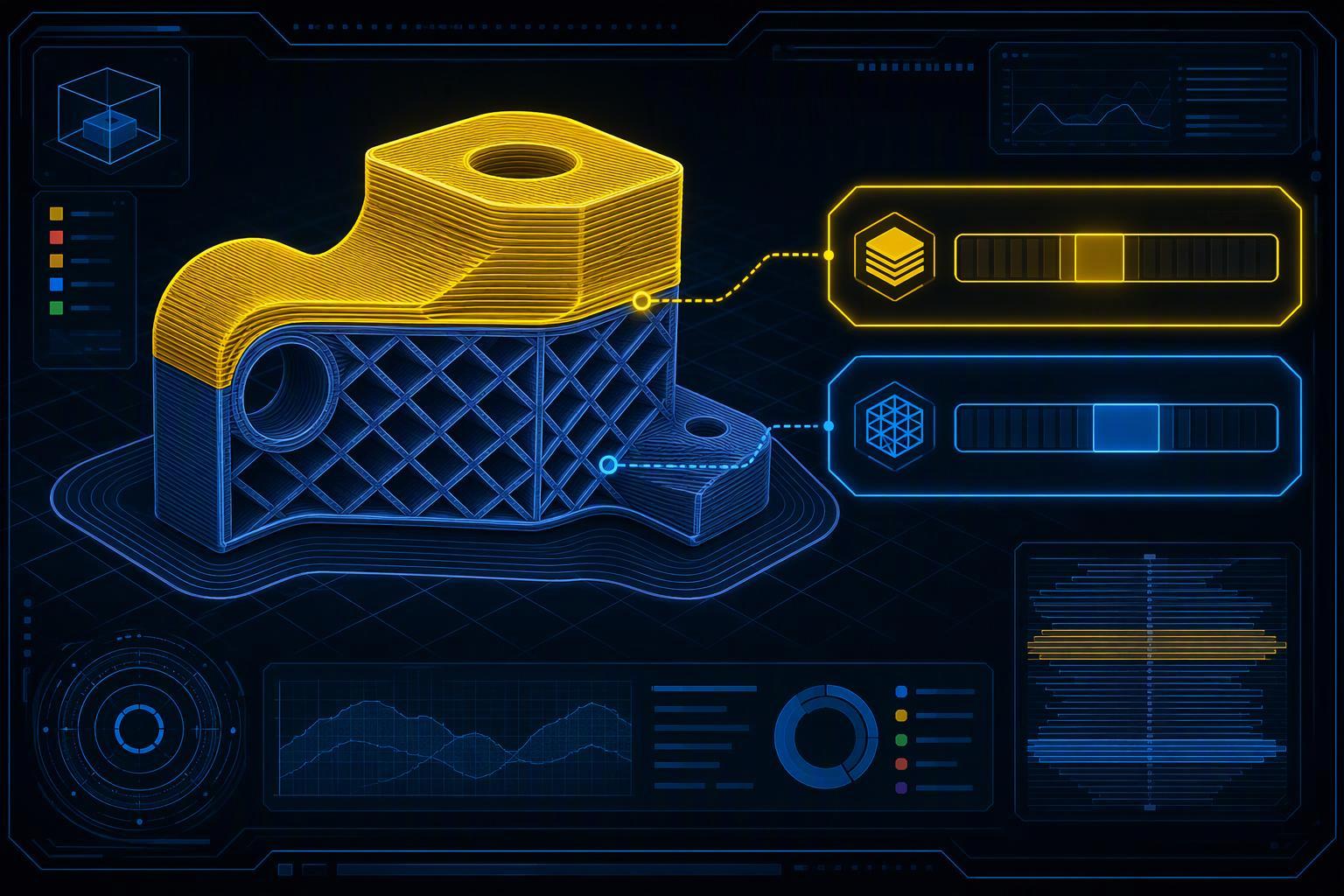
Once you have confirmed the defect is pillowing, top-surface quality is set by a small group of interacting controls, and changing two at once makes the result impossible to read. OrcaSlicer's top shell layers setting is the first lever, and its companion Shell Thickness exists to avoid too thin a shell when layer height is small (OrcaSlicer wiki, retrieved 2026). Top surface density is the second: a lower value creates a sparse skin, so use a fully solid top surface where the slicer and model geometry support it, and watch for holes if you thin it out on a visible face (OrcaSlicer wiki, retrieved 2026).
The wall and infill relationship is the third. Only one wall on top surfaces exists to give more space to the top infill pattern, which matters most on small surfaces such as lettering (OrcaSlicer wiki, retrieved 2026). Infill/wall overlap then decides whether the top lines bond to that wall: increase infill-to-wall overlap carefully if top lines do not connect to the perimeter, and keep in mind that excessive overlap may create bulges (Bambu Studio wiki, retrieved 2026). Infill anchor connects an infill line to an internal perimeter with a short extra perimeter segment, which keeps the sparse structure tied to the shell (OrcaSlicer wiki, retrieved 2026).
|
Setting |
What it controls on the top surface |
Direction to try first |
Cost in print time |
|---|---|---|---|
|
Top shell layers |
Number of solid layers over the infill |
Raise, scaled to layer height |
Moderate |
|
Shell thickness |
Minimum solid thickness in mm |
Set above the sag it must cover |
Moderate |
|
Top surface density |
Solid versus sparse top skin |
Use a fully solid skin on visible faces |
Low |
|
Infill/wall overlap |
Bond between top lines and wall |
Small increase from default |
Negligible |
|
Top surface pattern |
Line direction of the skin |
Monotonic or monotonic line |
Negligible |
|
Ironing |
Second low-flow pass over the top |
Only after the sag is fixed |
High |
How Do I Inspect Top Layers and Infill Support in the Slicer Preview Before Printing?
Those settings are easier to judge in the preview than on a finished print, because the slicer preview answers the pillowing question before any filament is spent: look at the layer view and check whether the top skin has material under it. Prusa's explanation of how top solid infill bridges over infill is the test to apply, since sag grows with the unsupported distance the first solid lines must cross (Prusa Knowledge Base, retrieved 2026). If the preview shows a wide empty span directly beneath the first solid layer, that span is where the bumps will appear.
The second check is shell thickness against layer height. OrcaSlicer's shell layer guidance notes that the solid layer count is increased during slicing when the calculated thickness falls below the shell thickness value, which is the slicer protecting you from a shell that is too thin at small layer heights (OrcaSlicer wiki, retrieved 2026). The third is line direction: Prusa's note on parallel infill lines warns that when the first top solid layer runs parallel to the infill below, the top layers can have bridging trouble, which is why monotonic top fill is used to produce an even skin without ridges (Prusa blog, retrieved 2026).
Pro Tip: In layer view, check three things: long unsupported spans under the first solid layer, a shell thinner than the sag it must cover, and top lines running parallel to the infill beneath them.
How Do I Fix 3D Printing Pillowing Step by Step, and When Is Top Thickness Not the Real Cause?
With the preview checks done, start with top thickness and infill density, then test one change at a time on a small flat test coupon. The upstream prevention logic from SettingsGuide calls more top thickness the most effective prevention, notes that thinner layers need more top layers, and says higher infill density reduces the size of the gaps the top skin must bridge (Ghostkeeper SettingsGuide, 2019). Print the coupon at the layer height you actually use, change one value, and compare the two results side by side.
If thickness and infill do not close the surface, check the filament. Research on filament moisture has shown that absorbed water degrades strength and raises internal porosity in PLA, which points to moisture as a contributor to erratic extrusion rather than a proven cause of pillowing (Quader et al., 3D Printing and Additive Manufacturing, 2023). Prusa's drying recommendations list poor surface quality among the symptoms of wet filament, so a dry spool is worth ruling out early (Prusa Knowledge Base, retrieved 2026).
Ironing is a surface treatment, not a repair for sag. PrusaSlicer's ironing tool runs a second, low-flow pass at the same layer at an angle to the top infill, with pass spacing usually a fraction of the nozzle diameter (Prusa Knowledge Base, retrieved 2026). Its caveats matter here: ironing adds print time, can bleed plastic past the edges, and large ironed areas risk heat creep and a clogged hotend. If the skin is still sagging, ironing only smooths the bumps it passes over.
Frequently Asked Questions
How many top layers do I need to stop pillowing?
There's no universal number, because the right count depends on layer height, infill, material, and geometry. Some slicer guides use three top layers as a starting point; Prusa's guidance shows that 9 layers at 0.1 mm matches the thickness of 3 at 0.3 mm (OrcaSlicer wiki, Prusa Knowledge Base, retrieved 2026). Start with the slicer's default top thickness, then increase it gradually if a test print still shows pillowing.
Does raising infill density fix pillowing?
It helps by shortening the distance the top skin must bridge, but it is not a substitute for enough solid layers. The SettingsGuide prevention notes describe higher infill density as reducing the size of the gaps that need bridging, not eliminating the sag itself (Ghostkeeper SettingsGuide, 2019). Raise infill and top layers together, then test.
Is ironing a real fix for a pillowed top?
No. Ironing is a surface treatment that re-melts and spreads the top lines, and Prusa's ironing caveats note it adds print time and can cause heat creep and clogs on large PLA areas (Prusa Knowledge Base, retrieved 2026). Fix the sag with thickness and infill first, then iron if you want a smoother finish.
Can wet filament cause pillowing?
Wet filament can roughen surfaces, but no study has measured it against pillowing specifically. The moisture study cited above tested tensile strength and porosity, not top-surface defects, and Prusa lists poor surface quality among wet-filament symptoms (Prusa Knowledge Base, retrieved 2026). Dry the spool if you suspect it, but do not expect drying alone to close a sagging skin.
How long should I dry filament before ruling moisture out?
Follow the filament manufacturer's recommended drying method, temperature, and time, since schedules differ by device and material. If a spool has been sitting out in a humid room, drying it before another test run is a cheap way to remove one variable.
Why does my ASA top surface look different from PLA?
Cooling requirements are material-specific, and ASA is usually printed with part cooling off or heavily reduced. With no fan to freeze the skin, top-layer count and infill support carry more of the load on materials like ASA than they do on PLA.
Conclusion
Pillowing in 3D printing is a top-skin problem with a short list of real causes, and the order you test them in matters more than the exact numbers you pick. The evidence points the same way from independent sources: top solid layers bridge over sparse infill, so sag grows with the unsupported distance, and the right shell count scales with layer height rather than sitting at one fixed value. Separate the defect from under-extrusion and first-layer faults before you touch a setting, inspect the layer view for unsupported spans and parallel lines, then change one variable per test.
The practical next step is small and cheap. Keep the symptom table above handy, slice a small flat test coupon at your usual layer height, and run it before your next big part. If the coupon closes, you have your answer; if it does not, the table tells you which variable to change next.