If you’re a mechanical engineer or product designer who’s new to 3D printing, the fastest path to value usually isn’t printing “final parts.” It’s printing the small, unglamorous tools that remove friction from your workflow: the thing that holds a part at the right angle, the guide that makes a hand-drilled hole repeatable, the gauge that tells you in two seconds whether a feature is in spec.
That’s why this list focuses on high-value prints you can use immediately—especially in shared labs, school shops, and maker spaces where reliability and low overhead matter. If you’ve ever searched for 3D printing use cases for mechanical engineers, these are the ones that tend to earn their keep fast.
What counts as a “high-value” engineering print?
This list is ordered by how quickly a print typically pays for itself. The top items have three traits:
- They reduce iteration time (you learn faster)
- They reduce variability (you make results repeatable)
- They’re low-risk (if the print fails, the downside is small)
Before we jump in, a quick vocabulary check:
- A jig guides a tool (like a drill or router) so the result is consistent.
- A fixture holds a part in a known position.
- A go/no-go gauge is a simple gauge that answers “does it fit?” without a full measurement process.
⚠️ Warning: Don’t use unvalidated 3D-printed parts in safety-critical applications. Printed polymers can be directionally weak (anisotropic), temperature-sensitive, and variable between printers/materials.
1) 3D printed jigs and fixtures: assembly fixtures that “third-hand” parts
When you’re prototyping, assembly is where you lose time: holding two parts aligned, keeping a fastener square, maintaining pressure while adhesive cures.
A printed assembly fixture doesn’t need to be fancy. It just needs to make the assembly repeatable.
Why it’s high value: In manufacturing contexts, 3D-printed jigs and fixtures are valued because they can be produced quickly and redesigned fast, and they can reduce tool weight and improve ergonomics (Stratasys discusses these benefits in its overview of 3D-printed jigs and fixtures).
How to design/print it (fast):
- Add registration features: flats, V-grooves, or pins that define “home.”
- Use more walls, fewer fancy infill patterns. For rigid fixtures, wall thickness is often more important than high infill.
- Consider heat-set inserts for repeated fastener use.
Common mistakes:
- Designing a perfect nest with no clearance (you’ll fight tolerance stackups)
- Forgetting hand access for screws, clamps, or a driver
2) Drilling guide for repeatable hole location
Hand drilling a prototype is a classic “close enough” operation that becomes a rework factory.
A printed drilling guide can locate the part and guide the drill so your hole spacing is consistent.
How to design/print it:
- Print the guide so the drill axis loads the layers in compression, not in peel.
- If the guide will see lots of use, design in a pocket for a metal drill bushing.
Common mistakes:
- Relying on the printed hole as the only guidance surface for long runs
- Making the guide too thin, so it flexes as you press
3) Go/no-go gauge for fit checks (faster than calipers)
Calipers are great—until you’re checking the same interface twenty times.
A go/no-go gauge turns a measurement into a decision. If it passes the “go” side and fails the “no-go” side, you’re in the band.
The manufacturing world uses 3D printing for a wide range of gauges and positioning aids—The Fabricator lists examples like go/no-go gauges and other gauging tools in its discussion of 3D printing for tooling.
How to design/print it:
- Include a lead-in chamfer so you’re not misled by edge interference.
- Add a label emboss (e.g., “GO”) if your print environment allows it—but keep it away from the contact surface.
Common mistakes:
- Using a printed gauge to “certify” a spec without validating repeatability
- Not accounting for the printer’s dimensional bias (calibrate first)
4) Soft jaws and part-protection pads
If you’ve ever marred a prototype in a vise, you already understand this one.
Printed soft jaws can protect surfaces and increase grip by matching a part’s geometry.
How to design/print it:
- Use a material with toughness (and consider flexible materials when appropriate).
- Add replaceable contact inserts as a sacrificial interface.
Common mistakes:
- Printing jaws with low wall count (they crack at bolt holes)
- Forgetting chip evacuation or debris relief
5) Cable and strain-relief clips for prototypes
Prototype wiring is where “temporary” becomes “permanent” fast.
A small set of printed clips, strain reliefs, and routing features can stop intermittent failures and speed up debugging.
How to design/print it:
- Print a few sizes with clear labels.
- Design for tool-less service when possible (snap fits, captive features).
Common mistakes:
- Overly tight snap fits that fatigue after a few cycles
- Sharp edges that cut insulation
6) Alignment keys for fast, repeatable assembly
If you’re assembling multiple variants or iterating, alignment keys (simple printed blocks, wedges, or pins) can prevent “almost aligned” builds.
How to design/print it:
- Keep the geometry simple and robust.
- Use keyed features that make incorrect assembly physically awkward.
Common mistakes:
- Too much complexity for the value (make it a block first)
7) Test adapters and interface “bridge” parts
Engineers waste days making systems talk to each other: mounting a sensor temporarily, adapting a connector, holding a board at a known angle.
A printed adapter can be the difference between “we’ll test next week” and “we tested today.”
Wevolver highlights custom tools and fixtures as a recurring engineering application of 3D printing, along with the need to respect limits in tolerance and material performance in its overview of 3D printing benefits for engineers.
How to design/print it:
- Make the adapter easy to revise: avoid fragile cosmetic surfaces.
- Use captive-nut features where you’ll reassemble often.
Common mistakes:
- Printing a “final-looking” enclosure before you’ve validated fit and serviceability
8) Prototype enclosure and mounting brackets (the “fit-first” version)
Enclosures are a perfect first project for a team learning 3D printing: they’re visible, they teach tolerances, and they force you to think about assembly.
How to design/print it:
- Print a fit-first enclosure: prioritize clearances, access, and mounting.
- Use “ugly” ribs and bosses early; refine aesthetics later.
Common mistakes:
- Designing bosses too thin, then stripping screw threads
- Forgetting draft/access for connectors and wiring
9) Ergonomic handles and knobs for quick experiments
If a prototype requires repeated human interaction (turning, clamping, pushing), a better handle can improve repeatability and reduce user frustration.
How to design/print it:
- Add texture or finger indexing for consistent grip.
- Avoid sharp edges that become uncomfortable in repeated use.
Common mistakes:
- Using brittle materials for handles that will be dropped
10) Protective caps, plugs, and masking aids
Covers and plugs prevent “one stupid scratch” from ending a prototype’s useful life.
They’re also great onboarding prints for beginners: small, fast, forgiving.
How to design/print it:
- Add pull tabs.
- Use flexible materials where sealing matters.
Common mistakes:
- Overconstraining fits (make it easy to remove)
11) Inspection nests and repeatable measurement setups
If you’re doing even light QA on prototypes, an inspection nest can standardize measurement orientation and reduce variability.
The Fabricator’s tooling examples include positioning and gauging tools—good reminders that printed aids are useful when you design around the limits, not when you pretend polymers behave like steel.
How to design/print it:
- Create a “one true orientation” nest.
- Add datum labels so everyone measures the same way.
Common mistakes:
- Treating the nest as a metrology standard without validating it
12) On-demand spares for your process (not the product)
When something small breaks—an end cap, a bracket, a spacer—your whole workflow slows down.
Printing spares for your lab infrastructure (tool holders, brackets, guards, organizers) is often a better ROI than printing spares for the end product.
How to design/print it:
- Keep a “digital bin” of common spares.
- Label parts with revision and date so you can track changes.
Common mistakes:
- Using printed spares in high-heat/high-load zones without testing
A quick decision table: what should you print first? (3D prints for engineers)
|
If you want… |
Print this first |
Why it works |
|---|---|---|
|
Faster assembly with fewer mistakes |
Assembly fixture |
Makes alignment repeatable |
|
Repeatable hole placement |
Drilling guide |
Turns skill into a controlled process |
|
Fast “does it fit?” checks |
Go/no-go gauge |
Eliminates repeated measuring loops |
|
Fewer scratches and better grip |
Soft jaws/pads |
Protects prototypes; improves handling |
|
Cleaner prototypes with fewer intermittent issues |
Cable/strain relief clips |
Reduces wiring chaos and breakage |
What to look for in a printer (for engineering use cases)
Because you’re in the awareness stage, you don’t need a “perfect” printer. You need a printer that gives predictable results so your team actually uses it.
Here’s the practical shortlist:
- Reliable first layers (automatic bed leveling helps)
- Direct drive extrusion if you expect to print flexible materials or want consistent extrusion control
- A healthy open-source ecosystem if you want to learn, modify, and troubleshoot with the community
- A build volume that fits your common tooling (fixtures are often bigger than you expect)
- A plan for support, spares, and onboarding in shared spaces
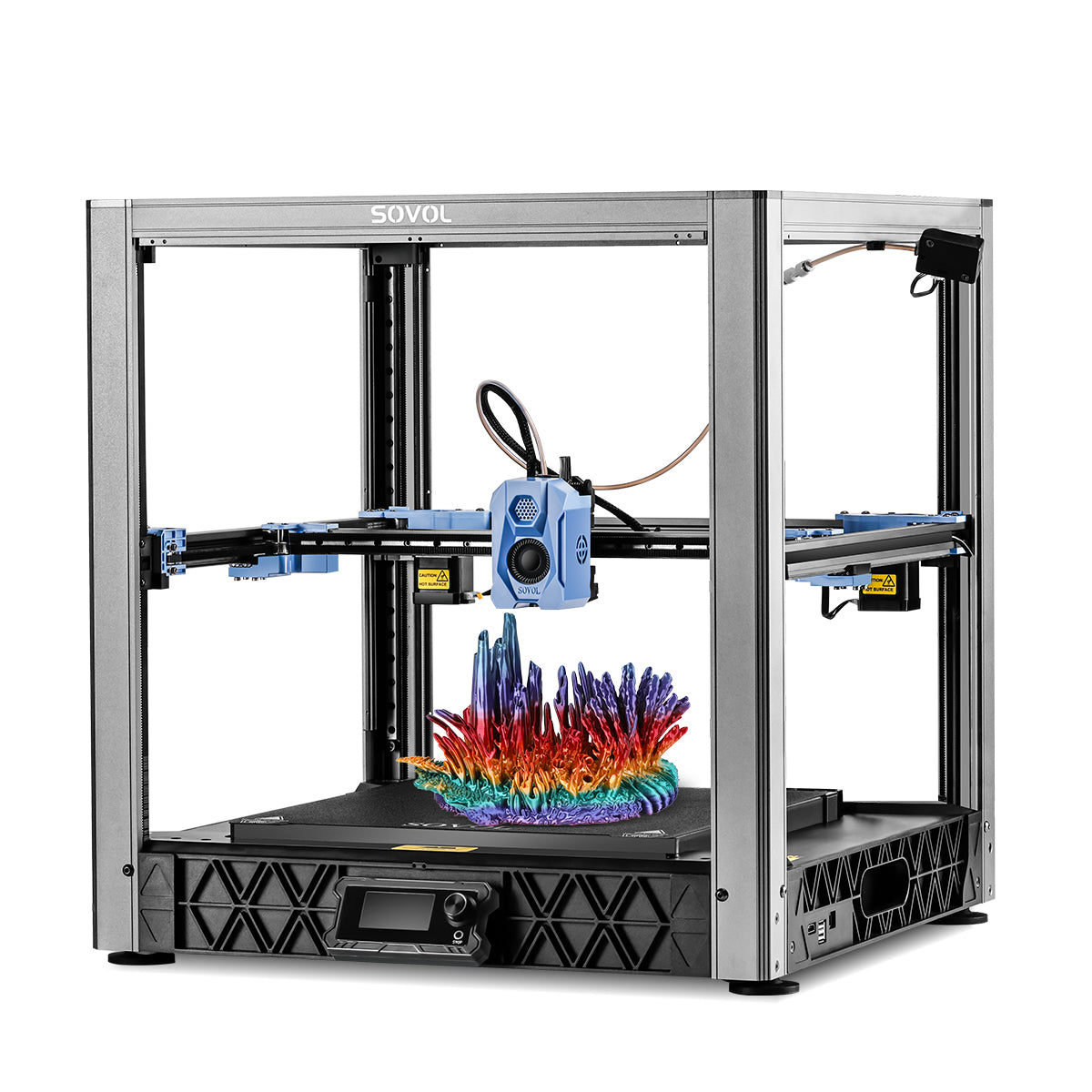
If you’re exploring open-source options, Sovol positions itself as an accessible open-source ecosystem with beginner-friendly resources (see Sovol’s comparison article, Sovol).
Common failure modes (and how to avoid them)
Designing like it’s machined metal
Printed polymers aren’t isotropic metals. If a part fails “mysteriously,” check whether the load path is pulling layers apart.
Fix: rotate the part so the main loads run along the layers, increase wall thickness, and add fillets at stress risers.
Expecting tight tolerances without validation
Desktop FDM can be consistent, but it’s not automatically precise.
Fix: print a simple tolerance coupon and calibrate; design in adjustability (slots, shims) early.
Underestimating heat and time-dependent deformation
Some plastics creep under load or soften with heat.
Fix: avoid sustained loads in warm environments unless you’ve tested. If it matters, test in your actual use conditions.
Next steps: a low-risk way to start this week
Pick one item from the top three (fixture, drilling guide, or go/no-go gauge), print it, and use it immediately in a real build. The goal isn’t a perfect print—it’s a faster feedback loop.
If you want a practical checklist of features that make day-to-day printing easier in shared spaces, Sovol has a straightforward breakdown in its SV06 ACE feature guide (use it as a comparison checklist, not a spec sheet).