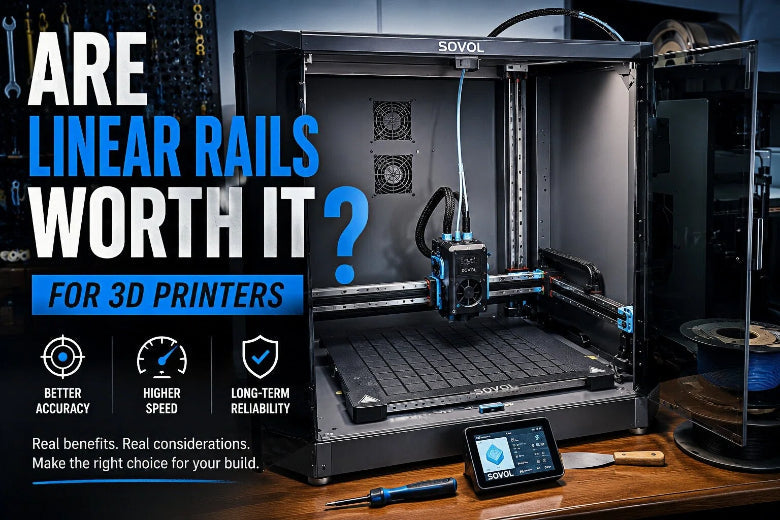
So… are linear rails worth it?
For most CoreXY builds: yes, they’re usually a good use of money. But only if you’re ready to mount them carefully. A badly installed rail can feel worse than a decent wheel or rod setup.
Are linear rails worth it? Quick verdict for CoreXY builders
|
Your situation |
Linear rails are worth it if… |
You can skip rails if… |
|---|---|---|
|
Building a new CoreXY/Voron-style printer |
You want clean motion at higher acceleration, and you’re already building a stiff frame |
You’re building on a tight budget and want the simplest, most forgiving build |
|
Upgrading an existing CoreXY |
Your current motion has play, wear, or uneven smoothness you can’t tune out |
Your issues are clearly coming from belts, pulleys, loose frame joints, or tuning |
|
Chasing better print quality |
You’re seeing ringing/ghosting that lines up with mechanical slop or flex |
You’re mostly fighting cooling, extrusion inconsistency, or slicer settings |
|
Chasing higher speed |
You’re also planning to tune input shaping and keep moving mass low |
You want speed without doing any mechanical alignment work |
What linear rails are (in plain language)
A linear rail is a metal track with a matching carriage block that slides along it on tiny recirculating balls. Instead of your carriage rolling on plastic wheels or sliding on a round rod, it rides on a guided track.
You’ll often see miniature rail sizes written as MGN9, MGN12, or MGN15. If you’re shopping for an MGN12 linear rail 3D printer upgrade, MGN12 is a common middle-ground because it’s stiff without being huge.
If you want a broader overview of why CoreXY printers care so much about motion stiffness, SOVOL’s explainer on what CoreXY is and why it matters is a decent starting point. (I’ll refer back to that concept later without re-linking.)
Why people put rails on CoreXY printers
CoreXY motion is good at one thing: moving a toolhead fast without throwing a heavy bed around. That only works if the motion system stays straight and consistent while the belts are pulling the gantry around.
Linear rails help because they’re typically:
- Stiffer than many wheel setups and many rod setups at similar size
- More repeatable, meaning less “wiggle” when direction changes
- Less fussy long-term than wheels that can wear and need re-adjustment
This is why you see “CoreXY linear rails” as the default recommendation in so many modern builds.
Linear rails vs V-wheels
V-wheels (rollers riding on V-slot extrusion) can work well, especially on budget printers. They’re cheap, easy to assemble, and fairly forgiving.
The tradeoff is that wheels are a wear item. Over time they can develop play, and the system can feel less “locked in,” especially when you push acceleration.
Rails tend to win when you care about:
- maintaining stiffness at higher acceleration
- reducing motion play over time
- running the same machine for years without chasing wheel adjustment
But there’s a catch: a wheel system can tolerate slightly imperfect alignment. Rails don’t.
Linear rails vs smooth rods
Smooth rods with linear bearings have been used on printers forever. They can print great parts.
Where rails usually beat rods is stiffness and resistance to twisting. With rods, you can run into flex (especially if the rods are long and not well supported) and alignment headaches when things aren’t perfectly parallel.
Rails also package stiffness in a compact form factor, which is nice in tight CoreXY gantries.
If you want a general overview of the pros and cons of rails for 3D printing, All3DP’s explainer Linear rail (3D printer): really better or just a hype? is a helpful read.
What rails can realistically improve (and what they can’t)
What you might notice on prints
If your current motion has play or flex, rails can help you get:
- cleaner corners (less mushy direction changes)
- less visible ringing at the same speed settings
- more consistent layer placement on small details
What rails will not fix by themselves
Rails won’t magically solve:
- poor part cooling
- inconsistent extrusion (wet filament, partial clogs, bad retraction tuning)
- belt path issues (misaligned idlers, bad belt tension)
- a frame that’s loose or racked
If you’re mostly seeing surface artifacts that change with temperature, flow, or cooling, rails are probably not your first win.
The hidden cost of rails: alignment and maintenance
People don’t regret rails because rails are “bad.” They regret rails because they didn’t budget time for setup.
Here are the gotchas that matter most.
1) Rails are picky about mounting surfaces
Rails want a flat, clean, consistent mounting surface. If you mount a rail onto something twisted, you can end up with rough spots or binding.
2) You can make a great rail feel terrible by over-tightening
A common mistake is tightening everything fully before checking how the carriage feels across the full travel.
A safer approach is:
- snug screws lightly
- slide the carriage end-to-end
- tighten gradually (often center-out)
- re-check smoothness
3) Cleanliness and lubrication matter
Linear rails are bearings. They like clean, light lubrication and they hate grit.
For general lubrication guidance, Hiwin’s Linear Guideways document (manufacturer documentation) explains the basics of lubrication and maintenance for linear guideways.
⚠️ Warning: If you open an MGN carriage off the rail without a retainer, it’s possible to lose ball bearings. If you’re new to rails, stick to cleaning and lubricating without disassembling the block.
A simple “worth it” checklist for your CoreXY build
If you want a fast gut-check, use this.
Rails are probably worth it for you if:
- you’re already building a stiff CoreXY frame (not a wobbly cube)
- you want to run higher acceleration and keep quality acceptable
- you’re okay doing careful alignment during assembly
- you want a motion system that won’t slowly loosen as wheels wear
Rails are probably not worth it yet if:
- you’re still learning basic tuning and don’t want extra failure modes
- your main problems are clearly cooling/extrusion, not motion play
- you want the cheapest build that still prints well at moderate speeds
Where SOVOL fits in (one practical example)
Rails aren’t a “premium-only” feature anymore. Some consumer printers ship with rails because they make consistent motion easier to deliver out of the box.
For example, SOVOL describes linear rails as part of the motion system on the SV08 in their post about SV08 features. Treat that as a real-world reference for how rails show up in a complete CoreXY package, not a requirement for your build.
If your goal is speed, rails are only one part of the puzzle
On CoreXY machines, speed comes from the whole system working together:
- a stiff frame and square gantry
- sensible moving mass (toolhead weight matters)
- belt alignment and tension
- firmware motion tuning (input shaping)
If you’re at the “I want to go faster without ugly artifacts” stage, it’s worth reading SOVOL’s overview of how Klipper features help on a CoreXY setup and their general explainer on how CoreXY printers simplify projects. Even if you’re not using that exact printer, the concepts translate.
FAQ
Are linear rails worth it for a CoreXY printer?
Usually, yes. CoreXY designs benefit from stiffness and repeatability in X/Y motion, especially if you plan to tune acceleration and want consistent results. The “worth it” part depends on whether you’re willing to install and align them carefully.
Do linear rails improve print quality?
They can, but mostly when your current motion system has play, flex, or uneven movement. If your quality issues come from cooling, extrusion, or slicing settings, rails won’t be the fastest fix.
What size rail should I use (MGN9 vs MGN12 vs MGN15)?
For many hobby CoreXY builds, MGN12 is a common compromise between stiffness and size. Smaller rails can be fine on lighter toolheads, while larger rails add mass and usually demand more careful mounting.
Are cheap rails okay?
Sometimes. The problem is consistency. If a rail feels gritty or rough out of the box, clean and re-lubricate first. If it still feels rough, it may never feel great in a printer.
Next steps
If you want to keep learning without turning this into a shopping trip:
- Get clear on the motion basics first: the CoreXY explainer linked earlier
- Then look at what actually improves speed and surface finish: the Klipper-on-CoreXY article linked earlier
If you tell me your build size (e.g., 250/300/350) and what axes you’re planning to rail (X only, XY, or XYZ), I can help you sanity-check rail sizing and the most common alignment traps before you buy anything.