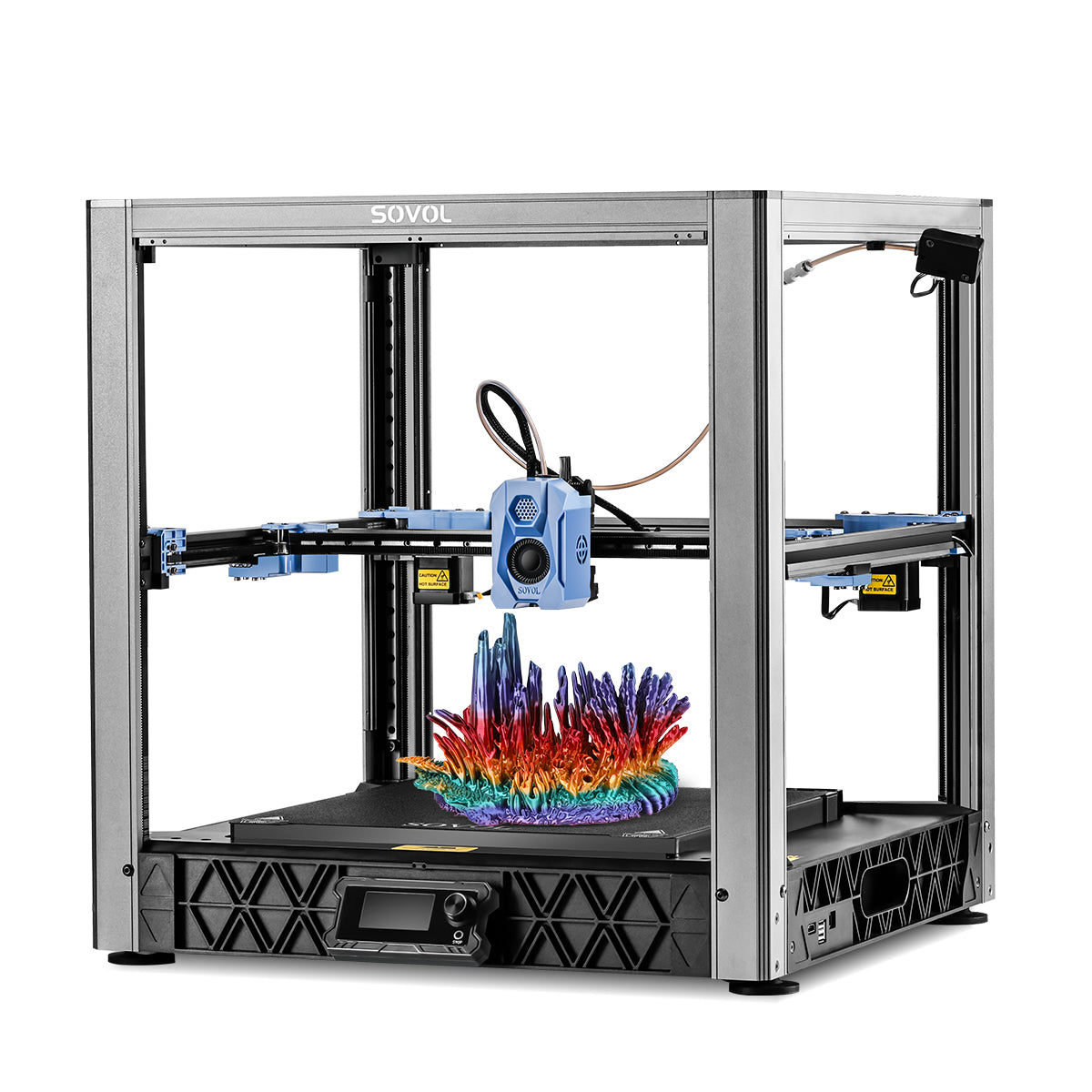

Large 3D Printer Enclosure: A Buyer’s Guide for Makerspaces and Big Prints
If you run a maker space, school lab, or busy hobby workshop, a large 3D printer enclosure isn’t just a “nice-to-have.” It can be the difference between:
- big prints that finish cleanly
- big prints that warp at hour 14
- a room that’s tolerable to work in
- a room everyone avoids because it’s loud and smells like plastic
This guide helps you choose (or build) an enclosure that fits large-format printers, supports common materials, and makes your space safer and easier to manage.
Key Takeaway: A good large format 3D printer enclosure is sized for movement and maintenance, manages heat without cooking your electronics, and treats airflow/filtration as a deliberate system—not an afterthought.
What a “large” 3D printer enclosure actually needs to do
A basic enclosure blocks drafts. A large 3D printer enclosure in a shared environment has to do more:
- Stabilize temperature so long prints don’t crack, curl, or delaminate.
- Reduce exposure to airborne particles and odours by keeping emissions contained and managed.
- Lower noise so you can run multiple machines without turning the room into a drum.
- Make operations easier: loading filament, clearing jams, servicing hot ends, and training new users.
If you optimise for only one of these (usually “heat”), you’ll often create problems elsewhere (usually “air quality” or “electronics overheating”).
Step 1: Size it like a tool, not like a box
Large 3D printer enclosure sizing: clearance, doors, and service access
The most common mistake with a large format 3D printer enclosure is undersizing it. Your printer needs space for:
- full axis travel (including cable chains)
- a spool path that doesn’t snag
- doors wide enough to remove large parts
- your hands, tools, and a vacuum nozzle
A practical sizing rule
Start by measuring the printer’s outer footprint (not build volume) and then plan for:
- clearance for motion: extra room on every side
- clearance for service: enough space to reach belts, linear rails, wiring, and the hot end
- clearance for airflow: space for a filter box or ducting without blocking moving parts
If you’re running a makerspace, plan for at least one “future you” upgrade—like a bigger spool holder, a dry box, or a camera mount.
Doors matter more than wall thickness
For large enclosures, access is the whole game:
- Front doors should open wide enough to remove a tall print without tilting it.
- If you run big beds, make sure you can reach the back corners without contorting.
- Avoid tiny hatches that turn every nozzle swap into a 20-minute job.
Keep sensitive electronics out of the hottest zone
Not every printer is designed for a hot chamber. A general best practice is to avoid baking:
- power supplies
- control boards
- Wi‑Fi modules
If your enclosure is intended to run warm (common for ABS/ASA), choose designs that allow electronics to stay cooler (or isolate them in a separate compartment). This is also why a fully sealed box with no airflow control can backfire.
Step 2: Decide how you’ll handle air: recirculate, exhaust, or both
For many teams, 3D printer enclosure ventilation is where the real decisions are.
There are two common strategies:
Option A: Recirculating filtration (HEPA + activated carbon)
This approach keeps heat in while cleaning the air inside the enclosure:
- HEPA targets fine particles.
- Activated carbon targets many odours and volatile compounds.
When it’s a good fit:
- you need to keep chamber temperature stable
- outdoor venting is difficult (classrooms, internal rooms)
- you want a contained system that’s easy to explain to new users
Option B: Exhaust to outdoors (ducted ventilation)
This approach prioritises removing air from the enclosure and sending it outside.
When it’s a good fit:
- you print a lot of ABS/ASA or other stronger-smelling materials
- you have a window/vent route available
- you’re managing multiple printers in a single room
The trade-off: exhaust removes heat too—so you may need better insulation, a smarter fan strategy, or to exhaust only after the print (depending on material).
A simple operational habit that reduces exposure
In shared spaces, the “door open immediately” moment is when a lot of air exchange happens.
University of Edinburgh guidance includes a clearance time approach: keeping enclosures/hoods in place for a period after printing before opening (they cite a minimum of 20 minutes) to allow contaminants to clear and hot parts to cool.
Even if your enclosure design differs, the principle is solid: avoid rushing the door open when the print finishes.
⚠️ Warning: If your enclosure is the only control you have, don’t treat it as optional. In a school lab or public makerspace, “we’ll just crack a window” is rarely a reliable control on its own.
Step 3: Match enclosure temperature to the filament (and avoid the PLA trap)
A large 3D printer enclosure helps because it slows down temperature swings. But different filaments want different things.
PLA: keep the enclosure from getting too hot
PLA doesn’t like a hot chamber. Sovol’s enclosure guide notes that enclosure temperatures above ~30°C can cause issues like heat creep and clogs for PLA, and suggests using fans or opening the door slightly to manage heat.
If your makerspace prints mostly PLA:
- you may still want an enclosure for noise and draft control
- but you should prioritise airflow control and easy access over “maximum heat retention”
ABS/ASA: temperature stability is the point
ABS and ASA are more sensitive to drafts and rapid cooling—especially on large parts. For big, long prints, consistent chamber temperature can reduce warping and cracking.
If you specifically need a 3D printer enclosure for ABS/ASA success in your community:
- use a more insulated enclosure
- minimise sudden door openings
- plan a ventilation strategy that doesn’t destroy chamber stability
PETG: often fine, but big parts still benefit
PETG is generally more forgiving than ABS, but large parts can still curl at corners if the room is cold or drafty. An enclosure helps by removing “room variables” from the equation.
Step 4: Build vs buy — good/better/best setups for maker communities
You don’t need a perfect setup on day one. You need a setup you can operate consistently.
Good: Draft + noise control (entry level)
Best for: mostly PLA, occasional PETG
- rigid frame + clear panels
- wide access doors
- basic cable passthrough and tidy wiring
- simple fan control to prevent heat buildup
Better: Filtration-first enclosure (shared spaces)
Best for: mixed materials, higher printer utilisation
- sealed seams where practical
- HEPA + activated carbon filtration box
- a temperature sensor inside the chamber
- a standard operating procedure: doors stay closed during print + cool-down window
Best: Managed airflow + defined safety rules
Best for: ABS/ASA use, classrooms, public maker spaces
- filtration plus outdoor exhaust (where possible)
- clear signage and access control
- a documented maintenance schedule for filters
- a policy for long/overnight prints (supervision expectations)
If you’re buying printers rather than building around them, it’s worth considering machines that are designed with enclosure use in mind—especially at large formats.
Sovol’s large-format coverage includes why enclosures become more important as prints get bigger and longer (see Why enclosures matter for large-format 3D printing (Sovol)).
A makerspace safety checklist (UK-friendly)
Use this as a starting point for your own risk assessment and local policy (in other words: makerspace 3D printer safety rules you can actually enforce).
- Printer is enclosed (or retrofitted with an enclosure)
- Room ventilation is adequate for the number of printers running
- Filters are maintained on a schedule and replaced per manufacturer guidance
- Filament choice is documented; PLA is the default for general access (where appropriate)
- Users are trained not to hover near operating printers
- A cool-down / clearance time is defined before opening the enclosure after printing
- Overnight/long prints have a supervision plan and clear rules
The University of Edinburgh’s guidance is a strong reference point for institutional environments, including their emphasis on enclosed printers and clearance time practices (see University of Edinburgh’s 3D printer health and safety guidance).
For an additional authoritative starting point, NIOSH also maintains a makerspace/school-focused guide to safer 3D printing practices (see NIOSH’s “Approaches to safe 3D printing” guide).
Common mistakes that waste time (and how to avoid them)
Mistake 1: Buying an enclosure that fits the build volume, not the printer
Fix: measure the machine footprint, then plan for service access and airflow.
Mistake 2: “Fully sealed” with no plan for heat or fumes
Fix: treat airflow as a system—filtration, exhaust, or controlled venting.
Mistake 3: Printing PLA in a hot chamber
Fix: manage enclosure temperature; if your space is warm, add controlled airflow.
Mistake 4: No operating rules in shared spaces
Fix: a simple SOP (doors closed during print, defined cool-down time, filter checks) reduces chaos fast.
Key takeaways
- A large 3D printer enclosure is as much about operations and safety as it is about print quality.
- Size for movement + maintenance, not just “will it fit.”
- Pick an air strategy: recirculating filtration, outdoor exhaust, or a hybrid.
- Don’t accidentally create a PLA-killer: many setups run too hot for PLA if you don’t manage airflow.
- In schools and maker spaces, use credible guidance and write down simple rules (clearance time, supervision, filter maintenance).
Next steps
- If you’re planning for truly large projects, Sovol has a practical checklist for evaluating 500×500×500mm-class printers and the infrastructure they need (see 10 tips for choosing a 500×500×500mm large-format 3D printer (Sovol)).
- For a deeper dive into enclosure temperature, print quality, and safety trade-offs, start with Sovol’s guide to enclosure temperature, safety, and print quality (updated 2026).