







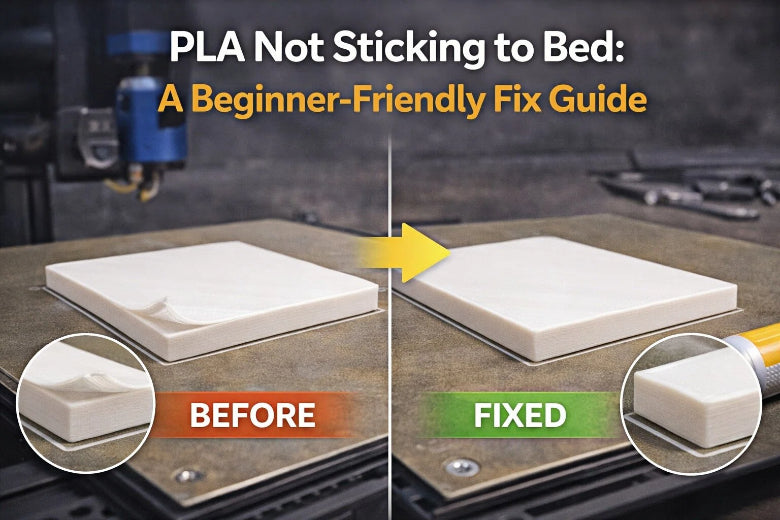
If you’re dealing with PLA not sticking to bed, you’re not alone. The good news: most bed adhesion problems come down to a short list of causes you can fix in a predictable order—without randomly changing ten settings at once.
This guide is written for beginners. We’ll keep the jargon light, explain what matters, and give you checkpoints so you know when you’ve actually fixed the problem.
The 60-second diagnosis (what are you seeing?)
Start by matching what you see to the most likely cause:
- Filament won’t stick at all (it drags, curls, or balls up) → the nozzle is usually too far from the bed (Z-offset too high), or the bed is oily/dirty.
- It sticks for a minute, then peels up → first layer is cooling too fast (fan/drafts) or the bed is too cool.
- Only some areas stick (one side fine, the other fails) → bed isn’t level or your mesh/auto-levelling isn’t being applied.
- Corners lift first → often cooling/drafts, first-layer speed too fast, or not enough contact area (brim helps).
PLA not sticking to bed: the fastest fixes in order
The order matters because you can’t tune Z-offset on a greasy plate, and you can’t judge slicer tweaks if the bed isn’t level.
Step 1: Clean the build plate properly (this fixes more prints than you’d expect)
Skin oil is a silent adhesion killer. If you’ve been touching the plate, treat “dirty bed” as the default assumption.
- For PEI/textured plates: wash with warm water + dish soap, rinse, and dry fully.
- For quick between-print maintenance: a wipe with isopropyl alcohol (IPA) can help—just remember it won’t always remove oils on textured surfaces as well as soap and water.
If your goal is to clean a PEI sheet properly, think “wash” first and “wipe” second.
Pro Tip: After cleaning, try not to touch the print area with bare fingers. Hold the plate by the edges.
If you want a brand-specific checklist, SOVOL’s guide on bed adhesion tips and troubleshooting is a solid companion to this article.
Step 2: Level the bed (or re-run auto bed levelling), then set Z-offset
Two things have to be true for PLA to stick:
- the nozzle is a consistent distance from the bed across the whole surface, and
- the nozzle is close enough that the filament is gently “squished” into the plate.
Simplify3D’s troubleshooting guide on Not sticking to the bed (2019) puts bed level and nozzle height at the top for a reason.
If you have auto bed levelling (ABL):
- Preheat the bed/nozzle as you normally would print.
- Run ABL/mesh.
- Then adjust Z-offset (live adjust during a first-layer test is ideal).
If you level manually:
- Use the paper method (slight drag under the nozzle at multiple points).
- Then still fine-tune Z-offset using a first-layer test.
SOVOL also emphasises Z-offset and levelling in their bed adhesion solutions guide.
Step 3: Run a “first-layer test square” and read it like a diagnostic
Print a simple single-layer square (or a large skirt/brim) and watch the lines.
What you want:
- lines touch each other with no gaps
- a smooth, even surface
- the first layer stays put when the nozzle changes direction
If the nozzle is too high (Z-offset too high):
- lines look round
- gaps between lines
- filament can be wiped away easily
If the nozzle is too low (Z-offset too low):
- the surface looks rough or wavy
- the nozzle may scrape
- filament may look over-squished and messy
Adjust in small steps, re-test, and stop when the first layer looks consistently “just squished enough.” This is the most reliable path out of PLA not sticking to bed.
Key Takeaway: If you only fix one thing today, make it Z-offset. Most “PLA not sticking to bed” issues are really “nozzle too far from bed.”
Step 4: Slow the first layer down (and go easy on the fan)
Once the plate is clean and Z-offset is close, slicer settings become the difference between “it sometimes works” and “it’s reliable.”
For beginners, these are safe starting behaviours:
- First layer speed: slower than the rest of the print
- Cooling fan: reduce or delay for the first few layers if you’re seeing lift
- First layer line width: slightly wider can help contact and grip
SOVOL’s own guides repeatedly point beginners back to first-layer speed and temperature checks—see their quick overview on top 3 ways to fix bed adhesion.
Step 5: Increase bed contact area (brim beats frustration)
If the part has a small footprint (or sharp corners), you’re fighting physics.
Try:
- Brim (often the best first choice)
- Raft (useful when the surface is problematic, but slower and uses more material)
Step 6: Only then adjust temperature (and do it with a purpose)
Temperature affects how well the filament bonds to the plate and how fast it cools.
- If the first layer is peeling up early, try a small bed temperature increase within your PLA’s recommended range.
- If the bottom is overly soft or hard to remove, bed temperature may be too high.
⚠️ Warning: Don’t turn temperature into guesswork. Make one change, re-run the same first-layer test, and keep notes.
A quick first-layer settings checklist (beginner baseline)
Use this as a sanity check before you chase more exotic fixes:
- Build plate cleaned (soap + water for PEI/textured; dry fully)
- Bed levelled / mesh generated
- Z-offset tuned using a first-layer test
- First layer speed reduced
- Cooling fan reduced/delayed if edges are lifting
- Brim enabled for small parts or sharp corners
- Bed temperature set within filament’s recommended range
Bed surface notes (PEI vs glass vs tape)
Different surfaces behave differently. If you swapped build plates recently, it’s normal to need a fresh Z-offset.
- Textured PEI: great grip when clean; oil contamination is a common failure mode.
- Smooth PEI: often strong adhesion; can be easier to over-squish if Z-offset is too low.
- Glass: can work well, but tends to be more sensitive to cleanliness and temperature.
- Painter’s tape / glue stick: helpful when you need a quick, repeatable “known-good” surface—especially when you’re learning.
For a more methodical levelling walkthrough, SOVOL has a clear manual bed levelling for beginners article.
If it still won’t stick: the common gotchas
If you’ve done the steps above and PLA still won’t stay down, look for these:
You’re printing too far from the bed in just one area
That’s usually a bed flatness/mesh issue. Re-run ABL and verify the mesh is being used at print start.
The filament is wet
Wet PLA can print inconsistently and make the first layer look rough or unreliable. Drying and good storage help.
The nozzle is partially clogged
Under-extrusion can look like adhesion failure. If the lines are thin and inconsistent even with correct Z-offset, check the nozzle.
Strong drafts (especially in a cold room)
Drafts can cool the first layer too quickly. Even a simple enclosure or moving away from an open window can help.
FAQ
Why does PLA suddenly stop sticking out of nowhere?
Most of the time it’s either plate contamination (fingerprints, dust, residue) or a Z-offset that drifted after a change (new nozzle, new plate, re-assembly). Start by cleaning, then re-check Z-offset.
Should I use glue stick for PLA?
You can. Glue stick is a useful “training wheels” option when you need a consistent surface while learning. But if you’re on PEI, a clean plate plus correct Z-offset often removes the need for adhesives.
How do I know if my Z-offset is too high?
If your first-layer lines don’t touch or can be brushed away easily, the nozzle is usually too far from the bed. Lower the nozzle slightly and re-test.
What’s the fastest fix for first layer not sticking?
Clean the plate, then run a first-layer test square and tune Z-offset. That pair solves a huge share of failures.
Key takeaways
- For PLA not sticking to bed, start with a clean plate and a Z-offset check—don’t start by chasing random temperatures.
- A first-layer test square makes Z-offset adjustment obvious.
- Slow the first layer down and reduce early cooling if edges lift.
- Add a brim when the part footprint is small or corners are sharp.
- Change one setting at a time and re-test the same print.
Next steps (if you want a more guided setup)
If you’re still fighting first layers, it helps to follow a single, consistent routine. Two good next reads:
- SOVOL’s “bed adhesion tips and troubleshooting” guide (linked above)
- SOVOL’s 5 steps to level your bed











