Introduction: The Need for Speed
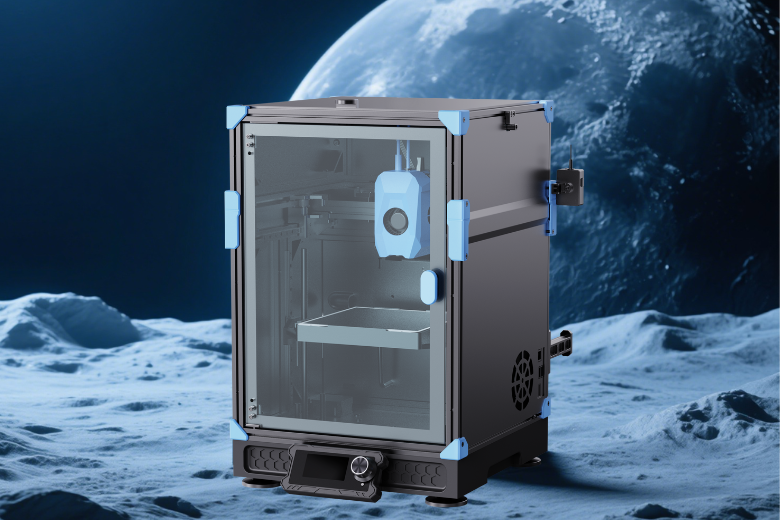
In the world of 3D printing, speed has always come at a cost—layer misalignment, ghosting, and mechanical stress. But what if a printer could hit 1200mm/s without sacrificing precision? Enter the Sovol Zero, a next-gen CoreXY machine that pushes the limits of desktop manufacturing.
Is it just a Voron clone? No—it’s an evolution. With dual-lead Z-axis, eddy current sensors, and AI-driven vibration control, the Zero isn’t just fast—it’s smart fast.
Let’s break down why this machine is a game-changer.
1. The 1200mm/s Challenge: How Sovol Zero Solves High-Speed Printing Problems
Problem: Vibration, Inertia & Control
- At 600mm/s, most printers already struggle with resonance, layer shifting, and motor stalling.
- At 1200mm/s, the forces are 4x stronger—requiring extreme rigidity, precision control, and smarter firmware.

Sovol Zero’s Solutions:
✅ Dual Lead Screw Z-Axis (vs. Voron’s single-arm) → Eliminates wobble at high speeds.
✅ 40,000mm/s² Acceleration Control → Smoother direction changes, no ghosting.
✅ Advanced Vibration Compensation → AI adjusts motion paths in real-time.
✅ High-Torque Steppers + TMC2209 Drivers → No missed steps, even at max speed.
Result: Print a 50mm calibration cube in 90 seconds—with ±0.1mm accuracy.
2. Why Eddy Current Sensors? The Secret to Perfect First Layers
Traditional inductive probes wear out. Capacitive sensors drift with temperature. The Zero uses eddy current sensing because:
🔹 Sub-Micron Precision → Nozzle-to-bed distance is automatically calibrated within 0.005mm.
🔹 No Physical Contact → No wear, no errors from dust or filament debris.
🔹 Works in High Temp & EMI Environments → Reliable even with ABS/PC at 120°C.
🔹 Full Auto-Bed Leveling → Scans the bed in 10 sec, applies mesh compensation.
No more manual tuning—just hit print.
3. Not Just a Voron Clone: Key Upgrades Over Voron 0.2
Yes, the Zero looks like a Voron—but under the hood, it’s a full redesign:
| Feature | Voron 0.2 | Sovol Zero |
|---|---|---|
| Z-Axis | Single-arm bed | Dual lead screws (no sag) |
| Hotend Cooling | Basic part cooling | Chamber temp sensor + aux fan |
| Filament Path | Open Bowden | Short-path direct drive (better for TPU) |
| Sensors | Inductive probe | Eddy current sensor (higher precision) |
| Firmware | Klipper (manual tune) | Pre-optimized AI motion control |
Bonus: The Zero includes WiFi, a camera, and OTA updates—features Voron users have to add themselves.

4. Real-World Performance: Who Should Buy This?
✔ For Makers Who Need Speed:
- Functional Prototyping? Print 10 iterations in the time others do 2.
- Miniature Gaming Models? 1200mm/s means batch-printing armies in hours.
- Engineering Materials? 350°C nozzle + ceramic bed = perfect for PA-CF, PC.
✔ For Voron Tinkerers Who Want Plug-and-Play:
- No sourcing parts, no firmware headaches—just unbox and print.
- All the benefits of CoreXY, none of the DIY pains.
Conclusion: The Future of Fast Printing
The Sovol Zero isn’t just another CoreXY—it’s a high-speed revolution. With eddy current sensing, dual-Z rigidity, and AI motion control, it proves that 1200mm/s can be both reliable and affordable.
🚀 Ready to print at ludicrous speed?