You want to stop your 3D prints from curling or lifting off the bed, right? Warping can ruin your project, especially if you print long parts. When the material cools and shrinks, it pulls against the bed and twists your print. You can use simple steps for a fast 3D Printer Warping Fix. These easy methods work for beginners and make a big difference. Try them and see how small changes lead to better prints.
Key Takeaways
- Clean and level your print bed before each use. This ensures the first layer sticks well and reduces warping.
- Use a heated bed to keep the bottom layers warm. This helps prevent rapid cooling and keeps your print flat.
- Add a brim or raft to your print design. These features increase surface contact and help hold down corners.
- Adjust your print settings for the first layer. Slower speeds and thicker layers improve adhesion and reduce warping.
- Watch your print closely during the first layers. Quick action can fix warping before it ruins your project.
Why 3D Prints Warp

What Is 3D Print Warping
You might notice your 3D prints curling up at the corners or lifting off the bed. This problem is called 3d print warping. It happens when the plastic cools down and shrinks. The shrinking pulls the edges away from the build plate. You end up with a twisted or uneven part. Warping can ruin your project, especially if you print large or flat objects.
Tip: Watch your print during the first few layers. If you see corners lifting, you’re likely dealing with 3d print warping.
Main Causes of Warping
Let’s look at why 3d print warping happens. Several things can make your print warp. Here are the most common causes:
- Uneven bed leveling makes the first layer stick poorly.
- A dirty or oily build plate stops the filament from sticking.
- Inconsistent bed temperature causes the print to cool too fast.
- Rapid cooling creates strong temperature differences between layers.
- Wrong nozzle temperature can affect how well the filament bonds.
- Not using brims or rafts lets corners lift easily.
|
Cause |
Description |
|---|---|
|
Dirty or oily print bed |
Contaminants can prevent proper adhesion, leading to warping. |
|
An unleveled bed results in inconsistent first layer adhesion. |
|
|
Wrong bed or nozzle temp |
Incorrect temperatures can affect adhesion and contribute to warping. |
|
Not using adhesion aids |
Lack of brims or rafts can lead to corners lifting and warping. |
When the hot filament cools, it shrinks. This shrinkage is strongest at the corners. The difference in temperature between layers makes the print twist or lift. You can fix most causes by cleaning your bed, leveling it, and controlling the temperature.
Materials Prone to Warping
Some materials warp more than others. If you use ABS, ASA, Nylon, or PC, you will see more 3d print warping. These plastics shrink a lot when they cool. PLA and PETG are less likely to warp, so they are better for beginners.
Note: If you want fewer problems, start with PLA. It sticks well and does not shrink much.
Simple steps like cleaning your bed, leveling it, and choosing the right material can help you avoid 3d print warping. You don’t need fancy equipment. Just follow these basics and you’ll see better results.
3D Printer Warping Fixes
Optimizing Bed Adhesion
You want your print to stick to the build plate from the very first layer. Optimizing bed adhesion is the most important 3d printer warping fix. Start by cleaning the build plate with isopropyl alcohol. Remove dust, oil, or leftover filament. If you see bed adhesion issues, try using adhesion aids like glue stick, hairspray, or special 3D printing adhesives. These products help the filament grip the surface and prevent warping.
- Magigoo PA works well for Nylon. It keeps the print flat and avoids warping.
- Nano polymer adhesives, like Vision Miner, help thermoplastics stay stuck to the build plate.
- A small brim around your model can increase surface contact and stop corners from lifting.
You can also choose the right bed surface for better adhesion. Here’s a quick look:
|
Bed Surface |
Pros |
Cons |
|---|---|---|
|
Glass |
Smooth, glossy finish; easy to clean; widely available. |
May require adhesives; can be tricky for large prints; risk of chipping if prints stick too well. |
|
PEI Sheets |
Excellent balance of adhesion and release; durable; little prep needed beyond cleaning. |
Can degrade if repeatedly scraped; sensitive to harsh cleaning agents. |
|
BuildTak |
Great grip for PCTG; easy to replace; works for many filaments. |
Can wear down over time; aggressive adhesion may require a spatula for removal. |
If you use a Sovol printer, a PEI bed gives you strong adhesion and easy print removal. Always check the first layer. If it looks uneven, adjust the nozzle height. Optimizing first layer height helps you avoid warping and get a smooth start.
Heated Bed and Enclosure Tips
A heated bed is a key 3d printer warping fix. It keeps the bottom layers warm and stops them from cooling too fast. Maintaining a consistent bed temperature is important, especially for ABS and Nylon. If you use PLA, set the bed temperature between 40–65°C. For PETG, use 60–80°C. ABS needs 80–110°C. Advanced materials like PEEK need even higher temperatures.
|
Material |
Recommended Bed Temperature Range |
|---|---|
|
PLA |
40–65°C |
|
PETG |
60–80°C |
|
ABS |
80–110°C |
|
Advanced Materials (e.g., PEEK, ULTEM) |
120–160°C |
If you print with high-warp materials, an enclosure helps a lot. The enclosure keeps the air warm and stops drafts. This prevents uneven cooling and reduces warping. ABS prints benefit most from an enclosure. If you have a Sovol printer, you can use an enclosed environment for better results.
Tip: Always preheat your bed before starting a print. This helps the filament stick and reduces warping.
Managing Cooling and Drafts
Cooling fans and room drafts can cause warping. If the print cools too quickly, the edges shrink and lift. You can control cooling with your slicer settings. Start with a low fan speed for the first few layers. Increase the speed slowly as the print grows taller. This method helps you avoid uneven cooling and keeps adhesion strong.
"Cooling is controlled primarily through slicer profiles, and every slicer offers fine-tuned settings. Most slicers allow setting fan speed per layer, which is crucial for managing warping."
Here’s how fan speed and enclosure use affect different materials:
|
Cooling Fan Speed |
Material |
Printer Enclosure Used |
|---|---|---|
|
35% |
PLA |
Yes |
|
20% |
TPU |
Yes |
Follow these steps to manage cooling and drafts:
- Adjust fan speed per layer in your slicer.
- Use low fan speed for bed adhesion, then increase as needed.
- Keep the print bed temperature steady to avoid excessive cooling.
If you print large objects, watch for temperature gradients. Larger prints cool slower, which can lead to uneven cooling and warping. Block any drafts in your room. Close windows and doors near your printer.
Bed Leveling and Surface Prep
Bed leveling is a simple but powerful 3d printer warping fix. If the bed is not level, the first layer will not stick. You can use a piece of paper to check the gap between the nozzle and the build plate. Move the nozzle to each corner and make sure the paper slides with slight resistance. Re-level the bed before every print, especially if you see warping.
Clean the build plate before each print. Dust, oil, or leftover filament can cause adhesion problems. Use isopropyl alcohol for glass or PEI beds. For BuildTak, just wipe gently with a damp cloth. If you see inconsistent bed temperature, check your printer’s heating system.
Most first layer problems come from improper bed leveling. If you fix the bed leveling, you will see fewer warping issues. Using the right bed and nozzle temperatures also helps with adhesion. If you want to try fixing pla warping, start by cleaning the bed and leveling it carefully.
Note: Simple steps like cleaning, leveling, and adjusting temperatures can solve most warping problems.
Summary:
You can fix warping with easy steps. Clean and level your build plate, use adhesives, set the right bed temperature, control cooling fans, and use an enclosure for high-warp materials. These methods work for beginners and help you get better prints. Try them and see how small changes lead to big improvements.
Preventing 3D Print Warping
Print Settings Adjustments
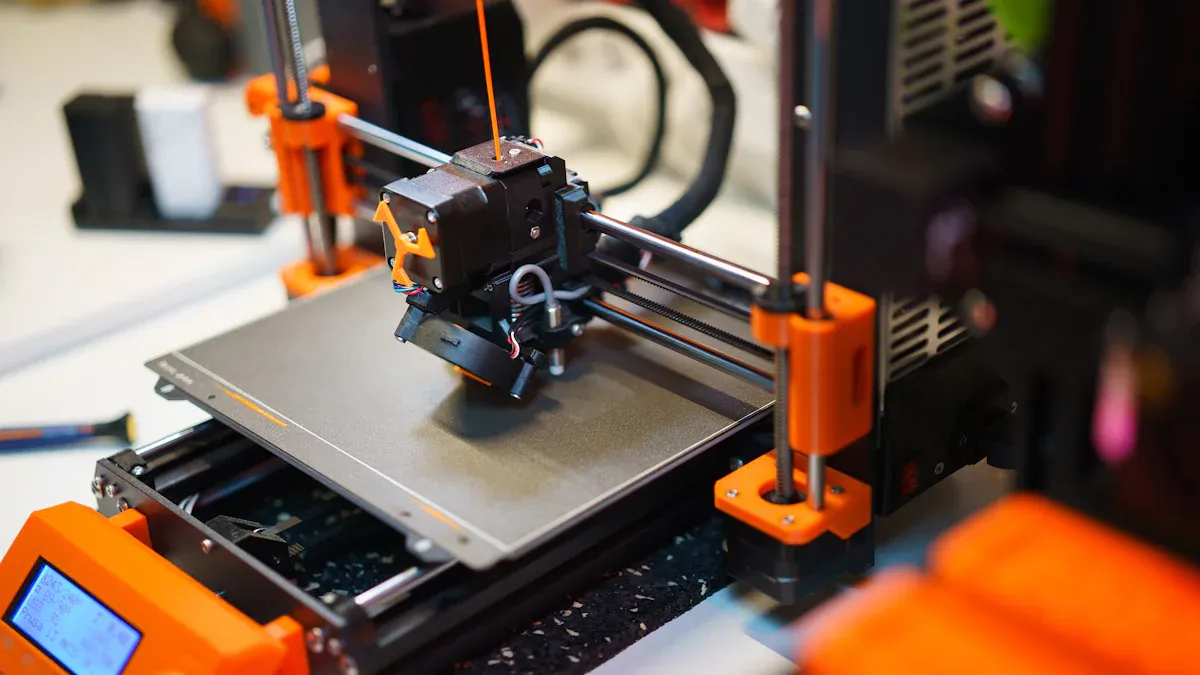
You can prevent warping by making small changes in your print settings. Start by lowering your print speed for the first few layers. This gives the filament more time to stick and improves adhesion. Set a thicker first layer height to help the print grip the bed. Adjust the nozzle distance so the filament presses gently onto the surface. If you use a Sovol printer, check the auto-leveling feature before each print. Always use a heated bed and set the right temperature for your material. For example, ABS needs a hotter bed than PLA.
Tip: Slow down the first layer and make it thicker for better adhesion.
Using Brims, Rafts, and Fillets
Adding a brim or raft is a simple way to prevent warping. When you print with a brim, the extra lines around your part increase the contact area with the bed. This helps keep the corners down. Rafts work well for tricky shapes or when you need extra support. Fillets, or rounded corners, also help by spreading out stress. Most slicer software lets you add these features with one click.
- Print with a brim for large or flat parts.
- Use a raft if your model has small contact points.
- Add fillets to sharp corners in your design.
Utilizing brims and rafts makes adhesion stronger and keeps your print flat.
Reducing Infill and Internal Stress
High infill can cause more warping because it builds up internal stress. Try lowering the infill percentage for big prints. Choose a honeycomb or gyroid infill pattern. These patterns spread out stress and help prevent warping. Less infill also means faster prints and less material used.
|
Infill Pattern |
Warping Risk |
Best Use |
|---|---|---|
|
Grid |
High |
Small, strong parts |
|
Honeycomb |
Low |
Large prints |
|
Gyroid |
Low |
Complex shapes |
Material-Specific Prevention Tips
Each material needs special care to prevent warping. Here’s a quick guide:
|
Material |
How to Prevent Warping |
Extra Tips |
|---|---|---|
|
ABS |
Use an enclosure, set bed to 100–110°C, turn off cooling fans, use bed adhesives |
Keep the area warm |
|
PLA |
Print in a ventilated space, avoid high bed temps (over 60°C) |
Good for beginners |
|
PETG |
Use glue stick, keep filament dry, set bed to 65–90°C |
Avoid drafts |
Room temperature and humidity matter too. Printing in a warm, dry room helps reduce warping. Store your filament in a dry box to keep it from absorbing moisture.
Note: Simple steps like adjusting settings, print with a brim, and choosing the right infill can prevent warping and improve adhesion.
Quick 3D Printer Warping Fixes During Printing
Emergency Actions for Warping Prints
You notice warping while your print is running. Don’t panic. You can take quick steps to stop the problem from getting worse. Here’s a table with actions you can try right away:
|
Action |
Description |
|---|---|
|
Use a heated print bed |
Keeps the bottom layers warm, helps the print stick, and reduces warping, especially for ABS. |
|
Use a heated enclosure |
Maintains a steady temperature inside the printer, stops heat loss, and prevents warping. |
|
Disable fan cooling |
Slows down cooling, lowers the chance of warping from rapid temperature changes. |
|
3D Printing Design |
Add brims, chamfers, or rafts in your slicer to improve adhesion and fight warping. |
If you see corners lifting, check your bed temperature. Raise it a few degrees if needed. Try enclosing your 3d printer to keep the air warm. Turn off the cooling fan for the first few layers. Add a brim or raft in your slicer settings before starting the next print. These steps help you control warping and save your project.
Tip: Always watch the first layers. Quick action can stop warping before it ruins your print.
Saving a Print Mid-Process
Sometimes warping starts after your print has already begun. You can still save it. Follow these steps:
- Print with a small brim. Pause the print if possible and add a brim in your slicer. This gives your print a stronger base and helps with warping.
- Apply duct tape to the warping area. Cut a piece of tape and press it down on the lifted corner. This holds the print in place and stops more warping.
- Use tape as a normal adhesion method. For bigger prints, tape can work with glue stick or other adhesives to keep the print flat.
You don’t need fancy tools. Just use what you have at home. These simple fixes can help you finish your print and avoid wasting filament.
Note: Quick fixes like raising the bed temperature, using tape, or adding a brim can make a big difference. You can reduce warping with just a few steps.
Summary:
You can fight warping even while your print is running. Watch for signs early, use a heated bed, try enclosing your 3d printer, and don’t forget about brims or tape. Simple actions help you save your print and get better results.
You can tackle 3D print warping with a few easy steps. Try cleaning your bed, leveling it at operating temperature, and using a heated bed. Add a wide brim or spray adhesive for better grip. If you spot warping, use a heat gun or soak your print in hot water to reshape it. Keep using these tricks and you’ll see fewer failed prints and smoother results. Don’t worry if things go wrong at first—experiment, learn, and keep practicing. Simple changes lead to big improvements!
FAQ
What causes my 3D prints to warp?
Warping happens when the plastic cools too fast and shrinks. The corners lift off the bed. You might see this more with big or flat prints. Keep your bed clean, level, and warm to help stop warping.
How can I make my first layer stick better?
Clean your print bed with isopropyl alcohol. Adjust the nozzle so it is close to the bed. Use a brim or glue stick for extra grip. Watch the first layer as it prints to catch problems early.
Do I need an enclosure for every print?
You do not need an enclosure for every print. Use one for materials like ABS or Nylon, which warp easily. PLA usually prints fine without an enclosure. If you see drafts or temperature changes, an enclosure helps.
What should I do if I see warping during a print?
Pause your print if you can. Add a brim or use tape to hold down lifting corners. Raise the bed temperature a little. Block any drafts in the room. These quick steps can save your print.
Can print settings help prevent warping?
Yes! Slow down the first layer. Make it thicker. Lower the infill for big prints. Use a honeycomb or gyroid pattern. These changes reduce stress and help your print stay flat.
Remember: Simple steps like cleaning, leveling, and adjusting settings can make a big difference in stopping warping.