







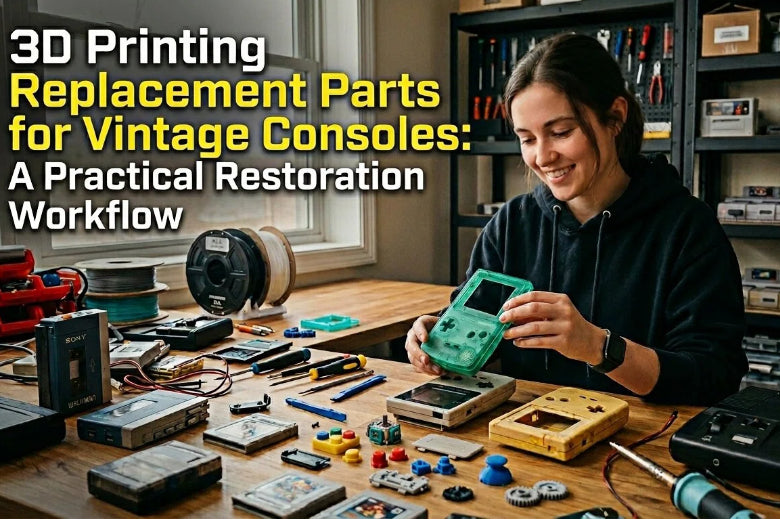
That’s retro console restoration in one sentence: the electronics often survive, but the plastics age out.
If you’ve tried 3D printed console shell repair, you already know the two hard parts: getting the fit right, and making the surface look like it belongs there.
The good news is that FDM printing can be a genuinely practical way to keep hardware usable—especially for small brackets, covers, and structural bits that aren’t sold anymore. The trick is treating it like restoration, not like a one-shot print.
Why vintage console plastics fail (and why printing helps)
Most console plastics weren’t designed to last decades. Heat cycles, UV exposure, plasticiser loss, and mechanical stress all take their toll. Even when the shell looks fine, little internal structures (tabs, posts, thin ribs) can become brittle.
3D printing won’t magically recreate injection moulding, but it can give you:
- A replaceable part you can reprint anytime
- The freedom to reinforce weak areas (thicker ribs, better fillets)
- A way to test-fit quickly before committing to cosmetic work
Key Takeaway: The win isn’t “perfect on the first print.” The win is a repeatable workflow that gets you to a fit you trust.
3D printing replacement parts for vintage consoles: what to print first
If you’re starting from zero, pick parts with three traits: simple geometry, clear mating surfaces, and no need for a perfect colour match.
Good candidates include:
- Battery doors and small access covers
- Internal brackets and spacers
- Cartridge/ODE trays and mounts
- Port bezels and rear panels (especially for “no-cut” mods)
- Fan mounts and shrouds
- Controller cable strain reliefs and small grip plates
Parts to approach more cautiously:
- Long, thin cosmetic exterior pieces (warp + finish time)
- Snap-fits that must flex repeatedly
- Anything close to a hot regulator/heatsink (material choice matters)
The restoration workflow: measure → model → test → finish
Here’s the workflow that keeps you from printing the same part five times and still being annoyed.
1) Stabilise and document the original
Even a broken original is valuable reference.
- Photograph it in place before disassembly
- Mark which faces are “cosmetic” vs “functional”
- Note where fasteners go and which surfaces actually touch
2) Measure the mating geometry, not the broken geometry
Use calipers for the features that control fit:
- Holes, slots, and post diameters
- Distances between screw centres
- Thickness of walls where the part nests
- Key offsets and stop faces
If an old tab has snapped, the mating pocket in the shell is often the more reliable dimension.
3) Model for iteration
In CAD, design as if you’ll be wrong the first time (because you might be).
- Add simple adjusters you can tweak quickly (e.g., a single “clearance” parameter)
- Use fillets at stress points (especially at the base of snap arms)
- Avoid sharp internal corners where cracks start
4) Print a test coupon before printing the whole thing
If the part is large, don’t print the whole thing just to learn the snap is 0.2 mm too fat.
Print only the geometry that matters:
- The snap hook and its mating wall
- A screw boss section
- A latch profile
Then adjust, reprint, and only when it’s right…
5) Fit before finish
Dry-fit the raw print. If it needs force, it’s not “almost there”—it’s telling you something.
Finishing steps (primer, paint, clear coat) can subtly change dimensions and can turn a good fit into a tight fit.
Fit that actually fits: snap-fit tolerance for 3D printed parts, screw bosses, and more
If you take one concept from this article, take this: you’re not designing a shape, you’re designing a relationship between shapes.
A useful starting point for clearance is “small, deliberate gaps,” then calibrate to your printer and filament.
A practical clearance cheat sheet (starting points)
These are starting points, not guarantees. Print a small coupon and validate.
|
Feature type |
Typical starting clearance |
Why it matters |
|---|---|---|
|
Sliding / press-in covers |
~0.2–0.4 mm |
Avoids binding from layer lines |
|
Snap-fit hooks |
~0.2–0.3 mm (tune by test) |
Too tight = white-stress marks or breakage |
|
Pivot / hinge fits |
~0.3–0.5 mm |
Prevents squeaks and friction wear |
For snap-fits specifically, Fictiv’s snap-fit guidance includes rules of thumb like 0.3 mm for close-fit snaps and 0.2 mm for tight fits—useful as a baseline when you’re building your first test coupon (see Fictiv’s “How to Design Snap Fit Components” (2025)).
Snap-fits: treat them like springs
Snap arms fail when stress concentrates at the base.
Design habits that help:
- Taper the arm so it flexes more evenly
- Use a generous fillet at the base
- Print orientation matters: if you need the arm to flex, don’t stack layer lines where it will delaminate
RapidDirect’s overview of snap-fit design principles is a helpful reference for these fundamentals (taper + fillets), even if you’ll still need to account for FDM’s layer direction (see RapidDirect’s snap-fit design guide (2024)).
Screw bosses: design for the screw you’ll actually use
A surprising number of “restoration prints” fail because the screw boss cracks or strips.
- Match boss geometry to your wall thickness
- Avoid razor-thin boss walls
- Add fillets where the boss meets the body
If you want a manufacturing-minded checklist for bosses, Protolabs has a solid overview (see Protolabs: “Design Better Screw Bosses on Molded Parts” (2018)).
Material choices for console parts (with heat and reality checks)
Material choice is about function and environment.
A few practical heuristics:
- PLA / PLA+: great for detail and easy printing. Use it for cosmetic covers and lightly-loaded parts that won’t sit in warm airflow.
- PETG: a strong default for brackets and interior parts; generally tougher than PLA.
- ABS / ASA: more temperature-tolerant options, but they ask more of your setup (warp control, ventilation). ASA also brings UV resistance (less critical for indoor consoles, but still useful).
⚠️ Warning: Heat language gets messy fast. What matters in real life isn’t just a filament’s datasheet number—HDT vs Tg vs actual part geometry and airflow can change outcomes. If a part lives near a heatsink or regulator, test cautiously.
One restoration-friendly way to reduce failed prints (especially for tight-tolerance parts) is simply keeping filament dry. If you hear popping or see surface pitting, moisture may be in the loop—SOVOL’s guide on how to fix filament popping during 3D printing has a straightforward checklist.
Making it look original: a finishing workflow that doesn’t wreck fit
A “factory-like” look is less about magic coatings and more about patience and thin layers.
(If you’re specifically searching for finishing 3D prints to look injection molded, you’ll recognise the pattern: smooth the geometry first, then build the surface in thin, controllable steps.)
A common workflow:
- Sand to knock down layer lines (coarse → fine)
- Filler primer for the remaining texture
- Sand again, focusing on flat planes and edges
- Paint in light coats
- Optional clear coat
If you want a broad menu of finishing methods (and what they’re best for), Fictiv’s overview is a decent starting reference (see Fictiv: “How to Finish 3D Printed Parts” (2024)).
Pro Tip: Mask or protect critical mating surfaces while you finish. You can make a tight snap-fit feel “mysteriously wrong” with two enthusiastic coats of paint.
Where to find (and evaluate) community files
You don’t always need to design from scratch. For retro consoles, the community has already done a lot of the hard work.
A solid starting hub is RetroRGB’s 3D Printed Design Files, which is organised by console category and includes practical examples like Dreamcast trays, N64 mods, and replacement panels.
When you download an STL from anywhere, do a quick sanity check before you commit:
- Are there photos of the printed part installed?
- Does the file mention printer/process assumptions (FDM vs resin)?
- Are the tolerances or fasteners specified?
- Is there a changelog or revision notes?
Common mistakes (myth-busting)
Myth: “A scan will give me a perfect replacement”
A scan can help, but it doesn’t automatically encode fit intent. You still need to decide what surfaces matter and where to add clearance.
This is also why people looking for 3D printing retro console parts often end up reprinting: it’s not the model that’s hard, it’s the fit.
Myth: “If it’s close, I can sand it into place”
Sanding works for cosmetics. For functional fit, it’s usually faster to adjust a parameter in CAD and reprint the critical area.
Myth: “PLA is always fine for console parts”
Sometimes it is—especially for cosmetic covers. But if the part lives in a warm spot or needs repeated flex, you’ll want to think harder about material and orientation.
If you’re troubleshooting print quality before you blame the model, SOVOL’s community round-up of common 3D printer problems and fixes is a quick checklist.
Key Takeaways
- Start with high win-rate parts: covers, brackets, trays, bezels—not complex flexing clips.
- Use a repeatable loop: measure → model → test coupon → iterate → final print → finish.
- Treat fit as a relationship: plan for clearance, not “perfectly matching geometry.”
- Material choice depends on where the part lives (heat, stress, flex) and how you’ll finish it.
- Fit before finish: paint and primer can change dimensions.
Next steps
If you want to try one quick restoration print this weekend, pick a small interior bracket or cover, model it with a simple clearance parameter, and print a test coupon first.
And if you’re browsing for an upgrade printer down the line, it’s worth scanning the current open-source options on SOVOL and comparing them to what you already run—just keep the bar the same as restoration: repeatability beats hype.











