







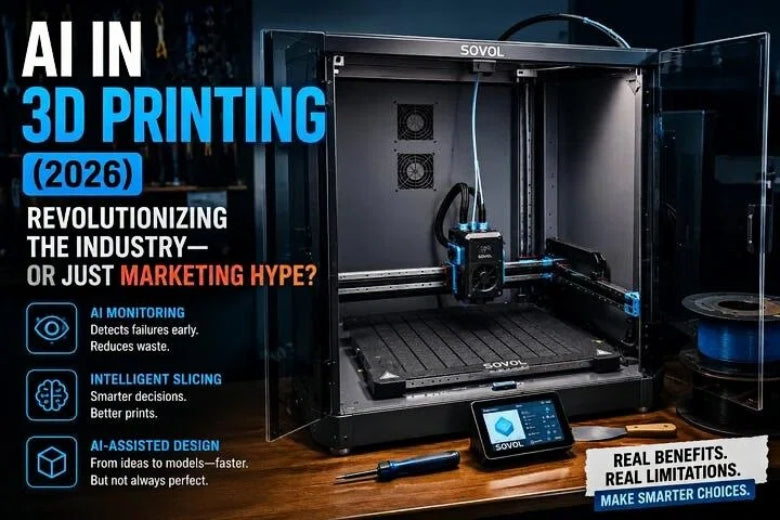
A feature ships. A few people get real wins. Marketing turns it into “AI-powered everything.” And suddenly you’re left wondering whether this is a genuine step-change—or just a new sticker on the same old workflow.
In 2026, “AI in 3D printing” is real. But it’s also overloaded. The fastest way to get value is to stop treating “AI” as one thing and start evaluating it like any other tool: What does it do? What does it miss? What does it cost (money, time, privacy)?
AI in 3D printing in 2026: what’s real vs. what’s hype
Here’s the clean framing:
- Real: tools that reduce babysitting, increase repeatability, or shorten setup time in ways you can verify.
- Hype: vague “AI optimization” claims that can’t explain what changed, how it was measured, or what the failure modes look like.
What hasn’t changed (and never will):
- Filament still absorbs moisture.
- Beds still warp.
- Belts still loosen.
- Bad profiles still print badly—just faster.
AI can reduce the cost of mistakes. It doesn’t repeal physics.
First, define what “AI” even means in FDM
A lot of confusion disappears if you separate three buckets.
1) Automation (not AI, but often sold as AI)
Automation is the printer doing routine tasks reliably—think calibration routines, remote start/stop, job queues, and guardrails that reduce human babysitting.
It matters. It makes printing smoother. But it’s not machine learning.
This is also where most marketing gets slippery: people say “AI” when they really mean automation vs AI—and they hope you won’t ask which one you’re buying.
2) ML / computer vision (the “camera watches your print” stuff)
This is the most practical “AI” category for most advanced FDM users right now: a camera feed (or sensors) is analyzed to flag anomalies and send alerts—or pause/cancel a job.
3) Generative AI (text/image-to-3D, assistant workflows)
This is the flashy category: “describe the part you want” and get a mesh back.
It can be genuinely useful for concepts, starting geometry, and speed, but it doesn’t automatically understand your printer, your material, your tolerances, or your failure modes. Treat it as a first draft, not a finished part.
Key Takeaway: When a product page says “AI,” ask which bucket it belongs to: automation, ML monitoring, or generative design.
What’s actually changing in 2026 (and what isn’t)
If you want a grounded signal that AI is becoming more than buzz, look for where people expect impact—and in what form.
In Protolabs’ 2024 survey-based 3D Printing Trend Report, respondents pointed to AI-driven impact areas like hardware-level automated tuning (via sensors/vision) and software improvements at the slicer level (including more advanced toolpath planning and emerging workflows). The key point for a maker reading this in 2026 isn’t “AI will solve everything.” It’s that the practical direction is closed-loop feedback + smarter software, not magical one-click perfection.
The AI features that help advanced FDM users the most
1) AI print failure detection (useful—if you treat it like a smoke alarm)
Camera-based detection is best at catching failures that are visually obvious:
- spaghetti/air printing
- major bed detachment
- big blobs or “beards”
- obvious geometry drift
But it’s weaker at subtle problems:
- early under-extrusion that still looks “okay” from a wide shot
- slow clogs and heat creep
- issues hidden behind the toolhead, tall prints, or a bad camera angle
A practical way to think about it is exactly how Sovol frames it in their guide on AI print failure detection in 2026: how to evaluate it: it’s a risk-reduction layer, not a guarantee. Your goal isn’t “never fail.” It’s “fail fast, waste less, and intervene when recovery is realistic.”
⚠️ Warning: If a brand sells failure detection but won’t talk about false positives, lighting, or camera placement, assume you’ll be the beta tester.
2) AI slicing software: real value, mixed with marketing
Slicers are already “smart” in the old-school way: geometry analysis, heuristics, and validated profiles.
Where “AI slicing software” claims show up is usually in:
- parameter suggestions based on geometry
- support placement guidance
- adaptive strategies (e.g., varying layer thickness)
- pre-print warnings (thin walls, risky overhangs)
Sovol’s explainer on intelligent slicing makes the aspirational case (dynamic adjustments, earlier warnings) and also calls out constraints like compute demands, integration issues, and limited training data. If you want that broader context, see: 3D printing + AI: the current status and future of intelligent slicing software.
Here’s the reality check for advanced users:
- If a slicer “assistant” can’t explain what it changed and why, it’s hard to trust.
- If it can’t help you reproduce a result (save the profile, document diffs), it’s not “intelligent”—it’s ephemeral.
3) AI-assisted design and model prep (high leverage, low trust by default)
Generative AI can help you get something to iterate on quickly.
But for FDM functional parts, the failure modes are predictable:
- thin features that don’t print
- overhangs that require support you didn’t budget for
- tolerances that don’t match your machine’s behavior
- geometry that looks fine until you orient it
If you use text/image-to-3D tools, your workflow should include a non-negotiable “make it printable” pass:
- inspect wall thickness and bridging spans
- simplify impossible details
- choose a print orientation intentionally (don’t accept defaults)
- run a quick support preview and check contact points
The marketing traps (and the questions that expose them)
Myth 1: “AI makes 3D printing effortless”
Why it’s believable: monitoring + automation really do reduce babysitting.
What’s true: AI can reduce the cost of failure, but it can’t fix bad fundamentals.
How to test: ask what happens in three scenarios:
- the camera is partially blocked by the toolhead
- the filament is glossy and reflects light
- Wi‑Fi drops mid-print
If the answer is vague, the system is fragile.
Myth 2: “AI = better print quality”
Why it’s believable: closed-loop tuning is a real industrial direction.
What’s true: consumer “AI” often means alerts and presets, not in-process control.
How to test: look for proof of feedback control (what sensor, what variable it adjusts, and what you can override). If it’s just “AI optimization” with no mechanism, assume it’s a heuristic.
Myth 3: “Prompt-to-part is production-ready”
Why it’s believable: demos look great.
What’s true: printability is a constraint problem. Mesh output is not a manufacturing plan.
How to test: take an AI-generated part and run it through a real checklist: min wall thickness, overhangs, fit features, and tolerances.
A practical checklist: should you pay extra for “AI”?
Use this as a buyer’s filter (or a sanity check before you rewire your workflow around a new tool).
AI monitoring / failure detection
- Does it support notifications first, then auto-pause, then selective auto-cancel?
- Can you adjust sensitivity (and ideally avoid “cancel on first suspicion”)?
- Does it clearly document what it detected (frames, timestamps, or event logs)?
- Is processing local or cloud—and are you comfortable with that trade-off?
AI slicing software claims
- Can it show you exactly what settings changed?
- Can you save and reuse the output as a normal profile (reproducibility)?
- Does it help with what you actually struggle with (supports, speed/quality trade-offs, first-layer reliability), or is it just a UI layer?
Generative AI / model creation
- Does the tool help you repair and validate printability—or just generate a mesh?
- Can you export cleanly to your preferred CAD/slicer workflow?
Pro Tip: Run one controlled monitoring trial on a low-stakes print before you trust it on an overnight job. Fix camera angle, lighting, and focus before you judge the model.
Key takeaways
- In 2026, the most useful “AI” for advanced FDM is usually monitoring + workflow assistance, not magic quality boosts.
- Don’t buy the label—buy the mechanism: what it detects, what it misses, and what it does when it’s unsure.
- For slicers, “AI” is only valuable if it improves reproducibility and explains its changes.
- For generative AI, treat outputs as starting geometry; printability still needs real checks.
- The best AI setups reduce failure cost—your fundamentals still decide your success rate.











