







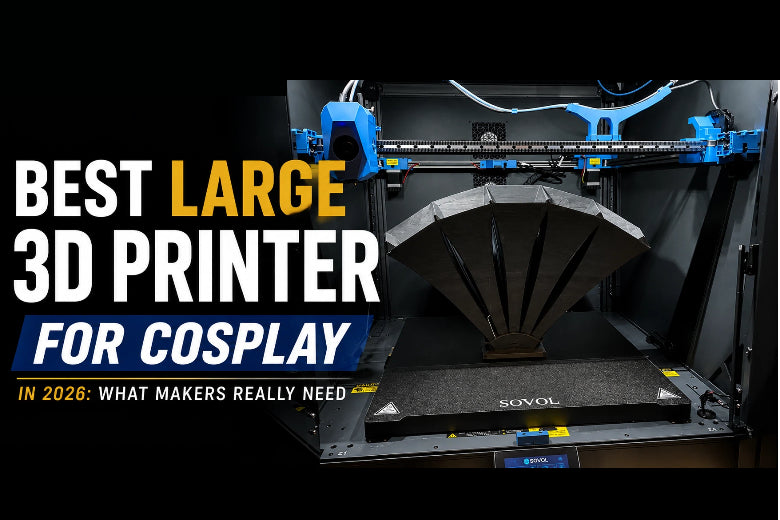
- The build plate is just a bit too small, so you end up slicing the model into too many parts.
- Every extra cut line becomes a seam you have to align, glue, reinforce, fill, sand, and re-prime.
- Print times get long, and long prints fail in the most demoralising way: at 92%.
- Even when the print succeeds, finishing can take longer than the printing.
A large-format printer doesn’t magically remove all work (cosplay will always involve some finishing), but it can reduce the parts count, make assemblies stronger, and lower the amount of seam cleanup you have to do.
This guide is written for the “I’m ready to upgrade” stage: you understand what cosplay printing involves, and you want a large build volume printer that helps you ship better helmets, armour pieces, and props with fewer unpleasant surprises. In other words: you’re looking for a cosplay 3D printer that can handle big wearable parts and still behave like a dependable 3D printer for props.
Key Takeaway: For cosplay, a “good” large format 3D printer isn’t the one with the highest top speed. It’s the one that can print big shells reliably, keep surfaces clean on long runs, and handle the materials you actually wear.
What Makes a Good 3D Printer for Cosplay?
Cosplay printing is different from printing small figurines or desk gadgets. A lot of armor 3D printing success comes down to controlling shrink, vibration, and surface finish over very long walls. The parts are larger, the surfaces are more visible, and a lot of the value is in how much work you don’t have to do after the print finishes.
Here are the features that matter most, and what they change in real builds.
1) Large build volume (and the “shape” matters)
Build volume isn’t just a number to brag about. It determines whether you can print:
- a helmet as one shell (or at least in two clean halves)
- chest or back plates without turning them into a patchwork
- long props (swords, staffs, rifles) as fewer straight sections
A common rule of thumb in helmet-focused guides is that a 300 × 300 × 300 mm class build volume is a great target if you want to reduce splitting and seam work (QIDI’s helmet guide makes this point directly in its build volume advice) QIDI’s “How to 3D Print a Cosplay Helmet”.
That said, “bigger” isn’t automatically “better.” Large printers demand more space, more heating stability, and more patience for tuning. The right goal is: big enough to reduce your seams meaningfully, without buying more machine than you can realistically maintain.
2) Printing speed (what matters more than the headline number)
Cosplay makers care about speed because:
- armour sets are multi-part projects
- you’re often racing a deadline (con season is real)
- long prints multiply failure risk
But the speed that matters for cosplay isn’t the marketing “top speed.” It’s whether the printer can sustain clean outer walls on big parts without:
- ringing/ghosting on flat armour plates
- under-extrusion when you use a larger nozzle
- layer shifts from vibration or loose mechanics
A printer that’s “only” moderately fast, but rock-solid over 20–40 hour runs, will beat a faster machine that needs constant babysitting.
3) Motion system stability (CoreXY advantages for large parts)
If you’re comparing printer designs, you’ll see two common camps:
- Bed slingers: the bed moves back and forth (common in many affordable printers)
- CoreXY: the bed typically moves only in Z, and the toolhead moves in X/Y
For cosplay, CoreXY has a straightforward advantage: less moving mass in the Y axis, which can make it easier to keep large, tall prints stable at higher accelerations.
That’s also why CoreXY printers are becoming more popular among people building big parts: when the motion system is stable, you can push print speed without turning every corner into a vibration signature.
To keep this grounded: CoreXY is not “better” for every use case. It’s simply a motion system that often makes fast, large prints easier to manage—especially on wide, flat pieces where vibration artefacts are obvious.
4) High-flow hotends (why volumetric flow is the hidden limiter)
When people say they want a “high speed 3D printer,” they usually mean the travel speed or print speed number.
What actually limits large cosplay prints is often volumetric flow: how much plastic the hotend can melt and push through the nozzle consistently.
If you upgrade to a 0.6 mm nozzle (a common cosplay move), your printer may need to push significantly more plastic per second. If the hotend can’t keep up, you’ll see:
- thin walls
- gaps and weak layers
- inconsistent surface texture
If you want a deeper troubleshooting reference for this failure mode, SOVOL has a practical diagnostic guide on how to fix under-extrusion step by step.
5) Material compatibility (PLA vs PETG vs ABS/ASA)
Cosplay is a weird mix of requirements: you want parts that are light, wearable, sandable, paintable, and sometimes heat-tolerant.
Here’s the practical way to think about it:
- PLA: easiest to print and finish; great for prototypes and many indoor props
- PETG: tougher and more impact resistant; useful for functional brackets, clips, and some wearable parts
- ABS / ASA: better for heat tolerance and durability, but often needs an enclosure and more controlled printing
A material guide from Siraya Tech summarises these tradeoffs in a cosplay context (with clear warnings about PLA’s brittleness and heat limits) in “Best Filament for Cosplay” (2025).
⚠️ Warning: Don’t treat “temperature resistance” as a single number. Tg (glass transition) and HDT (heat deflection temperature) describe different failure modes, and real cosplay conditions (a hot car, direct sun, stage lighting) are often messy.
If you want a refresher on PLA vs PETG behaviour and what changes in real prints, Snapmaker’s comparison is a useful baseline: “PETG vs PLA” (2026).
6) Ease of maintenance (because large printers punish neglect)
Large cosplay prints amplify every small maintenance issue.
You don’t need to be a mechanic, but you do want a machine that makes it easy to:
- check belt tension
- clean the nozzle and extruder path
- access the hotend fan (heat creep ruins long prints)
- keep the bed surface clean and consistent
If you’re printing big wearable parts, filament storage matters too. Moisture causes popping, inconsistent extrusion, and weak layers. This guide on how to fix filament popping (often moisture-related) is worth bookmarking.
Why Large Build Volume Matters for Cosplay
Large build volume isn’t just convenience—it changes the entire workflow.
Fewer seams (and fewer failure points)
Every seam is:
- an alignment problem
- a glue joint that can fail under stress
- a finishing sinkhole
If you can print a helmet as one shell, you avoid the “centerline seam forever” problem. If you can print a chest plate in two large sections instead of eight, you reduce the odds that one slightly warped panel ruins the whole fit.
Stronger parts with more predictable fit
When you split an armour piece into many parts, the final shape depends on:
- the accuracy of each section
- the glue joint geometry
- the amount of clamping pressure
- how much you sand during finishing
Printing larger sections tends to keep the original curvature more faithful. That matters on shoulders, chest plates, and anything that needs to sit comfortably against your body.
Less sanding, less filler, less “why did I do this to myself?”
Cosplay finishing is normal. Excess finishing is optional.
Large printers don’t remove layer lines—but they can reduce the amount of seam work, which is usually the most annoying part because it’s uneven and hard to hide under paint.
Faster assembly and iteration
When you reduce parts count, you:
- spend less time gluing and clamping
- can test-fit earlier
- can reprint a section without reprinting the whole “mosaic”
That’s why large build volume printers are so popular for people printing helmets and wearable armour.
Best Large 3D Printer for Cosplay: Categories That Actually Matter
This section is intentionally not a “Top 10” list.
Instead, think of these as build profiles—categories you can match to your real projects. The best large 3D printer for cosplay is the one that matches your typical part size, your workspace, and the materials you want to use.
Best overall (most cosplay makers)
Choose this profile if: you print a mix of helmets, armour parts, and props—and you want a balanced machine that prioritises reliability over bragging rights.
Look for:
- ~300 mm-class build volume (or larger)
- stable motion system (CoreXY is a strong fit here)
- consistent extrusion at higher flow (especially if you’ll run 0.6 mm nozzles)
- bed that holds temperature evenly across the surface
Avoid:
- “fast on paper” machines with poor vibration control
- printers that make nozzle swaps and maintenance painful
One example model (not a universal pick): If you want to see how a large-format CoreXY platform is typically positioned, SOVOL’s SV08 review provides helpful context on the design approach.
Best for helmets (large shells, clean curves)
If you’re specifically searching for the best 3D printer for cosplay helmets, prioritise build volume first, then reliability (first-layer consistency) and surface quality on long curved walls.
Choose this profile if: your main goal is printing helmets and masks with fewer seams.
Look for:
- build volume that supports your target helmet scale
- reliable bed adhesion (brim support, consistent first layer)
- predictable surface quality on long outer walls
Helmet-specific guides often recommend settings like 0.16–0.2 mm layer height and 15–20% infill as a sensible baseline for wearability vs. print time (see QIDI’s helmet workflow: QIDI’s “How to 3D Print a Cosplay Helmet”).
Practical tip: A printer that produces slightly cleaner outer walls can save you hours of sanding on helmet curves.
Best for armour (big flat panels and wearability)
Choose this profile if: you print chest/back plates, thigh pieces, or large segmented armour.
Look for:
- stable motion with controlled acceleration (to reduce ringing on flat areas)
- option to print tougher materials (PETG; ABS/ASA if you’re ready for an enclosure)
- good Z consistency (armour panels make Z wobble obvious)
Pay attention to:
- warping control (especially if you print wide panels)
- how easy it is to keep the printer calibrated across long projects
Best high-speed option (when you value throughput)
Choose this profile if: you’re producing multiple builds, iterating frequently, or printing for a group.
Look for:
- CoreXY motion system
- good vibration control and firmware features (e.g., input shaping)
- high-flow hotend performance that matches your nozzle choice
Reality check: Speed exposes weaknesses. Wevolver explains ghosting as a vibration artefact and outlines typical causes in “3D print ghosting: causes and solutions” (2024), and All3DP also covers common culprits like speed, acceleration, and loose belts in its guide: “Solve 3D Print Ghosting”.
Best budget option (upgrading from a small printer)
Choose this profile if: you’re moving up from a small bedslinger and want more volume without adopting a whole new hobby (printer maintenance).
Look for:
- the biggest volume you can fit and reasonably heat
- proven reliability and easy access to spare parts
- an active user community (because you’ll learn faster)
Tradeoff to accept: You might print slower on big parts to avoid ringing and layer shifts.
Recommended Printing Settings for Cosplay
These are baseline starting points—not absolute rules. Your model geometry, filament brand, and printer will change the ideal numbers.
The goal is to give you settings that are hard to regret when you’re printing large wearable parts.
|
Part type |
Layer height |
Nozzle size |
Walls / perimeters |
Infill |
Material suggestions |
Notes |
|---|---|---|---|---|---|---|
|
Helmets |
0.16–0.20 mm |
0.4–0.6 mm |
3–4 |
15–20% |
PLA for prototypes; PETG for toughness; ABS/ASA if heat is a concern and you can print it reliably |
Tree supports can reduce scarring; use a brim for adhesion on large shells. |
|
Armour |
0.20–0.28 mm |
0.6 mm |
3–5 |
10–20% |
PETG for wearability; ABS/ASA for higher heat environments |
Flat panels show ringing—keep acceleration reasonable and tune vibration compensation. |
|
Props (blasters, masks, accessories) |
0.16–0.24 mm |
0.4–0.6 mm |
3–4 |
10–20% |
PLA for finish and detail; PETG for impact resistance |
Optimise for surface quality where props are handled/seen up close. |
|
Weapons (swords, staffs) |
0.20–0.32 mm |
0.6–0.8 mm |
4–6 |
15–30% (or use internal dowels) |
PETG for toughness; consider ABS/ASA if heat/impact is expected |
Plan the internal structure: long parts often need dowels, rods, or segmentation. |
Common Problems in Cosplay Printing (and practical fixes)
Warping on big armour pieces
What it looks like: corners lifting, edges curling, plates that don’t match your body after cooling.
Why it happens: large flat parts create uneven cooling and shrinkage, especially with materials like ABS/ASA.
Fixes that usually work:
- use a brim and make sure the first layer is consistent across the bed
- reduce drafts (even a simple enclosure can help)
- avoid printing huge flat panels at the very edge of the bed
- slow the first layer and confirm bed cleanliness
Seam lines and ugly joints
What it looks like: seams that telegraph through paint, joints cracking when you flex or strap armour.
Fixes that usually work:
- split strategically: hide seams under ridges, edges, or “panel lines”
- add alignment keys/dowels so parts register cleanly
- reinforce from the inside where possible (strips, epoxy, mesh)
- accept that seam work is a finishing stage, then plan for it
Print failures late in the run
What it looks like: spaghetti at hour 18, clogged nozzle, layer shift, or a part detaching.
Fixes that usually work:
- treat filament storage as a reliability feature (moisture causes popping and inconsistent extrusion)
- keep the nozzle and extruder path clean
- reduce acceleration a bit for tall parts
- avoid “max speed” profiles for long cosplay shells
If your filament audibly pops or your surface finish becomes inconsistent mid-print, moisture is a common cause. This guide on fixing filament popping during 3D printing is a quick reference.
Weak large parts (cracking along layer lines)
What it looks like: armour pieces splitting when you flex them, or helmet rims cracking.
Fixes that usually work:
- increase wall count before increasing infill
- use a slightly thicker layer height with a larger nozzle when appropriate
- consider PETG for toughness; consider ABS/ASA if heat resistance is needed and your setup can handle it
- design for wear: add strap anchors and distribute stress (don’t put all load on one thin tab)
Ringing/ghosting when printing faster
What it looks like: ripples near corners on flat armour plates; “shadows” repeating after sharp features.
Why it happens: ringing is usually the result of vibration—speed and acceleration excite the printer’s resonances.
Fixes that usually work:
- check belt tension and frame fasteners
- reduce acceleration before reducing print speed (often the bigger win)
- use input shaping / vibration compensation if your firmware supports it
Obico provides a practical explanation of input shaping in a Klipper context in “Klipper Input Shaping… All You Need to Know”. For an internal explainer that you can share with newer makers, SOVOL’s guide is a good overview: “Input Shaping in 3D Printing: What It Is and Why It Matters”.
FAQ
What size 3D printer is best for cosplay?
For many makers, a 300 mm-class build volume is a strong target because it reduces how often you need to split helmets and larger armour sections. QIDI’s helmet guide explicitly calls 300×300×300 mm a great target for printing helmets with less gluing and sanding.
Can you print a helmet in one piece?
Yes—if your printer’s build volume supports the helmet at your chosen scale and orientation. The tradeoff is that a one-piece helmet is a long print, so reliability matters as much as size. If you can’t print it in one piece, splitting into two clean halves usually finishes better than many small sections.
Is CoreXY better for cosplay?
CoreXY can be a better fit when you want to print large parts faster while keeping motion stable, because the bed typically doesn’t sling back and forth in Y. The practical benefit shows up on large shells and flat armour plates where vibration artefacts are easy to spot.
What filament is best for armor?
There isn’t one universal best. A practical shortlist is:
- PLA for easier printing and finishing (especially for indoor use)
- PETG when you want more toughness for wearable parts
- ABS/ASA when heat tolerance matters and you can manage warping control
Siraya Tech’s cosplay filament overview is a helpful summary of these tradeoffs.
How long does cosplay armor take to print?
Longer than you think—mostly because armour is a multi-part project. A single large plate can take many hours, and full sets often take weeks of printing time spread across many jobs. The best way to reduce total time is to reduce reprints: prioritise bed adhesion, stable extrusion, and conservative acceleration on big parts.
Next steps (if you’re choosing a printer this month)
- List your largest must-print part (helmet shell, chest plate, blade length) and work backwards to the build volume you actually need.
- Decide whether you want to print ABS/ASA. If yes, plan for temperature control (often an enclosure) before you plan for speed.
- If you’re moving to a high-speed CoreXY printer, budget time for vibration tuning. Ringing is usually fixable, but it won’t fix itself.
If you want more practical deep-dives, you can explore SOVOL’s resource library on topics like extrusion consistency, material handling, and motion tuning—starting with their guides on under-extrusion troubleshooting and filament moisture/popping.











