Multi-material FDM is having a moment in 2026 — but it’s still one of the easiest ways to turn a “reliable” printer into a failure factory.
To make this useful (especially if you already print PLA/PETG/TPU confidently), this guide does two things:
- It explains the three architectures that actually matter for multi-material printing.
- It gives you a shortlist of 4 printers that represent those approaches — with honest tradeoffs.
Key Takeaway: If you want true multi-material (different polymers, not just different colors), architecture matters more than marketing.
What “multi-material” means in this article
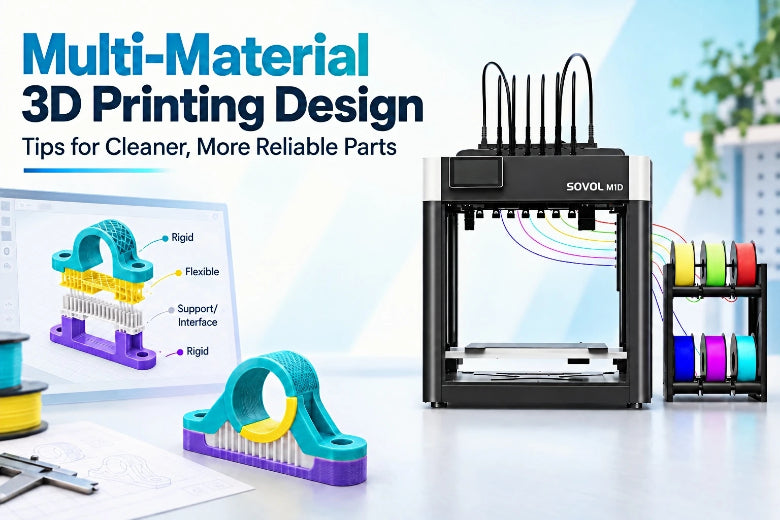
When people say “multi-material,” they often mean “multi-color.” For this post, we mean different materials in the same print — think PLA + PETG, rigid + TPU, or a model material plus a support material.
That’s harder than it sounds because the printer isn’t just changing what color plastic it extrudes. It’s switching chemistry, temperatures, shrink rates, and adhesion behavior.
Why multi-material FDM fails (even on good printers)
Most multi-material failures come from a few physical realities:
1) Shared-nozzle contamination
If two materials go through the same melt zone, the “next” material isn’t clean until you purge the previous one out. That’s why single-nozzle switching systems often need purge blocks, wipe walls, or large purge volumes.
Polymaker explains the mechanics (and why it’s so wasteful) in their guide to reducing purge waste (updated 2026).
2) Thermal mismatch and warping
Even when each material prints fine by itself, combining them can increase stress:
- different shrink rates during cooling
- different bed/chamber preferences
- different cooling needs
Snapmaker’s 2026 explainer on multi-material printing describes why these mismatches show up as real-world failures, not just “tuning issues”: see Snapmaker’s guide on why multi-material FDM is hard (updated 2026).
3) Weak bonding between dissimilar polymers
Some materials simply don’t bond well at the interface. You can sometimes “make it work” with overlap, mechanical interlocks, or by designing the interface to avoid peel stress — but you can’t brute-force chemistry with optimism.
Prusa’s Pro team puts the emphasis where it belongs: the machine matters, but success also depends on material-specific setup and workflow: Prusa Pro’s guide to multi-material printing (updated 2026).
The three multi-material approaches that matter in 2026
Here’s the practical comparison. This is the part most “best printers” lists skip.
|
Approach |
What it is |
What it’s best at |
What usually breaks first |
|---|---|---|---|
|
Single-nozzle filament switching (AMS/MMU-style) |
Multiple spools feed into one hotend; the printer swaps filaments and purges between them |
Multi-color; light multi-material; convenience |
Load/unload errors, purge tuning, contamination, long job time |
|
IDEX |
Two independent extruders on separate carriages; one can park while the other prints |
Two-material functional parts; soluble supports; duplication/mirror workflows |
Nozzle offset drift, ooze management, extra calibration |
|
Toolchanger |
The printer swaps entire toolheads from docks; each tool can be dedicated to one material |
True multi-material with low contamination and low purge waste; 3+ materials |
Dock repeatability, tool alignment, increased system complexity |
Single-nozzle filament switching (AMS/MMU-style): the “easy entry”
A single-nozzle switching system is basically a filament logistics machine: it stores multiple spools and feeds one at a time into a shared hotend.
It’s popular because it’s compact and relatively accessible — and for multi-color, it can be fantastic.
Where it gets shaky for multi-material is the shared melt zone. Even if the system nails every load/unload, you still have to purge transitions and accept some contamination risk.
For a clear, mainstream explanation of how this works (and why it tends to create waste on single-nozzle multicolor/multi-material jobs), see All3DP’s explanation of Bambu Lab AMS and purge waste (2024/updated 2025).
IDEX: two materials with less cross-contamination
IDEX is the classic “serious” step up because each material has its own nozzle and filament path. One toolhead prints while the other parks.
That does two things advanced users care about:
- Less cross-contamination compared to single-nozzle switching
- Two materials remain loaded and ready without long unload/reload cycles
BCN3D’s overview is still one of the cleanest explanations of what IDEX is and why it exists: BCN3D’s IDEX technology white paper (updated 2025).
Toolchangers: dedicated tools, minimal purge
Toolchangers swap entire toolheads, which is why they’re usually the cleanest path to true multi-material printing.
You’re not forcing multiple materials through one nozzle — you’re using a different nozzle/hotend/extruder for each.
Snapmaker’s buyer guide is a good explainer of the core mechanics and tradeoffs: Snapmaker’s toolchanger buyer’s guide (updated 2026).
A decision framework for advanced users
Use this if you’re choosing based on outcomes, not vibes.
Choose single-nozzle switching if…
- you mostly want multi-color
- you’re okay with purge waste for occasional multi-material transitions
- you value “set it up once” simplicity more than perfect interfaces
Choose IDEX if…
- you mainly need two materials (and you want them separated)
- you do functional parts where contamination at the boundary matters
- you’ll actually use duplication/mirror modes for throughput
Choose a toolchanger if…
- you want the most control over multi-material success
- you want 3+ materials without exponential purge waste
- you’re willing to pay for (and maintain) a more complex machine
Pro Tip: If your “multi-material” plan includes TPU, your real bottleneck is often filament prep and feed reliability, not the printer model.
The best multi-material 3D printers in 2026 (4 picks)
In this section I’ll use the terms IDEX 3D printer and toolchanger 3D printer explicitly, because they’re the two architectures that most often deliver “real” multi-material results with less contamination than single-nozzle switching.
How these were chosen: This is not “the top 4.” It’s one representative pick per major path, plus a couple of “category reference” machines that set expectations for what each architecture can do.
Quick comparison table
|
Pick |
Architecture |
Best for |
Main tradeoff |
|---|---|---|---|
|
Original Prusa XL |
Toolchanger |
Low-waste, true multi-material; scalable beyond two materials |
Cost + calibration/maintenance of multiple tools |
|
Snapmaker U1 |
Toolchanger |
Fast tool swaps; strong concept for cleaner multi-material workflows |
Newer ecosystem; maturity varies by workflow |
|
Raise3D E2 |
IDEX |
Professional-ish IDEX workflows; stable dual-material and duplication use cases |
Cost vs hobby machines; still needs careful offsets |
|
Bambu Lab X1 Carbon + AMS |
Single-nozzle switching |
Convenient multi-color + light multi-material transitions |
Purge waste + shared-nozzle compromises for multi-material |
1) Original Prusa XL (Toolchanger)
If your goal is real multi-material (not just a logo in a second color), the XL is a reference point because it’s built around toolchanging.
Prusa positions the toolchanger as the cornerstone of the XL: Original Prusa XL product page (updated 2026).
Who it’s for: You’re printing functional parts, supports, or multi-property assemblies and want minimal purge waste.
What to watch: Toolchanging is powerful, but you’re now maintaining multiple toolheads. If you hate calibration, this will teach you patience.
2) Snapmaker U1 (Toolchanger)
The U1 is interesting because it brings toolchanging into a more consumer-facing package (and claims very fast swaps). For an official overview, see Snapmaker U1 product page.
Who it’s for: You want toolchanging benefits, but you’re not trying to build a custom ecosystem from scratch.
What to watch: With newer platforms, the real question is repeatability: docking accuracy, slicer maturity, and long-job reliability.
3) Raise3D E2 (IDEX)
Raise3D’s IDEX line is a common reference in “serious desktop” workflows: you’re buying a more mature ecosystem and support model than many hobby machines.
If you’re comparing IDEX vs toolchanger at a practical level, Sovol has a helpful architecture comparison you can skim.
Who it’s for: You want IDEX for dual-material or duplication workflows and you value predictable operation.
What to watch: It’s still IDEX. You don’t escape offsets — you just get better tools to manage them.
4) Bambu Lab X1 Carbon + AMS (Single-nozzle switching)
This is the mainstream reference for “I want multi-color that mostly works.” For multi-material, treat it as a convenience system, not a chemistry solver.
Who it’s for: You want the easiest on-ramp to multi-color, and you only occasionally mix polymers.
What to watch: If you’re mixing materials with different temperature needs, the shared nozzle becomes the bottleneck.
A setup checklist that boosts multi-material success rate
This is the “advanced user” part — small improvements compound.
Filament prep
- Dry TPU and other moisture-sensitive filaments before long jobs.
- Keep spools in sealed storage during printing when possible.
UltiMaker’s guidance is blunt for a reason: UltiMaker’s multi-material tips emphasize dry storage for hygroscopic materials.
If you need a practical starting point for drying gear, see Sovol’s filament dryer options: Sovol filament dryer collection.
Material pairing
- Don’t assume dissimilar polymers will bond.
- If you need a strong interface, design for it (overlap, mechanical keys) rather than relying on “more temperature.”
Calibration and tuning
- For IDEX, validate offsets with a small calibration print before committing to a long job.
- For single-nozzle switching, tune purge per transition — not globally.
- For high-speed machines, pressure advance tuning can make transitions and corners cleaner. Sovol has a practical Klipper primer here: Pressure advance tuning in Klipper.
Failure-mode prevention
- If you’re seeing ooze/stringing, fix that first before adding tool changes. Use a systematic approach like Sovol’s: How to eliminate stringing in 3D printing.
- If extrusion is inconsistent, solve that before multi-material (flow calibration, partial clogs, feeder drag).
FAQ
Is multi-material the same as multi-color?
Not necessarily. Multi-color can be the same base polymer in different pigments. Multi-material usually means different polymers — which introduces compatibility and temperature constraints.
Is IDEX “better” than a toolchanger?
It depends on what you mean by better.
- If you need two materials and want a simpler dedicated-nozzle setup, IDEX can be a great sweet spot.
- If you want 3+ materials and minimal purge waste, a toolchanger tends to scale better.
Can I mix PLA, PETG, and TPU in one print?
Sometimes — but don’t assume they’ll bond well everywhere. Plan where you need adhesion vs where you need separation (for supports), and test small before a long job.
What’s the single most common reason multi-material prints fail?
Wet filament is up there, especially once print time and tool-change count get large. Drying and consistent feeding often matter more than a “better” printer.
Next steps
If you’re deciding between architectures, start by picking your primary workflow:
- two-material functional parts → consider IDEX
- 3+ materials with cleaner interfaces → consider a toolchanger
- mostly multi-color with occasional material swaps → single-nozzle switching can be enough