
If you’ve been shopping for a faster printer (or you’re ready to move beyond your first machine), you’ll keep running into two labels:
- CoreXY
- Bedslinger (usually an i3-style Cartesian printer where the bed moves back and forth)
They’re not marketing terms — they’re two different ways to move the nozzle and the print.
This guide stays practical: what each motion system changes in real prints, what it doesn’t, and how to pick based on what you actually print.
Key takeaways
- CoreXY keeps the bed stationary in X/Y, which usually means less wobble on tall parts and better quality at higher acceleration.
- Bedslingers move the bed in Y, which can introduce more vibration on fast moves — but the design is simpler, cheaper, and still great for many prints.
- For most people, the decision comes down to (1) the shapes you print, (2) whether you need an enclosure, and (3) how much tuning/maintenance you’re willing to do.
CoreXY vs bedslinger (quick comparison table)
|
What you care about |
CoreXY |
Bedslinger (moving-bed Cartesian) |
|---|---|---|
|
Print quality at higher speed |
Often better, because less mass is being thrown around |
Often hits vibration limits sooner, especially on tall/thin parts |
|
Tall, narrow prints |
Usually more stable (bed doesn’t slam back and forth) |
More likely to wobble as the part gets taller |
|
Footprint for the same build volume |
Often more compact |
Often needs extra space for bed travel |
|
Enclosure for ABS/ASA |
Typically easier to enclose |
Harder to fully enclose cleanly (bed movement complicates it) |
|
Maintenance |
More belts/paths to keep aligned and tensioned |
Mechanically simpler and easier to access |
|
Cost/value |
More expensive on average |
Often the best value entry point |
First: what “CoreXY” and “bedslinger” actually mean
CoreXY (in plain English)
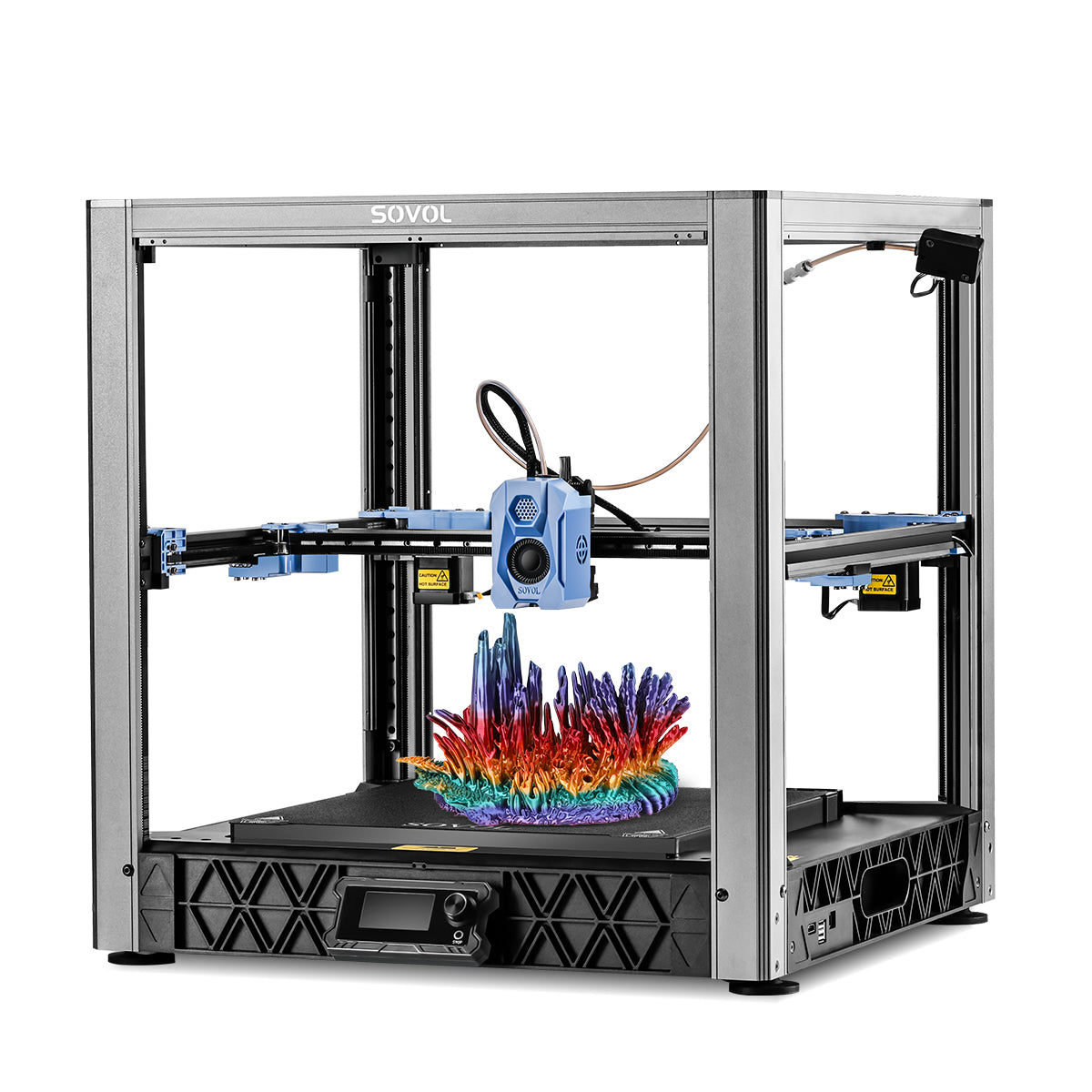
A CoreXY 3D printer uses two belts and two motors working together to move the toolhead in both X and Y. The bed only moves in Z (up/down), usually slowly.
That design keeps a lot of weight stationary — and in motion systems, moving weight is the enemy of speed.
If you want a deeper mechanical explanation, SOVOL has a solid primer on what CoreXY is and why it matters.
Bedslinger (moving-bed Cartesian)
A bedslinger is one type of 3D printer motion system: a Cartesian printer where the bed moves back and forth (typically the Y axis), while the toolhead moves in X (and Z is separate).
This style is everywhere because it’s straightforward, easy to service, and doesn’t require a boxy frame.
Print quality at speed: why moving mass shows up as ringing and wobble
If you’ve ever chased ringing/ghosting (ripples after sharp corners), you already know the pattern:
- faster acceleration and direction changes
- more vibration
- more surface artifacts
A bedslinger has to accelerate the bed + print + plate in Y. As the print gets taller, you’re also shaking a taller lever.
CoreXY designs generally do better here because the heaviest thing — the bed — isn’t being thrown around in X/Y.
A good way to visualize the difference is Fabbaloo’s 2024 “tall fin” demo, where the author shows how a tall, thin part can wobble on a bedslinger compared to a CoreXY: Fabbaloo’s practical demonstration of CoreXY vs bedslinger stability (2024).
What this means in practice
Choose CoreXY if you frequently print things like:
- tall cosplay parts (helmet sections, fins, long blades)
- tall functional prints (towers, enclosures, thin brackets)
- anything where you’re trying to keep quality high while increasing speed
A bedslinger is still fine if most of your prints are:
- short-to-medium height
- not extremely thin
- more about convenience and value than raw throughput
Footprint and enclosure: two reasons CoreXY is popular right now
Footprint (space efficiency)
Bedslingers often need extra space in front or behind the printer because the bed travels in Y.
CoreXY machines are usually closer to “printer footprint ≈ build volume footprint,” which matters a lot on a desk.
Enclosures (ABS/ASA and consistent temps)
If you’re planning to run ABS/ASA, an enclosure isn’t optional “nice-to-have” — it’s how you reduce drafts and warping risk.
CoreXY frames are commonly easier to enclose because the bed isn’t sweeping through open air.
That doesn’t mean every CoreXY is automatically an ABS machine — but the architecture usually makes enclosures more practical.
Maintenance and tuning: what you’ll really deal with
CoreXY maintenance reality
CoreXY tends to have:
- longer belt paths
- more pulleys/idlers
- more sensitivity to belt tension consistency
You don’t need to fear it — but if you enjoy “set it up once and forget it,” you’ll want a well-designed machine and a careful initial setup.
Bedslinger maintenance reality
Bedslingers tend to be:
- easier to access with tools
- simpler to understand mechanically
- very mod-friendly
If you like tweaking your printer over time, bedslingers are a classic playground.
Pro Tip: Whichever architecture you pick, your real quality ceiling is often set by tuning basics (input shaping, pressure advance, cooling, and filament dryness) — not the kinematics alone.
Buying advice: how to choose (a short checklist)
Use this as your decision filter:
Do you print tall, thin parts often?
- Yes → lean CoreXY
- No → either is fine
Do you need an enclosure for ABS/ASA?
- Yes → CoreXY is usually easier to live with
- No → bedslinger stays a great value
Is desk space tight?
- Yes → CoreXY often wins footprint-to-build-volume
Do you want the simplest machine to service?
- Yes → bedslinger often wins
Do you want to push speed without babysitting quality?
- Yes → CoreXY tends to be the smoother path
Who should choose which? (quick scenarios)
Choose a CoreXY printer if you…
- want higher speed potential without quality falling apart
- print tall parts regularly
- plan to add (or rely on) an enclosure
- would rather tune once, then run repeatably
If you want examples from SOVOL’s lineup, their CoreXY models include the SOVOL SV08 and larger-format options like the SOVOL SV08 Max.
Choose a bedslinger if you…
- want strong value and straightforward mechanics
- like upgrading/modding over time
- mostly print medium-height parts (or you’re not chasing max throughput)
Examples of bedslinger-style machines in SOVOL’s lineup include the SV06 family (e.g., SV06 ACE / SV06 Plus ACE) and models like SV07 Plus.
FAQ
Is CoreXY always “better” than a bedslinger?
No. CoreXY is often better for higher acceleration and tall-part stability, but bedslingers can be more cost-effective, easier to service, and plenty accurate for everyday printing.
Can a bedslinger print fast?
Yes — but it’s usually more sensitive to vibration and print geometry when you push speed. You can get great results, especially on shorter parts, but the moving bed is a real physical constraint.
Is CoreXY harder to maintain?
It can be. Belt routing and tension consistency matter more. That said, a well-designed CoreXY can be very stable once it’s dialed in.
Does CoreXY mean better temperature performance for ABS/ASA?
Not automatically. The enclosure matters more than the motion system. CoreXY designs are often easier to enclose cleanly, which helps you maintain a stable environment.
Next steps
If you want to go deeper, see SOVOL’s CoreXY vs Cartesian 3D printer overview (2026).
If you’re currently deciding between a CoreXY printer and a bedslinger, browsing SOVOL’s open-source lineup can help you compare build volume and form factor in one place.