







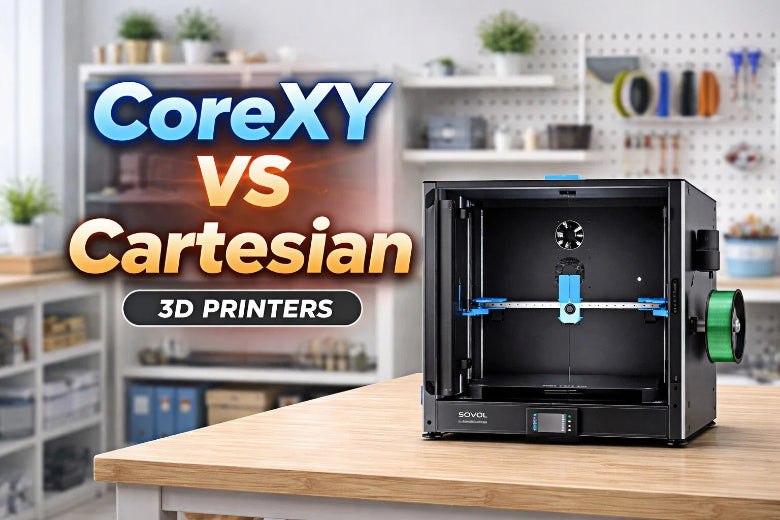
When selecting the best 3D printer for your needs, it's essential to understand how the motion system impacts your results, particularly when comparing a CoreXY vs Cartesian 3D printer. If you prioritize speed and high accuracy, a CoreXY printer is an excellent choice, as it can efficiently handle detailed 3D prints while fitting a large build volume into a compact frame. On the other hand, a Cartesian 3D printer provides reliable accuracy for most prints, but it may operate at a slower pace and require more space for larger projects. Be sure to consider your goals, budget, and experience when deciding between these two types of 3D printers.
Key Takeaways
CoreXY printers can print faster and with better detail. They are good for projects that need careful work. - Cartesian printers are simple to set up and fix. This makes them good for people who are just starting. - Think about your space: CoreXY printers can make bigger things but do not take up much room. Cartesian printers need more space to work. - Think about what you want: Pick CoreXY if you want speed and detail. Pick Cartesian if you want something easy and steady. - Think about adding new parts later: CoreXY printers let you change and add more as you learn more.
CoreXY vs Cartesian 3D Printer Basics
CoreXY Motion System Overview
A CoreXY 3d printer has a special way of moving. It uses two motors that work together. These motors move the print head side to side and front to back. The system uses belts to help the parts move. This makes the printer lighter and helps stop shaking. The print bed only moves up and down. This helps the printer stay steady. It also lets it move quickly and smoothly. If you want to print hard shapes or need things to be exact, a CoreXY 3d printer is a good pick. The small frame saves space. This is helpful if your work area is small.
Tip: CoreXY printers can print very fast, up to 700mm/s. This helps you make models quickly and with lots of detail in fdm 3d printing.
Here’s how the motors and carriage move in a CoreXY system:
|
Motor Movement |
Carriage Movement |
|---|---|
|
Both motors move clockwise |
Carriage moves left |
|
Both motors move counterclockwise |
Carriage moves right |
|
Motors move in opposite directions |
Carriage moves forward/back |
|
One motor moves |
Carriage moves diagonally |
Cartesian 3D Printer Motion System Overview
A cartesian 3d printer moves in a simpler way. Each direction has its own motor. The print head goes left and right, and forward and backward. The print bed goes up and down. This makes the printer easy to use and fix. You get good results for most prints. But heavy parts can make it slower, especially for big prints. If you are new to 3d printers, a cartesian printer is easy to learn.
Here’s a quick comparison to help you understand the corexy vs cartesian 3d printer differences:
|
Feature |
CoreXY |
Cartesian |
|---|---|---|
|
Speed |
Faster printing |
Slower for larger objects |
|
Print Quality |
Maintains quality at high speeds |
Good quality but can vary |
|
Setup Complexity |
More complex |
Easier to set up |
|
Movement Mechanism |
Belt-driven for X and Y |
Independent axis movement |
|
Ideal Use |
Complex geometries |
Good for beginners |
Pick a corexy system if you want fast and exact prints. Pick a cartesian system if you want something simple and easy to fix. Both types of 3d printers are good. Think about what you need before you choose.
How CoreXY and Cartesian 3D Printers Work
Mechanical Structure and Movement
A CoreXY printer has a small frame. Belts run across the top. Two motors work together to move the print head. The print head moves side to side and front to back. The print bed only goes up and down. This helps the printer stay steady. The moving parts are light. This lets the printer move fast and smooth.
A Cartesian printer is built in a simpler way. Each direction has its own motor. The print head moves left, right, forward, and backward. The print bed often slides back and forth. This adds weight and can make the printer shake more. Cartesian printers usually need more space because they are bigger.
Here’s a table to help you compare the mechanical structures:
|
Feature |
CoreXY |
Cartesian |
|---|---|---|
|
Movement System |
Belt-driven, simultaneous X and Y movement |
Independent movement for each axis |
|
Print Bed Movement |
Moves only in Z direction |
Moves in Y direction (bed slinger) |
|
Design Complexity |
More complex, compact design |
Simpler design, larger footprint |
|
Print Quality |
Reduced vibrations, smoother prints |
Good print quality, but can vary |
Impact on Speed and Precision
CoreXY printers can print faster. The moving parts are lighter. The print head can change direction quickly. This stops shaking and makes prints look smooth. You get better accuracy with this system.
Cartesian printers have heavier parts that move. This can slow down printing. The extra weight can make the printer shake more. Fast moves may cause small mistakes in your prints.
- CoreXY printers are fast and precise because of their belt system.
- Lighter moving parts in CoreXY printers help stop shaking.
- Cartesian printers are good for most jobs, but they are not as fast or exact as CoreXY printers.
|
Feature |
CoreXY |
Cartesian |
|---|---|---|
|
Motor Movement |
Motors attached to each axis |
|
|
Weight of Parts |
Lighter moving parts |
Heavier moving parts |
|
Speed |
Faster printing speeds |
Slower speeds |
|
Precision |
More accurate positioning |
Reduced precision |
Comparing Print Quality and Performance
Dimensional Accuracy and Stability
When you look at a corexy vs cartesian 3d printer, you want to know which one is more accurate and steady. Dimensional accuracy means your print is the right size. Stability means the printer does not shake or mess up during long prints.
Both corexy and cartesian 3d printers can be accurate. But corexy printers have lighter moving parts. This helps them move fast and not shake much. You get steadier prints, even if you print for a long time.
Here is a table that shows how each printer does with accuracy:
|
Printer Type |
Dimension |
Tolerance Limit Exceeded |
|---|---|---|
|
CoreXY |
Length |
1 |
|
CoreXY |
Width |
1 |
|
Cartesian |
Length |
1 |
|
Cartesian |
Width |
2 |
|
Cartesian |
Height |
1 |
You can see corexy printers keep the numbers low for length and width. Cartesian printers sometimes go over the limit in width. This means corexy printers can give you better results for parts that need to be exact.
If you print for a long time, stability is important. Here are some things to know about print stability:
- Corexy printers shake less and move smoother. This helps you get steady prints during long jobs.
- Cartesian printers can shake more if they go fast. This can make your prints look worse if you print for many hours.
- The motors stay still and the moving parts are light in corexy printers. This helps you avoid mistakes and get smooth prints.
Tip: If you want lots of detail and fewer mistakes, pick a corexy printer for big and hard projects.
Speed and Efficiency in 3D Printers
Speed and efficiency are important if you want to finish prints fast or make tricky models. Printing fast saves time and helps you do more. You should also see how each printer does with small details.
Corexy printers are great for speed and tough jobs. Their special motion system uses belts and motors that do not move. This lets you print faster and still get good quality. You can see the difference in this table:
|
Printer Type |
Maximum Print Speed (mm/s) |
Acceleration (mm/s²) |
|---|---|---|
|
CoreXY |
700 |
40,000 |
|
CoreXY |
150-300 |
N/A |
|
Cartesian |
100-200 |
N/A |
|
Cartesian |
80-100 |
N/A |
You can print up to 700 mm/s with a corexy printer. Cartesian printers usually print at 100-200 mm/s or less. This means you finish your work faster with corexy, especially if you need to print fast.
Efficiency also means how well the printer makes hard shapes. Here is a quick comparison:
|
Feature |
CoreXY |
Cartesian |
|---|---|---|
|
Speed |
Excels in speed and accuracy |
Tends to be slower |
|
Complexity |
More complex motion system |
Simpler and more affordable |
|
Print Quality |
Better for high-detail projects |
Adequate but less efficient |
Corexy printers can move fast and make small details. Many people say their prints look better with corexy printers. The strong frame and smart belt system help you print hard models fast and keep the details.
- The special motion system in corexy printers lets you print fast and well.
- Many people see better print quality with corexy printers.
- Cartesian printers are good for easy jobs but may not be as good as corexy for hard projects.
Note: If you want to print hard models with lots of detail, a corexy printer helps you get better results in less time.
Build Volume and Expandability
Large-Format Printing with Cartesian 3D Printers
You may want to print big models or parts. Many people choose a cartesian 3D printer for large-format printing. These printers often have a simple design. Each axis moves on its own path. This makes it easy to understand how the printer works. You get a reliable machine for most projects.
However, you need to know that a cartesian printer usually takes up more space. The print bed and moving parts need clear paths. If you want a bigger build volume, the whole printer gets larger. You may need a bigger desk or work area. This can be a problem if your space is limited.
Tip: Choose a cartesian printer if you want a straightforward setup and do not mind using more space for large prints.
Space Efficiency and Expansion in CoreXY Printers
If you want to save space, a corexy printer gives you an advantage. The design uses two motors and a belt system. This lets the print head move quickly and smoothly. You get a larger build volume in a smaller frame. You can fit a corexy printer on a small table and still print big objects.
Here is a table to help you compare both systems:
|
Feature |
CoreXY |
Cartesian |
|---|---|---|
|
Motion System |
Belt-driven X and Y axes |
Print head moves X and Y, bed moves Z |
|
Speed & Precision |
Faster and more accurate |
Slower, less precise |
|
Build Volume |
Larger in compact design |
Needs bigger footprint for same volume |
|
Vibration |
Reduced for smoother prints |
More vibration from heavy moving parts |
You can expand a corexy printer more easily. The compact design means you can upgrade parts or add features without making the printer much bigger. You get more options for future upgrades.
Note: If you want to print large models but have limited space, a corexy printer helps you get the best of both worlds.
Cost, Maintenance, and Ease of Use
Initial and Ongoing Costs
When you look at 3D printers, check the price at first and later. CoreXY printers usually cost more when you buy them. This is because they have a tricky design and better parts. You might pay extra for features that make prints faster and more exact. Cartesian printers are cheaper to buy. Their simple design keeps the price low. But if you use a cartesian printer a lot, you might pay more for repairs. The moving bed and heavy parts can break down faster.
Tip: If you want a printer that lasts longer, CoreXY printers use strong parts that do not wear out fast.
Maintenance Requirements
You want a printer that is simple to take care of. Cartesian printers are easy to fix because they are not complicated. You can solve problems quickly and spend less money on repairs. CoreXY printers are harder to fix because their system is more complex. You may need more time and money to keep them working. Still, many CoreXY printers have tough parts that help you save money over time.
Here is a table that shows the differences:
|
Printer Type |
Maintenance Requirements |
Operational Costs |
|---|---|---|
|
Cartesian |
Easier to take care of because of simple design |
Repairs may cost less, but using it a lot can cost more because parts wear out, especially with moving beds |
|
CoreXY |
Harder to fix because of complex design |
Uses strong parts, so you may spend less money in the long run |
User Experience for Beginners and Advanced Users
How easy a printer is depends on your skills. If you are new, a cartesian printer is easier to use. You can put it together and start printing without much trouble. CoreXY printers are faster and make better prints, but they are harder to learn. People who know a lot about 3D printers like CoreXY printers for their speed and accuracy. You also get a smaller printer that can still print big things.
Here is a table to help you compare:
|
Feature |
CoreXY |
Cartesian |
|---|---|---|
|
Speed |
Prints faster because both axes move together |
Prints slower |
|
Accuracy |
Very exact for hard projects |
Good enough for most jobs |
|
Learning Curve |
Harder to learn |
Easier for beginners |
|
Assembly Complexity |
Harder to put together |
Easier to build |
|
Physical Footprint |
Smaller for same print size |
Needs more space |
Pros and Cons: CoreXY vs Cartesian 3D Printer
CoreXY Printer Advantages and Drawbacks
A CoreXY 3D printer has many good and bad points. It prints fast and is very accurate. The small design saves space in your room. You can make big prints even if your table is small. The belt system helps stop shaking and loud sounds. This means your prints look smoother, especially with lots of details.
But there are some problems too. The CoreXY design is harder to understand. It can be tough to put together and fix. If you are new, it may take longer to learn. You need a strong, square frame for the best results. The belts are long and can be tricky to fix. There are not as many CoreXY printers to pick from as there are Cartesian ones.
|
Drawback |
CoreXY Printers |
Cartesian Printers |
|---|---|---|
|
Initial Costs |
Generally lower initial costs |
|
|
Learning Curve |
Steeper learning curve |
Easier for beginners |
|
Assembly and Maintenance |
More complex assembly and maintenance |
Simpler assembly and maintenance |
|
Market Options |
Limited options available |
More options available |
|
Belt Issues |
Longer belts, harder to repair |
Shorter belts, easier to manage |
|
Dimensional Accuracy |
Requires a stable and square frame |
Less sensitive to frame stability |
Cartesian 3D Printer Strengths and Weaknesses
A Cartesian 3D printer is simple and works well. You can set it up and use it without much trouble. The design is easy to follow. You get steady prints and good quality. Many people like Cartesian printers because they can do many things. You can use lots of different materials. There is a big group of users who can help you if you have problems.
|
Strengths |
Description |
|---|---|
|
Simplicity |
The design is straightforward, making it easy to understand and operate. |
|
Stability |
Produces stable results, which is crucial for quality prints. |
|
Versatility |
Compatible with a wide range of materials, suitable for various applications. |
|
Ease of Assembly and Maintenance |
Often available as kits or pre-assembled, facilitating quick setup and upkeep. |
|
Community Support |
Well-established among users, providing ample resources and information for troubleshooting. |
There are some downsides too. Cartesian printers print slower when you make big things. They take up more space for the same print size. You might hear more noise and feel more shaking if you print fast.
- Prints go slower when making big objects.
- Needs more room for the same print size.
- Can shake and make more noise at high speeds.
Note: Cartesian printers are easy to use and fix. They are a good pick for most people. If you want to do harder projects, you may have to wait longer and deal with more noise.
Best Use Cases for 3D Printers in 2026
Beginners and Hobbyists
If you are new to 3d printing, you want something easy. A cartesian 3d printer is simple to set up. You can start printing with easy steps. You do not need much skill to get good prints. Many hobbyists like making toys or decorations. There are lots of guides and videos online for cartesian printers. You will spend less time learning and more time making things.
- You can put together a cartesian printer fast.
- You can fix problems with basic tools.
- You can print everyday items without much trouble.
Professionals and Mechanical Applications
If you work in design or engineering, you need speed and accuracy. CoreXY printers help you finish projects faster. You can print detailed parts with high precision. The small frame lets you fit a big build area in a small space. You can complete jobs quickly and meet deadlines.
- You get less shaking for smoother prints.
- You get better movement for tricky shapes.
- You save space with a compact design.
- You finish projects faster with higher speeds.
Choosing for Large-Format and Specialized Printing
If you want to print big things or need special features, look at build volume and design. Cartesian printers often have bigger print beds. You can make large models or parts for machines. You may need more room for the printer, but you get more options for big projects. CoreXY printers also let you print large objects in a smaller space. You can upgrade these printers for advanced tasks.
|
Use Case |
Printer Type |
Benefit |
|---|---|---|
|
Large models |
Cartesian |
Bigger print bed |
|
Space-saving |
CoreXY |
Large prints in small space |
|
Specialized upgrades |
CoreXY |
Easy to add new features |
Buyer Guide: Choosing the Right 3D Printer
Decision Factors for 2026
You want to pick the best printer for your needs. In 2026, you have many options. You should look at what matters most for your projects. Start by thinking about what you want to make. Some printers work better for models, tools, or finished parts. Others are better for learning or simple tasks.
Here is a table to help you compare the most important things to check before you buy:
|
# |
What to Consider |
Why It Matters |
|---|---|---|
|
1 |
Application |
Decide if you need the printer for prototypes, tools, or production parts. |
|
2 |
Accuracy & Surface Finish |
High quality and smooth prints may cost more and take longer. |
|
3 |
Build Size |
Pick a printer that can handle almost all your projects. |
|
4 |
Material |
Check if the printer works with the materials you want to use. |
|
5 |
Color Capability |
Some printers can print in color. Decide if you need this feature. |
|
6 |
Build Speed |
Fast printers save time, but speed can affect print quality. |
|
7 |
Maintenance |
Some printers need more care and fixing than others. |
|
8 |
Post-processing |
Think about how much work you need to finish your prints after printing. |
|
9 |
Initial Investment |
Look at the price, setup, and training costs. |
|
10 |
Recurring Costs |
Add up the money for materials, repairs, and upkeep over time. |
You should match your needs to the right printer. If you want high quality and speed, a corexy printer gives you both. If you want something simple and easy to fix, a cartesian printer is a good choice. You should also think about how much space you have and how often you want to print.
Future Trends in CoreXY and Cartesian 3D Printers
You will see new changes in 3d printers in the next few years. Many people want to print bigger things. The market for large-format printers is growing fast. By 2033, experts think it will reach over $5 billion. More companies use 3d printers for industry and big projects.
You will notice some key differences between corexy vs cartesian 3d printer designs. Corexy printers now offer larger build volumes without taking up much space. You get faster print speeds and better quality because of improved motion systems. Many corexy printers use open-source designs. This means you can upgrade and change your printer as you learn more.
Here is a table that shows how new features help you:
|
Feature |
CoreXY Advantages |
Cartesian Limitations |
|---|---|---|
|
Build Volume |
Scalable designs allow for larger print volumes |
Often limited to standard bed sizes |
|
Print Quality |
Improved kinematics lead to higher print quality |
Older designs may not support advanced features |
|
Customizability |
Open-source designs encourage upgrades |
Less flexibility for changes |
|
Speed |
Faster printing with lightweight motion |
Slower compared to corexy systems |
|
Heating Technology |
Mains-powered heat beds for quicker heating |
Usually use DC-powered heat beds |
You will also see new materials and smarter software. Printers can now use high-flow materials. This lets you print faster and with better results. Software updates make it easier to set up and run your printer. You spend less time fixing problems and more time printing.
- Many companies now focus on making printers that work well with new materials.
- Software is getting better, so you can use more features and get better prints.
- Some brands will become leaders, making it easier to find help and support.
- Small companies may focus on special uses or leave the market.
You should think about how you want to use your printer in the future. If you want to print large or complex models, a corexy printer gives you more options. If you want a simple and steady machine, a cartesian printer is still a strong choice. Both types will keep getting better as technology grows.
Callout: The right printer for you depends on your needs, your space, and how much you want to learn. Take your time, compare your options, and pick the printer that fits your goals.
You can spot big differences between CoreXY and Cartesian 3D printers. CoreXY printers are fast and very accurate. They also have a small frame. Cartesian printers are easy to use and work well for big prints. In 2026, more people pick CoreXY printers for better speed and easy upgrades. Check this table to see which printer fits your needs:
|
User Type |
Best Choice |
Why |
|---|---|---|
|
Beginners |
Cartesian printers |
Simple setup and easy maintenance |
|
Professionals |
Fast, precise, and space-saving |
|
|
Large projects |
Cartesian printers |
Handles bigger build volumes easily |
Think about what you want, how much you can spend, and how much you want to learn before you choose.
FAQ
What makes CoreXY printers faster than Cartesian printers?
CoreXY printers print faster because their moving parts are light. The belt system helps the print head change direction quickly. The print head moves smoothly and does not slow down. You finish your prints faster than with most Cartesian printers.
Do CoreXY printers produce less vibration and noise?
CoreXY printers make less vibration and noise. The motors do not move, so the belts move the print head gently. This helps you get smoother prints. Your workspace stays quieter while printing.
Are Cartesian printers easier to maintain?
Cartesian printers are easier to take care of. Their design is simple and easy to understand. You can fix problems quickly with basic tools. You do not need much time to learn how to repair them.
Which printer type is better for large-format printing?
Cartesian printers are better for printing big things. Their design lets you use bigger print beds. You can make large models with them. CoreXY printers save space but may not print as large as some Cartesian printers.
Can beginners use CoreXY printers easily?
CoreXY printers can be harder for beginners to use. Setting up and adjusting them takes more work. Cartesian printers are easier to start with. You learn faster and have fewer problems printing.











