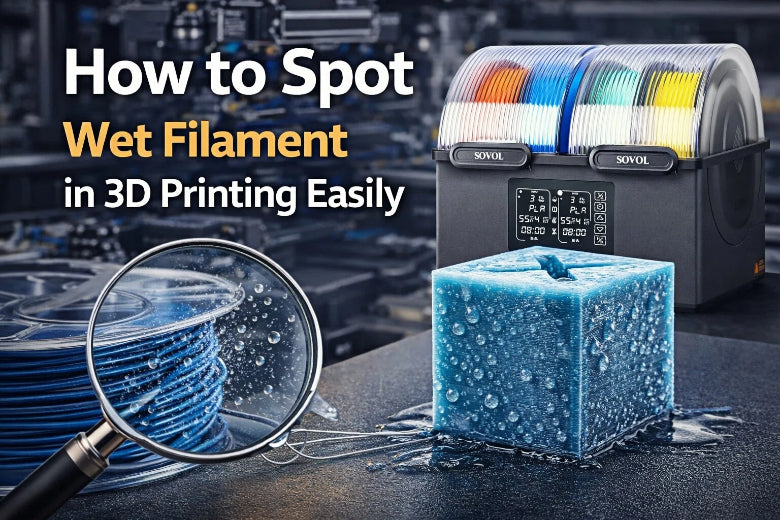
Do you think your 3D prints look strange lately? You might have wet filament problems. Here are quick signs to watch for:
- Popping or crackling sounds coming from the nozzle
- Rough or uneven surfaces on your printed parts
- Extra strings of plastic between parts that were not there before
- Bubbles or gaps in your prints
- Prints that peel or lift off the bed easily
Check your last print for these clues. Spotting them early helps you fix issues fast.
Key Takeaways
- Look for signs of wet filament, like popping noises, rough spots, and extra plastic strings. Finding these problems early helps you fix them fast.
- Keep your filament in closed containers with desiccant packs to stop it from getting wet. This easy step makes your prints strong and dependable.
- Dry your filament before you use it, especially if it feels wet. Drying it the right way makes your prints better and lowers the chance of mistakes.
- Learn which filaments get wet easily, like nylon and ABS. Knowing about them helps you store and use them the right way.
- Check your filament often for wetness. Quick checks can save you time and material by stopping bad prints.
Why Wet Filament Happens
What Is Wet Filament
Wet filament is a spool of 3D printing material that has soaked up water from the air. Many filaments, like nylon and ABS, act like sponges. They pull in moisture through tiny spaces between their plastic chains. This happens because water molecules stick to the surface and even sneak inside the material. If you leave your filament out in a humid room, it can get wet in just a few days. Even a brand-new spool can have moisture if it was not stored right.
Tip: If you live in a humid area, your filament can absorb water even faster. Always check your storage!
Impact of Moisture on Filament
When your filament gets wet, you will notice problems right away. The impact of moisture on filament shows up as popping sounds, bubbles, and rough surfaces during printing. Water inside the filament turns to steam when heated, which causes bubbling and weakens the print. You might see stringing, gaps, or even parts that break easily. Prints can lose strength and look messy. Dry filament gives you smooth, strong, and reliable results.
Here are some common issues you might spot:
- Inconsistent extrusion
- Bubbling and stringing
- Weakened layer adhesion
- Reduced print quality
- Compromised mechanical strength
Causes of Wet Filament
You might wonder why your filament gets wet so easily. The main reason is the air around you. Humidity and temperature play a big role. Some filaments, like nylon, absorb water much faster than others. If you leave filament out of its bag or box, it will soak up moisture from the air. Even short exposure can cause trouble. Poor storage, like open spools or containers without desiccant, makes things worse.
- Humid weather or rooms
- Leaving filament out in the open
- Not using airtight containers or drying devices
- Storing filament near windows or in bathrooms
Note: Wet filament can even lower the temperature at which your plastic softens, making prints fail more often.
If you want great prints, keep your filament dry and store it well. This simple habit saves you time and frustration.
Filament Types Most Affected
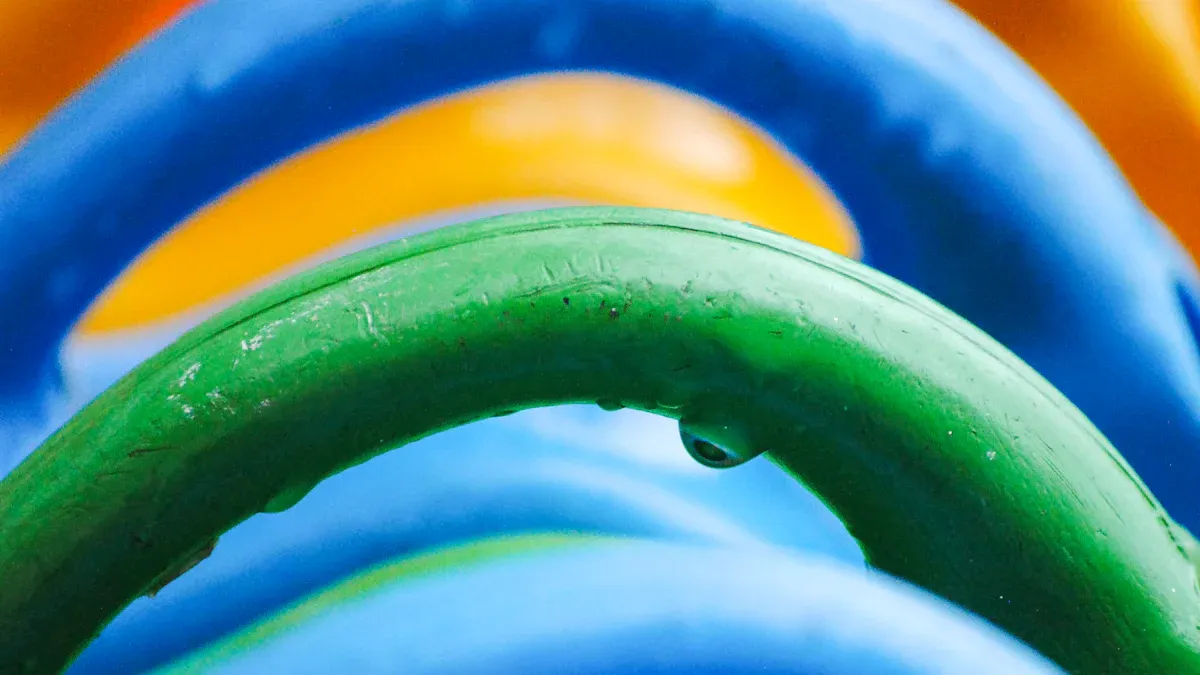
Some filaments soak up water faster than others. If you know which ones are most at risk, you can spot wet filament problems before they ruin your prints.
PLA and PETG
PLA and PETG are popular choices for many 3D printing projects. You might think they are safe from moisture, but they can still absorb water from the air.
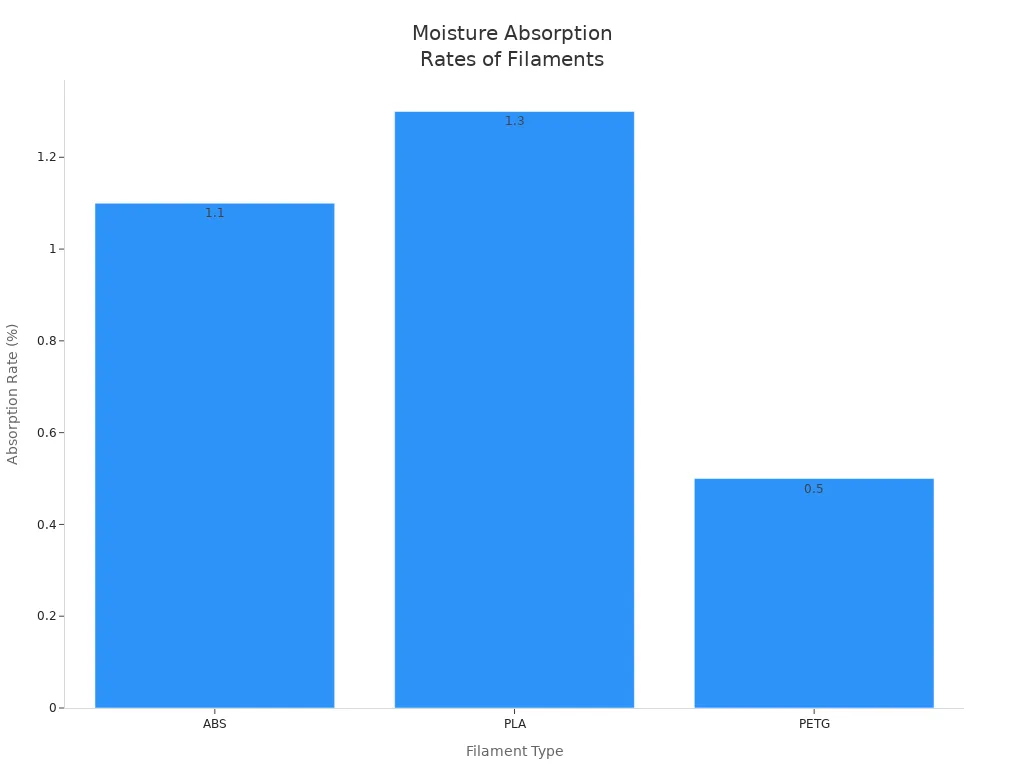
- PLA can take in about 1.3% of its weight in water over 16 days.
- PETG absorbs less, around 0.5%, but it still shows signs of wet filament problems if left out.
|
Filament |
Moisture Absorption Rate |
Time Period |
|---|---|---|
|
PLA |
1.3% |
16 days |
|
PETG |
0.5% |
Not specified |
You may notice stringing or rough surfaces with wet PLA or PETG. Prints might look cloudy or feel weak.
Nylon and Polycarbonate
Nylon stands out as the most moisture-sensitive filament. It acts like a sponge and can lose up to 83% of its stiffness and 42% of its strength when wet. Polycarbonate also absorbs water, though not as quickly as nylon.
- Nylon prints can turn brittle, stringy, and weak.
- Polycarbonate may show bubbles and poor layer bonding.
Tip: If you print with nylon, always store it in a dry box or sealed bag with desiccant.
ABS and Others
ABS absorbs about 1.1% moisture in 30 days. While not as sensitive as nylon, you can still see wet filament problems like popping sounds and rough prints. Other filaments, such as PET, PEEK, PEKK, and PEI, also absorb moisture and can show similar issues.
- ABS ESD and high-temp filaments need careful storage.
- Even small amounts of moisture can cause print defects.
Knowing which filaments are most at risk helps you prevent wet filament problems and keep your prints looking great.
Common Signs of Wet Filament
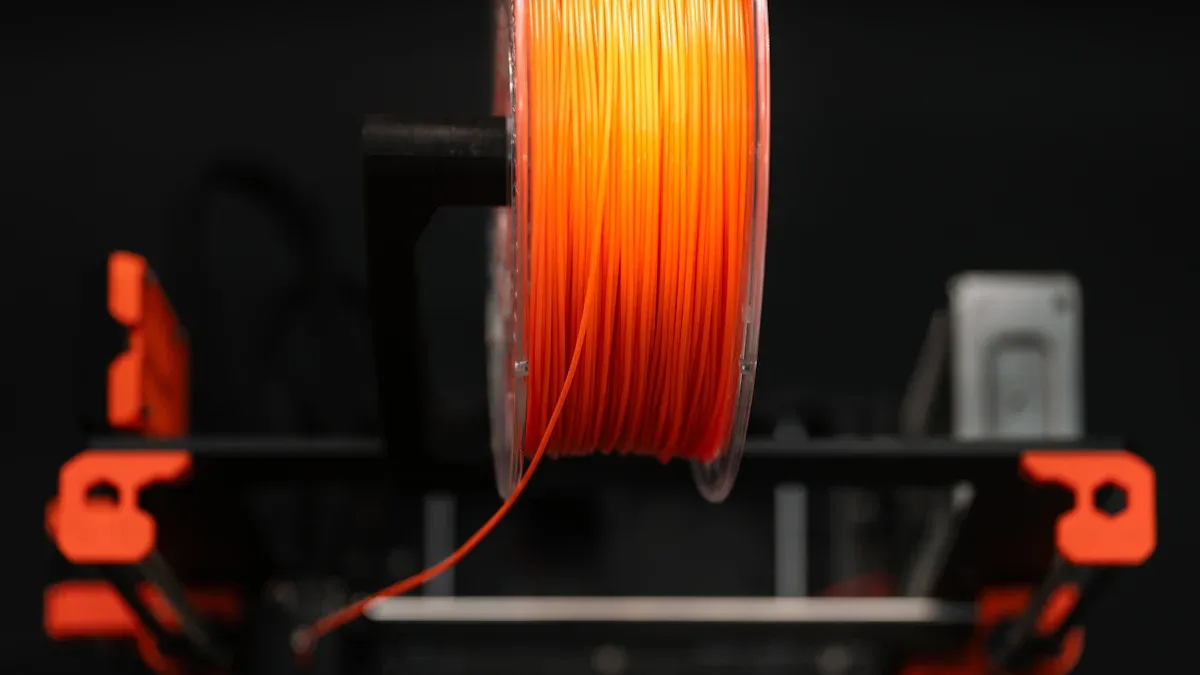
You want your 3d prints to look smooth and strong. When you run into wet filament problems, your printer gives you clues. Let’s break down the most common signs of wet filament so you can spot them fast and fix your print quality.
Stringing and Oozing
Have you noticed thin, wispy strands of plastic stretching between parts of your print? This is called stringing. Wet filament often causes stringing and oozing because the water inside the filament turns to steam. The steam pushes melted plastic out of the nozzle, even when it should not. You might see:
- Extra strings of plastic between printed sections
- Small blobs or drips on the surface
- Messy details, especially on fine features
If you see these signs, your filament may have absorbed moisture. Dry filament usually gives you crisp, clean lines with little to no stringing.
Popping, Hissing, or Sizzling Sounds
Your printer can tell you when something is wrong. Listen closely during extrusion. Wet filament often makes strange noises as it prints. These sounds happen because water inside the filament heats up and turns into steam, which escapes quickly.
- Popping sounds
- Hissing sounds
- Sizzling sounds
If you hear any of these noises, stop and check your filament. These are classic signs of filament moisture. Dry filament should run quietly, with only the soft hum of your printer.
Tip: If you hear popping or hissing sounds, your filament is likely wet. Take action before your print fails.
Rough or Blotchy Surface
A smooth finish is a sign of good 3d printing. Wet filament can ruin this. You might notice a rough or blotchy surface on your prints. This happens because steam creates bubbles and pushes plastic out unevenly. The result is a poor surface finish that feels bumpy or looks cloudy.
Let’s look at how humidity affects your print’s surface and strength:
|
Porosity (%) |
Flexural Strength (MPa) |
Impact Strength (kJ/m²) |
|
|---|---|---|---|
|
10 |
0.84 |
103.0 |
18.2 |
|
90 |
4.42 |
99.6 |
16.2 |
When humidity goes up, porosity increases. This means more tiny holes and a rougher surface. Flexural and impact strength drop, so your prints become weaker.
Bubbles and Underextrusion
Bubbling is one of the most obvious signs of wet filament. When water inside the filament turns to steam, it forms bubbles in the melted plastic. You might see:
- Tiny bubbles on the surface or inside your print
- Gaps or holes in the layers
- Inconsistent extrusion, where the printer sometimes lays down too little plastic
Underextrusion means your printer is not pushing out enough filament. Bubbling and underextrusion often go together. Your prints may look thin, weak, or have missing sections.
Poor Adhesion and Warping
Wet filament can also cause your prints to peel off the bed or warp at the corners. Poor adhesion happens because steam changes how the first layers stick. Warping means the edges curl up or the print lifts off the bed. You might notice:
- Prints that do not stick well to the build plate
- Corners that lift or curl during printing
- Parts that break loose before the print finishes
If you see these signs, check your filament for moisture. Keeping your filament dry helps your prints stay flat and stick better.
Note: Wet filament problems can show up in many ways. Watch for bubbling, rough surfaces, popping or hissing sounds, and poor adhesion. These signs help you catch issues early and keep your 3d printing on track.
Wet Filament Problems Checklist
You want to catch wet filament problems before they ruin your 3d printing projects. Use this simple checklist to spot trouble fast and keep your prints looking sharp.
Visual Inspection Steps
Start by looking closely at your filament. You can often spot issues before you even load it into your printer.
- Check the spool for a cloudy or hazy look. Cloudiness means the filament has soaked up moisture.
- Run your fingers along the filament. If it feels rough or bumpy, water may be inside.
- Look for tiny cracks or odd shapes in the strand. These small flaws can signal absorbed water.
If you see any of these signs, your filament might need drying. Dry filament should look smooth and clear.
Auditory Signs During Extrusion
Listen while your printer works. Your ears can help you catch problems early.
- Popping or crackling noises mean water is turning to steam inside the filament.
- Clicking sounds from the extruder show it is struggling, which can waste material and cause jams.
- Hissing or sizzling sounds during extrusion often point to moisture.
Tip: If you hear these sounds, pause your print and check your filament. Quiet printing usually means everything is working well.
Print Quality Checks
After your print finishes, take a close look at the results. Wet filament problems show up in many ways.
- Bubbles or steam coming from the nozzle during printing
- Stringing, blobs, or rough spots on the finished part
- Weak layers or poor bonding between layers
- Inconsistent extrusion, where some areas look thin or have gaps
If you notice these issues, your filament likely has moisture. Good print quality depends on using dry filament every time.
Fixing Wet Filament Problems
Wet filament problems can ruin your 3d prints, but you can fix them with the right steps. Let’s look at the best ways to dry, store, and protect your filament so you get smooth, strong results every time.
Drying Filament Methods
When you spot signs like inconsistent extrusion or rough surfaces, drying your filament is the first thing you should try. There are several methods to dry filament, and some work better than others. Using a filament dryer is one of the easiest ways. You just insert the spool, select the filament type, and start the drying process. Wait for the cycle to finish, and your filament will be ready to use.
Here’s a quick look at common methods to dry filament:
|
Method |
Description |
|---|---|
|
AMS 2 Pro |
Good for filaments needing temps up to 65°C. Some types may not dry fully. |
|
AMS HT |
Can dry all filaments, but some high-temp materials may need more time. |
|
Heated Bed |
Use a convection oven for even drying. Avoid microwaves and kitchen ovens. |
Drying times and temperatures depend on the material. Check this table for guidance:
|
Material |
Temperature |
Time |
|---|---|---|
|
PLA |
45 ºC |
6 hours |
|
PETG |
55 ºC |
6 hours |
|
ASA |
80 ºC |
4 hours |
|
PA11CF |
90 ºC |
6 hours |
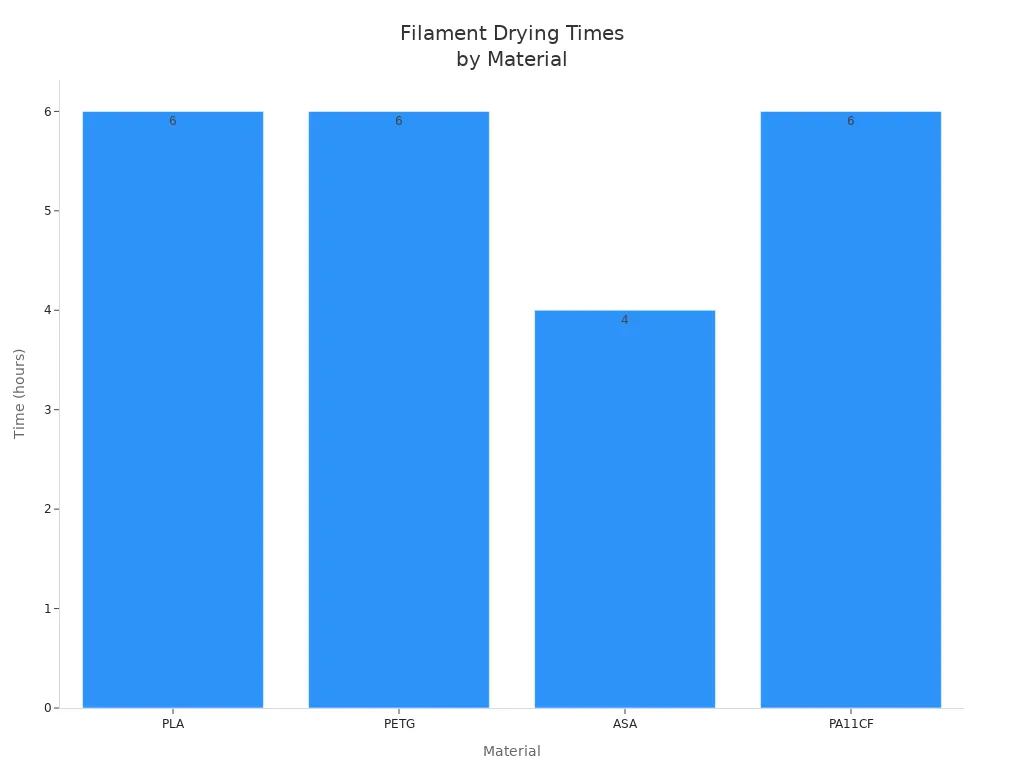
For nylon, you may need to dry it for a day or two to remove all the moisture. Always follow the recommended settings for your filament.
Tip: Dry filament gives you better print quality and helps prevent wet filament problems.
Storage Tips
Once you dry your filament, you need to store filament properly to keep it from getting wet again. Airtight containers with rubber seals work well. Add silica gel packs to absorb any leftover moisture. Some dry boxes have built-in trays for desiccant and a display to show humidity levels. Try to keep the humidity below 30%.
Here are some simple storage tips:
- Use airtight boxes or vacuum bags with silica gel for PLA and PETG.
- For nylon, store spools in dry cabinets or vacuum bags with silica gel.
- TPU stays dry in airtight boxes with desiccant packs.
- Add 20–30 grams of silica gel per spool and use color-changing gel to know when to replace it.
- Replace or recharge desiccant packs often.
Note: Humidity-controlled cabinets with dehumidifiers or fans keep conditions stable for long-term storage.
Preventing Moisture Issues
You can avoid most wet filament problems by taking a few easy steps. Always dry newly opened filament for 24 hours before you use it. Store filament in a sealed environment with humidity at 20% or less. Use a dry box with a mini dehumidifier for extra protection.
Here’s a quick checklist to prevent moisture issues:
- Dry filament before use, especially if it feels or looks damp.
- Store filament in airtight containers or dry boxes.
- Keep humidity low in your storage area.
- Use a filament dryer, food dehydrator, or heated build chamber if needed.
By following these steps, you can keep your filament dry and your 3d printing projects on track. Dry filament means fewer problems with extrusion and better results every time.
Finding wet filament problems early helps you save time and filament. You can stop broken prints and waste if you catch problems quickly. The checklist and tips make it easy to keep your dry filament working well. Good storage keeps your prints strong and smooth. If you want more help, follow the manufacturer's storage advice. Try using airtight boxes or filament dryers for better results.
FAQ
What happens if I use wet filament in 3d printing?
You will see rough prints, stringing, and weak parts. Wet filament problems can cause popping sounds and bubbles. Your 3d printing results will look messy and may break easily.
How do I know if my filament is too wet for 3d printing?
Check for popping or hissing sounds during extrusion. Look for stringing, bubbles, or rough surfaces on your prints. If you spot these signs, your filament is likely too wet.
Can I dry filament at home without special equipment?
Yes! You can use a food dehydrator or a regular oven set to a low temperature. Always watch the filament closely. Never use a microwave. Drying helps fix wet filament problems.
How can I prevent wet filament problems in 3d printing?
Store your filament in airtight containers with silica gel. Keep it away from humid rooms. Dry new spools before use. These steps help you avoid most wet filament problems in your 3d printing projects.
Does wet filament affect extrusion speed or quality?
Yes, wet filament can cause uneven extrusion. You might see gaps, blobs, or underextrusion. This makes your 3d printing less reliable and lowers print quality.