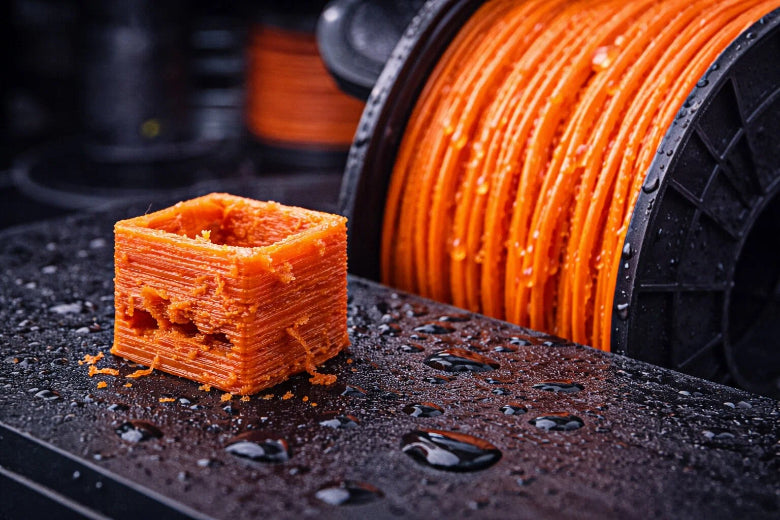
Moisture makes good filament bad for your 3D printer. If you use wet filament, your prints can be weak. The surface can look rough. Sometimes, the print can even break. Each material acts differently. Nylon takes in much more water than PLA. Nylon can lose 60% of its strength in one week. Here is how moisture changes common filaments:
|
Material Type |
Water Absorption Rate |
Flexural Modulus Reduction |
|---|---|---|
|
Nylon |
Up to 10x more |
-60% |
|
Carbon Fiber-Reinforced Nylon |
Higher than PLA |
Not specified |
|
Polylactic Acid (PLA) |
Negligible at 21°C |
Substantial at 70°C |
You can keep your prints safe by storing filament dry and carefully.
Key Takeaways
Moisture makes 3D printing filaments weaker. This causes rough surfaces and weak prints. - Keep filament in airtight containers with desiccant packs to stay dry. - Dry wet filament with a filament dryer or food dehydrator before printing. - Check for bubbles or listen for popping sounds to find wet filament. - Different filaments take in moisture at different speeds. Nylon and TPU are the most sensitive.
How Moisture Damages Filament
Moisture Absorption Process
You may wonder how filament gets wet. Filament pulls water from the air around it. This happens faster if the room is humid. Some types, like nylon, soak up water very fast. Others, like ABS and PLA, take in water more slowly. The speed depends on the filament type and the room.
- Nylon and polyamide filaments grab water quickly when the air is humid or warm.
- ABS takes in water slowly, but it still changes if left out for weeks.
- Polycarbonate is in the middle. It absorbs water, but not as much as nylon.
Here is a table that shows how much water common filaments absorb and how you should store and dry them:
|
Material |
Moisture Sensitivity |
Storage Priority |
Drying Temp |
Drying Time |
|---|---|---|---|---|
|
PLA |
Low-Medium |
Standard |
45-55°C |
4-6 hours |
|
ABS |
Medium |
Important |
60-80°C |
4-6 hours |
|
Nylon |
Very High |
Critical |
70-80°C |
8-12+ hours |
If you use wet filament, your prints can turn out bad. Nylon can get so wet that you cannot use it after a few days.
Effects on Polymer Chains
When filament gets wet, water sneaks into the plastic. This starts a chemical reaction called hydrolysis. Hydrolysis breaks the long chains inside the filament. The filament loses flexibility and becomes easy to break.
- PLA takes in water from the air. Even a short time in high humidity can make PLA snap.
- Hydrolysis breaks the chains in the filament. The filament gets weak and fragile.
- High humidity makes filament break more often. You might see it snap when you load it into your printer.
PLA and PVB are very weak when they get wet. Hydrolysis makes the chains break apart, so the filament falls apart. You will see more breakage and rough prints.
Impact on Print Quality
Wet filament causes many problems when you print. You might see rough or bumpy surfaces on your parts. Sometimes, thin strings of plastic stretch between parts. Bubbles or holes can show up in your prints. You might hear popping or crackling sounds from the nozzle. Prints can peel or lift off the bed easily.
- Rough surfaces and extra strings happen when filament is wet.
- Bubbles and holes form because water turns to steam in the hot nozzle.
- Weak layers and poor sticking happen when moisture breaks down the filament.
If you do not store filament right, it gets wet. This makes layers weak and prints break easily. High humidity makes filament take in even more water, so layers split and surfaces look rough.
If you want strong and smooth prints, keep your filament dry. Wet filament makes prints weak and ugly. You can stop these problems by keeping filament in sealed boxes and drying it before you use it.
Wet Filament Symptoms
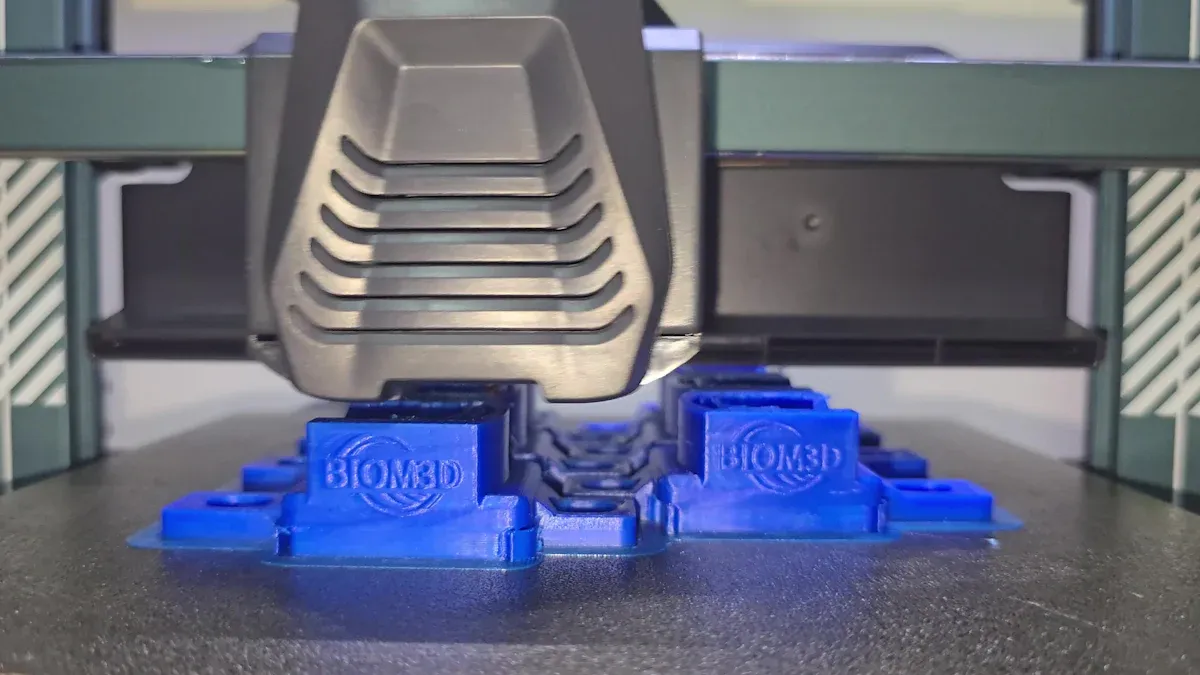
When you use wet filament, your 3D printer gives you warning signs. You can spot these problems if you know what to look and listen for. Recognizing these symptoms early helps you avoid failed prints and wasted material.
Visual Print Defects
You can often see the effects of wet filament right on your finished print. The most common problems show up as changes in the surface and structure of your part. Here is a table that explains what you might notice:
|
Visual Defect |
Description |
|---|---|
|
Tiny bubbles form on the surface or inside the print. Steam from moisture causes these bubbles. |
|
|
Rough Surfaces |
The print may look rough or blotchy. Uneven extrusion creates this finish. |
|
Cloudy Appearance |
The print might look cloudy or hazy. Moisture in the filament causes this effect. |
|
Weak Structure |
The print feels weak or breaks easily. Moisture lowers the strength of the part. |
You may also see stringing or thin strands of plastic between parts. This happens when steam pushes melted plastic out in places it should not go. Sometimes, the print looks cloudy or feels soft and weak. These signs tell you that your filament has absorbed too much moisture.
Tip: If your print has bubbles, rough patches, or breaks easily, check your filament for moisture.
Audible Signs During Printing
Your ears can help you spot wet filament problems, too. When moisture in the filament turns to steam, it makes noises as it escapes from the hot nozzle. Listen for these sounds during printing:
- Popping sounds, like tiny bursts, mean steam is escaping from the filament.
- Hissing noises suggest water is turning to steam inside the nozzle.
- Sizzling sounds can also happen when moisture is present.
Many users report hearing popping or crackling when they print with wet filament. If you hear these noises, stop and check your filament before you waste more time or material.
Note: Quiet printing is normal. If you hear popping, hissing, or sizzling, your filament may be wet.
Diagnosing Wet Filament
You can use both your eyes and ears to spot wet filament, but you might want to test it more directly. Moisture meters often do not work well for filament. Many users find that these meters show 0% moisture even when the filament is clearly wet. The moisture level may be too low for the meter to detect, but still high enough to ruin your print.
Here are some practical ways to check for wet filament:
- Weigh your filament spool before and after drying. If it loses weight, it had moisture inside.
- Use a basic humidity sensor in your storage box. This gives you a rough idea of the air moisture around your filament.
- Watch for visual defects and listen for odd sounds during printing. These are often the best clues.
Remember: The best way to diagnose wet filament is to look for print defects and listen for unusual sounds. Tools can help, but your senses are often more reliable.
Moisture-Sensitive Filaments
Hygroscopic Materials
It is important to know which filaments take in water fast. Hygroscopic materials grab water from the air around them. Nylon and TPU are very good at soaking up water. These filaments get wet quickly, even if the room does not feel damp. PETG, ABS, and ASA also take in water, but not as fast as nylon or TPU. When these filaments get wet, your prints can turn out weak and have more problems.
Tip: Keep hygroscopic filaments in closed containers with desiccant packs. This keeps water away and protects your filament.
Common Filament Types
There are many kinds of filament for 3D printing. Each one reacts to water in its own way. Here is a simple guide:
- Nylon and PETG are very sensitive to water. Dry them if they have been in the air for a day.
- Polycarbonate, TPU, and TPE also soak up water fast. Store these filaments with care.
- PLA and ABS can get wet too, but it takes longer before you see problems.
- When filaments take in water, their glass transition temperature goes down. This makes them softer and easier to bend.
- Water can make holes inside your prints. These holes make your parts weaker and less strong.
|
Filament Type |
Sensitivity to Moisture |
Recommended Action |
|---|---|---|
|
Nylon |
Very High |
Dry before use |
|
PETG |
High |
|
|
TPU/TPE |
High |
Dry before use |
|
Polycarbonate |
High |
Dry before use |
|
PLA |
Medium |
Dry if exposed |
|
ABS |
Medium |
Dry if exposed |
Material Choice and Risk
The filament you pick changes your risk of water problems. If you use nylon or TPU, you have a bigger chance of wet filament issues. These materials take in water fast and lose strength quickly. PETG and polycarbonate also need careful storage. PLA and ABS are not as sensitive, but you should still keep them dry for the best prints.
Water in filament can cause dust and change how your prints look. You might see uneven lines and fine dust on your prints. Water makes hydrolysis happen faster, which breaks the filament and makes more dust. If water is not spread out evenly, you might see more dust and print mistakes.
Note: Always check your filament before you print. Drying your filament helps stop weak prints and wasted material.
Preventing and Fixing Moisture Issues
Storage Best Practices
You can keep filament safe from water by storing it right. Use airtight boxes or vacuum bags to stop water from getting in. Put silica gel packets inside to soak up any water. Place a hygrometer in the box to check how wet the air is. Try to keep humidity under 20% for most filament. Store filament in a cool, dark spot away from heat and sun. These steps help stop problems with wet filament.
- Airtight boxes or vacuum bags block water.
- Silica gel packets soak up water.
- Hygrometers check if the air is too wet.
- Keep filament away from heat and sunlight.
Tip: Do not leave filament out on a desk or shelf. Always close the box tight and check for cracks or broken seals.
Drying Techniques
If your filament gets wet, you can dry it in a few ways. Filament dryers work best because they keep heat and air moving. Food dehydrators also work by using low heat to dry filament. You can use an oven if you watch the heat closely. Never use a microwave because it can ruin filament.
Here is a table that shows how long and how hot to dry common filaments:
|
Material |
Temperature |
Time |
|---|---|---|
|
PLA |
45°C |
6 hours |
|
PETG |
55°C |
6 hours |
|
ABS |
80°C |
4 hours |
|
Nylon |
80°C |
8 hours |
|
TPU |
60°C |
4 hours |
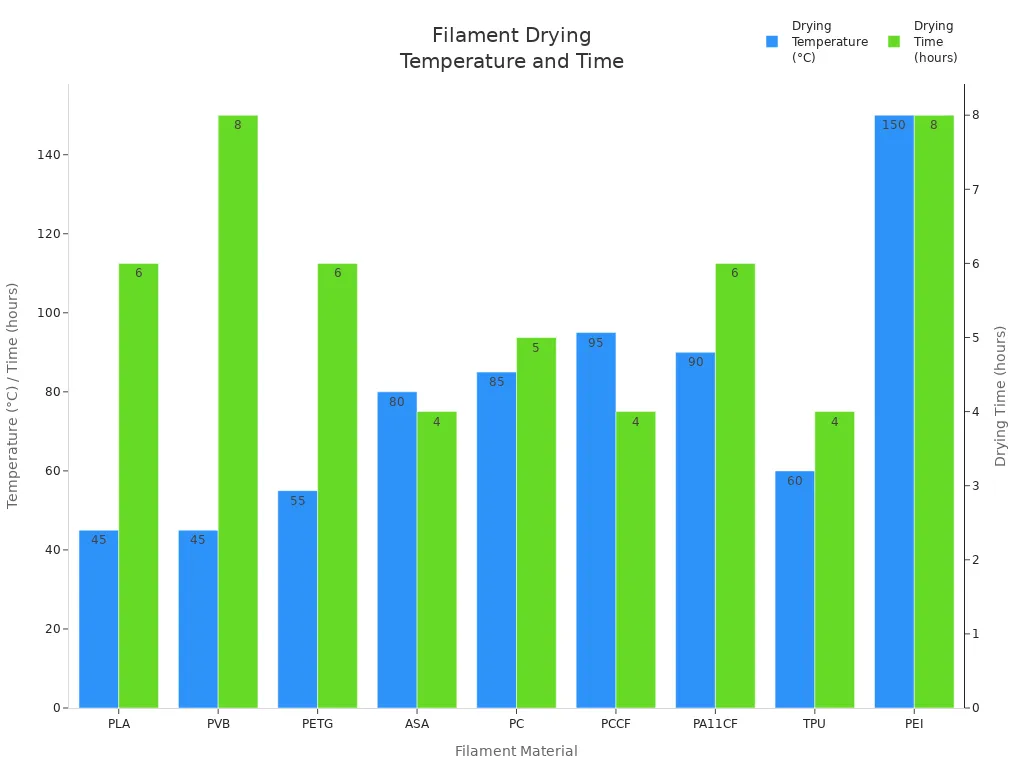
Write down the drying settings for each filament type. Use a hygrometer to check the air after drying.
Tools for Moisture Control
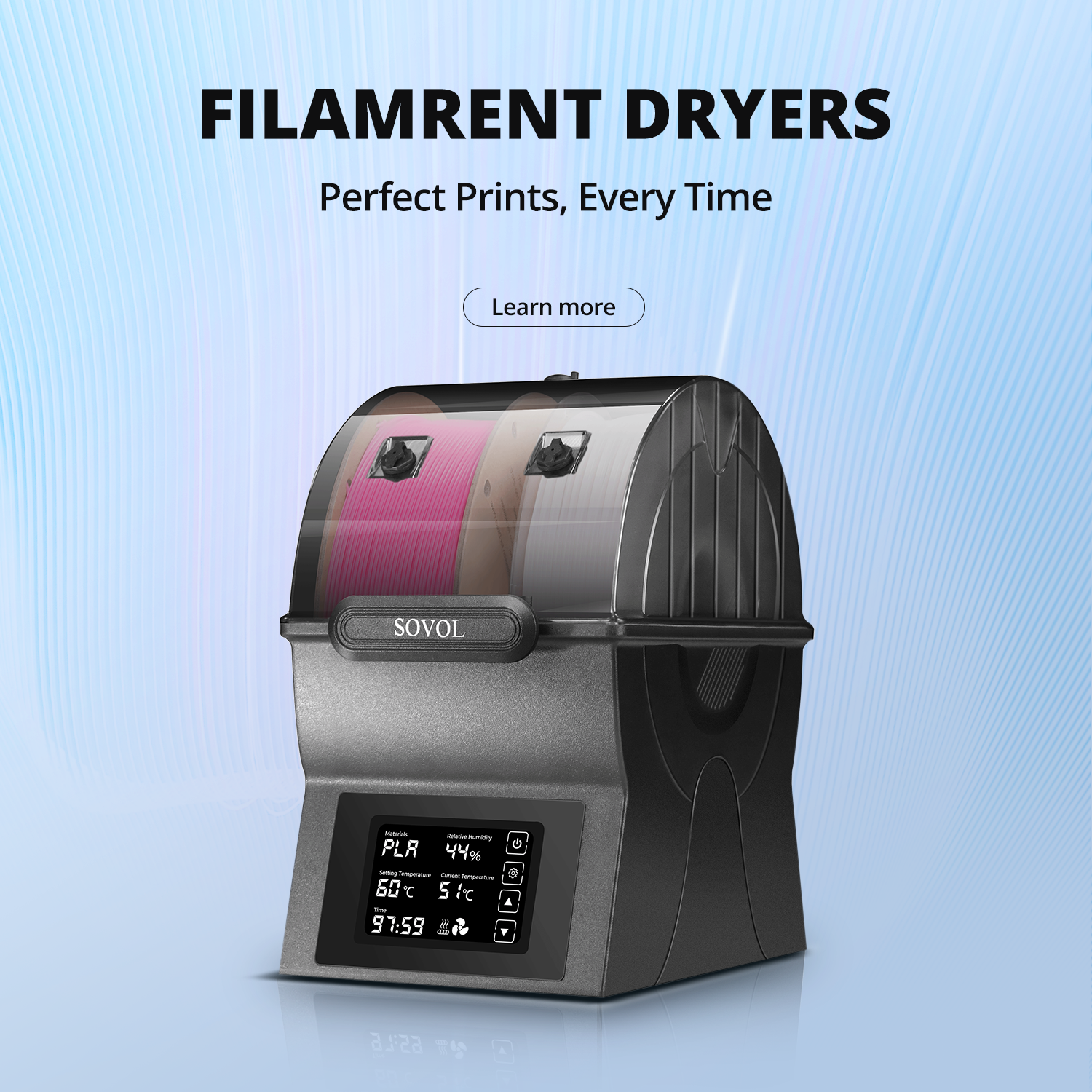
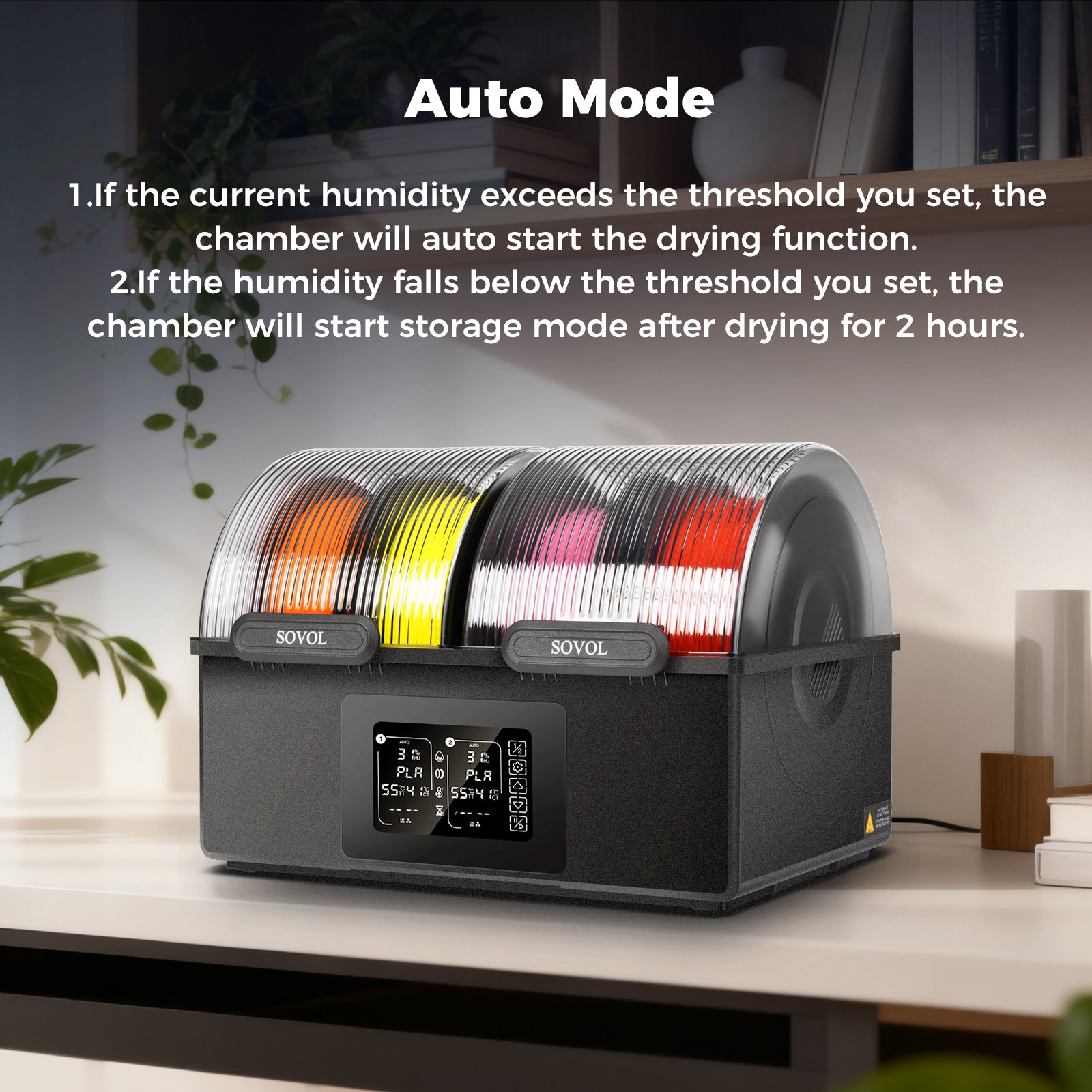
There are many tools to help keep filament dry. Filament dryers, like the Sovol SH03, can dry and store up to four spools at once. These dryers show the humidity and temperature on a screen. They have easy settings for different filament types. You can also make your own storage box with desiccant packs. Humidity sensors help you watch the air in your storage.
|
Feature |
Description |
|---|---|
|
Dual Chambers |
Dry and store more than one spool |
|
Humidity Display |
Shows the humidity and temperature |
|
Presets |
Easy settings for each filament type |
|
Dehumidification |
Takes out water from the air |
|
Safety Features |
Stops the dryer from getting too hot |
Check your storage often to keep filament dry. Clean your storage space and follow the maker’s rules for best results.
Moisture makes your 3D prints weak and rough. You can stop these problems if you keep filament dry and check for wetness.
- Put filament in closed boxes with desiccant packs.
- Use a hygrometer to keep humidity under 45%.
-
Dry your filament before printing if it feels wet.
If you control moisture, your prints will be stronger. You will waste less material and have fewer failed prints. Taking care of your filament gives you better prints and less stress every time you use your printer.
FAQ
What signs show that filament is wet?
You might notice bubbles or rough spots on your print. Sometimes, prints break easily or feel weak. You could hear popping or hissing while printing. These things mean your filament has taken in water.
What should you do if filament gets wet?
You can dry filament in a dryer, food dehydrator, or oven. Always look up the right heat and time for your filament. Check these before you start drying.
What is the best way to store filament?
Keep filament in airtight boxes with silica gel packs. Use a hygrometer to check the air for moisture. Store filament away from sunlight and heat.
What filaments need the most care against moisture?
Nylon, PETG, TPU, and polycarbonate soak up water fast. Dry these filaments before you use them. Keep them in sealed boxes to protect them.