





Most tangles are preventable, and most mid-print ones can be fixed without scrapping the spool. One caveat up front: filament quality, spool design, storage conditions, and printer setup all affect how easily a spool feeds, so treat everything below as things to check on your machine rather than values to copy.
Tangle, Runout, Knot, Grinding, or Jam? Telling Them Apart
These five conditions look similar at the printer but have different causes and different fixes. Naming the right one saves time.
Filament tangle. The filament crosses over itself on the spool or becomes trapped in the feeding path. Filament is still present, but it cannot feed freely. You may see the spool stop turning, the strand pulled tight, or a visible crossed loop.
Filament runout. The supply is genuinely gone: the spool is empty, or the filament snapped between the spool and the extruder. Nothing is left to feed. If your printer paused with a runout alert, see Sovol's guide to what happens during filament runout and how to resume a print.
Filament knot. A tangle that has tightened into a knot that will not pull free. A knot usually means the crossing has been under tension for a while, and it often needs the spool rewound by hand.
Extruder slipping or grinding. The drive gear chews into the filament without advancing it. You hear clicking or skipping, and the filament shows a flattened or shaved section where the gear sits.
Feeding-path jam. A restriction between spool and nozzle — a kink, a partial clog, or a pinched guide tube. The extruder may turn normally while extrusion thins out or stops.
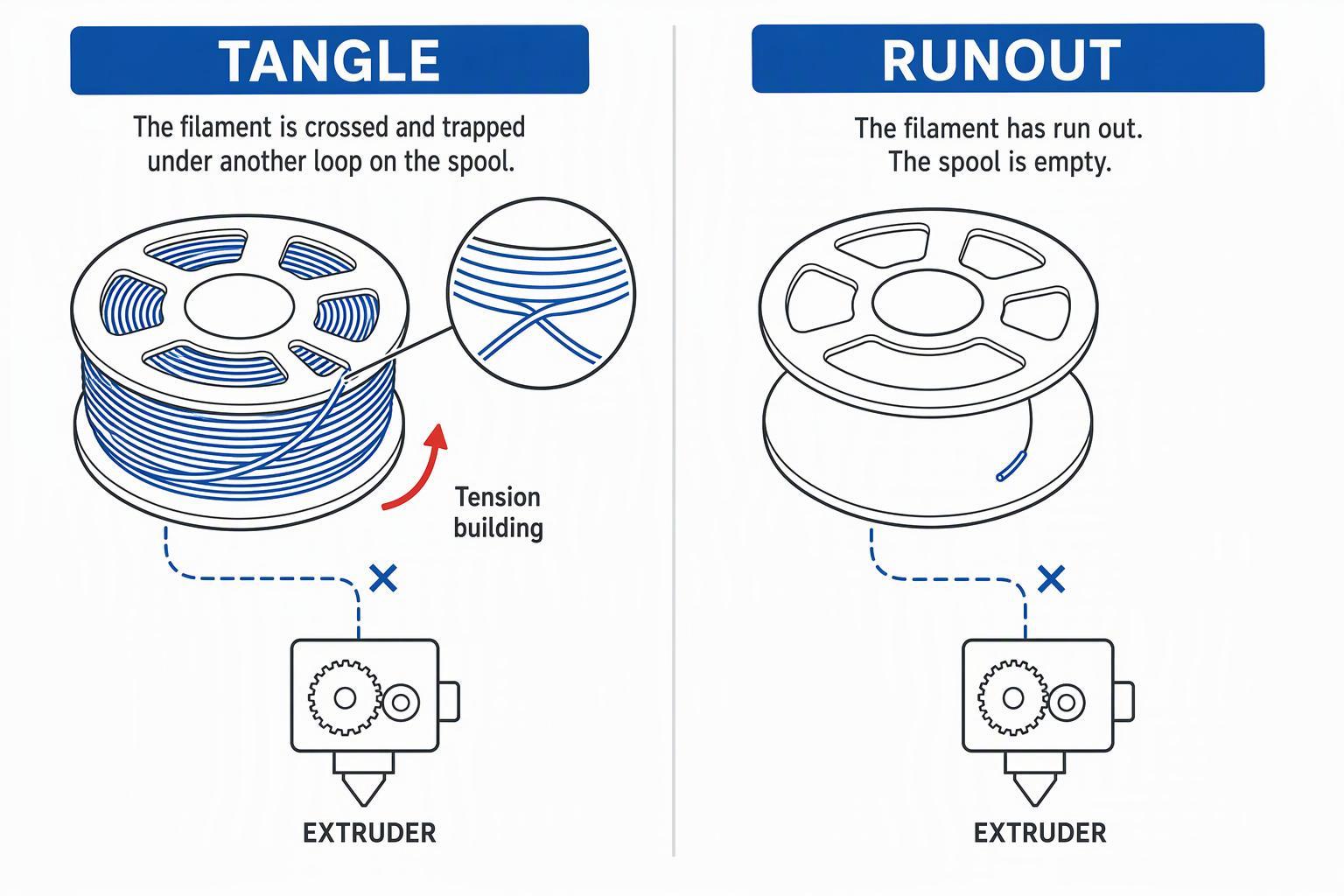
The key distinction is tangle versus runout. Runout means no filament remains. A tangle means filament remains but cannot feed freely. A printer that reports runout while filament is visibly sitting at the extruder is more likely dealing with a sensor issue or a feed problem than an empty spool.
Why Does Filament Keep Tangling on the Spool?
Crossings form through handling and through resistance in the feed setup. Here's where most of them start.
A released end slipping under a loop. This is the classic cause. Let go of the filament tip while it is unloaded and the end springs back, sometimes landing under an adjacent loop. Under tension, that crossing tightens into a tangle. Filament crossings are more commonly caused by handling, storage, or transport after winding, although spool winding quality can also vary.
A damaged spool or a shifted wind. Crushed flanges, a bent spool, or filament that has moved sideways can trap the strand against the spool wall. Immaculate winding isn't guaranteed either, so treat visible damage as a reason to inspect rather than a verdict.
Binding, resistance, and drag in the path. A spool that rubs its holder, a heavy roll on a tight spindle, gritty bearings, a steep exit angle, rough printed guides, a pinching guide, or a long unsupported run all raise the force needed to pull filament. That extra force shows up as tension in the strand — and tension is what locks a crossing.
There is no universal spool-holder size, feed angle, or tension value that fits every printer. Use the paragraphs above to find where your setup adds resistance, then adjust that specific point.
How to Diagnose and Fix a Filament Tangle
Work through this sequence in order. It starts with the safest action, clears the tangle, and confirms feeding before you resume.
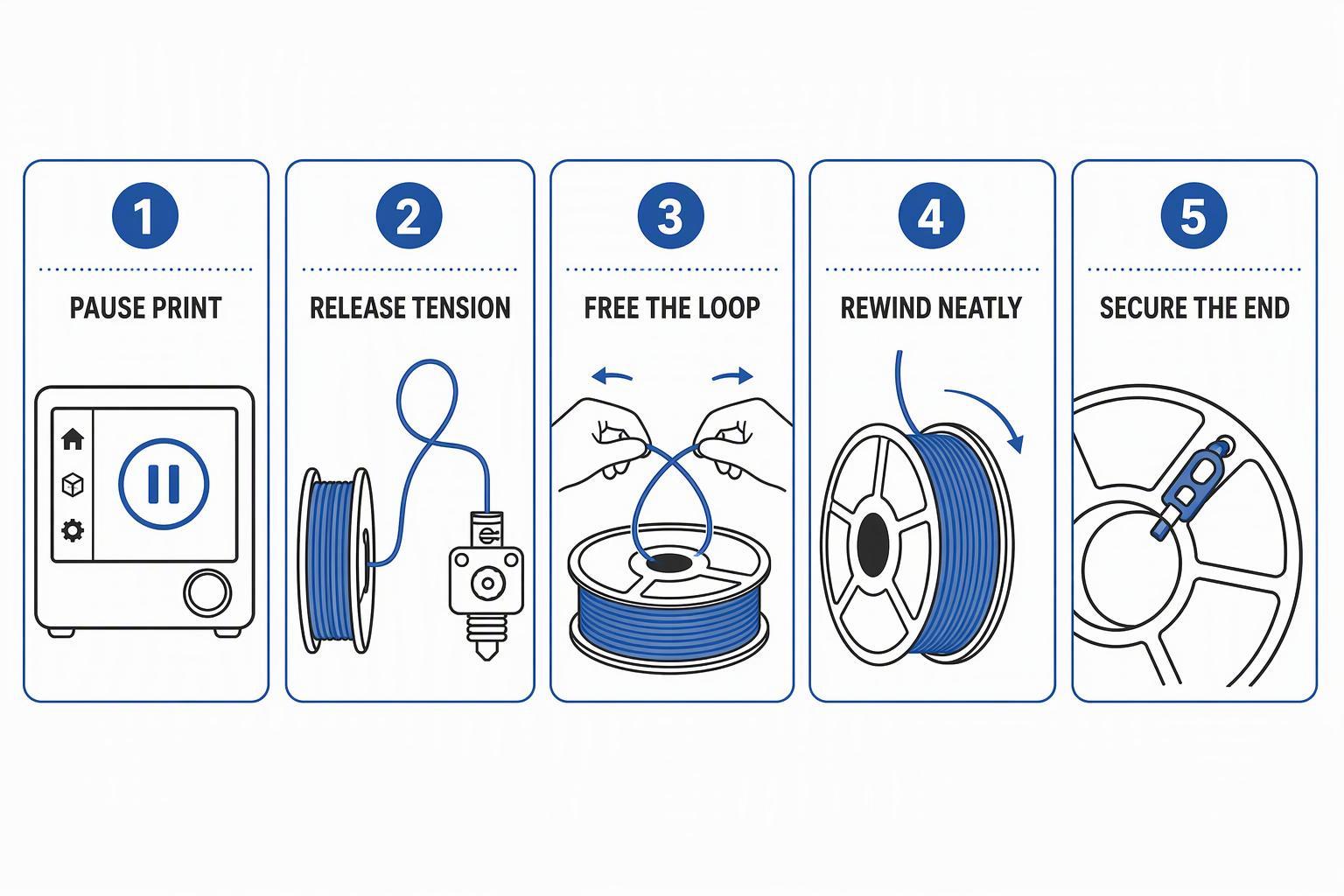
- Pause the print using the printer's own pause function. Don't yank the filament or cut power mid-move. Stop the job entirely if the pause has already lasted long enough that the part may have cooled or shifted.
- Follow the filament from spool to extruder. Run your eyes along the whole path — holder, guide, tube, and into the extruder — looking for crossed loops, trapped sections, or sharp bends. A strand stretched taut against the wound layers means the spool stopped turning while the extruder kept pulling.
- Release tension. Unload the filament if your printer supports it, or create slack by hand so the strand no longer pulls against the tangle.
- Free the trapped loop without forcing the spool. Work the crossing loose by hand, rotating the spool and the loose coil together. Never yank a loop free — that tightens a knot and can kink the strand.
- Rewind the slack neatly. Keep hold of the end and wind it back in even layers, following the direction of the existing wind.
- Secure the end. Clip it into a spool hole or a filament clip so it can't slip under a loop again, then run the load procedure and confirm the path is clean.
- Check for grinding before you resume. A flattened or shaved section at the drive gear, or clicking when you advance filament manually, points to extruder tension or a restriction that needs fixing first. Advance filament by hand and watch the spool turn; if it hesitates or drags, sort that out before restarting.
Reuse the spool or replace it? A single loop near the surface with clean wind around it usually untangles fine. A crushed spool, filament kinked in several places, or strands fused across layers is a replacement job. If the same spool tangles repeatedly after you've fixed it, the wind itself is compromised — respooling or replacing beats fighting it print after print.
When restarting is safer than resuming. Resuming is a salvage operation, not a rewind button. Restart if the part shifted on the plate during the pause, if extrusion stopped long enough to leave a visible gap, or if the nozzle sat against the part and left a blob or mark. Inspect the part before you commit to either option.
How to Prevent Filament Tangles
Prevention comes down to a short list of habits. Most of them take seconds and pay off on long jobs.
- Keep the filament end secured whenever the spool is not in use. Clip it into a spool hole or clip before you set the spool down.
- Store spools in a dry, protected location. Moisture can affect some filament types and may contribute to brittleness or feeding problems; the effect depends on the material and storage conditions. See Sovol's filament storage tips for avoiding stringing and jams.
- Check the spool before starting a long print. Spin it by hand and look for crossed loops near the surface — a spool that printed fine for an hour can still hide a crossing deeper in.
- Make the spool holder turn smoothly. Clean it, check for rubbing, and confirm the spool sits square.
- Align the feeding path with the extruder. A short, straight run reduces the places where the strand can snag, and gentle curves beat tight corners.
- Do not pull filament aggressively off the spool. Pulling hard tightens crossings and can kink the strand.
Troubleshooting Table: Symptom, Possible Cause, What to Check
Use this table to narrow down what to inspect. Each row points to a check, not a diagnosis — confirm the cause on your own machine before changing anything.
|
Symptom |
Possible cause |
What to check |
|---|---|---|
|
Spool stops turning during printing |
Tangle tightening under tension, or spool binding on the holder |
Spin the spool by hand with slack filament; look for a crossed loop and check holder clearance |
|
Extruder clicks but filament does not move |
Grinding at the drive gear, or a feeding-path restriction |
Inspect the filament at the gear for a flattened section; check the path for kinks and the nozzle for a partial clog |
|
Filament becomes tight between spool and extruder |
Spool rotation resistance or an awkward exit angle |
Check that the spool turns freely and that the strand lifts cleanly off the top of the wind |
|
Printer reports runout even though filament remains |
Sensor issue, misseated connector, or a feed problem rather than an empty spool |
Confirm filament is present at the sensor, check the connector, and inspect the path for a snag |
|
Filament is ground down by the extruder |
Too much resistance in the path, or extruder tension set wrong |
Check the full path for drag and review the extruder tension setting for your material |
|
The same spool tangles repeatedly |
Compromised wind, damaged spool, or handling that keeps releasing the end |
Inspect the wind across the full spool; consider respooling or replacing, and secure the end every time you set it down |
Multi-Color Printing and Where Monitoring Fits
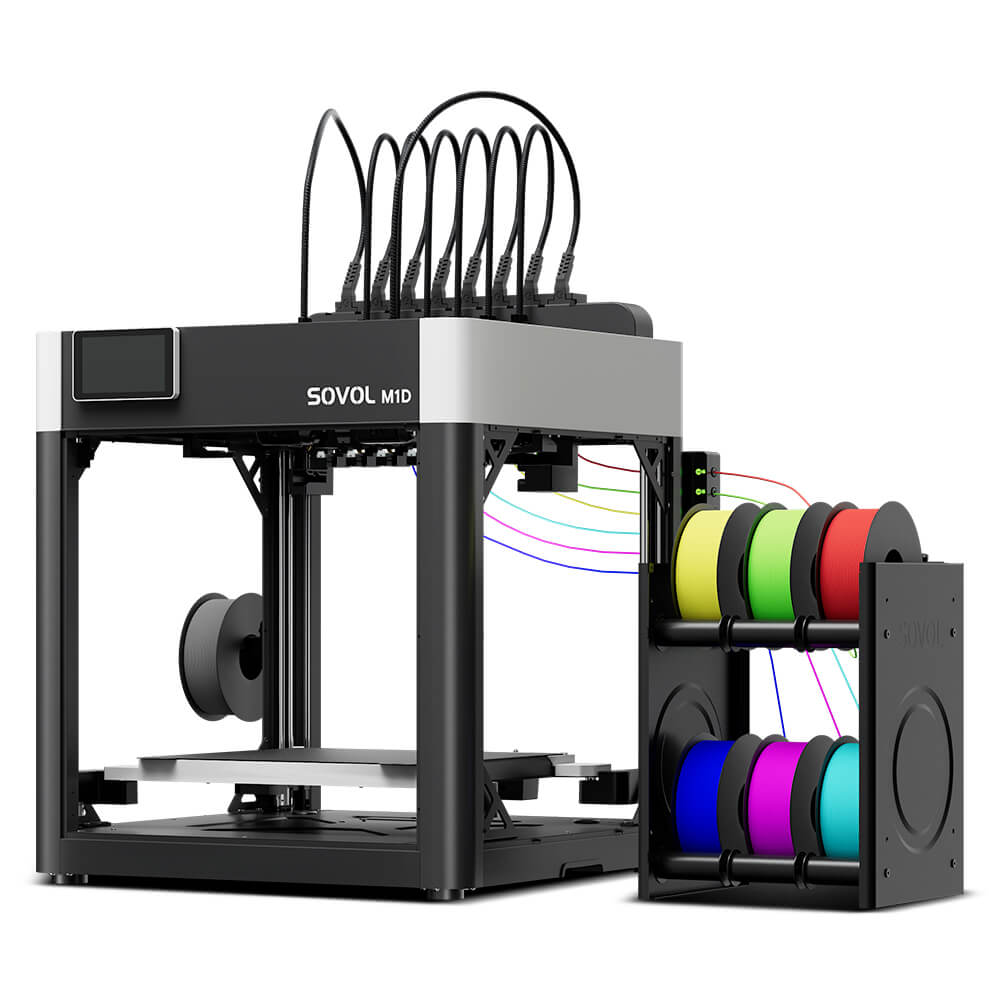
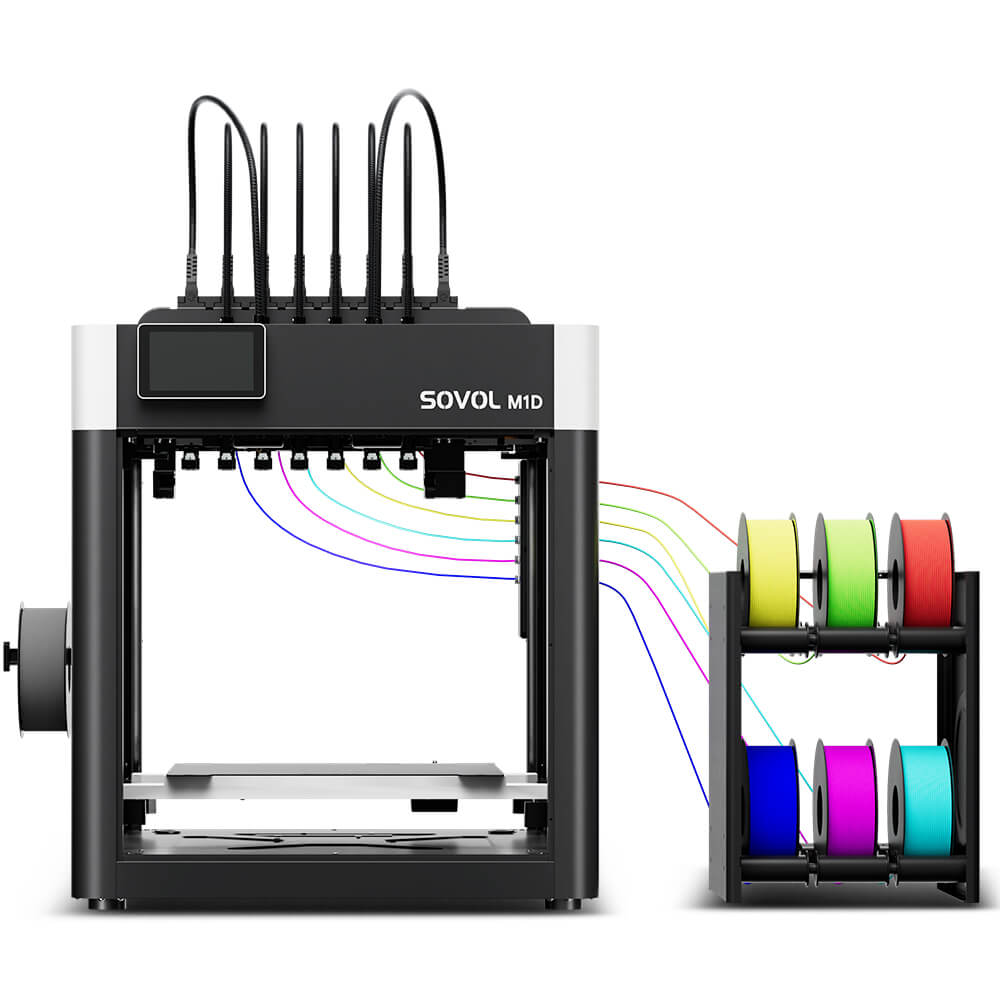
Multi-color and multi-material jobs raise the stakes on spool management for two reasons. Several spools are active at once, so one badly managed roll can interrupt hours of work across every channel. And filament often travels a longer path from spool to toolhead, which adds more places for friction, snags, and awkward exit angles. Check every spool before a multi-color job, not just the one you expect to use most.
Depending on the sensor design, automatic filament monitoring may detect some feeding or material problems and pause the print before more damage occurs. Detection has limits tied to the material and the setup — soft filaments like TPU can stretch in ways that confuse resistance-based sensing, and some systems can't tell a tangle from a clog because both look like excessive load.
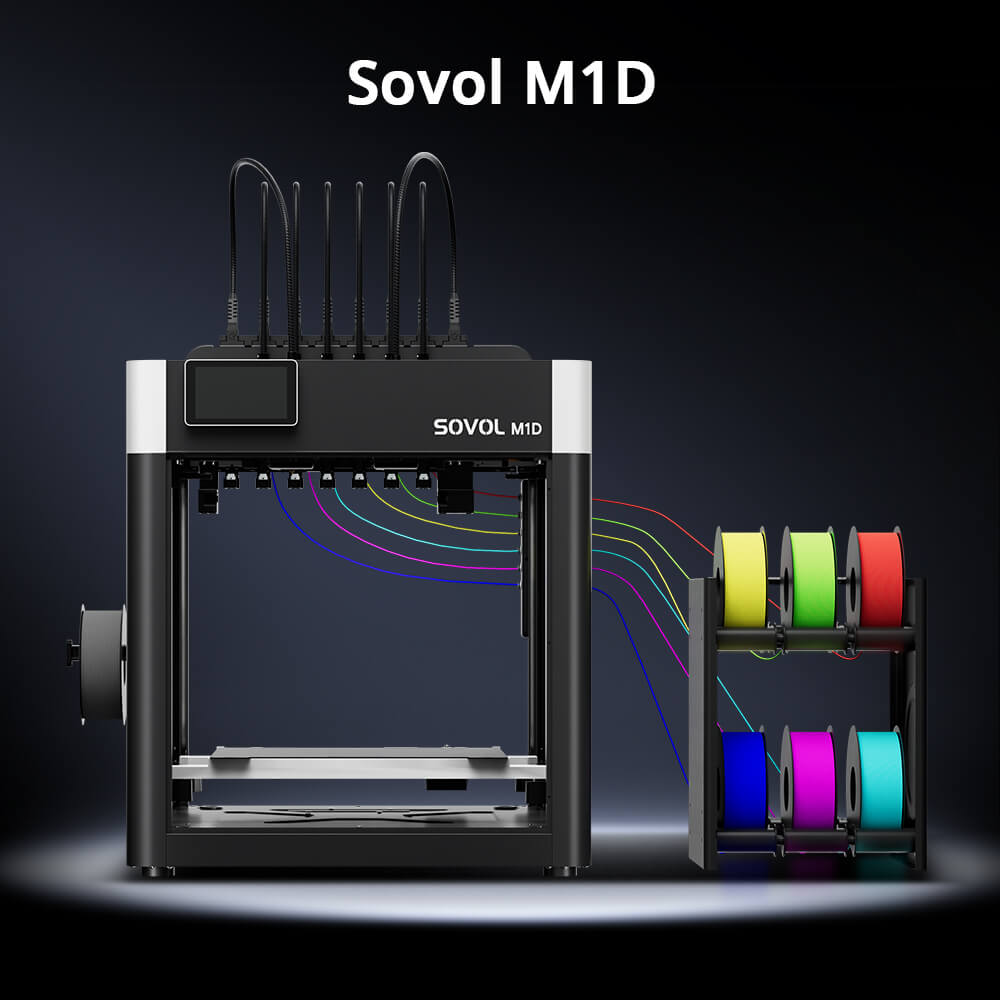
The Sovol M1D is one example of a printer that monitors filament conditions during a job. Its 6-Channel Auto Filament System supports automatic filament loading and watches for filament runout, nozzle clogs, and filament tangles, which makes material changes smoother in multi-color work. In practice, it can catch some problems early and pause before a job spends hours printing air — not every tangle is prevented, and uninterrupted printing isn't guaranteed. Real results depend on the spool, the material, the feeding path, and the printer setup. Monitoring complements the habits above; it doesn't replace them.
FAQ
Can a tangled spool cause a print failure? Yes. If the tangle tightens while the extruder keeps pulling, the spool stops feeding and the print fails. Whether the job can be salvaged depends on how quickly the printer paused and whether the part stayed in place.
How do I fix tangled filament without wasting the whole spool? Release tension first, then free the crossing by hand without forcing the spool. If the wind is compromised in several places or the filament is kinked, replacing the spool is the more reliable option.
Can an automatic filament sensor detect every tangle? No. Detection depends on the sensor design, the material, and the setup. Some conditions can trigger false alerts, and some tangles go undetected — soft materials and slow print speeds are common examples where resistance-based detection is less reliable.