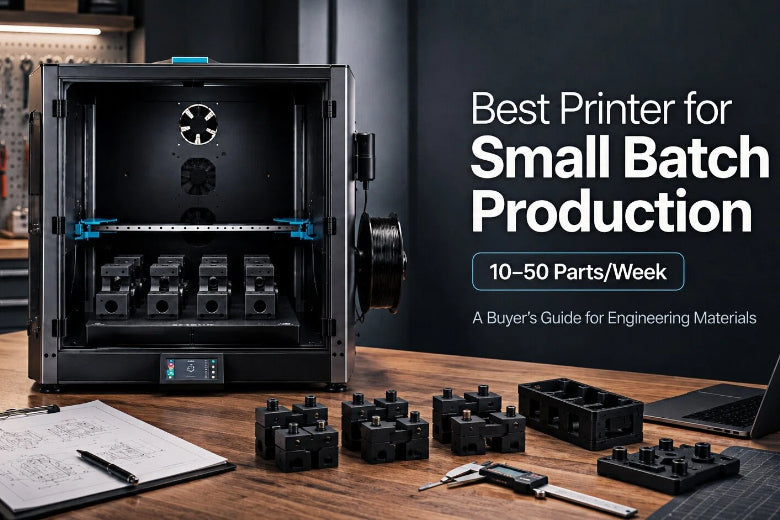
It’s the one that gives you repeatable parts, with predictable maintenance, while handling the boring-but-decisive realities of engineering materials: moisture, heat management, warping risk, and long print cycles.
This guide gives you a framework you can apply to any model—and then a short shortlist of example machines to sanity-check your choices.
Key Takeaway: For small-batch production, optimize for first-pass yield and repeatability, not peak speed.
What “best” means for small-batch production

Small-batch production has a different definition of “good” than hobby printing:
- One perfect print is nice.
- Ten identical prints in a row is production.
That’s why many farms track metrics like first-pass yield (FPY)—the percentage of prints that pass QC on the first try—as well as reprint rate and downtime. SOVOL’s print-farm guide lays out a practical set of farm metrics, starting with FPY in “3D Print Farm Management: Swarm Printing for Small-Batch Production” (2026).
Needs assessment: the questions that decide your printer class
Before you compare models, answer these (and write them down). They determine whether you need a prosumer enclosed machine—or a heated-chamber industrial system.
1) What’s “engineering material” for you—really?
People use “engineering materials” to mean wildly different things:
- Dry nylon blends (PA) for jigs and wear-resistant parts
- PC blends for higher heat and impact needs
- Fiber-filled nylons (PA-CF / PA-GF) for stiffness (and abrasive wear on components)
Your printer choice changes a lot depending on whether you need nylon occasionally or PC/PA-CF reliably every week.
2) What’s your failure tolerance?
At 10–50 parts/week, failures don’t just waste filament—they waste the scarce resource: your time.
A printer that needs constant tuning can still be “fast,” but it’s not production-friendly.
UltiMaker’s definition is a good north star: reliability means consistent, repeatable performance with minimal downtime or intervention in “What makes a 3D printer reliable? Key factors to consider” (UltiMaker).
3) What are the real part requirements?
For most small-batch functional work, you’re trading off:
- Dimensional fit (holes, mating faces)
- Strength along the Z axis (delamination risk)
- Surface finish (cosplay/props vs jigs)
- Heat resistance (PC vs ASA vs nylon blends)
If your jobs include both jigs and cosplay parts, plan to run two “known-good” profiles (e.g., one for functional PETG/ASA, one for detail PLA) instead of endlessly tweaking one profile.
Best printer for small batch production: a quick decision framework

If you’re comparing options right now, use the decision matrix below to sort printers by what actually changes your outcome: thermal control, moisture control, serviceability, and repeatability.
|
Criteria |
What to look for |
Why it matters for 10–50 parts/week |
|---|---|---|
|
Thermal control |
Enclosure quality; draft control; (if needed) controlled chamber heating |
Engineering materials fail from temperature swings and uneven cooling |
|
Filament moisture control |
Ability to print from a dryer/drybox; spool path reliability |
Nylon/PC print quality collapses when wet |
|
Serviceability |
Easy access to hotend, extruder, belts; quick swaps |
Downtime is throughput |
|
Motion stability |
Rigid frame; well-supported axes; consistent belt tension |
Repeatability and ringing control |
|
Extrusion system |
Direct drive; stable retraction; hardened options for abrasive filaments |
Prevents jams, under-extrusion, and wear issues |
|
Bed system + adhesion ecosystem |
Flatness, consistent heating, reliable build surfaces |
Saves you from “mystery” first-layer failures |
|
Software + workflow |
Mature slicer profiles; remote monitoring; consistent firmware updates |
Standardization is production |
|
Support + parts availability |
Spares availability, documentation, warranty clarity |
You don’t want a dead machine waiting weeks for parts |
If you’re also looking up category roundups while you do this, you can treat “3D printer for small batch production” as the same intent keyword as this guide.
Pro Tip: Don’t ask “what’s the fastest printer?” Ask “how fast can I get good parts with my workflow?”
Engineering materials reality check: nylon and polycarbonate
If you want PA/PC blends to work reliably, you’re buying (or building) a system, not just a printer.
Nylon (PA): moisture is the enemy
Nylon is hygroscopic, which is a polite way of saying it drinks water from the air. BCN3D recommends storing it hermetically and printing in a closed, warm environment, plus letting parts cool slowly in “PA: Tips and Tricks” (BCN3D).
MatterHackers also stresses that successful nylon printing starts with dry filament and suitable bed surfaces in “How To Succeed When 3D Printing With Nylon” (MatterHackers).
What that means in practice:
- A filament dryer you can print from
- A draft-free enclosure
- “Don’t rush it” cooling for larger parts
Polycarbonate (PC): heat + adhesion + safety
PC is less forgiving. MatterHackers notes the need for careful heat and adhesion control in “How to Succeed when 3D Printing with Polycarbonate Filament”.
And if you’re thinking “I’ll just add active chamber heating to my desktop printer,” Vision Miner explicitly warns that DIY active heating can permanently damage standard desktop printers if their components aren’t rated for those temperatures in “Warp-Free Polycarbonate (PC) 3D Printing”.
⚠️ Warning: If PC is a weekly material for you, prioritize machines designed for high-temp environments over DIY enclosure mods.
Which printer category fits your workload?
Here’s the practical breakdown for your volume and budget.
Category A: Prosumer enclosed CoreXY (best “value” for many small-batch workflows)
Choose this category if:
- You print mostly PETG/ASA and some nylon, with strong drying habits
- You can tolerate occasional tuning and maintenance
- You need good throughput but don’t need a true heated chamber for PC
- What to validate before buying:
- Can it maintain a stable enclosure temperature without cooking electronics?
- Is the hotend truly rated for your target materials (and are profiles available)?
- Can you print from a drybox without feed issues?
Category B: Light industrial / high-temp focused FFF
Choose this category if:
- Nylon is a weekly material
- You need more predictable uptime and vendor support
- Your parts are larger, warp-sensitive, or higher consequence
What to validate:
- Chamber/enclosure performance claims (ask for real prints of warp-prone parts)
- Availability of spares and typical lead times
- Whether the vendor supports your material brands (or only their own)
Category C: Industrial high-temp with controlled heated chamber
Choose this category if:
- PC (or PC blends) and high-temp nylons are non-negotiable
- You need repeatable results with fewer “hero operator” interventions
Reality check:
This class is expensive—but it may be cheaper than burning weeks on failed engineering-material prints.
A short shortlist of example models (neutral, with caveats)
These are not “the winners.” They’re examples of categories to evaluate.
Prosumer enclosed CoreXY examples
SOVOL SV08 (CoreXY): a value-leaning option to evaluate if you want an open ecosystem and a production-leaning workflow. If you’re using it as a production reference point, start with the “farm in a weekend” checklist in SOVOL’s swarm printing article (linked earlier), then validate the machine against your material requirements.
Neutral buying note: if you’re evaluating any prosumer machine for nylon/PC work, budget for drying, ventilation, and spares. The printer is only half the system.
SOVOL SV08 Max: if your small-batch strategy is “batch more parts per plate,” big build volume can help—but only if you can keep warping under control for your materials. Review the Sovol SV08 Max 3D Printer page for official specs and confirm real-world enclosure/thermal behavior before committing.
Professional ecosystem reliability example
- UltiMaker S-series class (category example): strong process and ecosystem emphasis (material profiles, support, fleet tooling). Whether it fits depends on your materials and how much you value predictable operations. Their reliability criteria are a good checklist even if you don’t buy their machines (see the UltiMaker reliability article linked earlier).
High-temp / controlled chamber example
- INTAMSYS FUNMAT HT class (category example): built around controlled chamber heating for warp-prone engineering materials (see the Vision Miner PC discussion). Use this as your reference point for what “real PC capability” often implies.
“Don’t ignore this” alternative (when FDM is the wrong tool)
If your end-use parts demand consistent isotropic strength, fine surface finish, or you’re nesting lots of small parts, consider whether SLS fits better than FDM for production batching. Formlabs gives a good high-level overview of technology tradeoffs in “FDM vs. SLA vs. SLS: How to Choose the Right 3D Printing Technology”.
Starter SOP: how to keep FPY high at 10–50 parts/week
If you only adopt one idea from this article, make it this: standardization is throughput.
SOVOL’s swarm printing guide includes a “farm in a weekend” checklist and suggests practices like:
- One baseline profile per material (versioned)
- One “golden” test file
- A failure playbook for top failure modes
You can go further with a simple routine:
Weekly (30 minutes total)
- Print your golden test file
- Inspect nozzle condition
- Review your failure log (what repeated?)
When something changes
- New spool → run a small validation print
- New nozzle → re-check first layer + flow
- New profile version → label it and lock it
For specific tuning workflows that improve repeatability at speed, SOVOL’s guides on active vibration compensation / input shaping and pressure advance tuning are a good starting point.
Key takeaways
- The “best printer for small batch production” is the one with the best repeatability + uptime, not the highest speed spec.
- For engineering materials, your success is dominated by filament drying and thermal control, not slicer magic.
- If PC is a weekly requirement, prioritize printers designed for high-temp environments over DIY heated-chamber mods.
- Standardize profiles, run a golden test file, and track FPY—those habits scale better than tuning endlessly.
Next steps
If you’re building a small-batch workflow, start with SOVOL’s practical farm metrics and standardization checklist in their “3D Print Farm Management: Swarm Printing for Small-Batch Production” guide, then use the decision matrix above to pressure-test any printer you’re considering.