The short answer: the Sovol SV08 is the everyday FDM printer for most people, the Sovol SV08 MAX is the large-format option for oversized models and props, and the Sovol M1D is the multi-color and multi-material machine built around a tool-changing workflow.
This guide is organized around the work you actually print rather than a spec-sheet shootout. Sovol's Black Friday campaign runs November 9–30, 2026, with Flash Sale events on November 27 and November 30. The SV08 and SV08 MAX are the main discounted printers; the M1D is a pre-order product highlight, not a Black Friday discount. Final prices, variants, and conditions live on the Black Friday landing page.
Quick Answer: Which Sovol Printer Fits Your Projects?
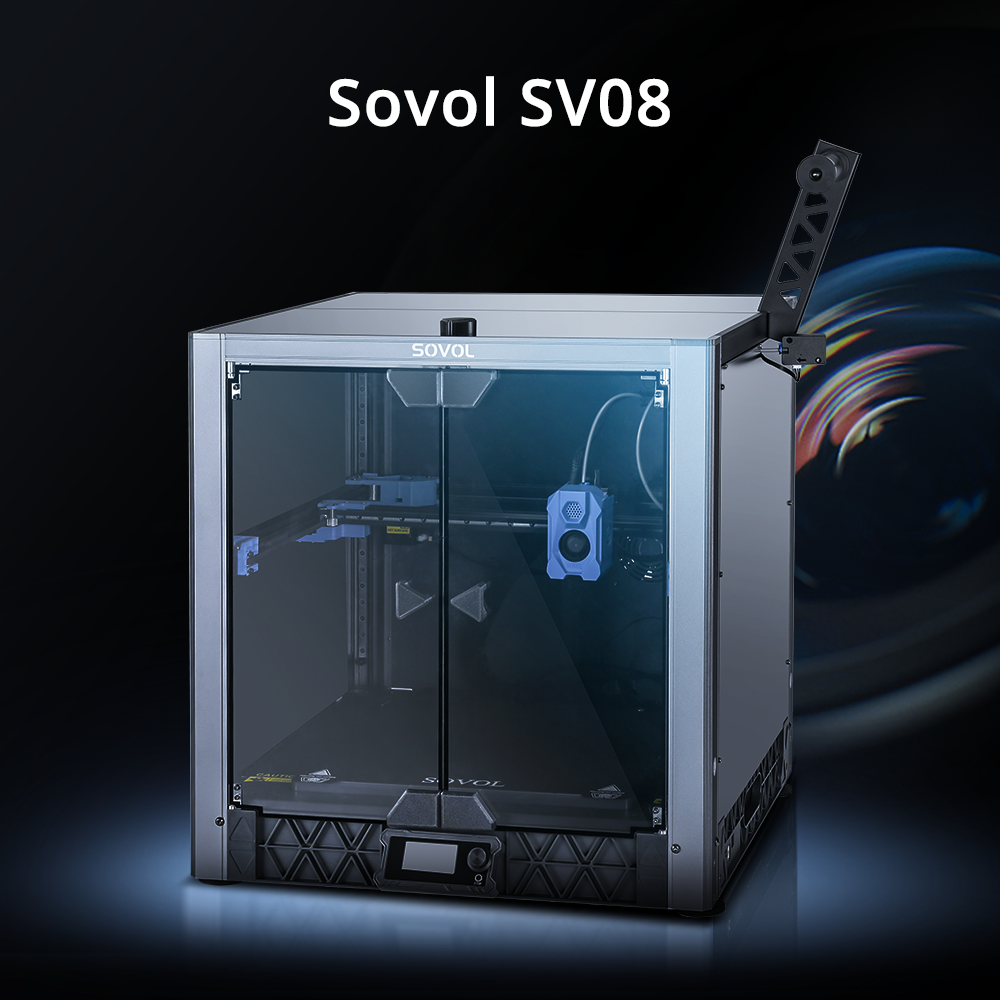
If you want one printer for general FDM work — functional parts, prototypes, the occasional decorative print — start with the SV08. Its 350 × 350 × 345 mm³ build volume covers most desktop projects, and it runs up to 700 mm/s with open-source firmware and hardware you can modify later.
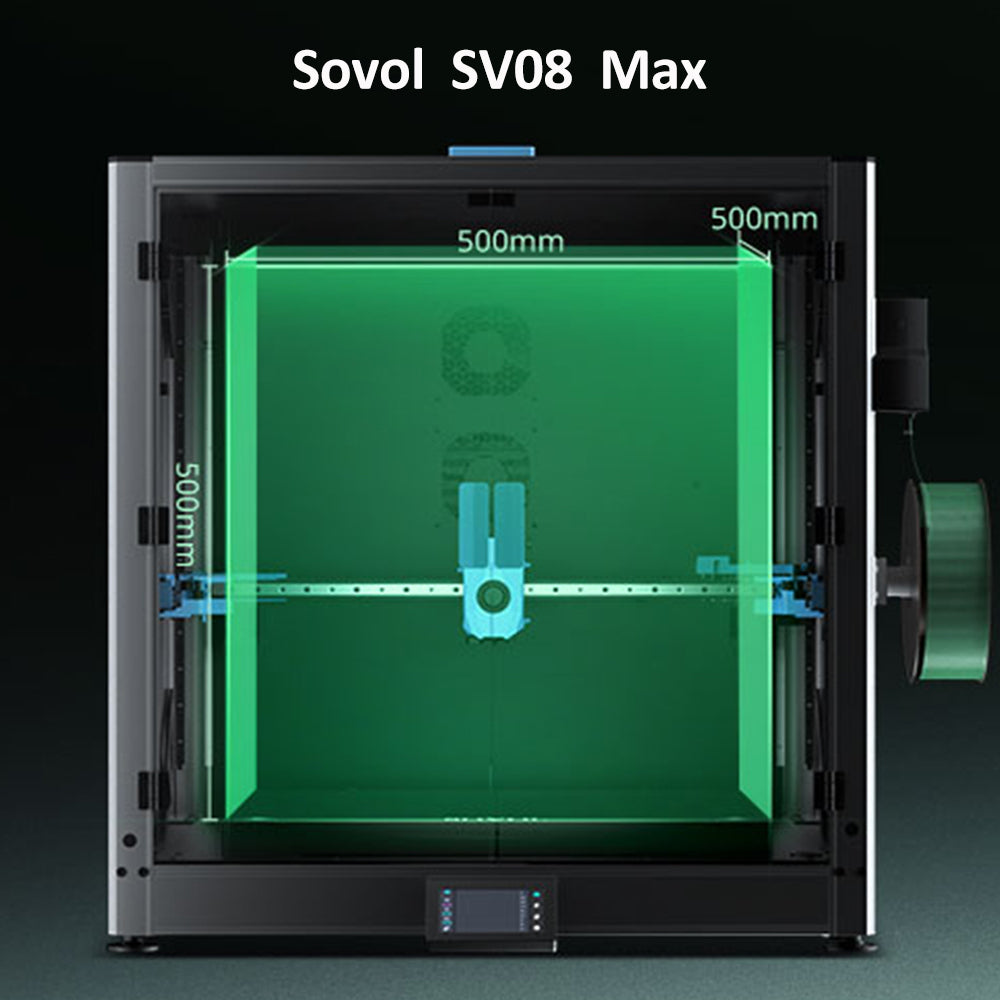
If your recurring problem is size, the SV08 MAX is the large-format choice, with a published 500 × 500 × 500 mm³ build volume (500 × 500 × 450 mm³ when the enclosure kit is fitted).
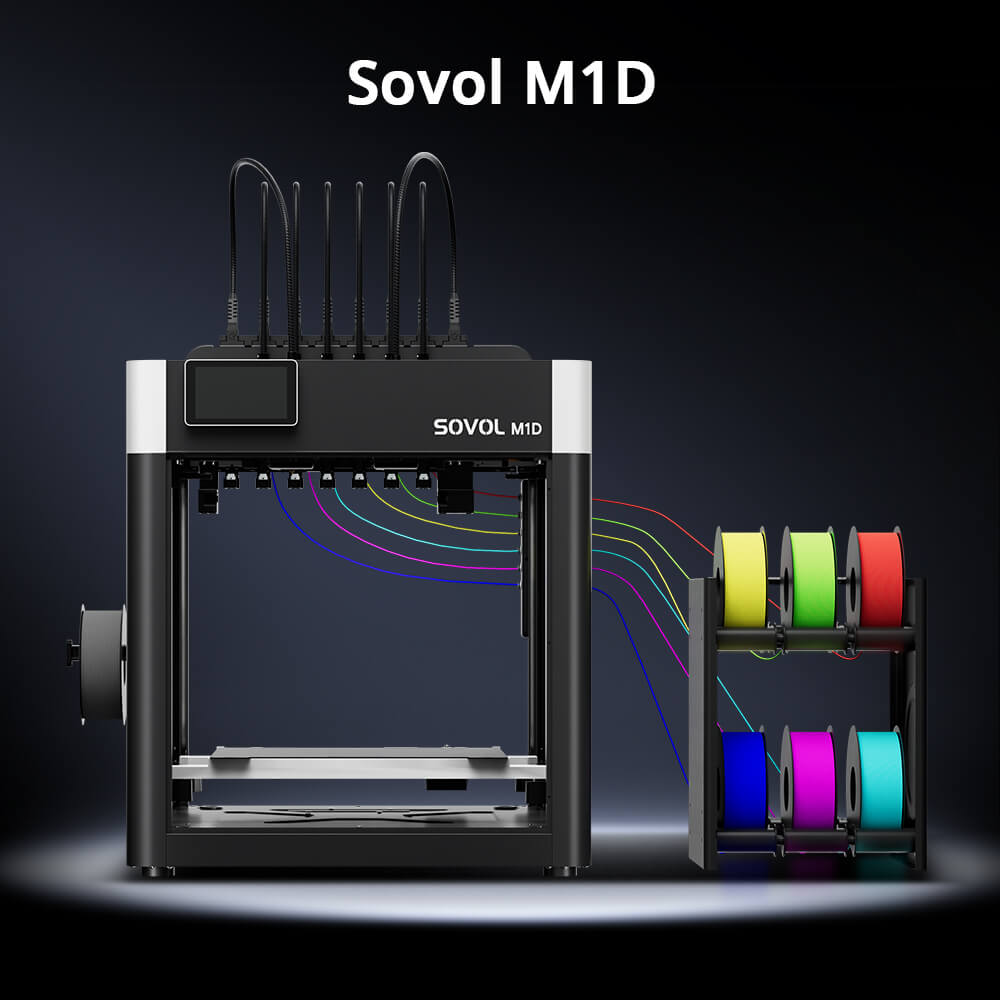
If your recurring problem is color or material switching, the M1D is the one to look at. Its DualX tool-changing system combines one fixed toolhead with six tool-changing toolheads for up to seven colors or materials, plus Copy and Mirror printing modes.
The comparison table below shows where each machine fits, and the sections after it go through the buying questions one at a time.
At a Glance: SV08 vs SV08 MAX vs M1D
|
|
Sovol SV08 |
Sovol SV08 MAX |
Sovol M1D |
|---|---|---|---|
|
Best for |
Everyday FDM printing, open-source tinkering, fast printing in a normal footprint |
Large models, prototypes, cosplay props, batch runs of big or multiple parts |
Multi-color and multi-material work, Copy and Mirror workflows, tool-changing experiments |
|
Build-volume needs |
350 × 350 × 345 mm³ — covers most desktop and functional parts |
500 × 500 × 500 mm³ (500 × 500 × 450 mm³ with enclosure kit) — for parts that won't fit smaller beds |
300 × 300 × 350 mm³ single toolhead or right-side 6-toolhead switching; 240 × 300 × 350 mm³ in 7-toolhead printing; 178 × 300 × 350 mm³ × 2 in Copy mode; 138 × 300 × 350 mm³ × 2 in Mirror mode |
|
Material and color flexibility |
Single nozzle; PLA, PETG, TPU, PETG-CF, ABS and more; nozzle ≤300 °C, bed ≤100 °C |
Single nozzle; broad filament list including ABS, ASA, PA, PC and CF blends; optional chamber heating module |
Up to seven colors or materials across dedicated toolheads; independently heated toolheads; M1D Advanced adds an actively heated chamber up to 60 °C |
|
Workflow strengths |
CoreXY motion, up to 700 mm/s and 40,000 mm/s², automatic bed leveling, built-in camera, remote monitoring |
CoreXY, up to 700 mm/s and 40,000 mm/s², 50 mm³/s max flow, eddy current scanning, auxiliary feeder with tangle and clog detection |
DualX 1+6 tool changing, toolhead swaps in as little as 5 s, Copy/Mirror/Multi modes, auto vision calibration, six-channel auto filament system |
Start With Your Own Requirements
Before comparing machines, write down four things about your own work. They will narrow the choice faster than any spec table.
Your largest recurring part. Measure the biggest single piece you print regularly, not the assembled model. If that part fits inside roughly 350 × 350 × 345 mm with a little margin for brims and skirts, the SV08's volume is enough. If it doesn't, and splitting the model would cost you visible seams or assembly time, that is the clearest signal you need the SV08 MAX.
The materials and colors you actually use. Most home and small-shop printing is one color at a time in PLA, PETG, or TPU. If that describes your week, a single-nozzle machine is simpler to run. If multi-color models, dedicated support material, or mixed rigid-and-flexible parts are a regular request rather than a one-off experiment, the M1D's tool-changing approach is designed for exactly that.
Your weekly output. One or two prints a week is a hobby pace. A queue of client parts or a small product line changes the math: throughput, uptime, and how quickly you can recover from a failed print start to matter more than peak speed.
Your workspace. The SV08 MAX is a physically large machine — its printer dimensions are listed at 700 × 710 × 750 mm excluding the spool holder — and it needs clearance for the gantry to move. Measure the bench, the doorway it has to come through, and how far the sound will travel.
Whether this is your first printer or an addition. A first printer has to teach you slicing, adhesion, and calibration. A second or third machine can be specialized, because you already have something to fall back on when a new workflow needs tuning.
Who Should Choose the Sovol SV08?

The SV08 is the general-purpose machine in this lineup. Sovol publishes a 350 × 350 × 345 mm³ build volume, CoreXY kinematics, a maximum print speed of 700 mm/s with acceleration up to 40,000 mm/s², and a maximum flow rate of 30 mm³/s. It ships largely pre-assembled — Sovol states about an hour of assembly at normal pace — which matters if you would rather print this weekend than build for a week.
It is also the most openly modifiable of the three. Sovol publishes the design, firmware, and code on GitHub and supports open-source firmware, so if you like changing hotends, tuning Klipper macros, or printing your own upgrades, that ecosystem is part of what you are buying.
Practical features for everyday use include automatic bed leveling with an inductive and pressure sensor, a PEI steel build plate, a built-in camera with Obico remote monitoring and failure detection, a filament runout sensor, and a nozzle rated to 300 °C with a bed up to 100 °C. Supported filaments listed by Sovol include PLA, PETG, TPU, PETG-CF, and ABS.
One honest caveat: 700 mm/s is a ceiling, not a promise. Real print time depends on the model's geometry, layer height, cooling, and how often the toolpath has to change direction. Expect the SV08 to be quick, and judge it on the parts you actually slice.
Choose the SV08 if you want one capable printer for mixed everyday work and you value being able to open it up and change it. See the SV08 product page for the current configuration list.
Who Should Choose the Sovol SV08 MAX?

The SV08 MAX exists for the print that doesn't fit. Sovol lists a 500 × 500 × 500 mm³ build volume, or 500 × 500 × 450 mm³ with the enclosure kit installed, alongside the same 700 mm/s maximum speed and 40,000 mm/s² acceleration as the SV08, plus a 50 mm³/s high-flow nozzle and an 8 mm aluminum bed with a 1300 W heater.
That combination targets a specific kind of work: full-scale prototypes, cosplay armor and props printed as single pieces, large functional parts, and small-batch runs where you load one plate with several big parts and walk away. Avoiding a split also avoids the seam filling, sanding, and gluing that follow a split print.
Leveling uses eddy current scanning plus pressure-sensing touch points, and the auxiliary feeder includes tangle and clog detection. A built-in 1280 × 720 camera supports remote monitoring and time-lapse. The published filament list is broad — PLA, TPU, PETG, ABS, ASA, PA, PC, PLA-CF, PETG-CF, and HP-PLA — with Sovol noting that some high-temperature materials benefit from glue, an enclosed chamber, and the optional chamber heating module, which is sold separately.
The trade-offs are real and worth planning for. A bigger gantry means more floor space, more weight during assembly, and more noise, so budget for a second pair of hands during setup and think about where it will live.
And size does not remove the fundamentals. Large prints put more demand on first-layer adhesion, warp control, and filament condition, because a small warp on a 500 mm part becomes a large one. Dry your filament, verify the first layer, and expect long prints to need sensible thermal settings.
Choose the SV08 MAX if size is a hard requirement in your work rather than an occasional convenience. Details are on the SV08 MAX product page.
Who Should Choose the Sovol M1D?

The M1D is a different kind of machine, and it is worth describing it the way Sovol does. Its core is the DualX tool-changing system: one fixed toolhead plus six tool-changing toolheads, for up to seven colors or materials in a single workflow. Sovol describes toolhead swaps in as little as five seconds using a motor-driven, all-metal locking mechanism, and each of the seven toolheads heats independently so a material can be preheated before it is needed.
That architecture is the point. Instead of pushing every filament through one nozzle with repeated unloading, purging, and reheating, the M1D keeps different colors and materials loaded in dedicated toolheads. Sovol frames the result as near-zero purge waste, with only a small amount of filament used for wiping or priming; actual results vary by model, material, and slicer settings.
The M1D also offers three distinct printing modes. Multi mode handles multi-color and multi-material models, including combining a build material with a soluble or dedicated support filament. Copy mode prints two identical parts at once. Mirror mode prints left-and-right pairs in a single job — useful for symmetrical props, handles, and paired brackets.
Build volume depends on the mode: 300 × 300 × 350 mm³ with a single toolhead (also the figure for right-side 6-toolhead switching), 240 × 300 × 350 mm³ in 7-toolhead printing, 178 × 300 × 350 mm³ × 2 in Copy mode, and 138 × 300 × 350 mm³ × 2 in Mirror mode. Copy and Mirror trade part width for parallel output; they do not enlarge the build area.
Two configurations are offered: M1D Essential, an open structure without the enclosure kit, recommended for PLA, PETG, TPU, and PVA; and M1D Advanced, which adds an enclosed chamber with active heating up to 60 °C for ABS, ASA, PA, and PC work. Both include the full DualX system, so the M1D Essential vs Advanced comparison covers that choice in detail. The M1D ships as preassembled modules, and on the Advanced the enclosure and heating module ship in a separate box that may arrive at a different time.
One framing note: the M1D is a pre-order product featured in the Black Friday campaign as a product highlight, not as a Black Friday-discounted printer. Check the M1D product page for current pre-order terms, and for a head-to-head with the MAX, see SV08 MAX vs M1D: large-format speed or multi-material flexibility.
Matching Printers to Common Buying Situations
The three printers overlap less than their spec sheets suggest once you sort by situation rather than by model. These four answers cover the most common buying questions.
Which Printer Is Best for Beginners?
The SV08 may be a more straightforward option for users who want a general-purpose workflow. It arrives largely pre-assembled with roughly an hour of setup, it levels the bed automatically, and its 350 × 350 × 345 mm³ volume is generous enough that most starter projects fit without resizing. It also has a large community and published open-source documentation, which helps when you search for a fix.
Be realistic about what beginner-friendly means. You will still learn slicing, first-layer adhesion, filament drying, and basic calibration. No printer removes that learning curve; a good one just doesn't add avoidable obstacles. The M1D, by contrast, is a tool-changing machine with more calibration and material-management steps, so it may suit users who are ready to manage a more advanced tool-changing workflow rather than someone buying a first machine.
Which Printer Is Best for Large Projects?
The SV08 MAX, clearly. The useful question is whether your project truly needs it. Measure the largest single part rather than the finished assembly, then ask whether splitting that part and joining it afterward is acceptable. For a painted prop or a display piece, a well-placed seam can be invisible. For a structural bracket or a part that takes load, a seam is a weak point, and one-piece printing is worth the larger machine.
Oversized prints also put more demand on the process: bed adhesion across a large area, consistent chamber or room temperature, and dry filament all matter more at 500 mm than at 200 mm.
Which Printer Is Best for Multi-Color Printing?
The M1D, because its design is built around dedicated toolheads rather than a single nozzle switching between filaments. That reduces the repeated purge-and-reload cycle that single-nozzle multi-color printing requires, and it allows each material its own temperature. Sovol's framing is near-zero purge waste, not zero — priming and wiping still consume some filament.
Speed deserves a neutral note too. Tool changes are fast, but a color-heavy model still forces many of them, and each one adds motion and priming time. A print that requires frequent tool changes will generally take longer than the same model in one color.
Which Printer Is Best for Small-Batch Production?
There are two routes, and they suit different products. If your batch is large single-color parts, the SV08 MAX lets you place several on one 500 × 500 mm plate and run them together. If your batch is smaller parts needed in pairs or duplicates, the M1D's Copy and Mirror modes produce two at a time in parallel — at the cost of a narrower usable width per part.
Neither route replaces good process control. Consistent first layers, calibrated extrusion, and dry filament determine your yield more than any single feature.
A Practical Decision Guide
Work through these in order. The first question that produces a strong "yes" usually settles the choice.
- Do you mainly print standard-size models, or do oversized parts come up regularly? If most of your work fits inside roughly 350 × 350 × 345 mm, lean toward the SV08. If large single-piece parts are a recurring requirement, lean toward the SV08 MAX.
- Do you need one material, or multiple colors and materials in the same job? One material at a time points to the SV08 or SV08 MAX. Regular multi-color, multi-material, or dedicated-support prints point to the M1D.
- Do you value open-source customization? If modifying firmware, swapping hardware, and printing your own upgrades is part of the appeal, the SV08 and SV08 MAX both publish open-source firmware and hardware; the M1D is also described as fully open-source hardware, firmware, and software, but as a pre-order product its community resources are still forming.
- Do you need Copy or Mirror printing? If you regularly produce left-and-right pairs or identical duplicates, the M1D's Copy and Mirror modes are the relevant feature. If not, that capability adds complexity you won't use.
- Are you buying your first printer or adding a specialized machine? A first printer should be forgiving and general — the SV08. A specialized addition can be narrow: the SV08 MAX for size, the M1D for material and color workflows.
- Can your workspace take the machine? Check footprint, clearance, noise, and whether you can move it into place. This alone can rule out the SV08 MAX for a small apartment or a shared office.
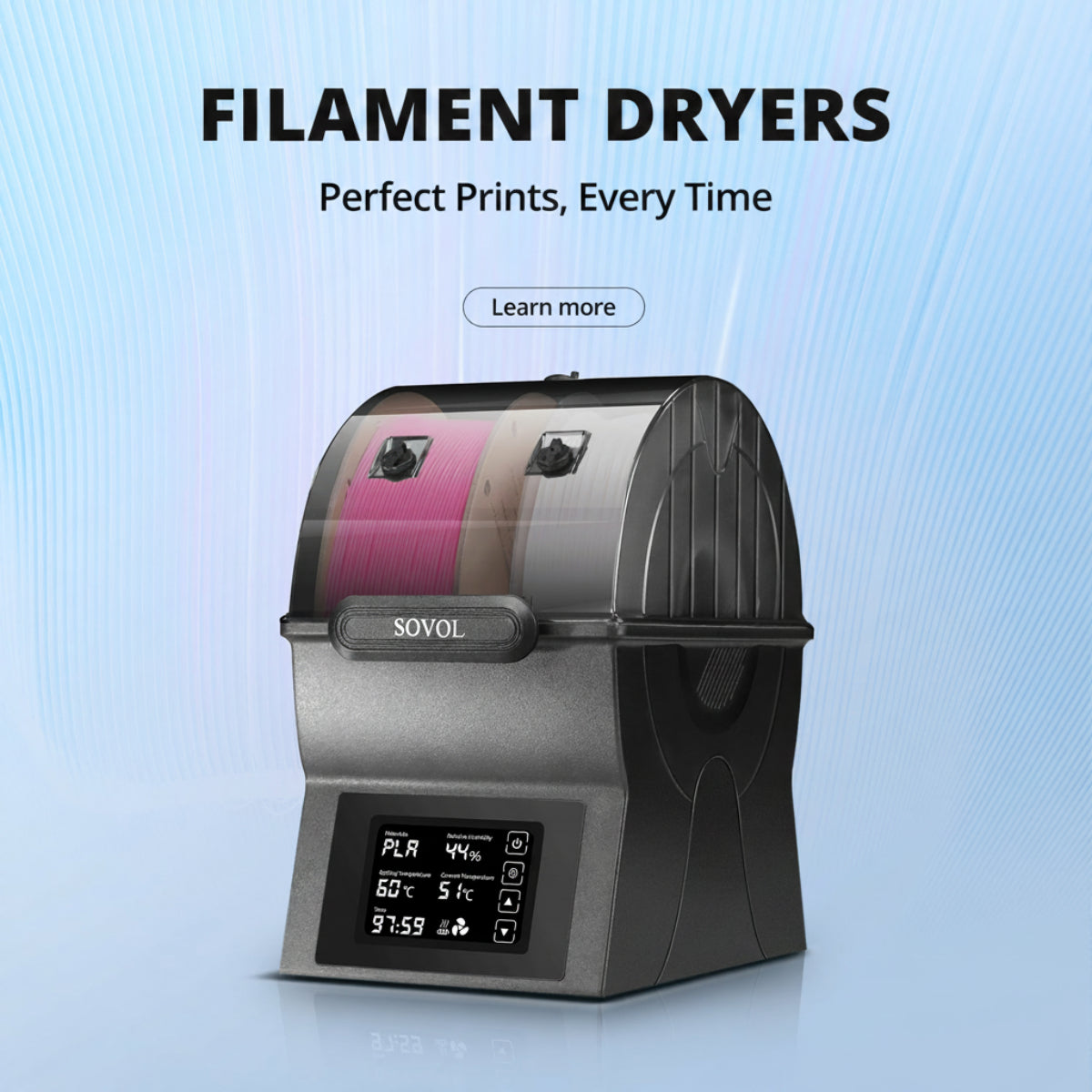
- Is your budget for the printer only, or for the printer plus filament, drying, and spares? A dryer and a few spools of quality filament will improve your results on any of these machines, so leave room for them.
Conclusion: Three Short Recommendations
- Choose the SV08 if you want one capable, open-source printer for everyday FDM work at a normal footprint, with fast printing and room to modify it later.
- Choose the SV08 MAX if your regular work includes oversized single-piece models, props, or prototypes that you would otherwise have to split and join.
- Choose the M1D if multi-color and multi-material printing, Copy and Mirror workflows, or tool-changing experiments are central to what you plan to make — and you are comfortable buying it as a pre-order.
When you are ready to compare current configurations and campaign details, start at the Sovol Black Friday sale page.
FAQ
Which Sovol 3D printer is best for beginners?
The SV08 may be the more straightforward starting point. It arrives largely pre-assembled with about an hour of setup, levels the bed automatically, and its 350 × 350 × 345 mm³ build volume covers most starter projects. You will still need to learn slicing, adhesion, and calibration, but the machine doesn't add extra workflow complexity on top of that.
Is SV08 MAX better for large 3D prints?
Yes — it is the large-format option among these three, with a published 500 × 500 × 500 mm³ build volume (500 × 500 × 450 mm³ with the enclosure kit). Plan for its footprint, weight, assembly effort, and noise, and remember that large prints still depend on good adhesion, warp control, and dry filament.
Is M1D a good choice for multi-color printing?
It is designed for it. The DualX tool-changing system combines one fixed toolhead with six tool-changing toolheads for up to seven colors or materials, with independently heated toolheads and Copy and Mirror modes. Note that it is a pre-order product, not a Black Friday-discounted printer.
Should I buy a large-format printer or a multi-material printer?
Treat it as a workflow question. If the recurring bottleneck in your work is that parts don't fit, size is the constraint and a large-format machine addresses it. If the recurring bottleneck is switching colors or materials, that is a different problem, and a tool-changing machine addresses that one. Pick the constraint you hit every week, not the feature you might use once.