You can prevent 3d printing warping by following a few simple steps. Start with a clean print bed. Use a heated bed to keep your prints steady. Place your printer in an enclosure and avoid drafts. Adjust the cooling fan for the first layers. Try brims or rafts for better grip. Set the right bed temperature. These actions help you save time and materials while making your prints look perfect.
Key Takeaways
- Make sure your print bed is clean and flat. This helps the print stick better and stops warping.
- Set your heated bed to the right temperature for your filament. This keeps the print warm and stops it from cooling unevenly.
- Try using brims or rafts in your slicer. These add more surface area and help keep the print steady.
- Watch your printer’s environment. An enclosure can block drafts and keep the temperature steady, which is important for materials like ABS.
- Keep an eye on the first layers. Change the fan or temperature if you see lifting or curling.
What Is 3D Printing Warping
Warping Explained
When you start a 3D print, you expect the object to keep its shape. Sometimes, you notice the corners of your print lifting off the bed or the part bending. This problem is called 3d printing warping. Warping happens when the printed part cools too quickly or unevenly. The temperature difference between the hot layers and the cooler air causes the plastic to shrink at different rates. This shrinkage pulls on the part, making it bend or twist, especially at the edges.
Tip: You can spot warping early if you see the corners of your print curling up from the bed.
Engineers define warping as the deformation that occurs when a part cools too fast and unevenly. This effect is common with thermoplastics. The cooler layers pull on the hotter ones, causing the part to bend. If you want to avoid a failed print, you need to understand why warping happens.
Causes: Cooling, Shrinkage, Bed Adhesion
You will see warping most often when the print cools down too quickly. The main causes include:
- Temperature Discrepancies: If the layers cool at different speeds, the print can warp. Sudden drafts or cold rooms make this worse.
- Shrinkage: As the plastic cools, it shrinks. The corners and edges shrink more, which leads to warping 3d print problems.
- Bed Adhesion Issues: If the first layer does not stick well to the bed, the print can lift and warp. A dirty or uneven bed makes this more likely.
- Slicing Setting Mishaps: Incorrect settings in your slicer can cause uneven cooling or poor adhesion.
- Environmental Factors: High humidity can make filaments absorb water, which weakens the print and increases warping.
Note: Keeping your room temperature steady and using an enclosure can help reduce 3d printing warping.
If you control these factors, you can prevent warping and get better results from your printer.
Material Differences in 3D Printing Warping
PLA, PETG, ABS Properties
You will notice that different 3D printing materials behave in unique ways when it comes to warping. Each filament has its own thermal properties. These properties affect how much the material shrinks and bends during cooling. Understanding these differences helps you choose the right material and settings to prevent 3D printing warping.
Here is a quick overview of how PLA, PETG, and ABS respond to heat and cooling:
- PLA: This material has a low shrinkage rate. You will find it easy to print with PLA because it rarely warps. PLA sticks well to the print bed and does not need a heated bed in most cases.
- PETG: PETG also has a low shrinkage rate. It offers more flexibility than PLA and resists warping even on larger prints. PETG works well for users who want strong prints without the hassle of constant warping in 3D printing.
- ABS: ABS has a high shrinkage rate. This means it pulls away from the print bed as it cools. You will often see corners lifting or edges curling. ABS needs a heated bed and sometimes an enclosure to fix 3D printer warping.
Tip: If you want to avoid warping, start with PLA or PETG before trying ABS.
Which Materials Warp More
You might wonder which material causes the most trouble with 3D printing warping. The answer depends on the shrinkage rate and how the material reacts to temperature changes.
|
Material |
Shrinkage Rate |
Warping Tendency |
Best Practices to Prevent Warping |
|---|---|---|---|
|
PLA |
Low |
Minimal |
Use a clean bed, moderate temp |
|
PETG |
Low |
Low |
Heated bed, avoid drafts |
|
ABS |
High |
High |
Heated bed, enclosure, brims |
ABS warps the most because it shrinks a lot as it cools. You need to use a heated bed and keep the print area warm. PETG and PLA both resist warping, but PETG gives you more strength and flexibility. If you want to fix 3D printer warping, match your print settings to the material you use. This step helps you get perfect prints every time.
Prevent 3D Printing Warping: Key Techniques
You can stop 3D printing warping by using smart steps. Each way helps with a different cause of warping. These steps help you get perfect prints.
Bed Adhesion Methods
Bed adhesion is very important for good prints. If the first layer does not stick, warping can mess up your project. You can make adhesion better and stop 3D printing warping with these ideas:
- Heated Build Plates: A heated bed keeps the first layer warm. This lowers shrinkage. Set the temperature for your filament.
- Adhesives: Put a thin layer of glue stick, hairspray, or special adhesive on the bed. This helps the filament hold onto the surface.
- Tape: Painter’s tape or blue masking tape gives a rough surface. This helps the print stick better. Change the tape when it gets old.
- Brims and Rafts: Add a brim or raft in your slicer. These make more contact and keep the print steady.
- Print Settings: Slow down the first layer. Use a thicker layer height. This helps the filament stick to the bed.
Tip: Clean your print bed before you start. Dust and oil can make adhesion weak and cause warping.
If you see corners lifting, pause and put painter’s tape on them. This quick trick can save your print.
Heated Bed and Temperature Settings
Temperature control is key to stopping 3D printing warping. A heated bed keeps lower layers warm and stops uneven cooling. Try these steps:
- Set the bed temperature for your filament. PLA needs 60°C, PETG about 70°C, and ABS up to 110°C.
- Check the maker’s advice for nozzle and bed temperatures. Less warping happens when you use the right settings.
- Do not set the temperature too high or too low. Extreme heat or cold can cause more warping.
- Watch the vertical edges of your print. These cool fast and can warp.
Note: If you see warping 3d print problems, try raising the bed temperature by 5°C. This easy fix often helps adhesion.
Enclosure and Draft Control
Enclosures help keep your printer’s area warm and steady. They trap heat and block drafts, which is important for ABS. Here is how you can use an enclosure to stop 3D printing warping:
- Put your printer in an enclosure or build a box around it.
- Keep the enclosure closed while printing to hold heat inside.
- For materials that warp a lot, use a heated enclosure to keep everything warm.
- Do not put your printer near windows or vents. Drafts can cool the print unevenly and cause warping.
Tip: If you do not have an enclosure, use cardboard or plastic sheets to block drafts. Even a simple wall helps keep heat in.
Fan Settings and Cooling
Cooling matters a lot for warping. You need to balance cooling speed to stop 3D printing warping. Try these steps:
- Lower the fan speed for the first layers. This keeps the base warm and helps it stick.
- Slowly raise the fan speed after the first layers. This helps each layer harden at the right time.
- For ABS and ASA, use very little part cooling. Strong air can change the temperature fast and cause warping.
- Look for curled edges. If you see them, lower the fan speed or turn off the fan for the first layers.
Note: Watch the first layers closely. Change fan settings if you see lifting or curling.
Brims, Rafts, and Design Tweaks
Design changes can help stop 3D printing warping. Adding a brim or raft makes more surface area and keeps your print steady. Here is how you can use these features:
|
Design Technique |
Benefits |
Limitations |
|---|---|---|
|
Brims |
Makes more surface for better sticking. Good for sharp angles and big faces. Lets ABS shrink without leaving the bed. |
Uses extra material. May leave marks that need sanding. |
|
Rafts |
Helps prints stick to the bed. Keeps small designs steady. Lowers warping for ABS. |
Hard to take off. Can hurt the model. Uses more material. |
- Print with a brim for sharp corners or big flat parts. Even a small brim helps a lot.
- Use a raft for prints with a tiny base or when using ABS.
- Take off brims and rafts slowly after printing so you do not break your model.
- Change your 3d printing design to avoid thin edges and sharp corners. Rounded edges warp less.
Tip: If you want to stop 3D printing warping, always use a brim or raft for tricky shapes.
If you see warping while printing, pause and add a small brim or tape to the lifted edge. This quick fix can help you finish your print.
Troubleshooting and Best Practices
You can stop 3D printing warping by finding problems early. Here are some good habits:
- Keep filament dry. Wet filament can cause bad sticking and warping.
- Level your print bed before every print. Uneven beds make prints lift.
- Watch the first layers. If you see lifting, stop and fix it before you keep printing.
- Use advanced slicing software to set up your material.
- Try different print speeds and layer heights. Printing too fast or with thin layers can cause more warping.
Alert: New users often miss early warping signs. Watch corners and edges during the first layers to stop bigger problems.
By using these steps, you can stop 3D printing warping and get perfect prints. Each step helps you control heat, stick better, and fix warping before it ruins your project.
Bed Adhesion Solutions for Different Materials
PLA Best Practices
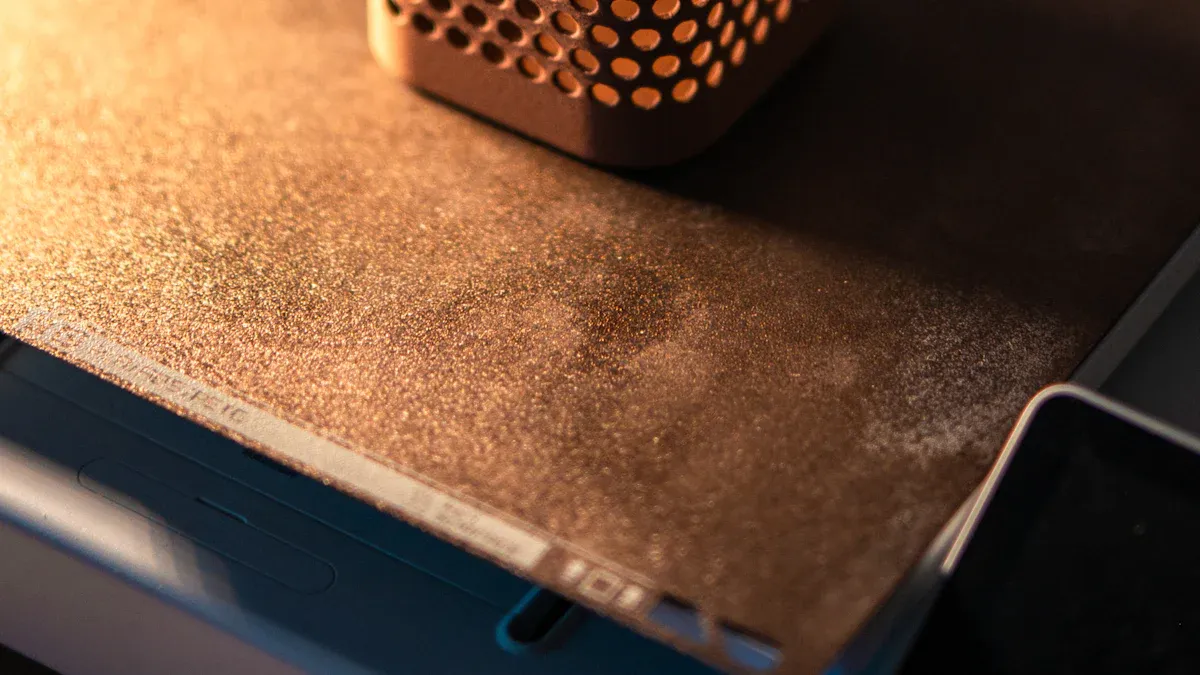
You can prevent warping with PLA by following a few simple steps. PLA usually sticks well to most print beds, but you still need to prepare the surface. Start with a clean bed. Set your heated bed to 50°C–60°C. This temperature helps reduce warping by keeping the first layers warm. Avoid using the cooling fan for the first few layers. Rapid cooling can cause the corners to lift. Apply a thin layer of glue stick or hairspray for extra grip. If you print large or sharp-edged parts, add a brim or raft in your slicer. This increases the contact area and helps stop warping in 3D printing.
Tip: PLA does not need strong adhesives, but a little glue or tape can help if you see the print lifting.
PETG Best Practices
PETG resists warping better than ABS, but you still need to follow best practices. Level and clean your print bed before every print. Set the bed temperature between 65°C and 90°C, depending on your filament brand. Start printing with the cooling fan off or on low for the first layers. This helps the print stick and prevents early warping. After a few layers, increase the fan speed to 30–60% for a smooth finish. Use a build adhesive if PETG sticks too well to PEI sheets. A thin layer of PVA glue can make removal easier and prevent damage to the bed.
- Print the first layer slowly (20–30 mm/s) for better adhesion.
- Use a brim for larger prints to fix 3D printer warping before it starts.
ABS Best Practices
ABS warps more than PLA or PETG, so you need stronger adhesion methods. Always use a heated bed set to 85–110°C. ABS does not stick well to bare glass. Use PEI sheets, Kapton tape, or PET sheets for better grip. You can also apply ABS Juice (ABS dissolved in acetone) to the bed for extra hold. Avoid using the cooling fan during printing. Cooling too fast causes warping in 3D printing. For large prints, use a brim or raft to increase the base area.
|
Method |
Why It Works for ABS |
|---|---|
|
PEI/Kapton |
Improves grip, reduces lifting |
|
ABS Juice |
Bonds first layer, stops warping |
|
No Fan |
Prevents rapid cooling and warping |
|
Heated Bed |
Keeps layers warm, reduces shrinkage |
Note: Strong adhesion is key to how to prevent 3D print warping with ABS. Check your print often for lifted corners.
Hardware Tips to Prevent Warping
Heated Bed Quality
A high-quality heated bed plays a big role in how to prevent 3D print warping. You need a heated bed that keeps a steady temperature across the whole surface. This helps your print stick better and cool evenly. When you use a heated bed, you lower the chance of the print lifting or curling at the edges. Here is why a good heated bed matters:
- A heated bed boosts adhesion, so your print stays in place as it cools.
- It keeps the temperature even, which is key for materials like ABS and nylon.
- You get stronger prints because the layers bond better.
- For ABS, setting the bed to about 100°C helps stop warping in 3D printing.
Tip: Always check your heated bed for cold spots. Uneven heat can lead to warping, even if you follow other steps.
You need a flat print bed to fix 3D printer warping. If your platform is not flat, some parts of your print will not stick well. This can cause corners to lift or the whole print to warp. Here are some ways platform flatness helps:
- Large, flat prints often warp if the bed is not level or clean.
- Good adhesion depends on a flat, clean surface.
- Print speed and humidity also affect adhesion, but a flat bed is the first step.
|
Problem |
Solution |
|---|---|
|
Uneven bed |
Re-level and check flatness |
|
Dirty surface |
Clean before every print |
|
Poor adhesion |
Use brims or adhesives |
Note: Clean your bed often and check for warping or dents. Even small bumps can cause big problems.
Enclosure and Room Temperature
You can control warping in 3D printing by managing the environment around your printer. An enclosure keeps the temperature steady and blocks drafts. This is very important for ABS and nylon, which need more heat to avoid warping. Here is how an enclosure helps:
- It keeps the inside temperature between 38°C and 42°C for ABS.
- It blocks sudden changes in air, which can cause warping.
- It helps your prints cool slowly and evenly.
If you do not have an enclosure, try to print in a room without drafts or big temperature swings. Place your printer away from windows and vents. For PLA, you do not need as much heat, but you still want to avoid cold air hitting your print.
Tip: Use a simple box or plastic sheets to make a quick enclosure. This small step can make a big difference in how to prevent 3D print warping.
By focusing on heated bed quality, platform flatness, and a stable environment, you can fix 3D printer warping and get better results every time.
You can get great prints if you follow some main steps.
- Make sure your bed is clean and flat. This helps the print stick well.
- Set the right temperature and warm up your printer first. This stops quick cooling.
- Use slicer tools and change your design to help your print.
|
Practice |
Why It Matters |
|---|---|
|
Bed adhesion |
Gives every print a strong base |
|
Temperature control |
Stops warping and keeps layers together |
|
Design tweaks |
Makes prints stronger and look better |
Keep trying new things and fixing problems. Every print teaches you something new.
FAQ
What causes my 3D prints to warp?
You see warping when the print cools too quickly or unevenly. The plastic shrinks and pulls up at the corners. A cold room, drafts, or poor bed adhesion can make this worse.
How do I stop prints from lifting off the bed?
You can clean your print bed before every print. Use a heated bed and set the right temperature. Add a brim or raft for extra grip. Make sure the first layer sticks well.
Do I need an enclosure for all materials?
You do not need an enclosure for PLA. For ABS or nylon, an enclosure helps keep the temperature steady. This stops drafts and helps prevent warping.
Why does my print still warp even with a heated bed?
Your bed may not be level or clean. The temperature might be too low. Drafts in the room can also cause problems. Check all these things before you start printing.
Can I fix warping during a print?
You can pause the print and add painter’s tape to the corners. This helps hold them down. You can also raise the bed temperature a little. These quick fixes sometimes save your print.