You might notice that PLA brittle problems can mess up your 3d printing projects. Many people have this problem with 3d printing filament, especially when making small or weak parts. The main reasons are:
- PLA takes in water from the air very easily.
- PLA is sensitive to heat, so it can get hard and break.
- UV light can make the filament weaker.
- Bending or rough handling can cause stress on the material.
- The filament might not be good quality.
- Color additives can change how the filament works.
- The filament gets older as time goes by.
Luckily, there are easy ways to stop PLA from getting brittle and help your printing go well.
Key Takeaways
- Moisture is the enemy of PLA. Always store filament in airtight containers to keep it dry and strong.
- Heat and UV light weaken PLA. Keep filament away from sunlight and hot areas to maintain its strength.
- Choose high-quality filament. Premium PLA lasts longer and resists brittleness better than cheap options.
- Handle filament gently. Avoid bending or pulling too hard to prevent cracks and breaks during use.
- Check for signs of brittleness. Look for rough surfaces or breakage before printing to avoid failed projects.
Causes of Brittle PLA Filament
Knowing why PLA filament gets brittle helps you stop problems. The main reasons are moisture, heat, UV light, aging, bad storage, and poor quality.
Moisture and Humidity
Moisture and humidity make filament break easily. PLA filament takes in water from the air. This makes it weak and easy to snap.
Even a little water can change how filament works. More moisture makes filament less strong and hard. Wang et al. found wet PLA is weaker and breaks more. Deroine and others saw PLA in humid places lost up to 85% strength in six months.
|
Study |
Findings |
|---|---|
|
Algarni |
10% moisture helps sometimes, but too much hurts PLA |
|
Ayrilmis et al. |
More water with thicker layers, less strength |
|
Vicente et al. |
Coatings help keep water out and make filament last longer |
|
Kariz et al. |
More wood in PLA means more water and less strength |
|
Kwon et al. |
Humidity changes affect how stable filament is |
- Humidity changes how much water filament takes in.
- PLA gets very brittle if it absorbs too much water.
- Always keep filament dry to avoid these problems.
Heat and UV Exposure
Heat and UV light can hurt PLA filament. High heat and sunlight break down the material. This makes it lose strength and bend less.
PLA starts to break down in too much heat. This is called hydrolysis. It happens faster when it is hotter. The plastic bonds break, so filament gets brittle. Leaving filament near heaters or in sunlight can damage it.
|
Material |
Tensile Strength Loss |
Control Strength (MPa) |
Irradiated Strength (MPa) |
|---|---|---|---|
|
PLA |
9.1% |
29.54 |
26.86 |
|
PETG |
38.1% |
N/A |
N/A |
- Heat, water, and UV light together make PLA worse.
- Chemical bonds get weaker, so filament bends less.
- Keep filament away from heat and sunlight.
Aging and Oxidation
Aging and oxidation slowly damage PLA filament. Over time, the plastic chains get shorter. This makes filament snap more easily.
Oxidation makes filament lose strength and break. As filament ages, its structure changes. When molar mass drops too low, filament gets very brittle. Most people find PLA lasts about 1.5 to 2 years before breaking.
- PLA can get brittle after two years in storage.
- Tests show filament gets weaker after 1.5–2.5 years.
- Use old filament for practice or replace it if it feels brittle.
Poor Storage
Bad storage is a big reason PLA gets brittle. If you leave filament out, it takes in water and gets weak.
Opened PLA lasts only 3–6 months in air. In airtight containers with desiccant, it lasts years. The best place is cool, dry, and dark with low humidity.
- Store filament in airtight containers or vacuum bags.
- Use desiccant packs to soak up water.
- Keep temperature between 59°F and 77°F.
- Watch humidity and keep it below 40%, best is 20–25%.
Low-Quality Filament
Low-quality filament gets brittle faster, even with good storage. Cheap PLA has more impurities and is made poorly. This makes it break easier.
Standard PLA breaks easily under stress. Premium PLA+ is tougher and less brittle. For better prints, buy good filament from trusted brands.
- Cheap PLA gets brittle faster than premium filament.
- Quality affects how long filament lasts and prints.
- Good filament saves time and stops failed prints.
If you know what causes brittle PLA, you can stop it. This helps your 3D printing projects work well.
How to Identify PLA Brittle Issues
You can spot brittle PLA filament before it causes problems with your prints. Knowing the signs helps you fix issues early and avoid failed printing projects.
Visual Signs of Filament Brittleness
You can often see signs of brittle filament just by looking at it. These clues show up before you even start printing.
- The surface looks rough or has tiny bubbles.
- You notice underextrusion while printing, where not enough material comes out.
- The filament keeps oozing from the nozzle after the extruder stops.
- You hear sizzling or popping noises from the nozzle during extrusion.
Tip: If you see or hear these signs, your filament may have absorbed moisture or started to degrade.
Breakage During Handling or Printing
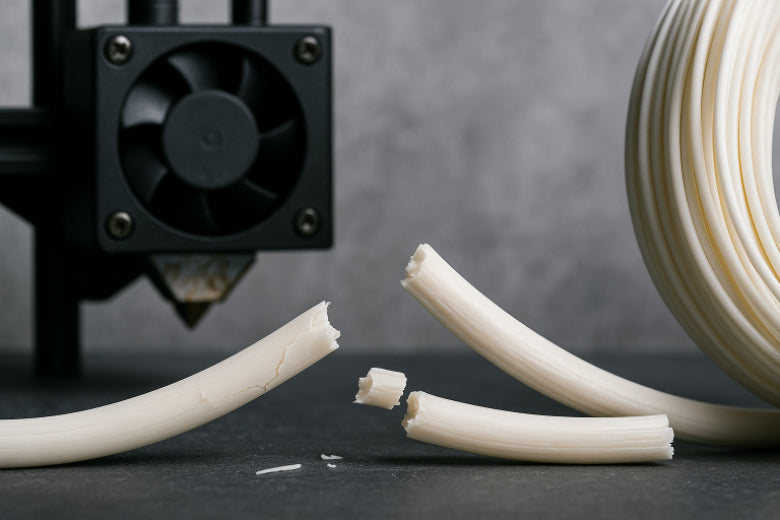
Brittle PLA filament breaks easily when you handle it or load it into your printer. This can happen even before you start a print.
You might notice:
- The filament snaps when you try to bend it.
- Pieces break off when you unwind the spool.
- The filament breaks inside the extruder during printing.
If you see these problems, your filament likely needs attention before you continue printing.
Filament Brittleness Test
You can do a simple test to check if your PLA filament is brittle. Take a short piece and gently bend it into a U shape.
- If the filament bends smoothly, it is still good for printing.
- If it snaps or cracks with little force, it has become brittle.
Note: Always test a small section before starting a big print. This helps prevent wasted time and material.
By checking for these signs, you can catch brittle filament early and keep your 3D printing projects on track.
Solutions to Prevent Brittle PLA Filament
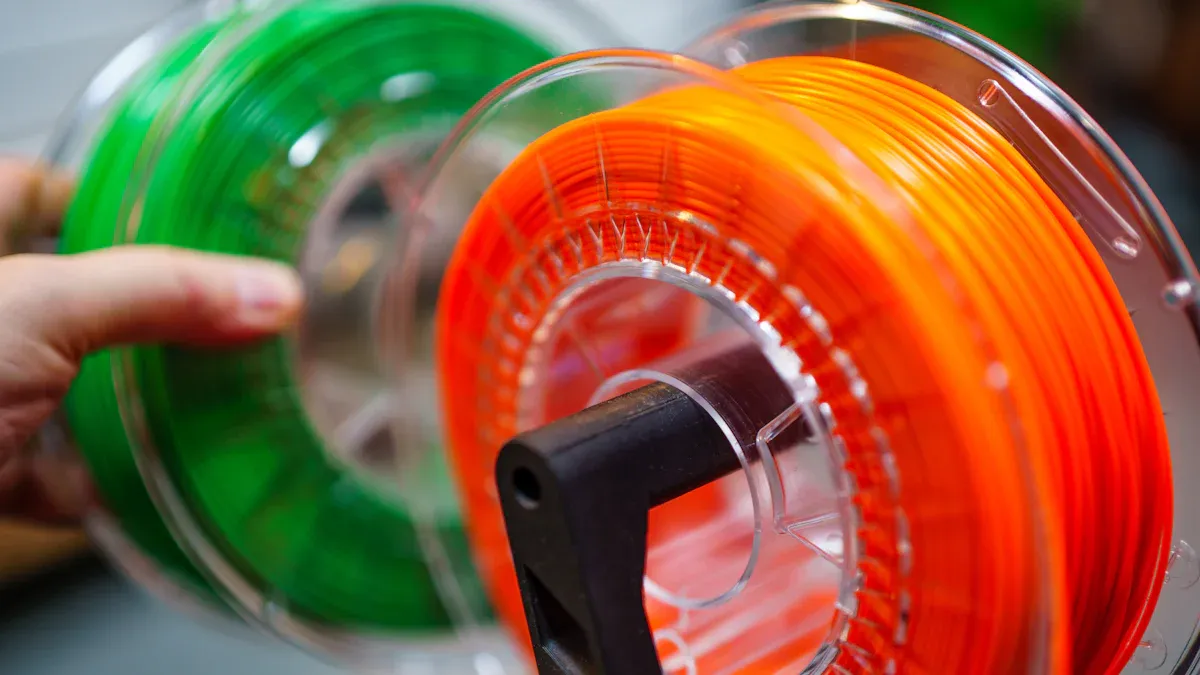
You can stop brittle PLA filament with easy steps. These ideas help keep your filament strong. Your 3D printing projects will work better.
Proper Storage for PLA Brittle Prevention
Storing PLA filament the right way is very important. You must keep filament away from water, heat, and sunlight.
- Put PLA filament in airtight containers or vacuum bags. This keeps out water and air.
- Use desiccant packs to soak up any water inside.
- Keep containers in a cool, dry, and dark spot. Stay away from windows and heaters.
- Write the date you opened each spool. This helps you use old filament first.
Tip: If your area is humid, check containers often. Change desiccant packs when they feel wet or stick together.
Good storage keeps filament fresh and strong. You will get better prints and waste less filament.
Use of Dry Boxes and Dehydrators
Dry boxes and dehydrators help take water out of PLA filament. These tools are simple and work well for old or brittle filament.
- Dry boxes keep filament dry while you store and use it. Some, like the Sovol SH02, let you print right from the box.
- Filament dehydrators heat filament gently to remove water. Set the temperature to about 104–122°F for 4–6 hours.
- You can use a food dehydrator if you do not have a filament dryer.
Note: Always follow the instructions for your dry box or dehydrator. Too much heat can hurt the filament.
Drying methods help stop brittle PLA filament and fix old spools. Drying filament before printing makes prints better and stops failed prints.
Control Temperature and Light
Heat and sunlight can make PLA filament brittle. You need to control where you store and use filament.
- Keep filament away from sunlight. UV rays break down the plastic and make it weak.
- Store PLA filament in a room with steady temperature. Try to keep it between 59°F and 77°F.
- Do not put filament near heaters or hot electronics.
Tip: Use blackout curtains or a closet to block light.
Controlling temperature and light helps stop brittle PLA filament. Your filament will last longer and stay strong.
Choose High-Quality Filament
Filament quality matters a lot. High-quality PLA filament lasts longer and does not get brittle as fast as cheap filament.
- Buy filament from trusted brands with good reviews.
- Pick spools that come sealed with desiccant.
- Check the label for the date made and material type.
Tip: High-quality filament costs more, but it saves time and money by stopping failed prints.
Using good filament is one of the best ways to care for your filament. You will see smoother prints and fewer problems with brittle PLA filament.
Gentle Handling Practices
How you handle filament affects its strength. Rough handling can cause cracks and make filament snap.
- Unwind filament slowly and do not bend it sharply.
- Do not pull or stretch filament when loading it into your printer.
- Store PLA filament on a spool holder to stop tangles and stress.
Tip: If you need to rewind a spool, do it gently and check for weak spots.
Gentle handling is an easy way to stop brittle PLA filament. Care during every step of 3D printing helps you get the best results.
Summary Table: Tips to Prevent Brittle PLA Filament
|
Tip |
Why It Helps |
|---|---|
|
Store in airtight container |
Blocks moisture and air |
|
Use dry box/dehydrator |
Removes water from filament |
|
Control temperature/light |
Stops heat and UV damage |
|
Buy high-quality filament |
Reduces risk of brittleness |
|
Handle gently |
Prevents cracks and breaks |
If you follow these tips, you can stop brittle PLA filament. You will get smooth, reliable 3D prints. Good care keeps filament strong and projects successful.
Restoring Brittle PLA Filament
You can sometimes fix brittle PLA filament so you can use it again. This part shows how to dry filament, lower tension, and know when to get new filament.
Drying Brittle PLA Filament
Drying is the first thing to try with brittle PLA filament. Water in the filament makes it weak. Taking out the water helps make it strong again. You can use a filament dryer, a food dehydrator, or your oven on low heat.
- Set the heat between 104°F and 122°F.
- Dry the filament for four to six hours.
- Always look at the manufacturer’s rules before heating.
Drying stops some printing problems from happening. If the filament works better after drying, you can use it for printing.
Reducing Tension and Rewinding
Tension and tangles can make PLA filament break. You can fix this by slowly rewinding the spool and taking out tight spots.
- Unwind the filament slowly and carefully.
- Wind it back onto the spool with even pressure.
- Look for knots or sharp bends as you rewind.
Handling the filament gently keeps it smooth and ready to print. This helps stop breaks during printing.
When to Replace Brittle PLA Filament
Sometimes, you cannot fix PLA filament. You need to know when to stop and get a new spool. Watch for these signs:
- The filament still snaps after you dry it.
- Printing does not work well, like breaking or layers coming apart.
If you see these things, it is time to use new filament. Fresh PLA filament gives you better prints and fewer problems.
Tip: Old or broken filament can waste your time and material. Using new filament helps you get good prints.
You now understand why PLA filament gets brittle and how to stop it. Things like moisture, heat, UV light, age, and rough handling make filament weak. You can keep filament strong by storing it in airtight containers. Dry boxes help keep water away from filament. Keeping filament out of sunlight also helps a lot. If you keep filament dry and handle it gently, your prints work better. You will have fewer failed prints. Good storage and drying make filament strong and printing easy every time.
|
Storage Solution |
Benefits |
Notes |
|---|---|---|
|
Airtight Container |
Stops water and air |
Use with desiccants |
|
Dry Box |
Keeps air dry |
Good for daily use |
- PLA filament gets weak from water, heat, and age.
- You can stop brittleness with good storage and care.
A little care keeps your filament working well and helps you enjoy smooth printing projects.
FAQ
What causes PLA to become brittle?
You may wonder why PLA gets brittle. The main reasons are moisture, heat, UV light, aging, and poor filament quality.
Keep your filament dry and store it well to prevent PLA brittle issues.
How can I prevent PLA brittle problems?
You can stop PLA from getting brittle by using airtight containers, dry boxes, and desiccant packs. Store your filament in a cool, dark place.
- Good PLA filament storage keeps your prints strong and reliable.
Can you fix brittle PLA filament?
You can sometimes fix brittle PLA by drying it in a filament dryer or food dehydrator. Set the temperature to 104–122°F for 4–6 hours.
- If the filament still snaps, you should replace it.
How long does PLA filament last in storage?
PLA filament lasts about 1.5 to 2 years if you store it well. Opened spools last 3–6 months in humid air.
Use airtight containers and desiccant to extend the life of your filament.
Does filament color affect brittleness?
Some color additives can make PLA more brittle. You may notice that bright or specialty colors break faster.
- Choose high-quality filament for better strength and less brittleness.