You can fix heat creep in your 3d printer by cleaning the hot end, boosting cooling, and adjusting the temperature. 3d printer heat creep happens when heat travels up the hot end and softens filament too soon. This problem causes jams, under-extrusion, and stringing in your 3d printing projects.
If you notice filament clogs or strange print issues, heat creep might be the culprit. Don’t worry—you can solve this with a few simple steps.
Key Takeaways
- Regularly clean your hot end and heat sink to prevent heat creep. A clean setup allows heat to dissipate properly, reducing jams and clogs.
- Boost your cooling fan speed to keep the hot end cool. Strong airflow prevents heat from traveling up the filament path, ensuring smooth extrusion.
- Adjust your print temperature to the lowest setting that still produces good results. Lower temperatures help keep filament solid until it reaches the nozzle.
- Tighten all screws in your hot end and cold end. Loose screws can allow heat to escape, leading to heat creep and print issues.
- Upgrade to an all-metal hotend for better heat management. This design helps handle higher temperatures without risking heat creep.
What Is 3D Printer Heat Creep
Heat Creep Definition
You might hear people talk about heat creep when they discuss problems with 3d printing. Heat creep happens when heat travels up the hot end of your printer, reaching places it shouldn’t. This causes the filament to soften or melt too early.
Heat creep is also a real threat that involves heat traveling up your printed object (without you wanting it to) and leading to deformation.
When you print, you want the filament to melt only at the nozzle. If heat moves up the hot end, it can mess up your prints and make your printer jam.
How It Affects Filament
Heat creep can cause a lot of trouble for your filament. Here’s what you might notice:
- Heat creep leads to clogging of the filament.
- It causes the formation of strings or threads during printing.
- Over-extrusion can occur due to heat creep.
- Uneven heating of the filament is a result of heat creep.
If you see clogs, weird strings, or blobs on your print, heat creep might be the reason. Your filament needs to stay cool until it reaches the nozzle. When it gets too warm too soon, it can’t flow right.
Why It Happens
Heat creep usually happens because the hot end doesn’t cool down fast enough. Sometimes, the fan isn’t strong enough or the heat sink gets dirty. High printing temperatures can also make heat creep worse. If you use the wrong settings or your printer’s design doesn’t keep heat away from the filament path, you’ll see more problems.
You can fix most heat creep issues by keeping your hot end clean, boosting your cooling, and checking your temperature settings. Understanding how heat creep works helps you spot trouble early and keep your 3d printer heat creep under control.
Symptoms of Heat Creep
When you run into heat creep, your 3D printer starts to act up in a few clear ways. You might notice jams, weak extrusion, or messy strings on your prints. Let’s break down these symptoms so you can spot them fast.
Filament Jams
Filament jams are one of the most common signs of heat creep. You try to print, but the filament stops moving through the hot end. This happens because heat travels up the filament path and softens the filament too early. When the filament gets soft before it reaches the nozzle, it sticks inside the hot end and blocks the path. If your printer’s cooling isn’t strong enough or the room feels hot, jams can happen more often.
Tip: If you hear clicking from your extruder or see the filament grinding, check for heat creep right away.
Under-Extrusion
Under-extrusion means your printer isn’t pushing out enough filament. You’ll see thin layers, gaps, or weak spots in your prints. Heat creep can cause this by blocking the filament path or making the filament swell inside the tube. Here are some main causes linked to heat creep:
|
Cause |
Explanation |
|---|---|
|
Clogged Bowden tube |
Heat creep can cause the tube to overheat, melting filament prematurely and leading to blockages. |
|
Elevated temperatures can exacerbate heat creep, affecting the filament's melting point. |
|
|
Long retractions |
Excessive retraction distances can lead to heat creep, especially in detailed prints. |
If you notice your printer skipping lines or leaving empty spots, heat creep might be the reason.
Stringing Issues
Stringing looks like thin, wispy threads between parts of your print. Heat creep can make this worse because the filament gets too soft and oozes out when the nozzle moves. You might see more strings if your hot end stays too warm or if the filament melts too soon.
- Try lowering your print temperature or boosting your cooling fan to help stop stringing caused by heat creep.
If you spot any of these symptoms, take a closer look at your printer. Catching heat creep early can save you a lot of trouble and wasted filament.
Causes of Heat Creep
Understanding why heat creep happens helps you fix it faster. Several factors can make your 3D printer more likely to struggle with this problem. Let’s look at the main causes.
Hotend Design
The design of your hotend plays a big role in heat creep. Some hotends let heat travel up to the cooler parts, like the cold side of the heat break. When this happens, the filament can soften before it reaches the nozzle. You’ll notice this more with low-temperature filaments, such as PLA. These filaments start to soften at lower temperatures, so they clog more easily. If your printer sits in an enclosed space, the inside can get hot and make heat creep worse.
- Heat can move up the hotend and soften filament too soon.
- PLA and similar filaments are more likely to jam.
Cooling Problems
Cooling issues often lead to heat creep. If your printer’s fan doesn’t work well or the heat sink gets dirty, heat can build up. Printing inside an enclosure can also trap heat. When the temperature inside the enclosure rises above the filament’s glass transition temperature, you’ll see more jams and clogs. Even the heat from your print bed can add to the problem.
Tip: Make sure your fans are clean and working. Good airflow keeps the hotend cool and helps prevent heat creep.
High Temperatures
Running your printer at high temperatures can cause heat creep. If you set the hotend too hot, heat travels up the filament path. Filaments like PLA and TPU, which melt at lower temperatures, are especially at risk. Try to use the lowest temperature that still gives you good prints.
Incorrect Settings
Sometimes, the settings in your slicer or printer can cause heat creep. Here’s a quick look at common mistakes:
|
Incorrect Setting |
Description |
|---|---|
|
Improper hotend temperatures |
Too much heat in the heat break softens filament early. |
|
Inadequate cooling |
Weak cooling lets heat creep up the filament path. |
|
Suboptimal slicer settings |
Wrong slicer settings can mess up cooling and extrusion. |
Check your settings if you keep seeing jams or stringing. Small changes can make a big difference.
How to Fix Heat Creep
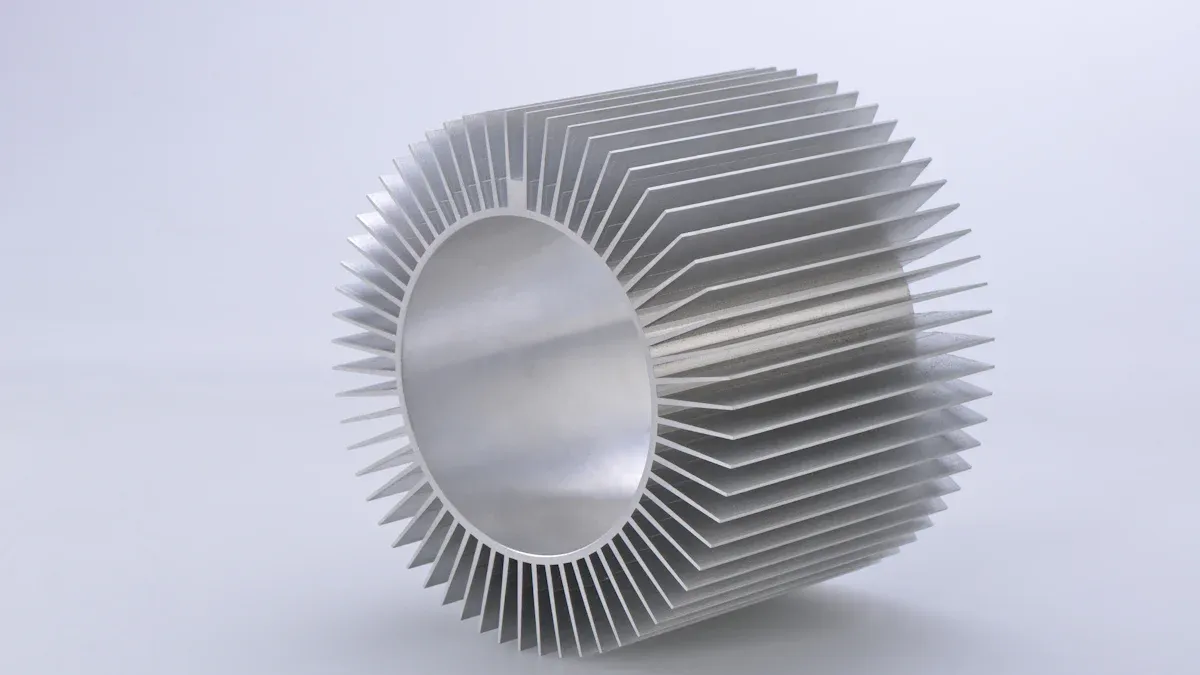
If you want to fix heat creep in your 3D printer, you can follow a few simple steps. These solutions help you get back to smooth printing and avoid jams or clogs. Let’s walk through each fix so you can keep your 3D printing projects running without trouble.
Clean Hot End and Heat Sink
A dirty hot end or cold end can trap heat and cause 3d printer heat creep. Cleaning these parts helps heat move away from the filament path. Here’s how you can do it:
- Turn off and cool down your printer. Always start with safety.
- Remove the filament. Pull it out gently to avoid breaking it inside the extruder.
- Block the cold end cooling fan. This step lets heat creep happen on purpose, which softens any stuck filament in the cold end.
- Apply steady pressure to the filament. When the cold end fan starts moving, keep pushing the filament through while the hot end cools.
- Perform a cold pull. Heat the hot end to the highest build temperature for your filament, then pull the filament out. This removes leftover debris.
- Tighten the nozzle. Use pliers to hold the heat block steady. Use a 7mm wrench to tighten the nozzle. Make sure you use about 30 inch-pounds of torque to prevent leaks.
Tip: Regular cleaning keeps your cold end and hot end working well. If you use a Sovol 3D printer like the SV08 or SV06 ACE, you’ll notice their strong hotend cooling makes cleaning easier and helps prevent 3d printer heat creep.
Boost Fan Speed
Cooling is key to stopping heat creep. If your fan runs too slow, heat can travel up the cold end and soften the filament too soon. Here’s what you can do:
- Increase the speed of your hotend cooling fan. This helps keep the cold end cool and stops heat from creeping up.
- Check for dust or blockages. Clean your fans and heat sinks to keep airflow strong.
- Upgrade your fan if needed. Some printers, like Sovol Zero, come with powerful fans that handle cooling well. If your printer’s fan feels weak, consider an upgrade.
When you boost fan speed, you stop heat from moving past the melt zone. This keeps the filament solid in the cold end and prevents jams. If you see clogs or stringing, try running your fan at 100% during prints.
Adjust Temperature and Settings
Sometimes, your print temperature is too high. High heat can cause 3d printer heat creep by letting heat travel up the cold end. Here’s how you can fix this:
- Lower your hotend temperature. Use the lowest temperature that still gives you good prints.
- Increase print speed. Faster printing means the filament spends less time in the hot end, which reduces the chance of heat creep.
- Use a high-temperature, low-viscosity oil. A spray like Silform can lubricate the filament path and help prevent sticking.
- Shorten retraction distance. Long retractions can pull hot filament into the cold end, causing jams.
Note: If you use all-metal hotends, like those on Sovol SV06 ACE, you can print at higher temperatures without as much risk of heat creep. Still, always check your settings for the best results.
Replace or Upgrade Nozzle
A worn or clogged nozzle can make heat creep worse. If you notice frequent jams or under-extrusion, it might be time for a new nozzle.
- Switch to a larger nozzle. Bigger nozzles let filament flow more easily and reduce the chance of clogs in the cold end.
- Upgrade to an all-metal hotend. All-metal hotends, like those on Sovol 3D printers, handle heat better and help prevent 3d printer heat creep.
- Check nozzle tightness. Make sure your nozzle is tight to avoid leaks and keep heat where it belongs.
If you print with abrasive filaments, check your nozzle often. Replacing it before it wears out can save you from bigger problems.
Adjust Screw Tightness
Loose screws in your hotend or cold end can let heat escape or move where it shouldn’t. Tighten all screws to keep everything in place.
- Tighten the heat break and nozzle. Use the right tools and don’t overtighten.
- Check the heat sink screws. Make sure the heat sink sits tight against the cold end.
- Inspect after every few prints. Vibrations can loosen screws over time.
Pro Tip: Always tighten screws when the hot end is warm (but not hot) to get the best fit. This helps prevent leaks and keeps your cold end cool.
If you follow these steps, you can fix heat creep and keep your 3d printing projects running smoothly. Regular cleaning, strong cooling, and the right settings make a big difference. Sovol 3D printers, with their strong hotend cooling and all-metal hotends, show how good design can help you avoid 3d printer heat creep. Try these fixes and enjoy better prints every time.
Preventing Heat Creep
Keeping your 3d printing projects running smoothly means you need to focus on preventing heat creep before it starts. You can avoid most problems with a few simple habits and upgrades.
Regular Maintenance
You should check your printer often. Dust and debris can block airflow and cause heat creep. Cleaning schedules help you stay ahead of trouble. Here’s a quick guide:
|
Frequency |
Action |
|---|---|
|
Weekly |
Check for dust and clogs in the heat sink |
|
Bi-weekly |
Inspect and clean internal components |
|
Monthly |
Lubricate moving parts and clean fans |
|
Quarterly |
Review all hardware and update software |
- Clean the heat sink and fans regularly.
- Keep a log of your cleaning and part changes.
- For heavy use, check your printer every week or two.
Tip: Sovol 3D printers have strong cooling systems, but regular cleaning still helps prevent heat creep.
Upgrade Hotend Parts
Upgrading your hardware makes a big difference. You can swap out old parts for new ones that fight heat creep better.
- Lower your print temperature to keep filament solid until it reaches the nozzle.
- Make sure your fans work well and provide strong cooling.
- Upgrade to an all-metal hotend, like those found on Sovol printers, for better heat management.
- Add a silicone sock to your hotend to keep heat where it belongs.
- Many users find that a silicone sock stops heat creep completely.
- Upgrading fans boosts cooling and keeps your printer running smoothly.
Optimize Printer Environment
Your workspace matters. Hot rooms or enclosed printers can make heat creep worse. Try these steps:
- Use dedicated cooling fans and heat sinks to keep temperatures steady.
- Add insulation, like heat socks, to reduce heat transfer.
- Adjust your print settings to lower temperature and shorten retraction distance.
Note: If you print with PLA, keep your printer in a cool area. High temperatures can soften filament and cause clogs.
By following these tips, you’ll have an easier time preventing heat creep and enjoy better results with your 3d printing projects.
Troubleshooting Hotend Issues
Identify Problems
You might notice your 3D printer acting up, but you’re not sure if heat creep is the cause. Start by looking for these signs:
- Filament jams or clogs in the hotend
- Under-extrusion, where not enough filament comes out
- Stringing or blobs on your prints
- Clicking or grinding noises from the extruder
If you see any of these, heat creep could be the problem. Sometimes, the hotend feels hotter than normal or the fan seems weak. Take a close look at your printer before you start fixing things.
Step-by-Step Guide
Ready to troubleshoot? Follow these steps to find and fix hotend issues:
- Turn off your printer and let it cool. Safety comes first.
- Remove the filament. Pull it out gently to avoid breaking it.
- Inspect the hotend and heat sink. Look for dust, dirt, or melted filament.
- Check the cooling fan. Make sure it spins freely and has no blockages.
- Tighten all screws. Loose parts can cause heat to move where it shouldn’t.
- Clean the nozzle. Use a cold pull or a cleaning needle if needed.
- Test your printer. Run a small print to see if the problem is gone.
Tip: If you still see jams or under-extrusion, try lowering your print temperature or increasing fan speed.
When to Replace Parts
Sometimes, cleaning and adjusting don’t fix the problem. You might need to replace parts. Here’s when you should consider it:
|
Part to Replace |
When to Replace |
|---|---|
|
Nozzle |
If it’s clogged, worn, or damaged |
|
Cooling Fan |
If it’s noisy, slow, or not spinning |
|
Heat Break |
If you see repeated jams or heat creep |
|
PTFE Tube |
If it’s discolored or deformed |
If you replace these parts and still have trouble, your hotend design might need an upgrade. Don’t worry—most fixes are simple and keep your 3D printer running smoothly!
You can make your 3d prints better if you stop heat creep. Cleaning, stronger cooling, and changing settings help a lot.
“I set up a steady air nozzle to blow on the fins. The small 10mm fan was not enough. This fixed my problem right away. I could print hard parts with the Dual V3 again and again.”
Lots of people have good results with these simple fixes. Give these ideas a try and tell others what worked for you. Your prints will look nicer and your printer will work better!
FAQ
What is heat creep in 3D printing?
Heat creep happens when heat travels up the hot end and softens filament too early. This can cause jams, clogs, and poor print quality. You want the filament to melt only at the nozzle.
How do I know if my printer has heat creep?
You might see these signs:
- Filament jams
- Under-extrusion
- Stringing or blobs
If your printer stops pushing filament or makes clicking noises, heat creep could be the problem.
Can I fix heat creep without new parts?
Yes! Try these steps:
- Clean the hot end and heat sink.
- Boost your fan speed.
- Lower your print temperature.
Most users fix heat creep with cleaning and better cooling.
Does heat creep affect all filaments?
No, some filaments like PLA are more sensitive. PLA softens at lower temperatures, so it jams more easily. ABS and PETG handle heat creep better, but you should still watch for symptoms.
How can I prevent heat creep in the future?
- Clean your printer regularly.
- Upgrade to a better cooling fan.
- Keep your print area cool.
Regular maintenance keeps heat creep away and helps your printer last longer.