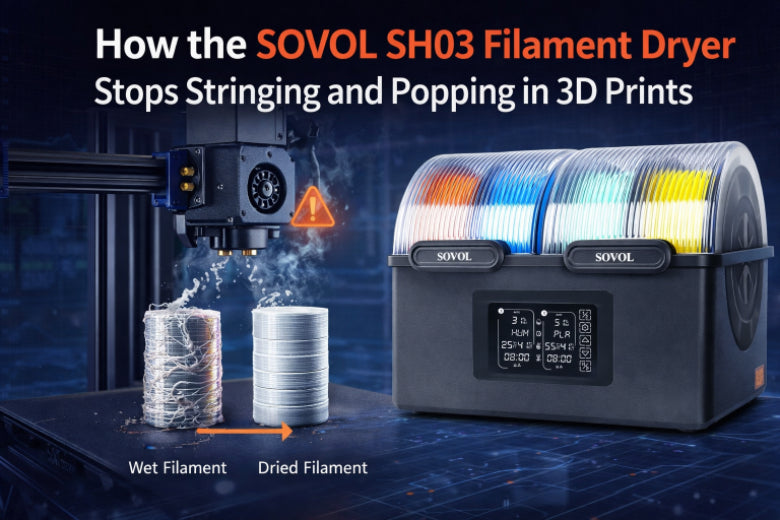
You want your 3d prints to look smooth. The SOVOL SH03 Filament Dryer takes water out of filament. This stops stringing and popping in your 3d prints. Stringing and popping can make people upset when they use filament for 3d printing. Water in the filament causes these problems. This happens a lot with nylon, PETG, and PLA. The SH03 uses hot air and removes wetness to keep filament dry. This helps you get better prints with fewer problems. Your filament will work better and your prints will have less trouble.
Key Takeaways
- Dry filament is important for good 3D prints. It helps stop problems like stringing and popping.
- The Sovol SH03 Filament Dryer takes water out of filament before you print. This makes your prints look better.
- You can tell if filament is wet by looking for stringing, hearing popping sounds, or seeing rough spots on your prints.
- Always dry filament if it has been in air or got wet. This will help you save time and not waste filament.
- Use the right drying times and heat for each filament type to get the best prints.
Common 3D Printing Problems

What Is Stringing?
Sometimes, you see thin plastic lines between print parts. This is called stringing. It happens when the nozzle moves and melted filament drips out. You might notice fuzzy spots and lint on threads. Stringing leaves tiny plastic strings on your model. These strings make your print look messy. Models with lots of details show more stringing. PETG and TPU materials string more because of how they act. Stringing often means your filament is wet. If you see dull and rough spots with strings, your filament is probably wet.
- Stringing happens when melted filament leaks as the nozzle moves.
- Fuzzy spots and lint show up on threads.
- Dull and rough spots with strings mean wet filament.
- Tiny plastic strings change how your model looks.
- Detailed models and some materials have more stringing.
What Is Popping?
You may hear popping or crackling while printing. These sounds come from water inside the filament. When the filament gets hot, water turns to steam and escapes. This makes popping noises at the nozzle. Popping is a sign your filament is wet. You might also see bubbles and holes in your prints. These problems make layers weak and parts look rough.
Tip: If you hear popping or sizzling, check if your filament is wet before printing again.
- Popping and crackling mean steam is coming out.
- Bubbles and holes show up in your prints.
- Weak layers and rough spots are signs of wet filament.
How Moisture Causes Issues
Water in filament causes many printing problems. When you heat wet filament, steam forms inside. Steam pushes melted plastic out unevenly. This makes stringing, blobs, and extra oozing. You see bubbles and rough spots. Uneven flow and weak layers can ruin your prints. Wet filament makes prints fail and wastes your time.
- Steam escaping makes popping sounds.
- Stringing and blobs happen as steam pushes plastic out.
- Bubbles and oozing cause rough spots.
- Uneven flow and weak layers come from wet filament.
- Wet filament leads to failed prints and wasted material.
You can spot wet filament by looking for stringing, popping sounds, rough spots, and bubbles. Knowing why filament gets wet helps you stop these problems and get better prints.
Identifying Wet Filament
Visual Signs in 3D Prints
You can spot wet filament problems by looking closely at your 3d prints. Wet filament often leaves thin strings of plastic between parts. These strings look like spider webs and make your model messy. You might see blobs or drips on the surface. Sometimes, the print has rough or pitted spots that feel bumpy. Weak or cracked layer lines also show up when moisture gets inside the filament. If you notice gaps in the walls or bubbling on the surface, your filament probably absorbed moisture.
Here is a table to help you recognize wet filament problems:
|
Visual Sign |
Description |
|---|---|
|
Stringing and Blobs |
Thin strings and blobs from uneven oozing |
|
Rough or Pitted Surface Texture |
Bumpy or bubbled spots caused by steam |
|
Weak or Cracked Layer Lines |
Layers that break or do not stick well |
|
Under Extrusion and Gaps |
Thin layers and gaps in the print |
|
Bubbling on Surface |
Small bubbles or craters from moisture escaping |
Tip: If you see extra strings, blobs, or rough spots, check your filament for moisture before starting another 3d printing project.
Sounds and Other Clues
You can also hear wet filament problems during 3d printing. Listen for popping, hissing, or sizzling sounds from the nozzle. These noises mean moisture is turning into steam inside the filament. Clicking sounds from the extruder show it is struggling to push wet filament through. If you hear these sounds, your filament is wet.
Other clues include bubbles or steam coming from the nozzle while printing. Messy details, especially on fine features, point to moisture in the filament. You might notice weak layers or poor bonding between layers. Run your fingers along the filament before printing. If it feels rough or you see tiny cracks, moisture may be present.
Here are steps to check for wet filament problems before printing:
- Look at the spool for a cloudy or hazy appearance.
- Feel the filament for roughness or cracks.
- Watch for odd shapes in the strand.
Note: Dry filament gives you clean prints with smooth surfaces and strong layers. Wet filament problems cause stringing, popping, and weak prints.
Why Dry Filament Matters
Benefits of Dry Filament
You want your 3d prints to look nice. Dry filament helps make smooth and strong prints. Keeping filament dry stops many problems. Your prints have fewer mistakes and look shiny. Dry filament works with PLA, ABS, and TPU. You waste less filament because prints fail less. This saves you money and time.
- Better print quality: Prints are smoother and shinier with fewer mistakes.
- More reliable prints: You get good results with less stringing and weak spots.
- Works with many materials: Dry filament helps PLA, ABS, and TPU work better.
- Less waste: You use less filament since prints fail less.
How Drying Prevents Failures
Moisture causes lots of problems in 3d printing. Filaments soak up water from the air when stored. Wet filament makes stringing, popping, and weak layers. You hear popping and see bubbles when steam comes out. Drying filament takes out water before you print. This stops steam from forming inside the filament. You get better prints and stronger parts.
Here are steps to dry filament and stop problems:
- Keep filament in a dry place to stop water.
- Use a filament dryer to take out water before printing.
- Check filament for rough spots or cracks before printing.
- Set the dryer to the right heat for your filament.
- Wait for the dryer to finish before you start printing.
Wet filament often makes stringing and oozing because water turns to steam inside. The steam pushes melted plastic out of the nozzle when it should not.
Dry filament gives you smooth prints and strong layers. Wet filament makes prints rough and weak. Drying filament helps you get better prints and fewer problems. You get good prints and save filament.
|
Print Quality Comparison |
Wet Filament |
Dry Filament |
|---|---|---|
|
Surface Finish |
Rough, bumpy, stringy |
Smooth, shiny, clean |
|
Layer Strength |
Weak, cracked, poor adhesion |
Strong, solid, well-bonded |
|
Print Reliability |
Frequent failures, wasted material |
Consistent, fewer failures |
You make 3d printing better by drying filament and stopping moisture problems.
Sovol SH03 Filament Dryer Features
How the SH03 Removes Moisture
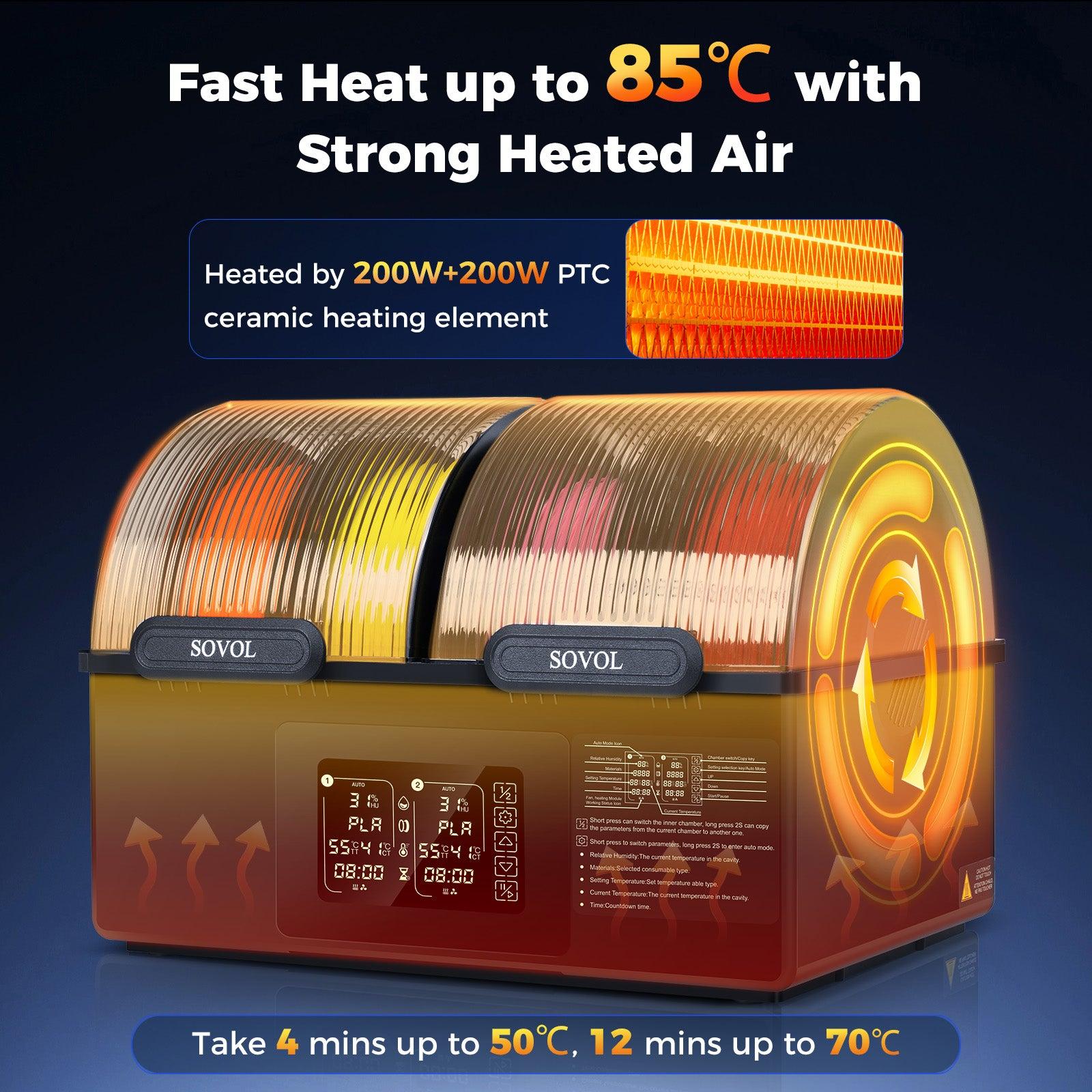
You want to stop problems like stringing and popping. The Sovol SH03 filament dryer helps you dry filament before printing. It uses heat and airflow to take out moisture. You put your filament inside the dryer. The SH03 heats up to a set temperature. The heat makes water in the filament turn into vapor. Airflow inside the dryer moves the vapor away. This leaves your filament dry and ready.
Drying filament with the Sovol SH03 stops wet filament issues. You avoid problems like uneven extrusion and popping. Removing moisture keeps steam from forming inside the filament. This means no bubbles or popping sounds. Your prints will not have weak spots. You also get less stringing and blobs. The Sovol SH03 helps you make smooth and strong prints.
Tip: Always dry filament that has been left out. Even a few hours in the air can let moisture in. Some filament types are more affected by humidity.
Key Specs and Safety Features
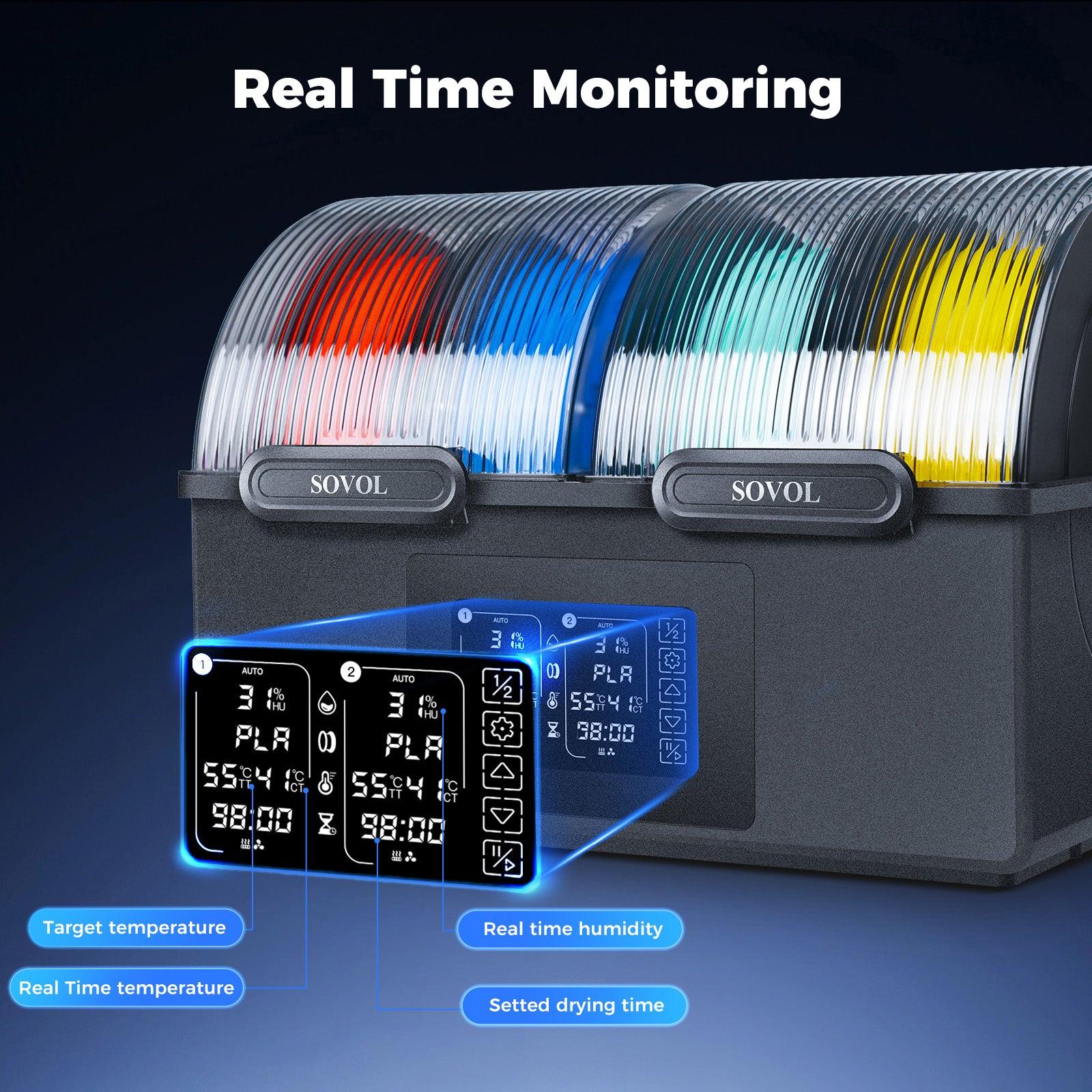
The Sovol SH03 filament dryer has many helpful features. You can change the temperature and humidity settings. This lets you match the needs of different filaments. The display shows humidity and temperature inside the dryer.
Here is a table with the main temperature and humidity ranges:
|
Parameter |
Range |
|---|---|
|
Display Humidity Range |
0-99% |
|
Display Temperature Range |
0-99°C |
|
Work Temperature Range |
45°C-85°C |
|
Environmental Parameters |
5°C-40°C |
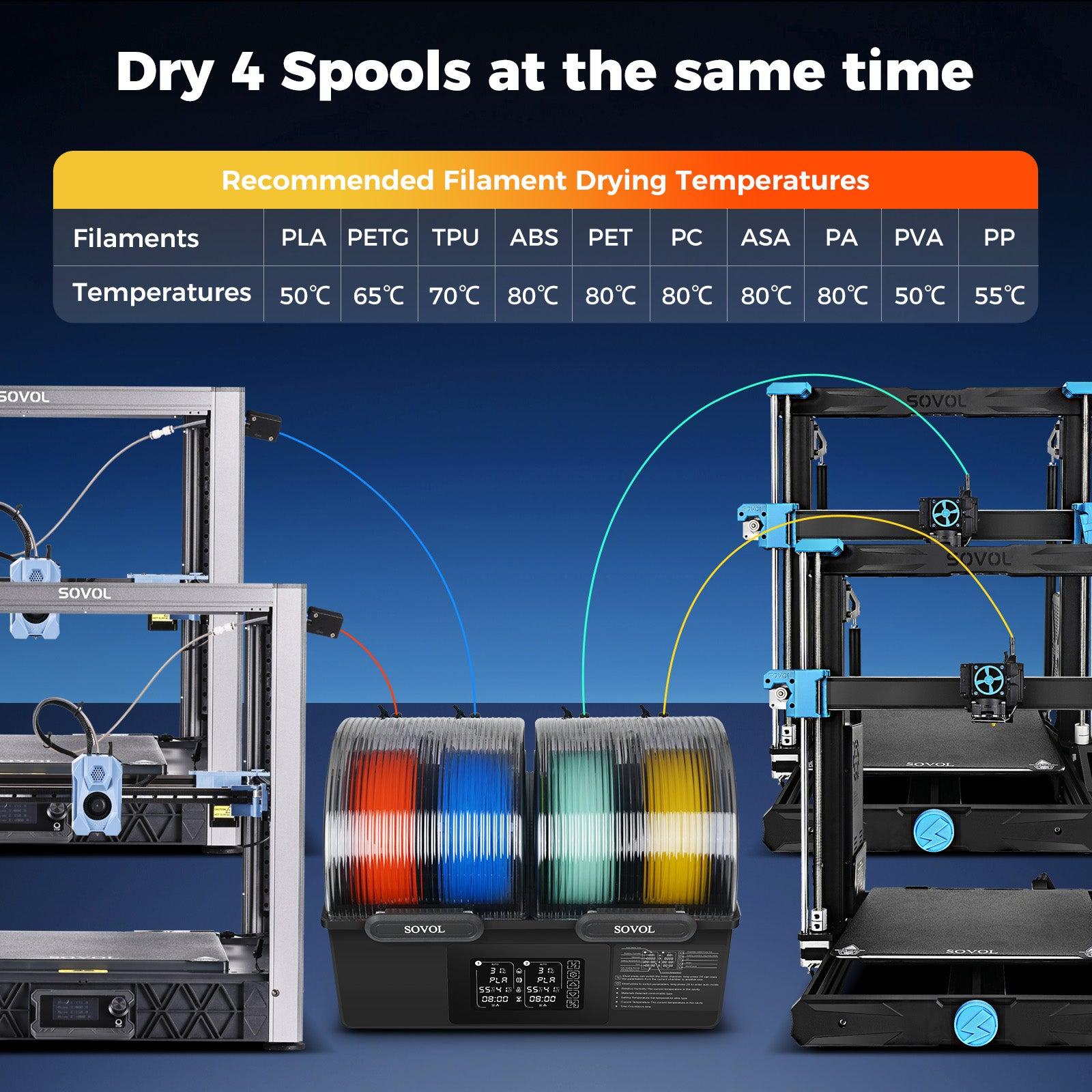
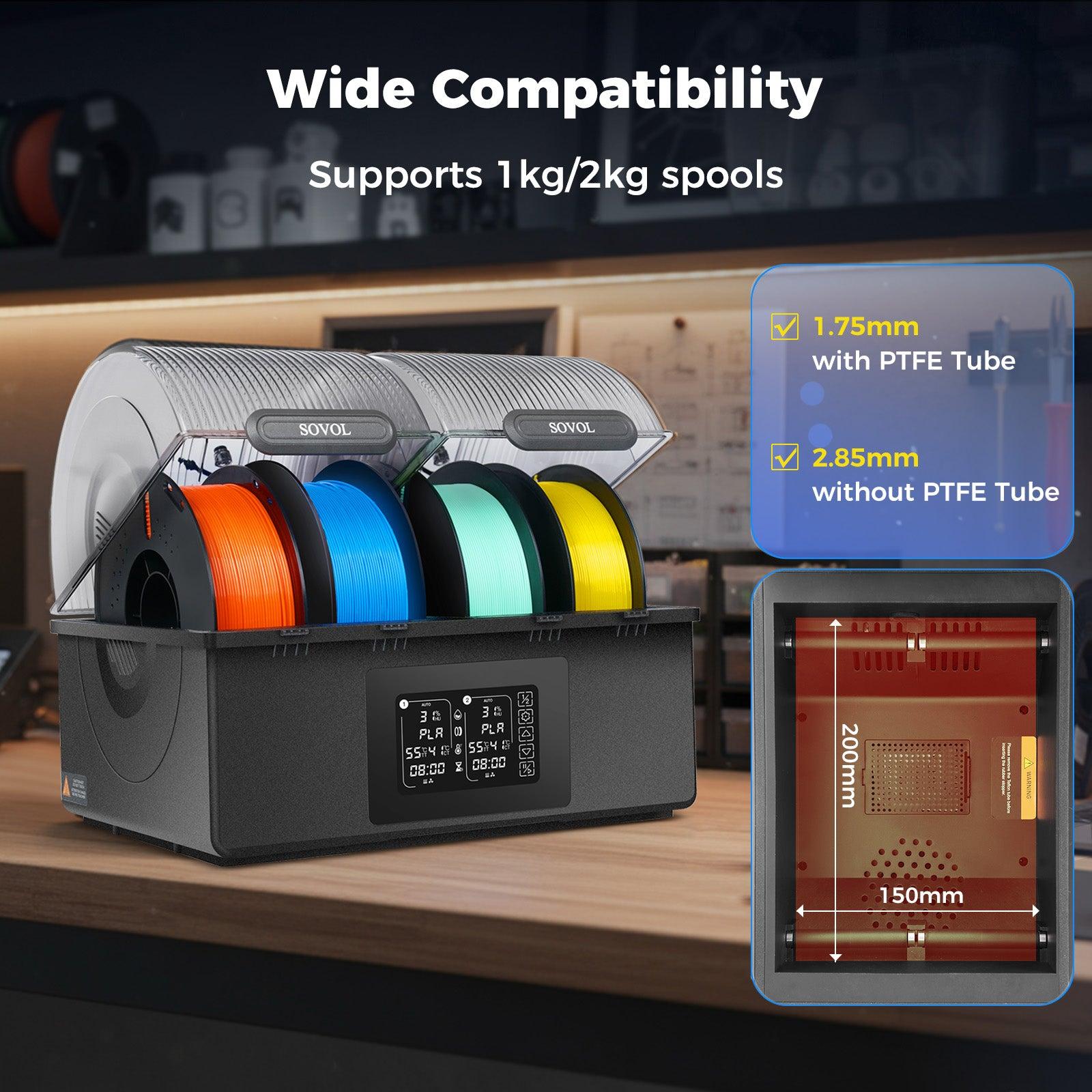
You can dry up to four rolls at once if each roll is up to 70mm wide. For bigger rolls, you can fit two rolls up to 150mm wide. This helps you get ready for more printing projects and saves time.
The Sovol SH03 filament dryer is quiet. It makes less than 50dB of noise. You can use it at home or work without bothering anyone. The quiet sound lets you focus or relax while drying filament.
|
Feature |
Detail |
|---|---|
|
Below 50dB |
|
|
Benefit |
Keeps things peaceful while you work or relax. |
Safety is important when drying filament. The Sovol SH03 uses materials that handle high heat. The top cover protects your hands from burns. The Teflon connector and tight seal keep moisture out. You can add desiccants for extra moisture control.
The Sovol SH03 filament dryer costs $109.00. This is less than the regular price of $159.00. It is a good choice for people who want better prints and fewer problems from wet filament.
Supported Filament Types
You can use the Sovol SH03 filament dryer with many filament types. It works with materials that often have moisture problems. Here are the filament types you can dry:
- PLA
- ABS
- PETG
- TPU
- PVA
- ASA
- PA
- PP
- PC
- PET
These filaments can soak up moisture from the air. Nylon (PA) and PVA are most affected by humidity. Drying these filaments with the Sovol SH03 stops problems like underextrusion and bad print quality.
Note: Always check the right drying temperature for each filament. Using the correct settings keeps your filament safe and gives you the best results.
The Sovol SH03 filament dryer helps you control drying and storage. You can get your filament ready for printing. This stops wet filament problems and gives you good prints every time.
Using the SH03 for Best Results
When to Dry Filament
You should dry filament before each 3d print. Wet filament can cause stringing, popping, and weak prints. Filaments soak up water from the air, even if stored for a short time. If you are not sure about moisture, dry filament first. Dry filament gives you smooth surfaces and strong layers. This helps you avoid problems and saves time.
- Dry filament before printing if it feels rough or looks cloudy.
- Always dry filament after it sits out or gets wet.
- Dry filament if you hear popping or see bubbles while printing.
Recommended Settings
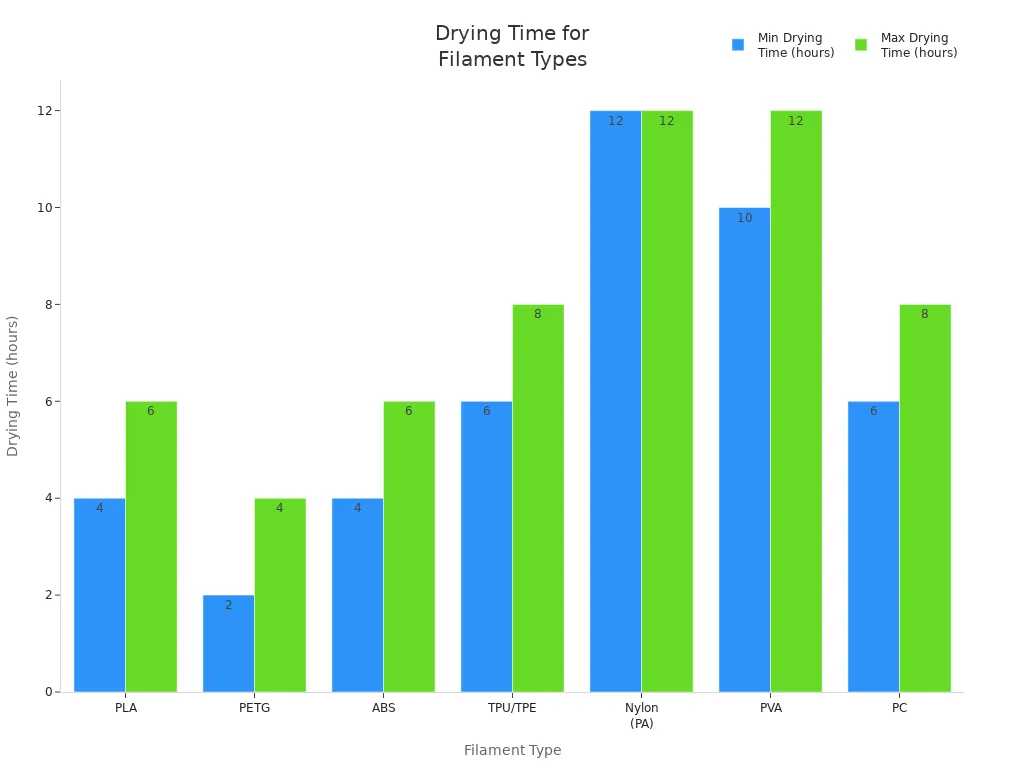
Picking the right settings helps you stop wet filament problems. The Sovol SH03 lets you set temperature and drying time for each filament. Use the table below to find the best settings for your filament:
|
Filament |
Dryer Temperature |
|
|---|---|---|
|
PLA |
55°C (131°F) |
> 6 |
|
ABS |
65°C (149°F) |
> 6 |
|
PETG |
65°C (149°F) |
> 6 |
|
Nylon |
75°C (167°F) |
> 24 |
|
PVA |
45°C (113°F) |
> 24 |
|
TPU/TPE |
55°C (131°F) |
> 8 |
|
ASA |
65°C (149°F) |
> 8 |
|
PC |
75°C (167°F) |
> 12 |
|
PEEK |
120°C (248°F) |
> 24 |
Common Mistakes to Avoid
You can stop problems by drying filament the right way. Many people leave filament out in the air too long. Some forget to use airtight boxes or skip desiccants. Using the wrong temperature can make filament wet again. Remember, PLA, PVA, ABS, and nylon soak up water fast.
Tip: Always check the right temperature and drying time for your filament. Store dry filament in sealed boxes with silica gel to keep it safe.
Practical Workflow for Drying Filament with SH03:
- Put filament inside the SH03 dryer.
- Use the PTC ceramic heaters for safe drying.
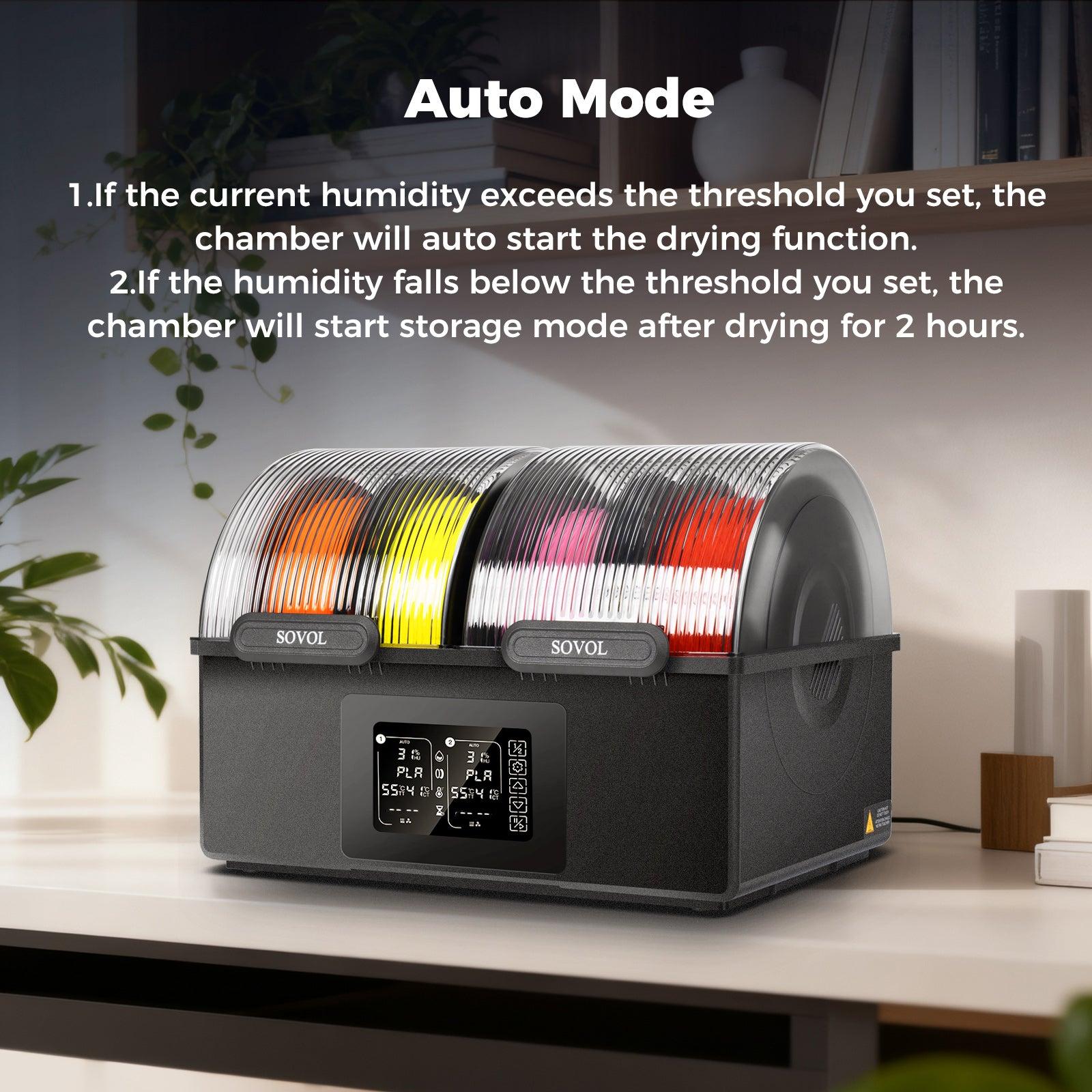
- Turn on AUTO dehumidification if the air is wet.
- Watch the temperature and humidity on the screen.
- Let the exhaust fan blow out wet air.
- After drying, close the vents to keep filament dry.
Dry filament helps you stop wet filament problems and makes your 3d prints better.
You can fix wet filament problems in 3d printing with the Sovol SH03 Filament Dryer. Many filaments soak up water from the air. This causes stringing, popping, and weak prints. Dry filament makes your prints smoother and stronger. You will have fewer mistakes and failures. Drying filament before each print saves you time and stops waste. Buying a filament dryer helps you avoid these problems. It keeps your 3d printing projects working well.
|
Advantage |
Dry Filament Benefits |
Wet Filament Issues |
|---|---|---|
|
Print Quality |
Smooth, strong, consistent |
Stringing, popping, rough |
|
Reliability |
Fewer failures, less waste |
More problems, wasted time |
Tip: Always dry your filament before printing. This helps you stop problems and get the best results.
FAQ
What causes stringing in 3D prints?
Stringing happens when melted filament leaks from the nozzle as it moves. Moisture in the filament makes this worse. You often see thin plastic threads between parts. Drying your filament helps stop stringing.
Why do I hear popping sounds during printing?
You hear popping when water inside the filament turns to steam. The steam escapes as the filament heats up. This causes noise and can make bubbles or weak spots in your print.
How can I tell if my filament is wet?
Look for extra strings, bubbles, or rough spots on your prints. Listen for popping or sizzling sounds. Wet filament may also feel rough or look cloudy. Dry filament feels smooth and prints cleanly.
How long should I dry my filament?
Drying time depends on the filament type. For PLA, dry for at least 6 hours at 55°C. Nylon and PVA need over 24 hours. Always check the recommended settings for your material.
Can I use the Sovol SH03 for all filament types?
Yes, you can use the Sovol SH03 with many filaments like PLA, ABS, PETG, TPU, and nylon. Adjust the temperature and drying time for each type. Always follow the guidelines for best results.