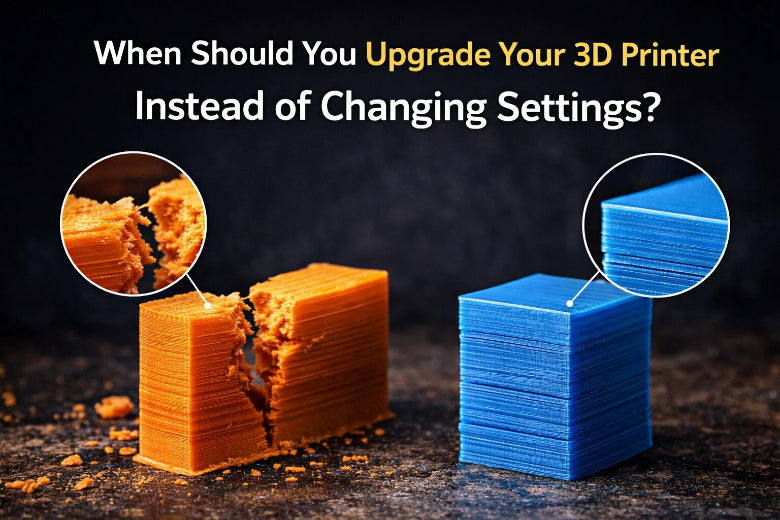
Have you ever asked why your 3D prints still fail, even after you change every setting? Sometimes, your machine just cannot do what you need. You might see it break a lot, make rough prints, or work too slowly. If your printer seems old or cannot use new materials, you are not the only one. In the fix vs upgrade 3D printer debate, hardware limits often mean you should get a new one.
Key Takeaways
- If your printer breaks a lot, it may be time to upgrade. When fixing takes longer than printing, think about getting a new printer.
- If your prints look bad after you try to fix them, the hardware might be the problem. If changing settings does not help, you may need a better printer.
- Old hardware cannot use new materials well. If your printer cannot handle new stuff, you might need a new one.
- A slow printer wastes your time and materials. Getting a new printer can make things faster and help you work better.
- Think about what you need from your printer. If your printer cannot do what you want, it may be time to buy a new one.
Signs You Need to Upgrade or Replace
Frequent Breakdowns
You know the frustration when your printer stops working in the middle of a job. If you find yourself fixing parts every week, your printer might be telling you it’s time for a change. Constant repairs can eat up your time and money. When you spend more time troubleshooting than printing, your hardware is likely the problem—not your settings.
Tip: If your printer is more than five years old and you’re always replacing belts, motors, or hotends, consider an upgrade. Newer models run smoother and break down less.
Poor Print Quality After Tuning
You’ve tried everything—adjusted temperatures, slowed down speeds, and tweaked retraction. Still, your prints look rough or have gaps. Consistent print quality issues, even after you tune every setting, usually point to hardware limits. Maybe your extruder skips steps, or your frame wobbles. These problems won’t go away with software tweaks.
- If every print has the same flaws, your hardware may be worn out or outdated.
- If only one model fails, check your design or slicer settings instead.
Outdated or Incompatible Hardware
Older printers can’t always keep up with new materials or software. You might notice that some filaments don’t stick well or that your printer needs constant recalibration. Outdated machines often struggle with modern slicers or advanced features. You may also hear more noise and feel more vibrations.
If your printer can’t use new filaments or connect to updated software, it’s probably time for a replacement.
Slow Performance and Workflow Issues
Does your printer take forever to finish a job? Slow performance can waste both time and material. Long print times can cause nozzle clogs or poor surface finishes. Sometimes, slowing down helps with detail, but if your printer is always slow, you lose efficiency.
Upgrading your hardware is the best way to boost speed and workflow. If you want faster, cleaner prints, a new machine may be the answer.
Fix vs Upgrade 3D Printer: How to Decide
You might ask if you should keep changing settings or get new hardware. The fix vs upgrade 3d printer question is common for most people. Let’s look at what settings can fix, what needs new parts, and when you should get a new printer.
What Settings Can Fix
Most 3D printing problems come from settings, not hardware. You can fix many issues by changing slicer or printer controls. Here’s a quick guide to what you can solve without buying new parts:
|
Problem |
What You See |
Settings to Try |
|---|---|---|
|
Empty lines, gaps, or no filament on first layers |
Prime extruder, adjust nozzle/first layer height, babystep Z offset |
|
|
Print not sticking to bed |
Prints peel off or don’t start |
Level bed, slow first layer speed, adjust nozzle/first layer height |
|
Elephant’s foot (bulging base) |
Bottom of print bulges out |
Level bed, increase first layer height |
|
Infill shows on outside |
Grid pattern visible on surface |
Add more surface layers, slow top infill speed |
You can also change things like flow rate, layer height, print speed, nozzle temperature, shell thickness, retraction, and cooling. Lowering print speed can help with under-extrusion. Raising nozzle temperature can help filament flow better. If you see rough surfaces or stringing, try changing retraction or cooling.
Tip: Calibrate your printer often. Small changes can really help print quality.
Problems Only Hardware Upgrades Solve
Sometimes, changing settings will not fix your prints. If you keep having the same problems, your hardware could be the cause. Here are some problems that usually need an upgrade:
- Your extruder slips or skips steps, even after calibration. Many people switch to a better extruder, like a BMG, to fix this.
- The cooling fan is too weak, so bridges droop or overhangs look bad. A stronger cooling system helps with this.
- The hotend clogs a lot or can’t get hot enough. A new hotend can fix this and let you use more materials.
Firmware updates can help with some things, like steadier temperatures or fewer errors. But if your hardware is old, even the best firmware can’t fix everything. Hardware upgrades, like a new hotend or extruder, make prints better and more reliable.
If you want faster prints, hardware upgrades can make them 30-50% quicker. Using a bigger nozzle, a better heater cartridge, or a new extruder can save hours on big prints.
When Replacement Is Better Than Upgrading
Sometimes, upgrading parts is not enough. If your printer breaks a lot, wastes material, or is always slow, a new machine might be best. Here’s when replacing your printer makes sense:
- You spend more time fixing than printing. New printers need less work and break less often.
- Your prints fail a lot, even after upgrades. Good machines give you better results and waste less filament.
- Your workflow is slow and hard to use. Modern printers are faster and fit busy schedules better.
The fix vs upgrade 3d printer choice is not always simple. If you have tried settings and upgrades but still have trouble, a new printer can save time, money, and stress. You will get better prints, faster jobs, and a smoother experience.
Note: Don’t waste hours trying to fix things if your hardware is too old. Sometimes, getting a new printer is the best idea.
The right choice depends on your goals, your printer’s age, and how much time you want to spend fixing things. Use these tips to help you decide if you should keep tuning, upgrade, or replace your 3D printer.
Decision Checklist for Upgrading or Replacing
Step-by-Step Evaluation
You want to make the right choice for your 3D printer. Start by asking yourself a few simple questions:
- What do you use your printer for? Is it for prototypes, school projects, or production parts?
- Does your printer meet your needs for accuracy and surface finish?
- Can your printer handle the size of most parts you want to make?
- Are you happy with the materials you can use, or do you want to try new ones?
- How fast do you need your prints to finish?
- How much time do you spend on maintenance and repairs?
If you answer “no” to several questions, your printer may not fit your workflow anymore. You might need to consider the fix vs upgrade 3d printer decision.
Time and Cost Comparison
Let’s break down what you spend on your printer. Use this table to compare your options:
|
Factor |
Upgrading Parts |
Buying New Printer |
|---|---|---|
|
Initial Cost |
Lower |
Higher |
|
Setup Time |
Short |
Longer |
|
Maintenance |
May decrease |
Usually lowest |
|
Material Choices |
Some improvement |
Best options |
|
Print Quality |
Better than old |
Best available |
|
Reliability |
Improved, but varies |
Highest |
You save money by upgrading, but new printers often give you better reliability and more features. New models include things like automatic bed leveling and better thermal management, which help you avoid common problems.
Real-World Upgrade Results
Many users say upgraded printers work better than old ones. You get fewer breakdowns and smoother prints. Still, new printers often win for reliability, especially if you want features like auto-leveling or advanced cooling. Your results depend on how comfortable you are with upgrades and repairs.
If you want less hassle and more time printing, a new printer might be the best choice. If you enjoy tinkering and saving money, upgrading can work well.
Use this checklist to decide what fits your needs. Think about your time, budget, and what you want from your 3D printer. The right choice helps you print more and worry less.
Budget and Practical Tips
Cost-Effectiveness of Upgrades
You want better prints but not to spend a lot. Upgrading parts can help your printer work much better for less money. Many people find that changing a few important parts makes their printer feel new again. Here are some upgrades that give you good value:
- Nozzle upgrades, like hardened steel or E3D’s Nozzle X, last longer and work with more materials.
- Geared extruders, such as Bondtech or E3D Titan, give more power and control. You get smoother prints with strong filaments.
- Precision heater cartridges keep the temperature steady. This helps stop failed prints.
- Printer enclosures help keep the temperature stable. You see less warping, especially with ABS.
You can also upgrade driver boards, displays, heat beds, or use upgrade kits. These parts usually cost less than buying a new printer. If you print upgrade parts at home, you only pay for materials and electricity. This makes upgrades even cheaper.
Upgrade Parts vs Buy New
You might wonder if you should upgrade or buy a new printer. Let’s look at how they compare:
|
Option |
Upfront Cost |
Setup Time |
Reliability |
Features |
|---|---|---|---|---|
|
Upgrade Parts |
Low-Medium |
Short |
Improved |
Some new options |
|
Buy New |
High |
Longer |
Best |
Latest tech |
Upgrading parts helps you save money. You get better prints without spending a lot. Many people say upgrades make their printer last longer and work better. If you like fixing things, upgrades are a good idea. If you want the newest features and less work, buying new might be better.
Future-Proofing Your Setup
You want your printer to stay useful as technology changes. Here are some ways to keep your setup ready for the future:
- Try AI tools for design and manufacturing. These can make your work faster and help you make better products.
- Focus on reliability and meeting industry standards. This is important if you want to use your printer for business or healthcare.
- Use online marketplaces for manufacturing. These sites help you get quotes and pick the best process for your needs.
Thinking about the fix vs upgrade 3d printer question helps you plan ahead. Smart upgrades and good habits keep your printer working well and ready for new things.
You have lots of options with your 3D printer. First, look at things like material, infill, resolution, nozzle size, and print speed. Try easy fixes if you want better prints:
- Make sure the bed is flat
- Look at the belts and rods
- Put oil on moving parts
- Update the firmware
- Use an enclosure to keep prints steady
If your printer still has problems, use the checklist to see if you should upgrade or get a new one. Always pick changes that save money and work for you.
FAQ
Why should you upgrade your 3D printer instead of just changing settings?
You should upgrade when your printer’s hardware limits your results. If you keep seeing the same problems after adjusting settings, new parts or a new printer can solve issues that settings alone cannot fix.
Why do old printers struggle with new materials?
Older printers often lack the right temperature range or hardware features. You may find that new filaments need higher heat or better cooling. Upgrading lets you use modern materials with fewer problems.
Why does print quality stay poor even after tuning?
If you adjust every setting and still get rough prints, your hardware might be worn out. Wobbly frames, weak motors, or old hotends can cause flaws that settings cannot fix.
Why is upgrading sometimes better than buying a new printer?
Upgrading costs less and can give your printer new life. You can swap out key parts and improve performance. If you enjoy tinkering, upgrades help you learn and save money.
Why do workflow issues mean you should consider a replacement?
Slow prints and frequent breakdowns waste your time. New printers offer faster speeds and better reliability. If you want smoother workflow and less hassle, replacing your printer makes sense.