







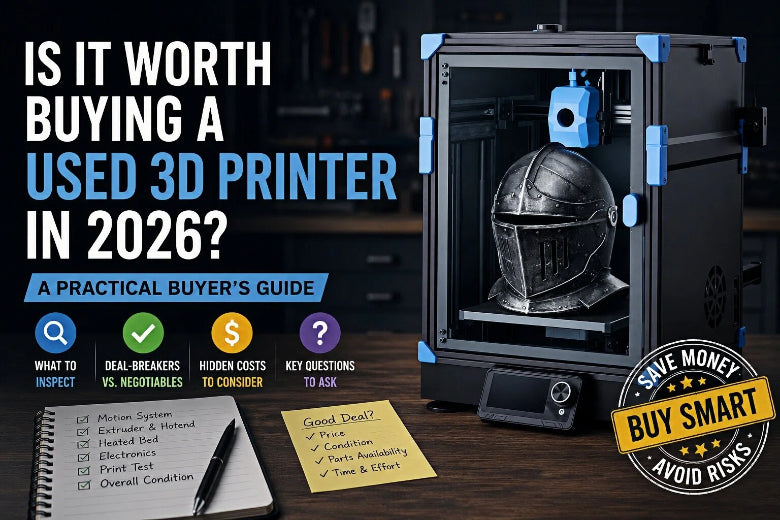
For advanced FDM users, the real question isn’t “Is used cheaper?” It’s:
- Can you verify it prints without mystery issues?
- Are the parts ecosystem and documentation still alive?
- Is the “deal” still a deal after you factor in time, spares, and rebuild work?
Key takeaways
- A used 3D printer is worth it when you can verify smooth motion, stable heating, and a clean extrusion path—ideally with a live demo. A used 3D printer checklist (with deal-breakers vs negotiables) will save you from paying full price for someone else’s maintenance debt.
- The biggest money traps are worn motion systems, overheated electronics, and printers with unclear mod history or poor parts availability.
- Separate deal-breakers (walk away) from negotiables (discount items) before you meet the seller.
- Budget for immediate maintenance: nozzles, bed surface, belts, and “unknown unknowns.”
What “worth it” really means for an advanced FDM buyer
If you already know how to tune a slicer and you’re comfortable swapping parts, used hardware can be a smart way to:
- add capacity (a second printer for long jobs)
- try a different motion platform (e.g., moving from bedslinger to CoreXY)
- pick up a “project printer” on purpose
But if you need a printer that’s reliable tomorrow for functional parts or small-batch work, used gets risky fast.
A helpful mental model: you’re not buying a printer—you’re buying a history. If the history is unclear, you’re paying with your time.
When buying used is worth it
Look for these green flags:
- The seller can show a recent print or run a short demo.
- The printer has a strong parts ecosystem (community mods, common spares, active documentation).
- Wear items have been replaced recently (nozzle, belts, fans, bed surface), or the price reflects that they haven’t.
- The machine is clean, wiring looks intentional, and nothing feels “held together by vibes.”
According to Pivot AM’s used 3D printer buyer’s guide checklist, asking detailed questions up front (age, replaced parts, original vs modified components) is one of the fastest ways to reduce surprises.
When buying used is a bad deal
These are the listings that turn “cheap” into “expensive”:
- The seller won’t answer basic questions—or answers change.
- The printer was heavily modified, but there’s no documentation of what was changed.
- The machine can’t complete a simple test print without excuses (“it just needs tuning”).
- Replacement parts are hard to source, or the model is effectively abandoned.
⚠️ Warning: If the seller can’t demonstrate extrusion + motion + heating working together, assume you’re buying a repair project.
Deal-breakers vs negotiables
Here’s a simple decision table you can use before you start negotiating.
|
Category |
Deal-breaker (walk away) |
Negotiable (discount item) |
|---|---|---|
|
Motion system |
Binding, grinding, obvious play, bent rails/rods, frame damage |
Belts a bit loose; wheels/rollers need adjustment |
|
Electronics |
Burnt connectors, hacked wiring, random resets |
Noisy fan, messy cable management |
|
Hotend/extrusion |
Leaks, chronic jamming during demo, damaged heater wiring |
Worn nozzle, dirty hotend, needs a fresh PTFE tube (if applicable) |
|
Bed/first layer |
Bed won’t heat, severe warp symptoms, leveling system broken |
Bed surface scratched; needs cleaning/leveling |
|
Support/parts |
No parts availability, proprietary “dead-end” components |
Missing accessories (spools, tools) |
|
Seller behavior |
Won’t demo, won’t share photos/video, evasive answers |
Doesn’t know technical details but is transparent |
If you want a sanity check on wear expectations, Ultimaker notes in Understanding the Lifespan of a 3D Printer (2025) that print duration/volume and the materials used can accelerate component wear—so a machine that ran abrasive filaments or long jobs should be priced differently than a lightly used hobby printer.
A 10-minute used 3D printer inspection checklist
This is designed for a marketplace pickup where you have limited time.
1) Cold motion test (power off)
- Move X/Y/Z through full travel.
- You’re feeling for: tight spots, grinding, notchiness, wobble, slop.
If it doesn’t move smoothly by hand, it won’t magically get better under power.
2) Belts, pulleys, and fasteners (30 seconds each)
- Look for fraying, dust buildup, and uneven belt wear.
- Check for obvious loose fasteners and a “rattly” gantry.
For a quick maintenance baseline after purchase, SOVOL’s VFAs and maintenance checklist is a good reference for belts/rails cleanliness and general tightness checks.
3) Hotend heat + extrusion test
Ask the seller to heat the hotend and extrude a small amount of filament.
Red flags:
- clicking/grinding during extrusion
- wildly inconsistent flow
- visible leaking around the nozzle/heat block
A practical list of nozzle wear symptoms is covered in Micromelon’s How to Maintain a 3D Printer (nozzle signs).
4) Bed heat + first-layer test
If the seller is willing, run something small and fast:
- a first-layer square or grid
- a quick calibration print
First-layer problems aren’t always a deal-breaker—but they’re a clue. If the seller has to fight it for 10 minutes, you’re inheriting that fight.
If you need a refresher on what “normal” bed setup looks like, SOVOL’s manual bed leveling guide is a solid baseline.
5) Listen for “expensive noises”
- screaming fans
- bearing squeal
- harsh scraping during travel
These are often cheap parts, but they can also indicate deeper neglect.
Before you buy a used 3D printer: copy/paste questions to message the seller
Use these verbatim. You’re looking for clarity, not perfection.
- How old is the printer, and why are you selling it?
- Do you know the approximate print hours (or how often it was used)?
- What parts have been replaced recently (nozzle, belts, fans, bed surface, hotend parts)?
- Has it been modified? If yes, can you list the mods and share firmware/config details?
- Can you send a short video that shows: homing, heating the hotend/bed, and a first layer?
- What’s included (spare nozzles, extra build plates, tools, enclosure, filament)?
Kingroon’s guide on how to find used 3D printers echoes a simple rule: don’t rely on photos alone—ask for detailed photos and proof it actually prints.
Hidden costs to budget for (so you don’t “win” a bad deal)
Even when the printer is basically fine, used machines often need a reset to become predictable.
Plan a small “bring-it-back-to-zero” budget for:
- nozzle(s)
- fresh build surface or PEI sheet (if the existing one is worn)
- belts (if frayed or permanently stretched)
- fans (if noisy)
- spare thermistor/heater cartridge (cheap insurance)
Also budget time:
- cleaning and re-lubing
- rebuilding slicer profiles
- re-tramming the bed and validating Z-offset
All3DP’s 3D printer maintenance tips (2025) are a good reminder of how much reliability comes down to simple recurring checks—especially on a machine you didn’t maintain yourself.
The first 72 hours after you bring it home
If you buy used, do this before you trust it with a 12-hour functional print:
- Clean and inspect: remove dust, check wiring routes, tighten obvious fasteners.
- Baseline the extrusion path: new nozzle if needed, confirm smooth filament feeding.
- Re-level / re-mesh: treat the bed as unknown until proven.
- Run standard test prints: validate motion + cooling + extrusion.
If you need a small set of repeatable models, Obico’s list of free 3D printer test models is a useful starting point.
FAQ
Is a refurbished 3D printer safer than used?
Often, yes—if refurbished means it was inspected, worn parts were replaced, and you get some kind of support window. The risk is “refurbished” being used as a marketing word with no documentation.
How old is “too old” for a used printer?
It depends less on calendar age and more on parts availability, firmware/community support, and wear. A lightly used, well-supported model can be a better buy than a newer printer that’s abandoned or proprietary.
Should I avoid a printer that’s been modified?
Not automatically. Mods can be a sign of a capable owner—but only if they’re documented and stable. A modded printer with no config notes is a gamble.
What’s the easiest way to spot a neglected printer?
Messy wiring, dusty electronics vents, dry or dirty rails, and a seller who can’t explain basic maintenance. Neglect usually shows up in both the machine and the answers.
Next steps (light SOVOL resources)
If you end up buying used, here are a few practical guides you can bookmark for the first week:
Pro Tip: If you’re evaluating a used printer for high-speed work, plan to re-run resonance and motion tuning after setup. SOVOL’s input shaping workflow is a good reference for what that process looks like.











