







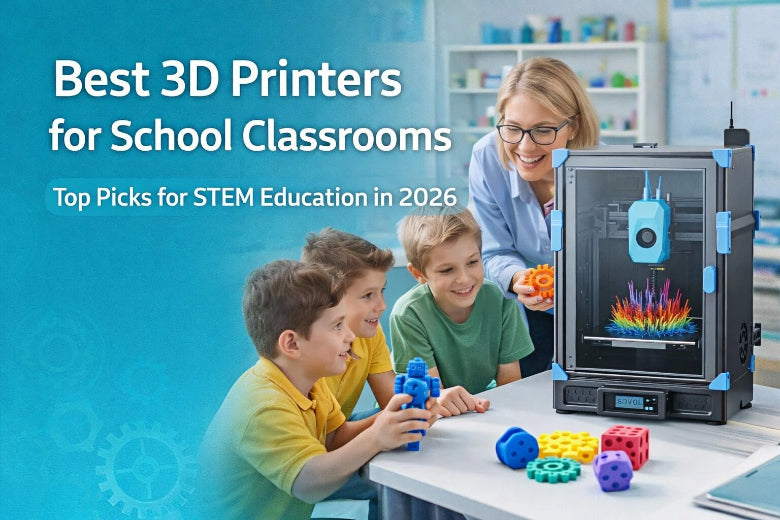
You can see how a 3D printer for school is transforming education significantly. The Bambu Lab A1 mini is the best 3D printer for classrooms in 2026. Teachers say it is great for schools because it is simple, safe, and works well. Students learn quickly with its easy touchscreen and straightforward menus. Maintenance alerts and QR codes help you keep it functioning optimally. You get the best value for your classroom. This model is affordable and enhances the use of 3D printing in lessons.
|
Feature |
Description |
|---|---|
|
Safety Features |
Regular checks and reminders for maintenance |
|
Ease of Use |
Easy setup and calibration; simple interface |
|
Classroom Suitability |
Designed to be reliable and easy to use in schools |
Key Takeaways
- The Bambu Lab A1 mini is the best pick for classrooms in 2026. It is safe, works well, and is easy to use.
- Pick 3D printers that are simple to use and safe. They should not need much fixing. This helps students learn better.
- Use 3D printing in class by matching projects to lesson goals. This lets students learn by doing and be creative.
- Check the 3D printer often and have a clear care plan. This keeps the printer working well and makes it last longer.
- Pick a printer that fits your classroom and student ages. This makes learning safe and works well for everyone.
Comparison Table for 3D Printers for Educators
Key Features Overview
If you want a 3d printer for school, look for one that is easy to use. It should be safe and reliable for students. The top 3d printers in 2026 are Bambu Lab A1 mini, Creality Ender-3 V3 KE, and Creality K1C. Each one has special features to help teachers and students.
|
Model |
Reliability Features |
Classroom Integration Features |
Price Range |
|---|---|---|---|
|
Bambu Lab A1 mini |
Works well right away, needs little care |
Auto bed leveling, fast print, built-in camera |
Mid-range |
|
Creality Ender-3 V3 KE |
Stays steady, easy for users |
Simple setup, open-frame design |
Best budget |
|
Creality K1C |
Strong build, prints fast |
Smart AI camera, tough for lots of use |
Higher-end |
The Bambu Lab A1 mini is very reliable and good for classrooms. Creality Ender-3 V3 KE is the best choice if you need a cheap 3d printer. Creality K1C is great for bigger classes or harder projects.
Tip: Pick a printer that fits your classroom size and your students’ ages. Safety and easy use are most important.
Pros and Cons Summary
It helps to know what is good and bad about each printer before you choose. Here is a quick list from teachers:
|
Printer Model |
Pros |
Cons |
|---|---|---|
|
Bambu Lab A1 mini |
Prints fast, uses many filaments, strong build |
Hard software, no cover, heated platform limit |
|
Creality Ender-3 V3 KE |
Cheap, steady, simple to use |
No touchscreen, no filament sensor, no camera |
|
Creality K1C |
Strong build, fast, smart camera |
Print quality drops at high speed |
Each printer is good for different needs. Bambu Lab A1 mini is best for most classrooms. Creality Ender-3 V3 KE is simple and cheap. Creality K1C is good for big projects and groups.
Top Pick: Best 3D Printer for School Classroom
Safety and Reliability
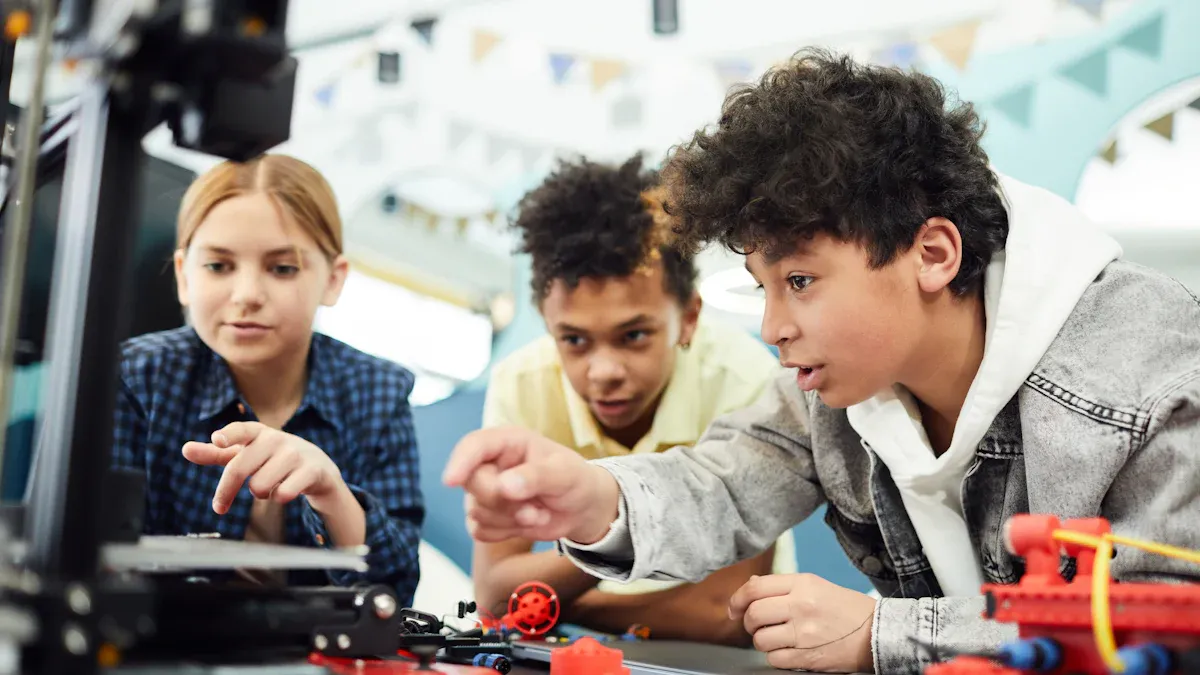
You want a 3d printer that keeps students safe. It should also help your lessons go well. The Bambu Lab A1 mini is the best for safety and reliability. This model comes already put together. You do not have to worry about hard setup or loose parts. You can use it right away. This saves time and helps you avoid mistakes.
- The small size fits in tight classrooms. It is easy to move from room to room.
- Auto-bed leveling makes sure every print starts right. This lowers the chance of failed prints and wasted material.
- The nozzle is easy to swap. You can change it fast. This means less time fixing and more time teaching.
The A1 mini is very reliable. It works well every day, even with lots of use. The printer reminds you when it needs care. This helps you keep it working great. You do not need to buy many different printers. One A1 mini can do many projects. This saves money and makes your 3d printer more useful.
Note: The Bambu Lab A1 mini’s safety and reliability make it the best for careful and stress-free printing in your k-12 classroom.
Ease of Use for Students
You want students to feel sure when using a 3d printer. The Bambu Lab A1 mini makes this easy. Setup is quick. You only need about 30 seconds to take off shipping brackets and add a few parts. Students can start printing right away, even if they are new to 3d printers.
- The touchscreen is simple and easy to understand. Students can pick files and start prints with a few taps.
- Pre-sliced files are ready to use. You do not have to deal with hard software.
- Wi-Fi and auto-orientation make it easy to send projects from any device in the classroom.
The A1 mini is simple for all ages. Younger students can learn basic skills. Older students can try harder projects. The design helps students focus on being creative and learning. They do not have to worry about fixing problems. This makes it a great choice for any 3d printing lesson.
Value for Education
You want the best deal when picking a 3d printer for school. The Bambu Lab A1 mini gives you great prints, cool features, and strong community help at a good price. This top pick helps you save money and gives students the best tools.
|
Feature |
Bambu Lab A1 Mini |
Other Budget Printers |
|---|---|---|
|
Price |
Affordable |
Varies |
|
User-Friendly Interface |
Yes |
Varies |
|
Advanced Bed-Leveling |
Yes |
Some models |
|
Automatic Filament Tuning |
Yes |
Limited |
|
Community Support |
Strong |
Varies |
You can use the A1 mini for many projects. It works for simple models and hard STEM activities. The printer’s high precision and print quality help students make detailed models. You do not have to worry about extra costs or pricey upgrades. The strong community means you can always find help and new ideas.
Tip: The Bambu Lab A1 mini is the best for teachers who want a 3d printer that is easy, reliable, and saves money. You can trust it to give great prints for every lesson.
The A1 mini is one of the best 3d printers for teachers. It works for k-12 classrooms, helps with STEM, and makes lessons fun. This top pick gives you great reliability, high precision, and good prints every time.
- The small and light design fits any classroom.
- The easy software and hardware help both teachers and students.
- The good price and strong support make it the best 3d printer for schools in 2026.
If you want a 3d printer that gives great prints, is easy to use, and is very reliable, the Bambu Lab A1 mini is the best choice. You can count on it to help your students, your lessons, and your school for years.
Alternative 3D Printers for Education
Budget-Friendly Option
If you need a cheap 3d printer for your classroom, you have many options. Schools want printers that cost less but still work well. These models are good for teachers who want to save money and get good prints. Here is a table showing some of the cheapest 3d printers for schools in 2026:
|
Model |
Price |
Build Volume (mm) |
Technology |
Pros |
Cons |
|---|---|---|---|---|---|
|
Anycubic Photon S |
$379.00 |
115 x 65 x 155 |
LCD |
Low price, easy to use, prints look nice, good for pros |
Small build area |
|
Flashforge Finder 2.0 |
$337.00 |
140 x 140 x 140 |
FFF/FDM |
Safe, simple, bed levels itself, quiet |
Small build area, no heated bed, prints slow |
|
Flashforge Adventurer 3 |
$449.00 |
150 x 150 x 150 |
FFF/FDM |
Cheap, uses many materials, easy to use |
Small build area |
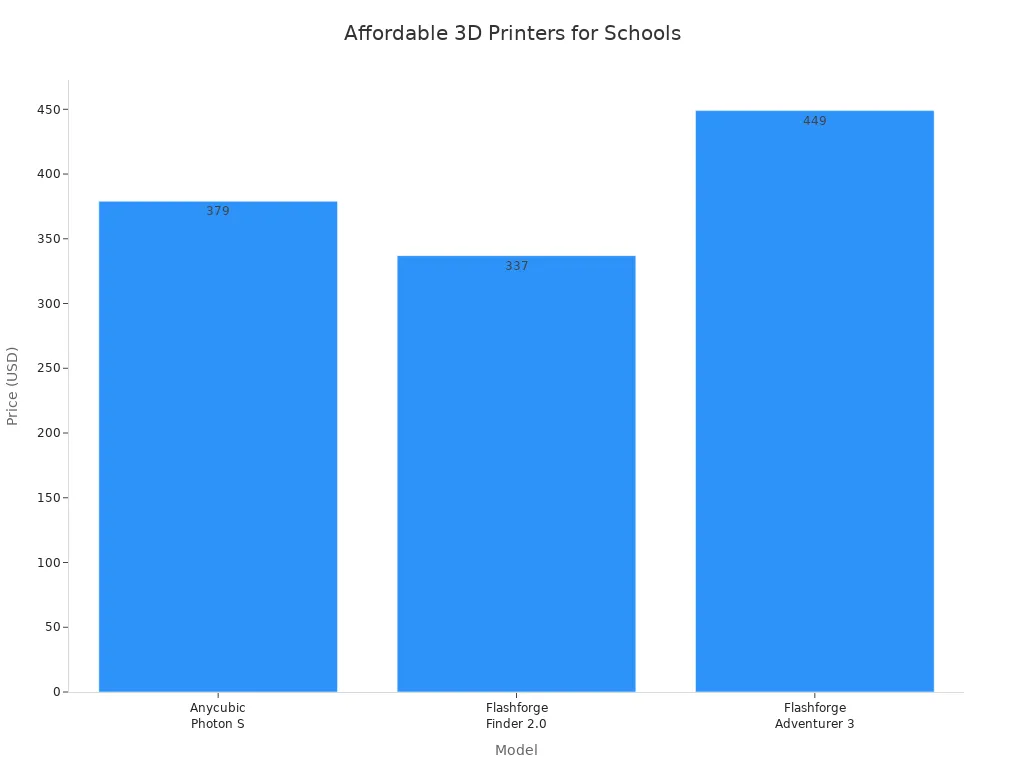
These printers are reliable and make good prints. They use different materials and are simple to use. They are best for small projects and basic 3d printing lessons.
Advanced Features for STEM
If your class does STEM or harder projects, you may want a printer with more features. The Creality K1C is easy to set up and has a simple guide. It has an AI camera that checks prints and tells you if there is a problem. The cooling system keeps prints looking good every time.
|
Feature |
Description |
|---|---|
|
User-friendly design |
Makes setup and use easy for students and teachers. |
|
Advanced cooling system |
Keeps prints cool and helps with school projects. |
|
AI capabilities |
Watches prints and warns about mistakes for hands-on learning. |
|
Creality OS |
Gives extra tools and lets you change settings for lessons. |
|
Creality Print slicer |
Helps prints cool smartly and makes them look better. |
|
Creality Cloud |
Lets you find free 3D models and print from the cloud in k-12 schools. |
These features help students be creative and try new ideas. They can make models and see their designs become real. Advanced 3d printers help students learn by doing and connect lessons to real life.
Large Classroom Solutions
If your classroom is big or has over 30 students, you need a printer that is strong and safe. The Creality Ender-3 V3 KE is a good pick for middle school. It is simple to use and saves money. Many printers for big classes have covers to keep students safe, especially younger kids.
Tip: Pick a 3d printer for school that lasts long and can print for many hours. Some printers, like Airwolf 3D, print fast so students see their work in one class.
You can reach your teaching goals with the best 3d printers for any classroom size. These printers give you great prints and keep students interested in every lesson.
Choosing a 3D Printer for School
When picking a 3d printer for school, make sure it fits your classroom. Look for features that keep students safe. The printer should be easy for everyone to use. Teachers need help managing lessons. The right printer supports your k-12 curriculum. It gives high-quality prints for every lesson.
Safety Features
Safety is most important in any classroom. You want a printer that protects students from heat and moving parts. Check for these features:
- Enclosed print chamber keeps hands away from hot parts.
- Automatic door locks and stays shut while printing.
- Non-toxic PLA filament is safe for classroom use.
- Safety locks or alarms stop injuries.
User-Friendly Design
You want a printer that is easy for teachers and students. Simple design helps everyone learn fast and enjoy printing. Look for:
- Controls that are easy to understand and use.
- Features that make technology simple for everyone.
- PLA filament is cheap, biodegradable, and comes in many colors.
A user-friendly printer makes students more interested in 3d printing. It helps them focus on learning and being creative.
Maintenance and Support
Pick a printer that is reliable and easy to care for. Good support helps you fix problems quickly. Choose a model with:
- Clear alerts for maintenance and simple guides.
- Strong community support for fixing issues.
- Cost-effective so you spend less on repairs.
High precision and steady print quality make the best printers stand out in class.
Software Integration
Software helps with lesson planning and classroom management. The right platform organizes projects and tracks student progress.
|
Software Platform |
Features |
|---|---|
|
MakerBot Digital Factory |
Manages student work, printers, and projects from any device. |
|
3D Printer OS |
Cloud access for saving, managing designs, and working together between classrooms. |
- Free lesson plans and curriculum from MakerBot.
- Version tracking stops loss of work during projects.
When picking a 3d printer for school, focus on safety, easy design, simple maintenance, and strong software. These features help you get great prints, support stem learning, and make every lesson successful.
Classroom Implementation Tips
Integrating 3D Printing in Lessons
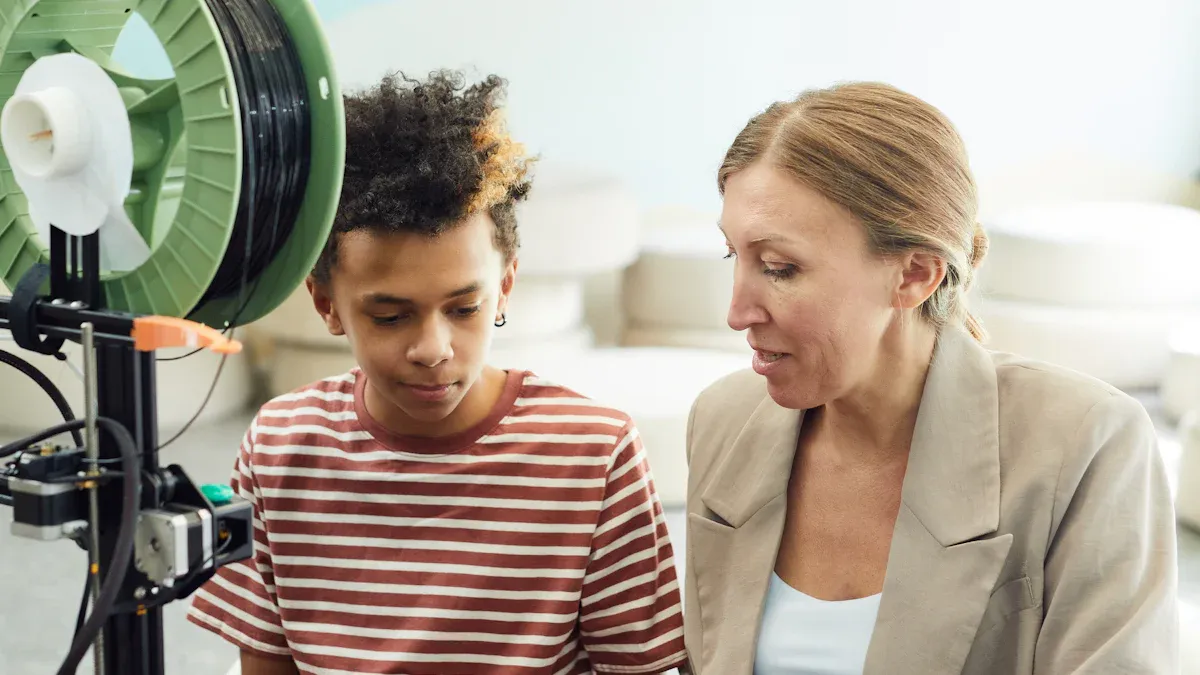
You can use 3D printing to help students learn better. First, match your projects to what you teach in class. For example, students can make models for science, math, or history. Try these ideas:
- Pick projects that fit what you want students to know.
- Let students make and print their own designs with hands-on work.
- Mix subjects by doing projects like building a bridge for both math and engineering.
- Ask students to solve real problems using 3D printing.
- Teach students how to use CAD software to make their own models.
- Print old artifacts to help with cultural lessons.
- Have students work together on group projects to build teamwork.
You can print science molecules, math shapes, or simple machines for engineering. These activities show students how 3D printing is useful in many classes.
Managing Maintenance
Taking care of your 3D printer helps it work well. Make a plan to do regular checks. Clean the nozzle, look at cables, and oil moving parts often. Do bigger checks, like changing old parts and cleaning inside, during school breaks. Doing both kinds of care keeps your printer working and easy to use. This helps you avoid long breaks and saves money on repairs.
Tip: Make a checklist for students to use before and after printing. This helps them learn to be careful and keeps the printer working well.
Engaging Students Safely
Safety is very important when using 3D printers at school. Always watch students while they print. Pick printers with covers and doors that lock to keep hot parts away. Make sure your classroom has good air flow. Teach students not to touch hot parts because they can get very hot.
|
Description |
|
|---|---|
|
Good Airflow |
Keep the room fresh with lots of air. |
|
Avoid Touching Hot Parts |
Remind students not to touch heated parts. |
|
Enclosed Printer Design |
Use printers with covers for extra safety. |
|
Supervision During Printing |
Always watch students while they use the printer. |
If you follow these tips, your classroom will be safe and fun for 3D printing. Students will learn new things and get the most from your 3D printer.
You can help students learn and grow with the right 3D printer. The Bambu Lab A1 mini stands out for safety, reliability, and easy use. Match your choice to your classroom needs and budget. Focus on student age and lesson goals. Start by planning how you will use 3D printing in your lessons. Explore training and support to make the most of this technology.
FAQ
What makes a 3D printer safe for school classrooms?
Look for printers with covers and auto shut-off. Use non-toxic filament. These features keep students and teachers safe. Safety matters when picking a 3D printer for school.
How do you integrate 3D printers into lessons?
You can make models for science, math, or art. Students design and print things that match lesson goals. This hands-on way helps students learn ideas better.
Which 3D printer is best for students in 2026?
The Bambu Lab A1 mini is the top pick for students. It is easy to set up and prints well. It gives strong support for classrooms. This printer fits most school needs.
How much maintenance does a classroom 3D printer need?
Clean the nozzle and check cables often. Update software when needed. Most printers send alerts for care. Routine care keeps your school printer working well.
Can younger students use 3D printers safely?
Yes, younger students can use 3D printers safely. Pick models with simple controls and covers. Always watch students and follow safety rules.











