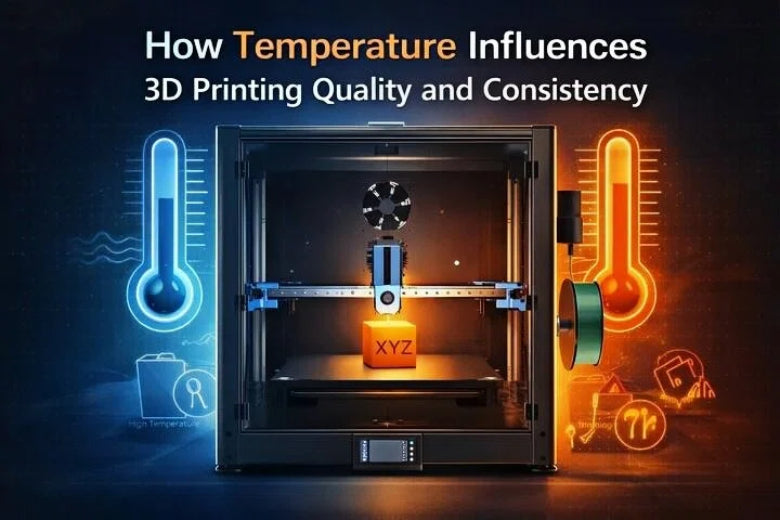
Temperature affects how 3D printing works and the quality you get, illustrating how temperature affects 3D printing. If you control temperature well, material flows better and prints stay correct. Researchers found that a temperature of 40 °C gives the best match to standard models, with an error of only 1.12% for low-viscosity materials. Changing the temperature by just 5 °C can make prints less accurate. Many people think a cooling fan is not always needed for PLA or should run slow, but these ideas can cause trouble. Using the right temperature and keeping it steady helps you avoid common mistakes. Watch how temperature affects 3D printing to get the best results.
Key Takeaways
- Control the nozzle temperature to help the filament flow well. If the temperature is too low, prints can be weak. If it is too high, you may see defects.
- Set the bed temperature right for your material. This helps the first layer stick to the bed. It also stops warping and gives a smooth, strong print.
- Keep the air temperature around your printer steady. This stops fast cooling or heating. It helps avoid print failures and mistakes.
- Check and adjust your printer’s temperature settings often. Small changes can make prints look better and more even.
- Use enclosures to keep the print area warm and steady. This stops warping and makes your prints look better overall.
How Temperature Affects 3D Printing
Nozzle Temperature and Filament Flow
You can change how temperature affects 3D printing by picking the right nozzle temperature. The nozzle temperature controls how well the filament melts and moves. If the temperature is too low, the filament does not melt enough. This makes the layers weak and the print does not stick well. Your prints might break or have holes. If the nozzle temperature is too high, the filament can get ruined. This causes rough spots and makes the print look bad. You might also see strings or blobs on your print. The main way the nozzle cools is through convection. This means air around the nozzle takes away heat. Fan speed and the room temperature also change how fast the nozzle cools down. You need to watch these things to keep the nozzle temperature steady. A steady nozzle temperature helps you get strong layers, smooth surfaces, and the right shapes.
Bed Temperature and Adhesion
Bed temperature is a very important setting in 3D printing. You should use the bed temperature that is best for your material. This helps the first layer stick to the bed. It stops the print from lifting or bending as it cools. If the bed temperature is too low, the print might come off or curl up at the sides. If the bed temperature is too high, the print can get too soft and lose its shape. A heated bed keeps the temperature even everywhere. This helps the material cool slowly and evenly. It stops warping and makes the print stronger. You also get better layers and stronger prints. Each material needs a different bed temperature. For example, PLA uses a lower bed temperature than ABS. Always check the best bed temperature before you start. Using the right bed temperature makes your prints look smooth and nice.
Tip: Let your printer reach the right bed temperature before you start. This helps you stop sticking problems and warping.
Ambient Temperature and Print Stability
Ambient temperature is the air temperature around your printer. You might not think about it, but it really changes how temperature affects 3D printing. If the room is too cold, the print cools too fast. This can make the print bend, shrink, or crack. If the room is too hot, the filament can stay soft for too long. This can make the print sag or look bad. You can control the ambient temperature with an enclosure or by printing in a room that stays the same. Changing the ambient temperature helps you keep the print steady and avoid mistakes.
- Lowering the ambient temperature helps the material get hard faster, which stops bending.
- Heating the printer area can stop problems and make prints better.
- Slower printing and steady ambient temperature make prints stronger and more exact.
You also need to watch for temperature changes during long prints. If the air temperature goes up and down, the print can grow or shrink unevenly. This can make the size and shape wrong. Materials like ABS need a hot bed and a warm room to stop warping. Heated enclosures help keep the temperature steady and make prints more even.
How Temperature Influences Layer Bonding, Surface Finish, and Dimensional Accuracy
Temperature affects 3D printing in many ways. The right bed temperature and nozzle temperature help the print stick and the layers bond. This gives you strong prints that last. Even temperature on the bed stops warping and shrinking. You get smoother prints with fewer holes. Keeping the temperature steady helps you get the right size and shape. If the temperature changes too much, you might see mistakes or shrinking in your prints. Always use the best bed temperature and nozzle temperature for your material. Keep the air temperature steady for the best results.
Note: Temperature settings are the numbers you pick for the nozzle and bed. Temperature stability means keeping those numbers the same while you print. Both are needed for good print quality and consistency.
Common Temperature Issues and Print Defects
Warping, Stringing, and Weak Layers
Warping happens when the first layer cools unevenly. The print can bend or curl at the edges. Wrong temperature settings make warping worse. If the print bed is too cold, the first layer might not stick. The print can lift up from the bed. If the bed is too hot, the filament stays soft and loses shape. Printing with ABS or ASA needs careful temperature control. These materials can warp easily. Good first layer adhesion stops warping and helps the print stick.
Stringing happens if the nozzle temperature is too high. The filament melts too much and makes thin strings. Lowering the temperature helps the plastic harden faster. This reduces stringing. Weak layers happen if the nozzle is too cold. The filament does not melt enough. The layers do not stick well. You need to use the right temperature range. This gives you strong prints and good layer bonding.
Tip: Always check your temperature settings before you print. Good first layer bonding stops warping and helps adhesion.
Heat Creep and Filament Degradation
Heat creep happens when heat moves from the hot end to the cold end. The filament gets soft too soon. This can cause clogs and jams. The first layer may not come out smooth. The print can fail. Heat creep makes layers weak and bonding poor. You can stop heat creep by keeping the hot end temperature steady. Use cooling fans to help. Good adhesion and bonding stop filament degradation and warping.
Rapid Cooling and Print Failure
Rapid cooling can make prints fail. If the first layer cools too fast, it may not stick to the bed. This causes warping and poor bed adhesion. If there is not enough cooling, the filament stays soft too long. This can cause sagging and stringing. Too much cooling makes layers weak, especially with ABS. You need to balance cooling for strong layers and good prints.
|
Cooling Effect |
Description |
|---|---|
|
Sagging and stringing from soft filament. |
|
|
Optimal Cooling |
Good adhesion and print quality, best for PLA. |
|
Excessive Cooling |
Weak layers, a problem for ABS and similar materials. |
Sometimes you might think temperature problems are slicer or hardware issues. Always check your temperature and cooling first. Try changing the nozzle temperature a little, turning up the fan, or waiting longer between layers. These tips help fix common print problems and make your results better.
Material Settings for Best Print Quality
PLA Filament Temperature Guide
You can achieve the best print quality by using the correct pla filament temperature. For most projects, you should set the nozzle between 190°C and 210°C. The bed works best at 50°C to 70°C. These settings help the filament melt and stick well. You can see the ideal pla temperature ranges in the table below:
|
Nozzle Temperature (°C) |
Bed Temperature (°C) |
|---|---|
|
190 - 210 |
50 - 70 |
If you want to start calibrating pla print temperature, begin at 200°C for the nozzle and 60°C for the bed. Watch the first layer closely. If you see poor adhesion or stringing, adjust the temperature up or down by 5°C. This small change can make a big difference in quality.
ABS and PETG: Temperature Ranges
Different materials need different temperature settings. ABS and PETG both require higher heat than PLA. Here are the recommended ranges:
- ABS: Nozzle at 210°C to 250°C, bed at 90°C to 110°C.
- PETG: Nozzle at 220°C to 250°C. PETG does not always need a heated bed, but a bed at 70°C can help.
- PLA: Nozzle at 180°C to 230°C, bed at 20°C to 60°C.
You should always check the filament label for the best range. Using the optimal bed temperature range for each material helps prevent warping and improves adhesion.
Fine-Tuning for Best Results
Fine-tuning for best results means making small changes to your temperature and print settings. Adjusting the nozzle between 190°C and 210°C balances flow and detail. Setting the bed between 50°C and 70°C improves first-layer adhesion. Keep your print speed at 40–60 mm/s for steady results. Turn the cooling fan to 100% after the second layer for sharp details.
Environmental factors also matter. Keep the room between 15°C and 30°C. High humidity can damage your filament and printer. Try to keep humidity below 50%. Good temperature control and careful adjustments help you get the best print quality every time.
Temperature Stability and Calibration
Maintaining Consistent Temperature
You must keep temperature steady during long prints. Large prints take a lot of time. Even small temperature changes can cause big problems. If the temperature goes up or down, you might see warping. Weak spots can also show up in your print. For example, a big model can lift at the corners if the bed cools. You might see cracks between layers if the room gets colder at night.
Setting the right temperature helps you avoid these problems. When you use the correct settings, each layer sticks well. This makes your print strong and better looking. If you do not set the temperature right, you can get weak layers. Too much material can also cause warping or bad prints.
- Good calibration keeps your print quality high, especially for big objects.
- A steady temperature helps layers stick, so your print is strong.
- If the temperature changes, you can get weak layers or extra material, which hurts your print.
To keep temperature steady, follow good steps for handling and storing materials. The table below shows some helpful tips:
|
Best Practice |
Description |
|---|---|
|
Track storage duration |
Keep track of how long you store each spool for better prints. |
|
Use drying logs |
Write down drying times and when the filament is out in the air. |
|
Airtight storage |
Put filament in airtight boxes to stop water from getting in. |
|
Documented quality control |
Use a clear process for drying and storage, especially for big batches. |
Slicer Adjustments and Environmental Control
You can change slicer settings to help control temperature. Set the nozzle temperature to fit your material and cooling needs. Lowering the fan speed can make the print look shinier. This is because the plastic cools slower. You should also set the flow rate right. This stops printing too much or too little material.
- Change nozzle temperature for better flow and strong layers.
- Lower fan speed for a smoother look.
- Adjust flow rates to stop too much or too little plastic.
Controlling the environment is important too. You can use enclosures to keep heat in and temperature steady. Heated enclosures are good for big prints or special materials. The table below shows some common ways to help:
|
Strategy |
Description |
|---|---|
|
Enclosures |
Trap heat and stop sudden temperature changes for a steady print. |
|
Heated Enclosures |
Keep temperature even for big prints or special materials, which helps stop warping. |
|
Temperature Monitoring |
Watch the room temperature to keep your print quality high. |
Professional print shops use closed spaces to keep temperature steady. This helps them stop warping and get good results, even with long or hard prints. You can use these ideas at home to make your prints better too.
You know temperature changes how your 3D prints turn out. Good settings help you stop warping and weak layers. They also help you avoid print problems. The table below shows important ways temperature affects print quality:
|
Key Point |
Description |
|---|---|
|
Crystallization Behavior |
How material crystallizes changes layer strength and bonding. |
|
Past heat changes bonding and how strong prints are. |
|
|
Cooling Rate |
How fast things cool changes how layers stick. |
To get better prints, try these steps:
- Use an enclosure to keep the print area warm.
- Adjust your printer’s temperature controls and check them before printing.
- Make small changes and see if your prints get better.
- Calibrate your printer often to keep prints looking good.
Trying different temperature settings helps you find what works best for each material and project.
FAQ
What happens if you set the nozzle temperature too high?
If you set the nozzle temperature too high, the filament can burn or degrade. You may see stringing, blobs, or rough surfaces. Lowering the temperature helps you get cleaner prints.
Why does bed temperature matter for 3D printing?
Bed temperature helps the first layer stick to the print bed. If the bed is too cold, prints may warp or lift. A warm bed keeps your print flat and improves adhesion.
How does room temperature affect print quality?
Room temperature changes how fast your print cools. Cold rooms can cause warping or cracks. Warm, stable rooms help you get smoother, stronger prints.
Can you use the same temperature settings for all filaments?
No, each filament type needs its own temperature range. PLA, ABS, and PETG all melt at different temperatures. Always check the recommended settings for your material.
What is heat creep and how can you prevent it?
Heat creep happens when heat travels up the hot end and softens the filament too soon. You can prevent it by using cooling fans and keeping your printer’s hot end temperature steady.